
Nespresso EN80B
Contents
Nespresso Inissia Espresso Machine by De'Longhi
Model: EN80B
Introduction
The Nespresso Inissia by De'Longhi is a compact and lightweight espresso machine designed for ease of use and efficiency. It delivers barista-style coffee with a simple one-touch operation and a patented extraction system providing up to 19 bar pressure. Its fast heat-up time ensures your coffee is ready in just 25 seconds. The machine also features a folding drip tray for various cup sizes and an energy-saving mode for automatic shut-off after 9 minutes of inactivity.
Setup
1. Unpacking and Initial Inspection
Carefully remove all components from the packaging. Ensure all parts are present and undamaged before proceeding with setup.

Figure 1: All components of the Nespresso Inissia machine, including the main unit, water tank, drip tray, used capsule container, and a sample pack of Nespresso capsules.
2. Filling the Water Tank
Lift the water tank from the back of the machine. Fill it with fresh drinking water up to the maximum level indicated. Place the water tank back securely.

Figure 2: The Nespresso Inissia machine with its transparent water tank filled with water, positioned at the rear of the unit.
3. First Use and Rinsing
Before first use, it is recommended to rinse the machine. Ensure the water tank is filled. Place a container under the coffee outlet. Press either the Espresso or Lungo button to run water through the machine without a capsule. Repeat this process a few times to clean the internal system.
Operating Instructions
1. Brewing Coffee
- Ensure the water tank is filled with fresh water.
- Turn on the machine by pressing either the Espresso or Lungo button. The buttons will blink while heating up and become steady when ready (approximately 25 seconds).
- Lift the lever completely and insert a Nespresso OriginalLine capsule. Close the lever firmly.
- Place a cup under the coffee outlet. For taller cups, the drip tray can be folded up or removed.
- Press the Espresso button for a 40 ml shot or the Lungo button for a 110 ml shot. The machine will automatically stop when the desired volume is dispensed.
- After brewing, lift the lever to eject the used capsule into the integrated container.
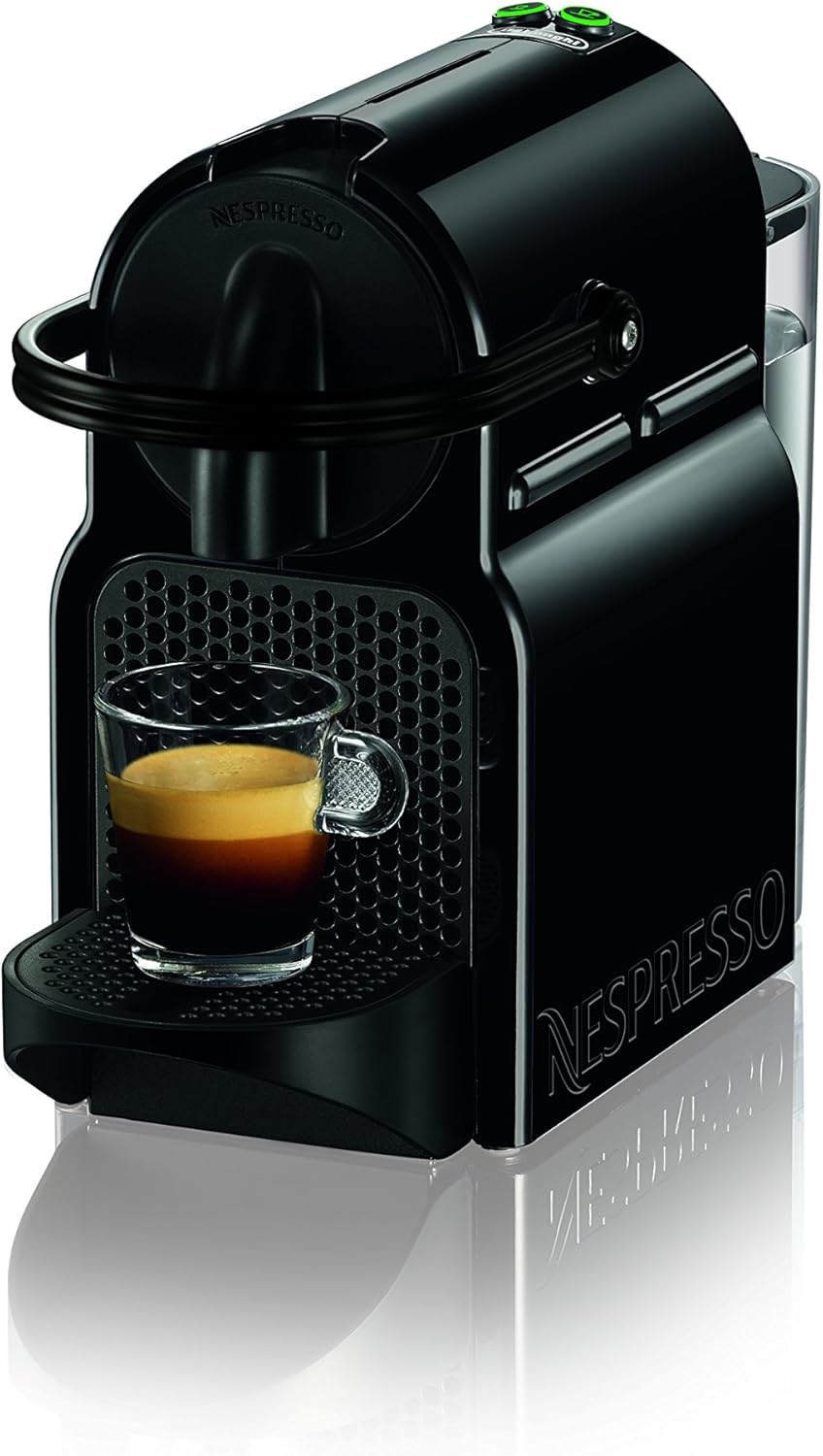
Figure 3: The Nespresso Inissia machine actively brewing a shot of espresso into a small glass cup, showcasing the compact design and coffee output.

Figure 4: A detailed view illustrating the process of inserting a Nespresso capsule into the machine, the top control buttons, and the coffee dispensing into a cup.
2. Energy Saving Mode
The machine is equipped with an energy-saving function. It will automatically switch off after 9 minutes of inactivity to conserve energy. To reactivate, simply press any button.
Maintenance
1. Daily Cleaning
- Drip Tray and Used Capsule Container: Empty and rinse the drip tray and the used capsule container daily. These parts can be washed with warm soapy water.
- Water Tank: Rinse the water tank regularly with fresh water.
- Machine Exterior: Wipe the machine's exterior with a damp cloth. Do not use abrasive cleaning agents or immerse the machine in water.

Figure 5: The Nespresso Inissia machine with its removable drip tray and used capsule container detached, illustrating parts that require regular cleaning.
2. Descaling
Descaling is crucial for maintaining the machine's performance and ensuring optimal coffee quality. The frequency of descaling depends on water hardness and usage. Refer to the official Nespresso descaling instructions or the full user manual for detailed steps and recommended descaling solutions.
3. Capsule Recycling
Nespresso is committed to sustainability. All Nespresso aluminum capsules are recyclable. You can collect your used capsules and return them through Nespresso's dedicated recycling programs. Visit the Nespresso website for more information on how to recycle your capsules in your region.

Figure 6: An illustration highlighting the recyclability of Nespresso aluminum capsules, emphasizing the brand's commitment to environmental responsibility.
Troubleshooting
If you encounter issues with your Nespresso Inissia machine, please refer to the common problems and solutions below. For more detailed troubleshooting, consult the comprehensive user manual.
| Problem | Possible Cause | Solution |
|---|---|---|
| No coffee flow / Very slow flow | Empty water tank, air bubble in system, machine needs descaling, clogged capsule. | Fill water tank, run a few cycles without capsule to clear air, descale machine, check capsule for damage. |
| Water leaking from machine | Water tank not properly seated, drip tray overflowing, internal seal issue. | Ensure water tank is correctly positioned, empty drip tray, contact Nespresso support if issue persists. |
| Machine not turning on | No power, machine in energy-saving mode. | Check power connection and outlet, press any button to wake machine from energy-saving mode. |
For further assistance, please refer to the official user guide: Nespresso Inissia User Manual (PDF).
Specifications
| Feature | Detail |
|---|---|
| Brand | Nespresso |
| Model Name | EN80B |
| Coffee Maker Type | Espresso Machine |
| Color | Black |
| Product Dimensions | 9"D x 4.7"W x 12.6"H |
| Item Weight | 5.3 pounds |
| Voltage | 120 Volts |
| Wattage | 1200 watts |
| Water Tank Capacity | 24 oz |
| Pressure | 19 bar |
| Heat-up Time | 25 seconds |
| Automatic Shut-off | After 9 minutes |
Warranty and Support
Warranty Information
This Nespresso Inissia machine is covered by a manufacturer's warranty. For specific details regarding warranty terms, duration, and conditions, please refer to the warranty card included with your product or visit the official Nespresso website. Keep your proof of purchase for warranty claims.
Customer Support
For any questions, technical assistance, or to order Nespresso capsules and accessories, please contact Nespresso Customer Service. You can find contact information on the official Nespresso website or within the product packaging.
Official Nespresso Website: www.nespresso.com
User Guide (PDF): Download Here
Ask a question about this manual
Ask about setup, troubleshooting, compatibility, parts, safety, or missing instructions. Manuals+ will review the question and use this page’s manual context to help answer it.