
ERP PA020047
ERP PA020047 Range Spark Module Instruction Manual
Your guide to installation, operation, and maintenance.
1. Product Overview
The ERP PA020047 is a replacement spark module designed for various ranges. This component is crucial for igniting the gas burners on your appliance, ensuring proper functionality. It is manufactured by ERP, a brand known for appliance replacement parts.
- Function: Controls the ignition spark for gas range burners.
- Compatibility: Designed to work with specific range models. Always verify compatibility with your appliance's model number.
- Quality Assurance: All ERP products come with a one-year warranty.

Image 1.1: Front view of the ERP PA020047 Range Spark Module, showing the wiring terminals and model number label.
2. Specifications
| Specification | Detail |
|---|---|
| Model Number | PA020047 |
| Brand | ERP |
| Product Dimensions | 1.13 x 4.75 x 3.38 inches |
| Item Weight | 5.9 ounces |
| Manufacturer | ERP |

Image 2.1: Back view of the ERP PA020047 Range Spark Module, showing the smooth, unlabelled surface.
3. Installation Instructions
WARNING: Before attempting any installation or repair, ensure the appliance is completely disconnected from its power source (unplugged or circuit breaker off) and gas supply is shut off. Failure to do so can result in serious injury or death.
- Verify Compatibility: Locate the model number of your range, stove, or oven. This is typically found around the door opening. Compare it with the compatibility information for the PA020047 module to ensure it is the correct replacement part.
- Access the Existing Module: Depending on your appliance model, you may need to remove burner grates, burner caps, or the cooktop to access the spark module. Refer to your appliance's service manual for specific access procedures.
- Document Wiring: Before disconnecting any wires, take clear photos or make a diagram of the existing wiring connections to the old spark module. This will help ensure correct re-connection.
- Disconnect and Remove: Carefully disconnect all wires from the old spark module. Remove any mounting screws or clips holding the old module in place and remove it from the appliance.
- Install New Module: Position the new ERP PA020047 spark module in the same location as the old one. Secure it with the original mounting hardware.
- Connect Wiring: Using your photos or diagram, carefully re-connect all wires to the corresponding terminals on the new spark module. Ensure all connections are secure.
- Reassemble Appliance: Once the new module is installed and wired, reassemble any parts of the appliance that were removed (e.g., cooktop, burner grates).
- Test Functionality: Restore power and gas supply to the appliance. Test each burner to ensure it sparks and ignites correctly.
Video 3.1: This video from Supplying Demand explains how to find the model number on your range, stove, or oven to ensure proper fitment and compatibility for replacement parts.
Video 3.2: A 360-degree product view of the ERP PA020047 spark module, provided by Supplying Demand, offering a detailed visual inspection of the part.
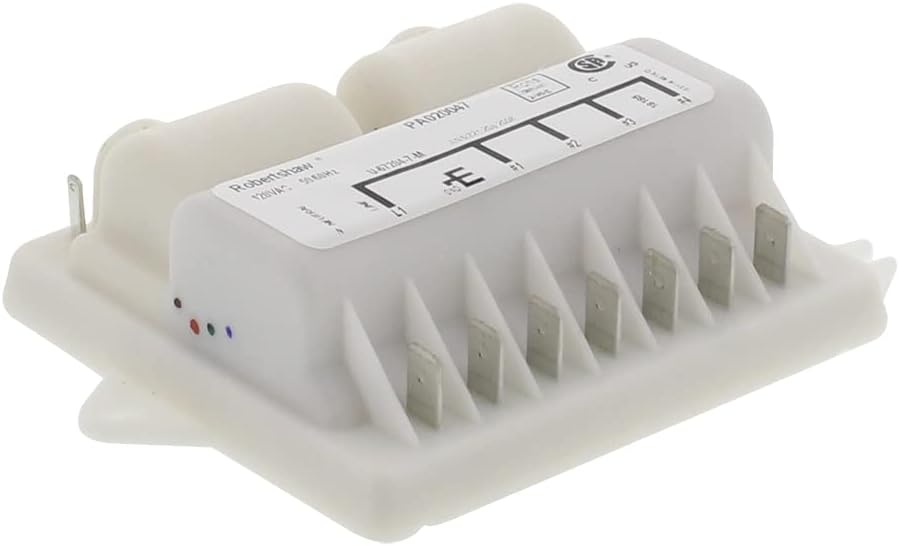
Image 3.3: Angled view of the ERP PA020047 module, highlighting the various terminal connections for wiring.
4. Operation
Once correctly installed, the ERP PA020047 spark module operates automatically when a burner knob is turned to the 'Lite' or 'Ignite' position. It sends electrical pulses to the igniter electrodes, creating a spark that ignites the gas flowing to the burner. This process should result in a consistent flame.
- Sparking: Upon turning a burner knob, you should hear a rapid clicking sound as the module generates sparks.
- Ignition: The gas should ignite within a few seconds of sparking.
- Continuous Operation: The spark module's primary role is during ignition; it does not affect the flame once the burner is lit.

Image 4.1: Side view of the ERP PA020047 module, showing the various connection points and overall compact design.
5. Maintenance
The ERP PA020047 spark module is a sealed electronic component and generally requires no routine maintenance. However, ensuring its longevity and proper function involves maintaining the surrounding components:
- Keep Clean: Regularly clean the area around the burner igniters to prevent grease or food debris from obstructing the spark.
- Inspect Wiring: Periodically check the wiring connections to the spark module for any signs of wear, damage, or looseness. Ensure they remain secure.
- Avoid Moisture: Protect the spark module and its connections from excessive moisture, which can cause electrical issues.
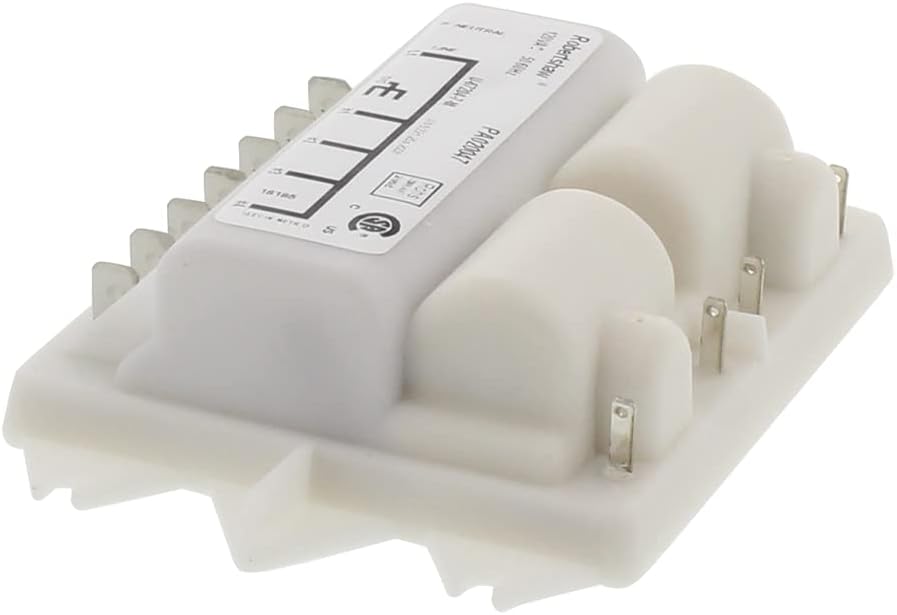
Image 5.1: Another angled view of the ERP PA020047 module, providing a comprehensive look at its structure.
6. Troubleshooting
If your range burners are not igniting correctly after installing the ERP PA020047 spark module, consider the following troubleshooting steps:
- No Spark:
- Check Power and Gas: Ensure the appliance has power and the gas supply is turned on.
- Verify Wiring: Double-check all wiring connections to the spark module and igniters. Loose or incorrect wiring is a common issue.
- Inspect Igniters: Ensure the igniter electrodes are clean and not cracked or damaged.
- Module Failure: If all other components are confirmed functional, the new spark module may be faulty.
- Intermittent Spark:
- Loose Connections: Re-examine all electrical connections for tightness.
- Moisture/Debris: Ensure no moisture or food debris is interfering with the igniter or module connections.
- Grounding Issue: Verify the appliance is properly grounded.
- Burner Sparks but Does Not Ignite:
- This usually indicates a gas supply issue to the burner, not a spark module problem. Check for clogged burner ports or issues with the gas valve.
If troubleshooting does not resolve the issue, it is recommended to contact a qualified appliance technician.
7. Warranty Information
The ERP PA020047 Range Spark Module is covered by a one-year warranty from the date of purchase. This warranty covers defects in materials and workmanship under normal use. For warranty claims or further details, please contact your retailer or ERP customer support.
8. Customer Support
For technical assistance, compatibility questions, or to report an issue with your ERP PA020047 Range Spark Module, please refer to the following:
- Contact your retailer: The point of purchase can often provide immediate support or direct you to the appropriate service.
- Consult a qualified technician: For complex installation or troubleshooting, professional assistance is recommended.
- Manufacturer's Website: Visit the official ERP website for additional resources, FAQs, or contact information.
Ask a question about this manual
Ask about setup, troubleshooting, compatibility, parts, safety, or missing instructions. Manuals+ will review the question and use this page’s manual context to help answer it.