1. Introduction
This manual provides essential information for the safe and efficient operation of your Easy Karaoke EKS780-BT Bluetooth CD+CDG Karaoke Machine. Please read these instructions thoroughly before using the device and retain them for future reference.
The EKS780-BT is a versatile karaoke system featuring a top-loading CD+G mechanism, Bluetooth connectivity, and two USB ports for recording. It includes a 7-inch TFT screen for lyric display, integrated speakers, multi-color disco lights, and comes with one microphone and a demo disc. The system supports streaming karaoke songs via Bluetooth and offers features like echo control and automatic voice control.
2. Safety Information
- Power Source: Use only the specified power adapter. Ensure the voltage matches your local power supply.
- Ventilation: Do not block ventilation openings. Place the unit on a stable, flat surface.
- Water and Moisture: Do not expose the unit to rain, moisture, or immerse it in water. Keep liquids away from the device.
- Heat: Keep the unit away from heat sources such as radiators, heat registers, stoves, or other apparatus (including amplifiers) that produce heat.
- Cleaning: Unplug the unit from the wall outlet before cleaning. Use a soft, dry cloth. Do not use liquid cleaners or aerosol cleaners.
- Servicing: Do not attempt to service this product yourself. Refer all servicing to qualified service personnel.
- Microphone Handling: Avoid dropping the microphone or exposing it to excessive force.
3. Package Contents
Please check that all items are present in the package:
- Easy Karaoke EKS780-BT Karaoke Machine
- 1 x Microphone
- 1 x Demo CD+G Disc
- Power Adapter
- AV Cable (for TV connection)
4. Product Overview
Familiarize yourself with the components and controls of your karaoke machine.

Image 4.1: Front view of the EKS780-BT Karaoke Machine. This image displays the main unit with a tablet placed in its stand, the central 7-inch screen showing lyrics, various control knobs for audio adjustments, and the integrated multi-color disco lights on the speaker grille. A microphone is also visible in the foreground.
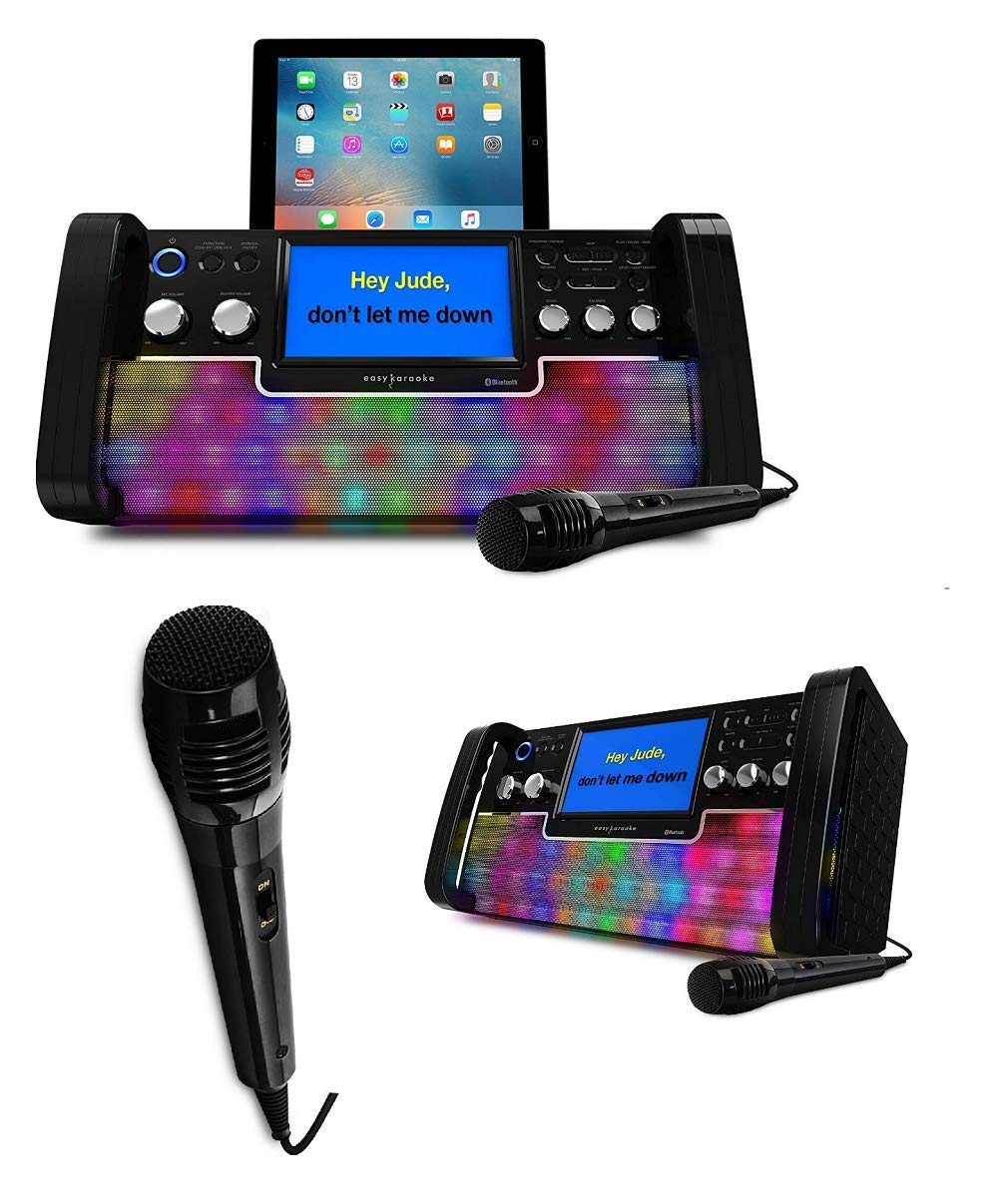
Image 4.2: Feature diagram of the EKS780-BT. This diagram highlights key functionalities: 'On Screen Lyrics' (connect to your TV), 'Disco Light Effects' with equalizer, 'USB Port for MP3 / MP3+G', and '1 Karaoke Disc & Microphone' included. The main unit with a tablet is shown in the center.
4.1 Front Panel Controls and Features
- Power Button: Turns the unit on or off.
- 7-inch TFT Color Screen: Displays CD+G lyrics and menu information.
- Master Volume Control: Adjusts the overall sound output level.
- Microphone Volume Control: Adjusts the volume of the connected microphones.
- Echo Control: Adds an echo effect to the microphone sound.
- Automatic Voice Control (AVC): Automatically reduces the main vocal track volume when a microphone is used.
- CD+G Player: Top-loading mechanism for CD and CD+G discs.
- USB Ports (x2): For MP3/MP3+G playback and recording.
- Disco Lights: Integrated multi-color LED lights that synchronize with music.
- Bluetooth Indicator: Shows Bluetooth connection status.
4.2 Rear Panel Connections
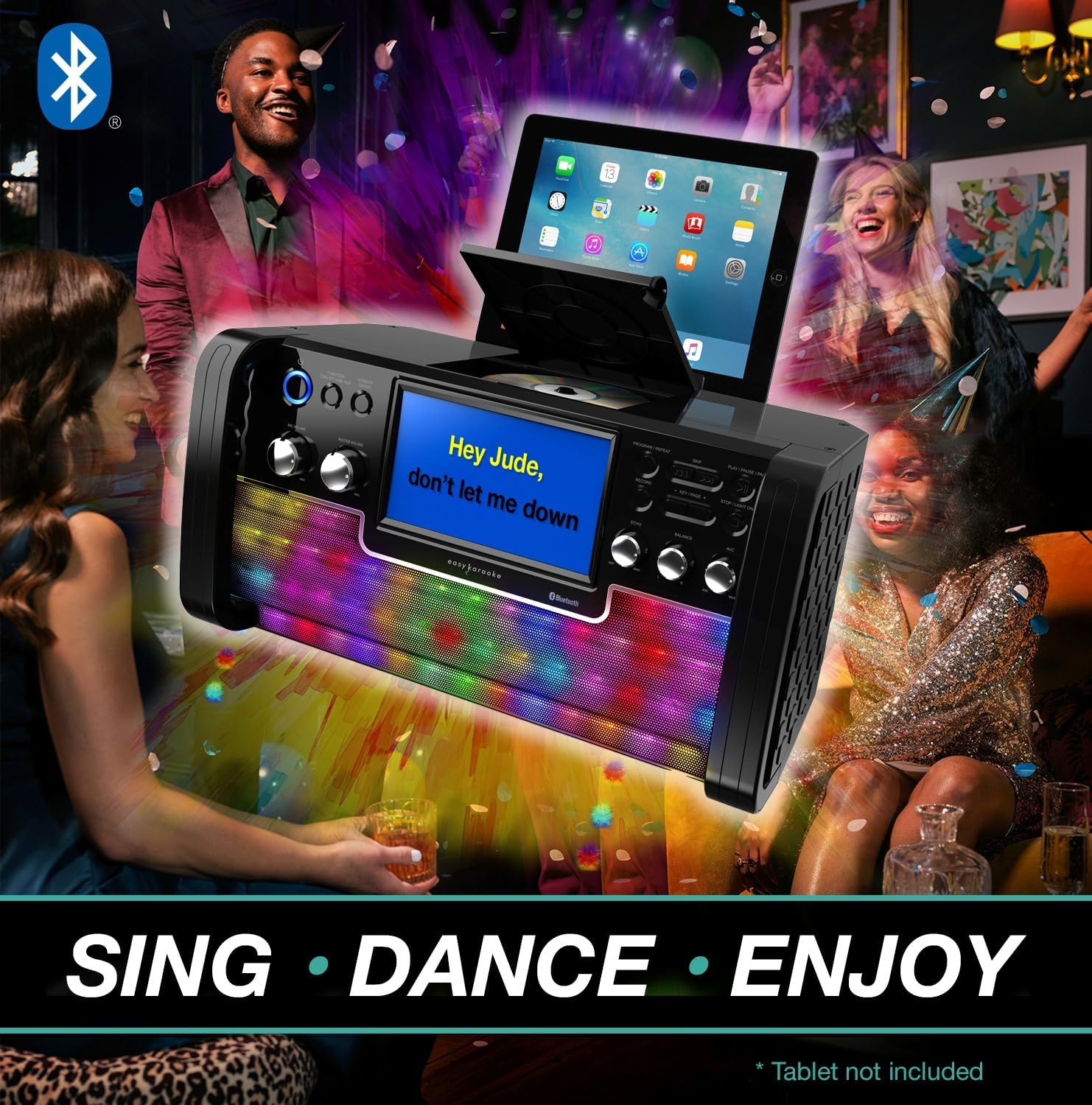
Image 4.3: Rear view of the EKS780-BT Karaoke Machine. This image illustrates the back panel, typically featuring the power input, audio/video output jacks for connecting to an external display or sound system, and additional microphone input ports.
- DC IN Jack: Connect the provided power adapter here.
- Audio/Video Output Jacks: Connect to a TV or external audio system using the supplied AV cable.
- Microphone Input Jacks (x2): Connect microphones here.
5. Setup
5.1 Power Connection
- Ensure the karaoke machine is placed on a stable, flat surface.
- Connect the supplied power adapter to the DC IN jack on the rear of the unit.
- Plug the power adapter into a suitable wall outlet.
5.2 Microphone Connection
- Plug the microphone cable into one of the Microphone Input Jacks on the unit.
- If using a second microphone (not included), connect it to the other microphone input jack.
5.3 TV Connection (Optional)
To display lyrics on a larger screen, connect the unit to your TV:
- Connect the supplied AV cable to the Audio/Video Output Jacks on the rear of the karaoke machine.
- Connect the other end of the AV cable to the corresponding Audio/Video Input jacks on your television.
- Select the correct AV input source on your TV.
6. Operating Instructions
6.1 Power On/Off
- Press the Power Button on the front panel to turn the unit on. The screen will illuminate.
- Press the Power Button again to turn the unit off.
6.2 CD/CDG Playback
- Open the CD compartment cover on top of the unit.
- Carefully place a CD or CD+G disc onto the spindle with the label side facing up.
- Close the CD compartment cover.
- The unit will automatically begin playing the disc. Lyrics will appear on the 7-inch screen (and connected TV if applicable) for CD+G discs.
- Use the playback controls (Play/Pause, Skip, Stop) on the front panel to manage playback.
6.3 Bluetooth Audio Streaming
- Turn on the karaoke machine.
- Activate Bluetooth on your smartphone, tablet, or other compatible device.
- Search for Bluetooth devices and select "EKS780-BT" from the list.
- Once paired, the Bluetooth indicator on the unit will confirm the connection.
- You can now stream audio from your device to the karaoke machine.
- For karaoke tracks, use the included QR code to access a library of HD karaoke songs or stream from online platforms.
6.4 USB Playback and Recording
- Playback: Insert a USB drive containing MP3 or MP3+G files into one of the USB ports. The unit should automatically detect and begin playback or allow selection via the menu.
- Recording: During karaoke performance, press the Record button (if available, refer to specific button labels on your unit) to record your singing to a connected USB drive. Press again to stop recording.
6.5 Microphone Controls
- Microphone Volume: Rotate the Microphone Volume Control knob to adjust the loudness of your voice.
- Echo: Rotate the Echo Control knob to add or reduce the echo effect on your voice.
- Automatic Voice Control (AVC): Engage the AVC function (if it has a dedicated button) to automatically lower the main vocal track of a song when you sing into the microphone.
6.6 Disco Lights
The integrated multi-color disco lights will automatically activate when the unit is powered on and will respond to the music being played. There may be a dedicated button to turn them on/off or change modes, refer to your unit's specific controls.
7. Maintenance
- Cleaning: Wipe the unit with a soft, dry cloth. Do not use abrasive cleaners or solvents.
- CD Lens Care: If the CD lens becomes dirty, use a commercially available CD lens cleaner.
- Storage: When not in use for extended periods, unplug the unit and store it in a cool, dry place.
8. Troubleshooting
| Problem | Possible Cause | Solution |
|---|---|---|
| No power | Power adapter not connected or faulty outlet. | Ensure power adapter is securely connected and the outlet is functional. |
| No sound from speakers | Master volume too low; incorrect input source; external speakers connected. | Increase Master Volume. Check if an external audio system is connected and adjust its volume. Ensure correct mode (CD, Bluetooth, USB) is selected. |
| No sound from microphone | Microphone not connected; microphone volume too low; microphone faulty. | Ensure microphone is securely plugged in. Increase Microphone Volume. Test with another microphone if available. |
| CD/CDG disc not playing | Disc inserted incorrectly; disc dirty or scratched; CD compartment not closed. | Re-insert disc correctly. Clean disc with a soft cloth. Close the CD compartment securely. |
| Bluetooth not connecting | Bluetooth not enabled on device; unit not in pairing mode; device too far. | Ensure Bluetooth is enabled on your device. Make sure the unit is discoverable. Move device closer to the karaoke machine. |
| Lyrics not appearing on TV | AV cable not connected correctly; incorrect TV input selected; not a CD+G disc. | Check AV cable connections. Select the correct AV input on your TV. Ensure you are playing a CD+G disc. |
9. Specifications
| Feature | Specification |
|---|---|
| Brand | EASY KARAOKE |
| Model Number | 381166 |
| Color | Black |
| Connectivity Technology | Bluetooth, USB |
| Special Features | Echo, Automatic Voice Control (AVC) |
| Total USB Ports | 2 |
| Compatible Devices | Smartphones, tablets, laptops, PCs, CD players, USB audio devices |
| Included Components | Microphone |
| Recommended Uses | Home |
| Power Source | Corded Electric |
| Number of Speakers | 1 |
| Manufacturer | Easy Karaoke |
| Country of Origin | United Kingdom |
| Spare Parts Availability | Information not available |
| Software Updates Guaranteed Until | Information not available |
10. Warranty and Support
Easy Karaoke products are designed for reliability and performance. For information regarding warranty coverage, please refer to the warranty card included with your purchase or contact your retailer.
For technical support or further assistance, please visit the Easy Karaoke official website or contact their customer service department. Keep your purchase receipt as proof of purchase for any warranty claims.


