
Introduction
This manual provides essential information for the safe and efficient operation of your Luceco Portable Indoor/Outdoor USB Rechargeable LED Work Light. Please read these instructions carefully before use and retain them for future reference.
The Luceco Slimline Portable LED Worklight is a versatile lighting solution designed for various environments, including workshops, vehicles, job sites, and outdoor activities. It features a powerful LED array, USB charging capabilities, and a durable, weather-resistant construction.
Safety Information
Always follow basic safety precautions when using electrical products to reduce the risk of fire, electric shock, and personal injury.
- Do not immerse the unit in water. While rated for outdoor use, it is not designed for submersion.
- Do not open the housing or attempt to repair the unit. Refer all servicing to qualified personnel.
- Keep away from flammable materials.
- Ensure the charging cable and adapter are in good condition before charging.
- Do not stare directly into the LED light source when illuminated, as it may cause eye strain or damage.
- This product contains a Lithium-Ion battery. Dispose of responsibly according to local regulations.
Package Contents
Verify that all items are present in the package:
- 1 x Luceco Slimline Rechargeable Worklight
- 1 x USB to Micro USB Charging Cable
- 1 x Car Charger
Setup
Initial Charging
Before first use, fully charge the work light. Connect the supplied USB to Micro USB cable to the work light's charging port and to either the included car charger or a standard USB power adapter (not included). The charging indicator will show the charging status.
A full charge typically takes approximately 3 hours and provides up to 3 hours of illumination.
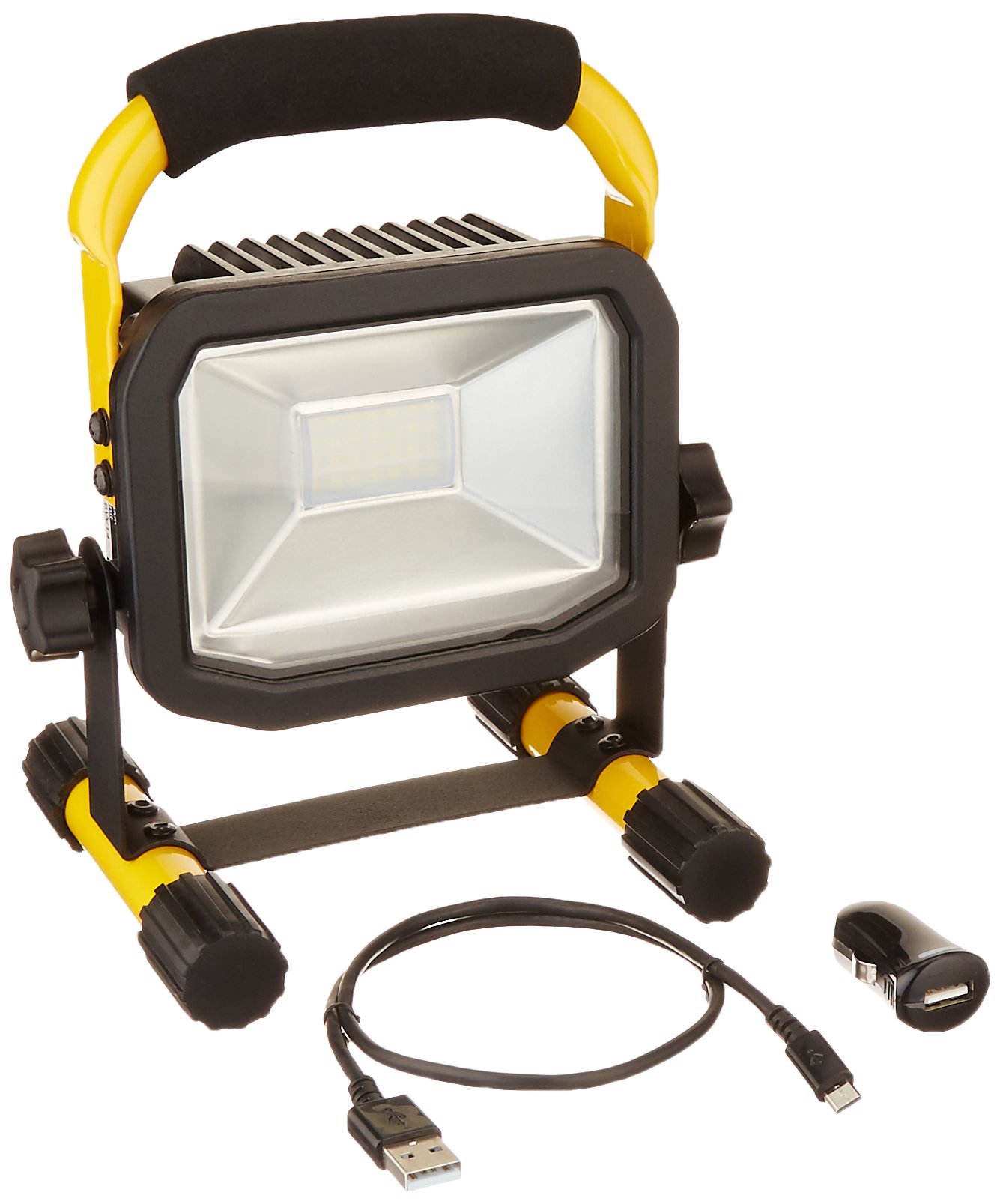
Figure 1: Luceco Portable LED Work Light showing its compact design and dimensions (approximately 8.6 inches / 21 cm in height).
Positioning the Work Light
The work light features a sturdy stand and a soft-grip handle for easy positioning. Place the light on a stable, flat surface. The adjustable stand allows you to direct the light beam as needed.
Operating Instructions
Turning On/Off
Locate the weatherproof power switch on the unit. Press the switch once to turn the light on. Press it again to turn the light off.
Charging Mobile Devices
The work light can also function as a power bank for micro-USB compatible mobile devices. Connect your mobile device to the work light's USB output port using a compatible cable (not included). The work light will begin charging your device.
Note: Using the work light to charge other devices will reduce its available illumination time.
Maintenance
Cleaning
Clean the exterior of the work light with a soft, damp cloth. Do not use abrasive cleaners or solvents. Ensure the charging port cover is securely closed when not in use to maintain weather resistance.
Storage
When storing the work light for extended periods, ensure it is fully charged. Recharge every 3-6 months to maintain battery health.
Troubleshooting
| Problem | Possible Cause | Solution |
|---|---|---|
| Light does not turn on. | Battery is depleted. | Charge the work light fully. |
| Light output is dim. | Low battery charge. | Recharge the work light. |
| Mobile device not charging. | Work light battery low; incompatible device/cable. | Ensure work light is charged. Verify device is micro-USB compatible and cable is functional. |
Specifications
| Feature | Detail |
|---|---|
| Model Number | LSWR10BR-US |
| Light Source Type | LED |
| Light Output (Max) | 750 Lumens |
| Wattage | 10 Watts |
| Color Temperature | 5000 Kelvin |
| Power Source | Battery Powered (Lithium Ion) |
| Battery Life (approx.) | 3 hours on full charge |
| Charging Time (approx.) | 3 hours |
| Dimensions | 6.1 x 5.1 x 8 inches |
| Item Weight | 2 Pounds |
| Material | Alloy Steel, Tempered Glass |
| Certifications | UL Listed |
| Special Features | USB Charging Output, Soft-grip handle, Weatherproof switch |
Warranty
This Luceco product is backed by a 3-year warranty from the date of purchase. This warranty covers defects in materials and workmanship under normal use. It does not cover damage resulting from misuse, abuse, accident, unauthorized repair, or modification.
For warranty claims, please retain your proof of purchase and contact Luceco customer support.
Support
For technical assistance, troubleshooting not covered in this manual, or to inquire about replacement parts, please visit the official Luceco website or contact their customer service department.
Website: www.luceco.com
Contact information may vary by region. Please refer to the product packaging or Luceco's official website for the most current support details.


