
Introduction
This manual provides essential information for the proper use and care of your JVC M-DV60GR Digital Video Cassette. Please read these instructions carefully before use to ensure optimal performance and longevity of your MiniDV tape.
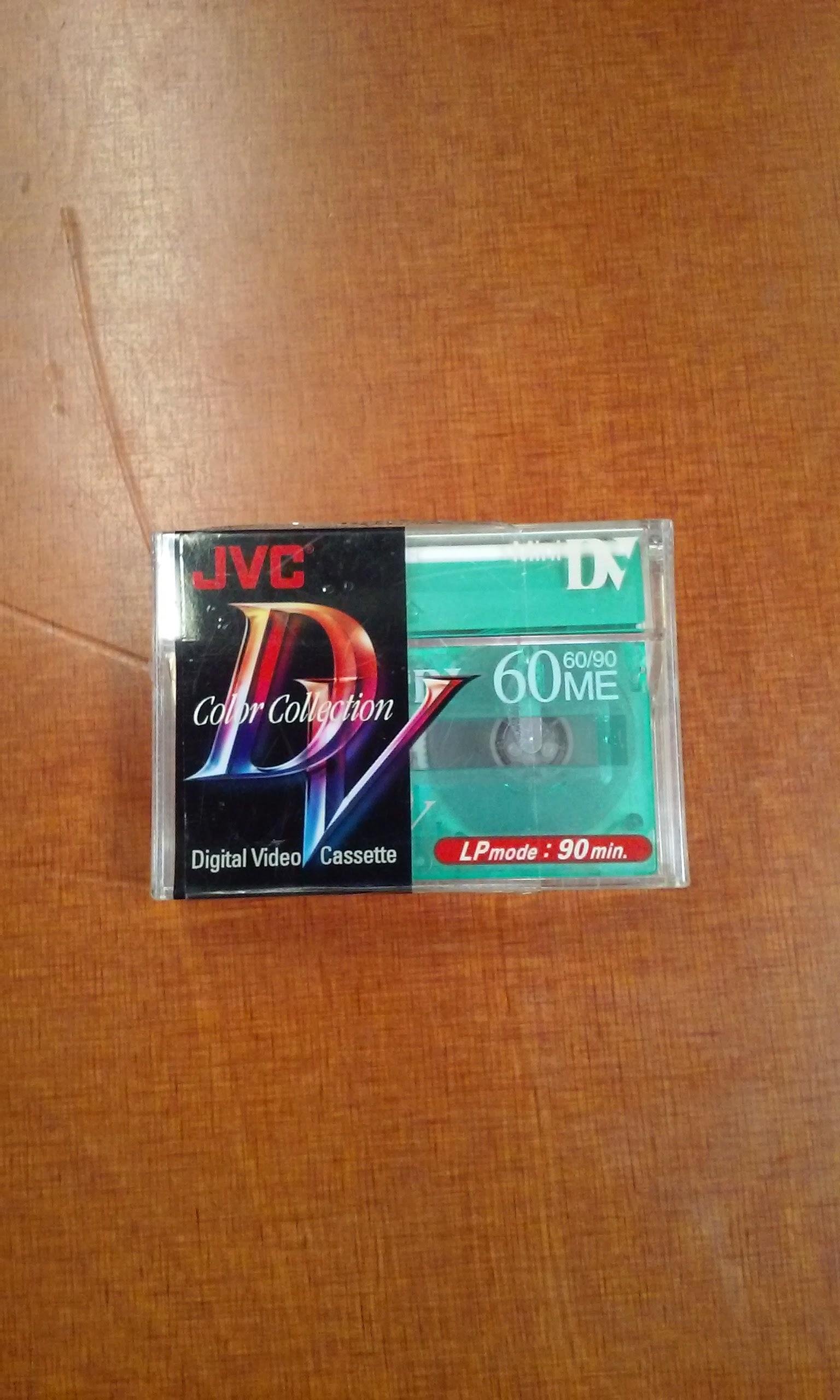
Image of the JVC M-DV60GR Digital Video Cassette, showing its green casing and label. This tape is designed for digital video recording.
Setup
Before using the JVC M-DV60GR Digital Video Cassette, ensure your MiniDV camcorder or VCR is clean and in good working order.
- Unpack the Cassette: Carefully remove the MiniDV cassette from its packaging. Avoid touching the tape surface.
- Open Camcorder/VCR Cassette Compartment: Refer to your camcorder or VCR's instruction manual for specific instructions on opening the cassette compartment.
- Insert the Cassette: Insert the JVC M-DV60GR cassette into the compartment with the tape window facing outwards, ensuring it clicks securely into place. Do not force the cassette.
- Close Compartment: Close the cassette compartment. The device should automatically load the tape.
- Initial Fast Forward/Rewind (Optional but Recommended): For new tapes, it is often recommended to fast forward the tape to the end and then rewind it to the beginning. This helps to stabilize the tape tension and can reduce dropouts.
Operating the Digital Video Cassette
The JVC M-DV60GR is a blank recording medium. Its operation is primarily controlled by the recording device (camcorder or VCR) it is inserted into.
- Recording:
Once the cassette is loaded, select your desired recording mode (SP or LP) on your camcorder. The JVC M-DV60GR supports both modes, offering 60 minutes of recording in SP mode and 90 minutes in LP mode.
Press the record button on your device to begin recording. Ensure the write-protect tab on the cassette is in the 'record' position (usually open or not engaged).
- Playback:
To play back recorded content, insert the cassette into a compatible MiniDV camcorder or VCR. Use the device's playback controls (Play, Rewind, Fast Forward, Pause) to navigate and view your recordings.
- Write Protection:
The cassette features a small write-protect tab. Sliding this tab to the 'protect' position (usually closed or engaged) prevents accidental erasure of recorded content. To record again, slide the tab back to the 'record' position.
Maintenance and Storage
Proper care and storage will extend the life of your JVC M-DV60GR Digital Video Cassette and preserve your recordings.
- Storage: Store cassettes in their original cases, away from direct sunlight, high temperatures, humidity, and strong magnetic fields.
- Temperature: Avoid extreme temperature fluctuations. Ideal storage temperature is between 10°C and 25°C (50°F and 77°F).
- Humidity: Keep cassettes in a low-humidity environment. High humidity can damage the tape.
- Magnetic Fields: Do not store cassettes near speakers, televisions, or other devices that generate strong magnetic fields, as this can corrupt recordings.
- Handling: Always handle cassettes by their edges. Avoid touching the tape surface or the internal mechanisms.
- Cleaning: Do not attempt to clean the tape itself. If your camcorder or VCR requires cleaning, use a dedicated MiniDV head cleaning cassette according to your device's instructions.
Troubleshooting Common Issues
If you encounter problems with your JVC M-DV60GR Digital Video Cassette, consider the following:
| Issue | Possible Cause | Solution |
|---|---|---|
| Tape not recording | Write-protect tab engaged; tape full; camcorder issue. | Disengage write-protect tab; use a new tape; check camcorder manual. |
| Poor playback quality (dropouts, static) | Dirty camcorder heads; damaged tape; tape stored improperly. | Use a head cleaning cassette; try another tape; ensure proper storage. |
| Tape jams or won't eject | Improper insertion; mechanical issue with camcorder/VCR. | Do not force. Refer to camcorder manual for ejection procedures or seek professional service. |
Note: Most issues related to tape playback or recording are often due to the recording device's condition rather than the tape itself. Ensure your camcorder or VCR is regularly maintained.
Specifications
- Model: M-DV60GR
- Type: Digital Video Cassette (MiniDV)
- Recording Time (SP Mode): 60 minutes
- Recording Time (LP Mode): 90 minutes
- Tape Material: Metal Evaporated (ME)
- Brand: JVC
- UPC: 046838006760
Warranty and Support
JVC Digital Video Cassettes are manufactured to high-quality standards. For specific warranty information regarding this product, please refer to the packaging or contact JVC customer support directly.
Customer Support: For technical assistance or inquiries, please visit the official JVC website or consult the support section of your MiniDV camcorder/VCR manufacturer, as tape performance is often linked to the recording device.
Please retain your purchase receipt as proof of purchase for any warranty claims.


