
Lorell 99772
Lorell Smart LED Desk Lamp (Model 99772) Instruction Manual
This manual provides essential information for the safe and efficient operation of your Lorell Smart LED Desk Lamp. Please read thoroughly before use.
Safety Instructions
- Power Source: Use only with the provided power adapter. Ensure the voltage matches your local power supply.
- Placement: Place the lamp on a stable, flat surface to prevent tipping. Avoid placing near heat sources or in damp environments.
- Cleaning: Disconnect from power before cleaning. Use a soft, dry cloth. Do not use liquid cleaners or sprays.
- Disassembly: Do not attempt to disassemble or repair the lamp yourself. Contact qualified service personnel for assistance.
- Eye Protection: Avoid direct eye exposure to the LED light for prolonged periods.
Package Contents
Verify that all items are present in the package:
- Lorell Smart LED Desk Lamp (Main Unit)
- Power Adapter
- Instruction Manual (this document)

Image: The Lorell Smart LED Desk Lamp disassembled into its main components: the lamp arm with LED panel, the base, and the power adapter. This illustrates the items typically found in the product packaging.
Product Overview
The Lorell Smart LED Desk Lamp offers versatile lighting options and convenient features for various tasks and environments.
Key Features:
- Adjustable Brightness: Fine-tune light intensity.
- Four Lighting Modes: Read, Study, Relax, and Sleep modes with optimized color temperatures.
- USB Charging Port: Integrated 2.0 USB port for charging smartphones and other devices.
- Articulating Lamp Head: 180-degree rotation for flexible light positioning.
- Anti-Glare Design: Engineered for eye protection.
- Timer Function: Automatic shut-off after 60 minutes.

Image: The Lorell Smart LED Desk Lamp, showcasing its sleek black design and a smartphone charging via the integrated USB port on the base. The lamp head is extended horizontally.
Setup
- Unpack: Carefully remove all components from the packaging.
- Assemble Base: If the base is separate, attach it securely to the lamp arm according to the instructions.
- Position: Place the lamp on a stable, flat surface.
- Connect Power: Insert the power adapter into the DC input port on the back of the lamp base, then plug the adapter into a standard electrical outlet.

Image: A six-panel diagram illustrating the assembly process of the desk lamp. It shows the lamp arm being connected to the base, ensuring a stable setup.
Operating Instructions
Control Panel Overview:

Image: A detailed view of the lamp's touch-sensitive control panel located on the base. It highlights the various buttons for adjusting brightness, selecting different lighting modes (Reading, Study, Relax, Sleep), activating the 60-minute timer, and the main power switch.
Power On/Off:
Press the On/Off button (power symbol) on the control panel to turn the lamp on or off.
Adjusting Brightness:
Use the '+' and '-' buttons on the control panel to increase or decrease the light intensity.
Selecting Lighting Modes:
The lamp features four pre-set lighting modes, each designed for specific activities:
- Reading Mode (5300K): Stimulates concentration and reduces eyestrain.
- Study Mode (6200K): Increases attention and concentration.
- Relax Mode (4200K): Promotes relaxation and improved mood.
- Sleep Mode (3300K): Encourages deep sleep with soft light.
Press the corresponding mode button (Reading, Study, Relax, Sleep) to activate your desired setting.
Timer Function:
Press the 60min Timer button to activate an automatic shut-off after 60 minutes. The indicator light will illuminate when the timer is active.
Using the USB Charging Port:
Connect your smartphone or other USB-powered device to the 2.0 USB port located on the side of the lamp base for convenient charging.
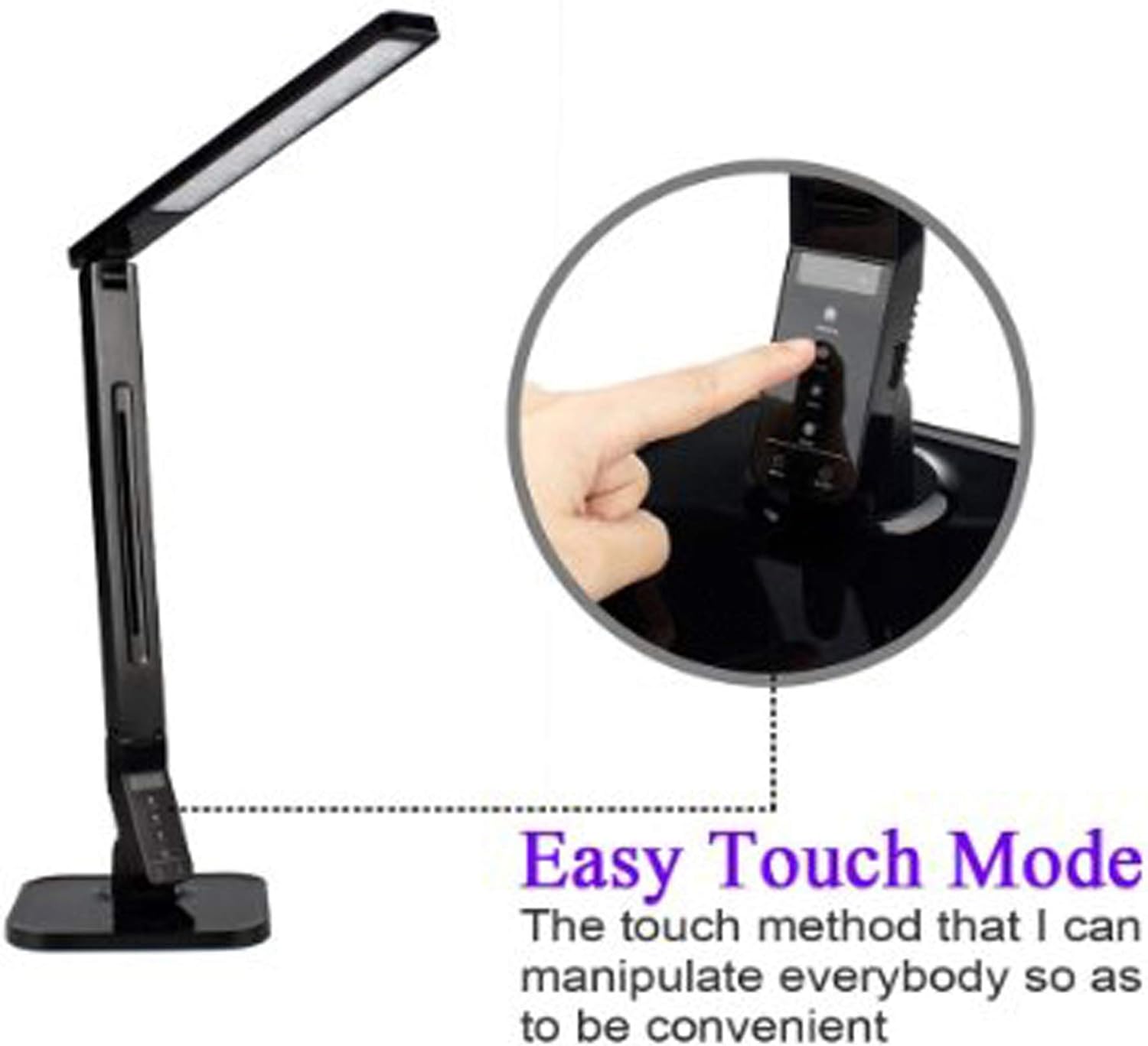
Image: A close-up view of the USB charging port integrated into the side of the lamp's base, indicating its location for connecting external devices.
Adjusting Lamp Angle:
The lamp head can be rotated up to 180 degrees to direct light precisely where needed. Gently adjust the lamp arm and head to your desired position.

Image: A diagram illustrating the flexible articulation of the lamp, showing how the head and arm can be adjusted through a 180-degree range for optimal light positioning.
Maintenance
To ensure the longevity and optimal performance of your Lorell Smart LED Desk Lamp, follow these maintenance guidelines:
- Cleaning: Before cleaning, always unplug the lamp from the power outlet. Use a soft, dry, lint-free cloth to wipe down the surfaces. Do not use abrasive cleaners, solvents, or chemical sprays, as these can damage the finish or electronic components.
- Storage: If storing the lamp for an extended period, ensure it is clean and dry. Store in a cool, dry place away from direct sunlight and extreme temperatures.
- LED Lifespan: The integrated LED light source is designed for long-term use and is not user-replaceable.
Troubleshooting
| Problem | Possible Cause | Solution |
|---|---|---|
| Lamp does not turn on. | No power supply; Power adapter not connected properly. | Ensure the power adapter is securely plugged into both the lamp and a working electrical outlet. Test the outlet with another device. |
| USB charging port is not working. | Lamp is off; Device cable is faulty; Device is incompatible. | Ensure the lamp is powered on. Try a different USB cable or device to confirm functionality. |
| Light flickers or is dim. | Unstable power supply; Brightness setting is too low. | Check power connection. Increase brightness using the '+' button. If problem persists, try a different outlet. |
Specifications
- Model: 99772
- Brand: Lorell
- Light Source: LED
- Power Source: Corded Electric
- Voltage: 120 Volts
- Wattage: 8 watts
- Brightness: 2178 Lux
- Product Dimensions: 7.7"D x 3.3"W x 18.2"H
- Item Weight: 0.01 Ounces
- Material: Plastic, Aluminum (Base)
- Control Method: Touch
- Special Features: Adjustable, USB Charging Port, Multiple Lighting Modes, Timer
Warranty and Support
The Lorell Smart LED Desk Lamp (Model 99772) comes with a 1-year limited warranty from the date of purchase. This warranty covers manufacturing defects and workmanship under normal use.
For warranty claims, technical support, or any questions regarding your product, please contact Lorell customer service. Refer to the official Lorell website for current contact information.
Online Resources: For additional information and support, visit the Lorell Store on Amazon.
Manufacturer: Lorell
Ask a question about this manual
Ask about setup, troubleshooting, compatibility, parts, safety, or missing instructions. Manuals+ will review the question and use this page’s manual context to help answer it.