
Introduction
This manual provides essential information for the safe and efficient use of your Lixada 10W Portable USB Solar Panel Charger. Designed for outdoor enthusiasts, this lightweight and high-efficiency solar panel allows you to charge your USB-powered devices using solar energy, making it ideal for camping, hiking, and travel.

Image: The Lixada 10W Portable USB Solar Panel Charger, a compact and efficient device for outdoor charging.
What's in the Box
- 1 x Solar Charger
Setup Instructions
- Unpack the Solar Panel: Carefully remove the solar panel from its packaging.
- Position for Optimal Sunlight: Expand the solar panel fully and place it in direct sunlight. Ensure no shadows or obstructions cover the panel for maximum efficiency.
- Connect Your Device: Plug your USB charging cable into the USB output port on the solar panel. Then, connect the other end of the cable to your device (e.g., smartphone, tablet, action camera).
- Secure the Panel (Optional): Use the integrated eyelets and included carabiner (if applicable) to attach the panel to a backpack or other suitable surface, ensuring it remains stable and exposed to sunlight.
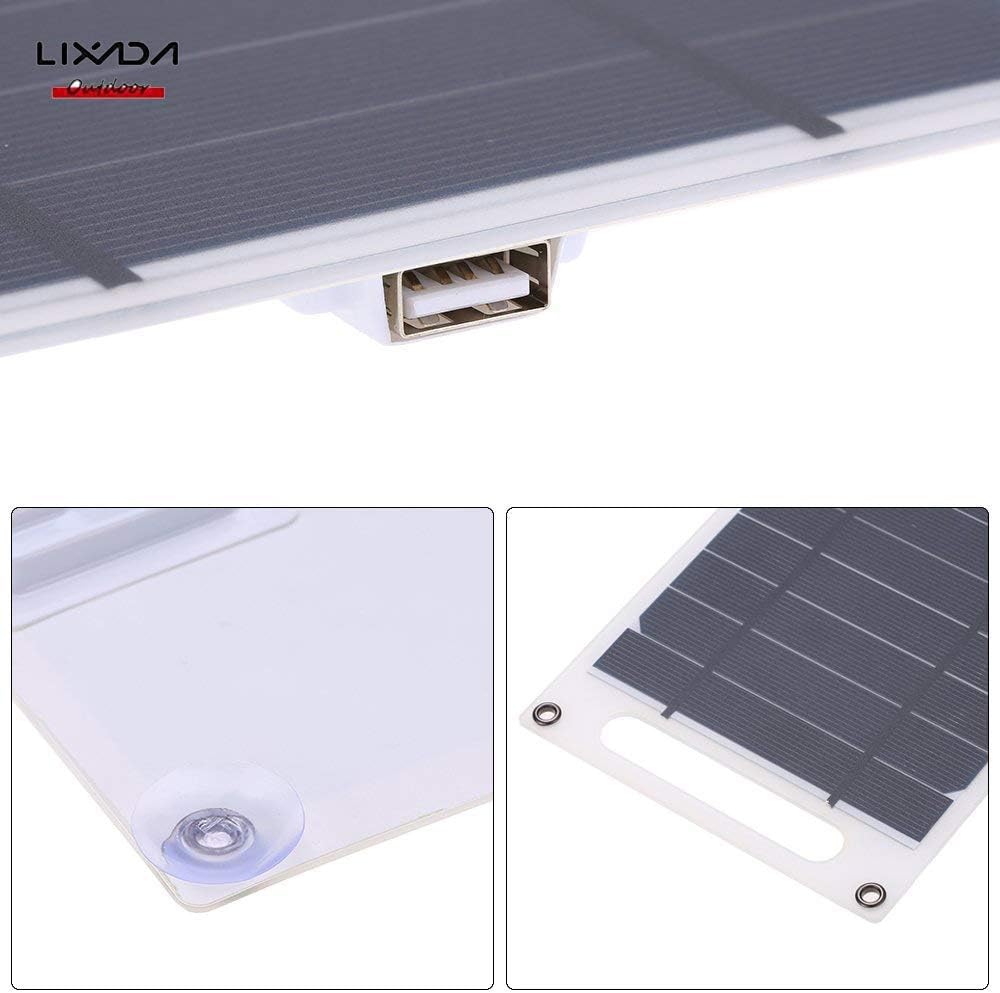
Image: A close-up view of the solar panel's USB port and the included suction cups for versatile mounting.
Operating Instructions
- Direct Charging: The Lixada solar panel charger does not store electricity internally. It provides direct power to your device when exposed to sunlight.
- Optimal Performance: For the best charging speed, ensure the solar panel is positioned to receive maximum direct sunlight. Any cloud cover or partial shading will reduce charging efficiency.
- Device Compatibility: This charger is compatible with almost all 5V Android and Apple devices that charge via USB.
Video: Demonstrates the Lixada 10W Solar Panel Charger in use, showing how to connect and charge various devices like an iPhone.

Image: The Lixada solar panel conveniently attached to a backpack, illustrating its portability for charging devices during outdoor activities.
Maintenance
- Waterproof Design: The panel features IP67 waterproof material, allowing it to withstand unpredictable weather conditions.
- Self-Cleaning Material: The eco-friendly E-membrane material offers long-lasting durability and is designed to be self-cleaning, easily withstanding high temperatures.
- Cleaning: If necessary, gently wipe the solar panel surface with a soft, damp cloth to remove any dust or debris that may accumulate and affect performance. Avoid harsh chemicals or abrasive materials.
Troubleshooting
- Slow Charging: If your device is charging slowly, ensure the solar panel is in direct, unobstructed sunlight. Clouds, shade from trees, or any covering will significantly affect charging speed.
- No Charging: Verify that your device is properly connected to the USB port. Check if the solar panel is receiving sufficient direct sunlight. If the issue persists, try a different USB cable or device to rule out cable/device problems.
Specifications
| Feature | Detail |
|---|---|
| Brand | Lixada |
| Model Number | RUJ7664252054855JF |
| Wattage | 10 watts |
| Input Voltage | 5 Volts |
| Output Voltage | 5 Volts |
| Amperage | 1700 Milliamps |
| Current Rating | 0.7 Amps |
| Total USB Ports | 1 |
| Connector Type | USB |
| Main Power Connector Type | USB Type C |
| Item Weight | 3.6 ounces |
| Enclosure Material | Monocrystalline silicon, Epoxy resin |
| Special Feature | Portable, Travel |
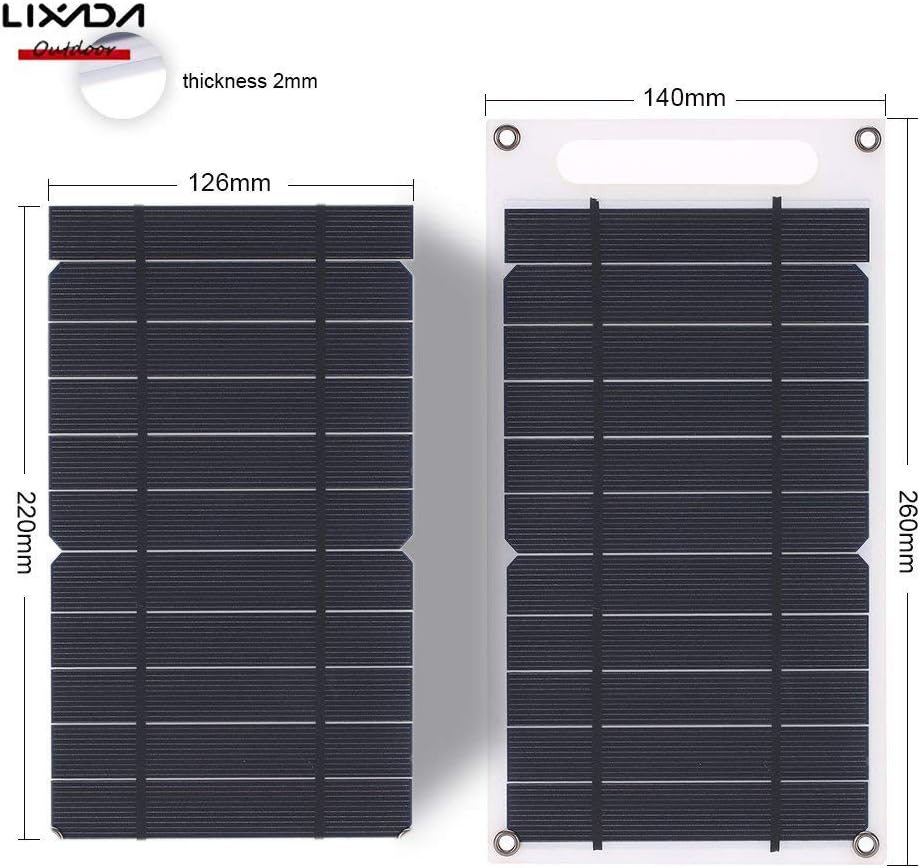
Image: Detailed dimensions of the Lixada 10W Portable USB Solar Panel Charger.
Warranty and Support
For any questions or concerns regarding your Lixada 10W Portable USB Solar Panel Charger, please contact Lixada customer support. We are committed to providing high-quality products and excellent service.
Please refer to your purchase documentation for specific warranty details. If you encounter any issues during use, you can always contact us by email. We will reply within 24 hours.
