
HAISSKY Speakers-012
HAISSKY Bluetooth Shower Speaker User Manual
Model: Speakers-012
Introduction
This manual provides instructions for the HAISSKY Bluetooth Shower Speaker, Model Speakers-012. Please read this manual carefully before using the product to ensure proper operation and to extend its lifespan.

Image: The HAISSKY Bluetooth Shower Speaker, black in color, with water splashing around it, highlighting its waterproof design.
Package Contents
Verify that all items are present in the package:
- HAISSKY Bluetooth Shower Speaker
- USB Charging Cable
- User Manual (this document)
Setup
1. Charging the Speaker
Before first use, fully charge the speaker. The speaker has a 1200mAh battery and takes approximately 3 hours to fully charge.
- Locate the charging port on the side of the speaker.
- Connect the provided USB charging cable to the speaker's charging port.
- Connect the other end of the USB cable to a compatible USB power source (e.g., computer USB port, USB wall adapter).
- The charging indicator light will illuminate during charging and turn off when fully charged.
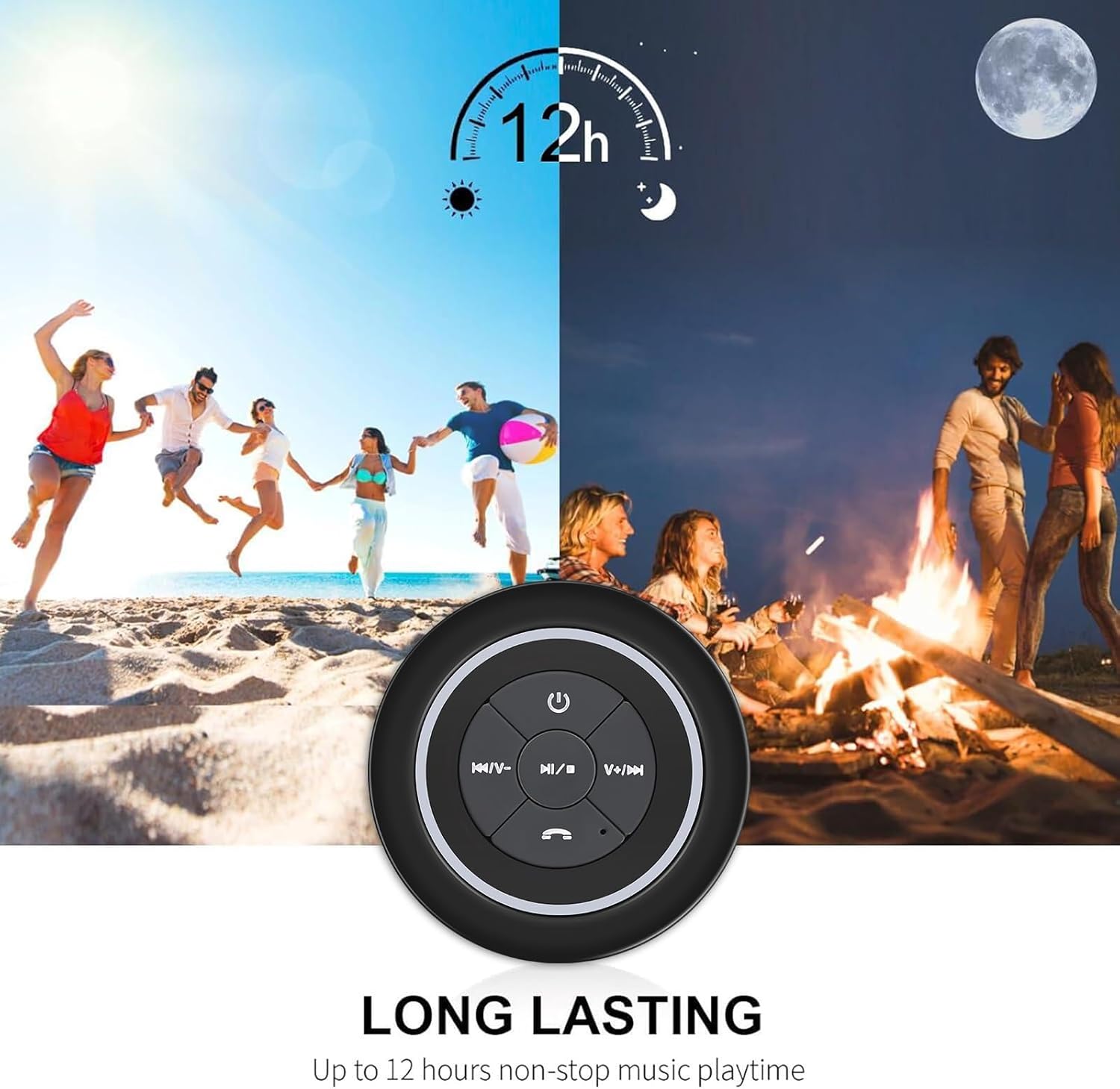
Image: The HAISSKY Bluetooth Shower Speaker with an overlay indicating "LONG LASTING" and "Up to 12 hours non-stop music playtime," illustrating its battery endurance.
2. Attaching the Suction Cup
The speaker features a detachable suction cup for easy mounting on smooth surfaces.
- Ensure the surface (e.g., glass, ceramic tile) is clean and dry.
- Press the suction cup firmly against the desired smooth surface.
- Verify that the speaker is securely attached before releasing it.

Image: The HAISSKY Bluetooth Shower Speaker partially submerged in water with splashes, demonstrating its IP67 waterproof rating.
Operating Instructions
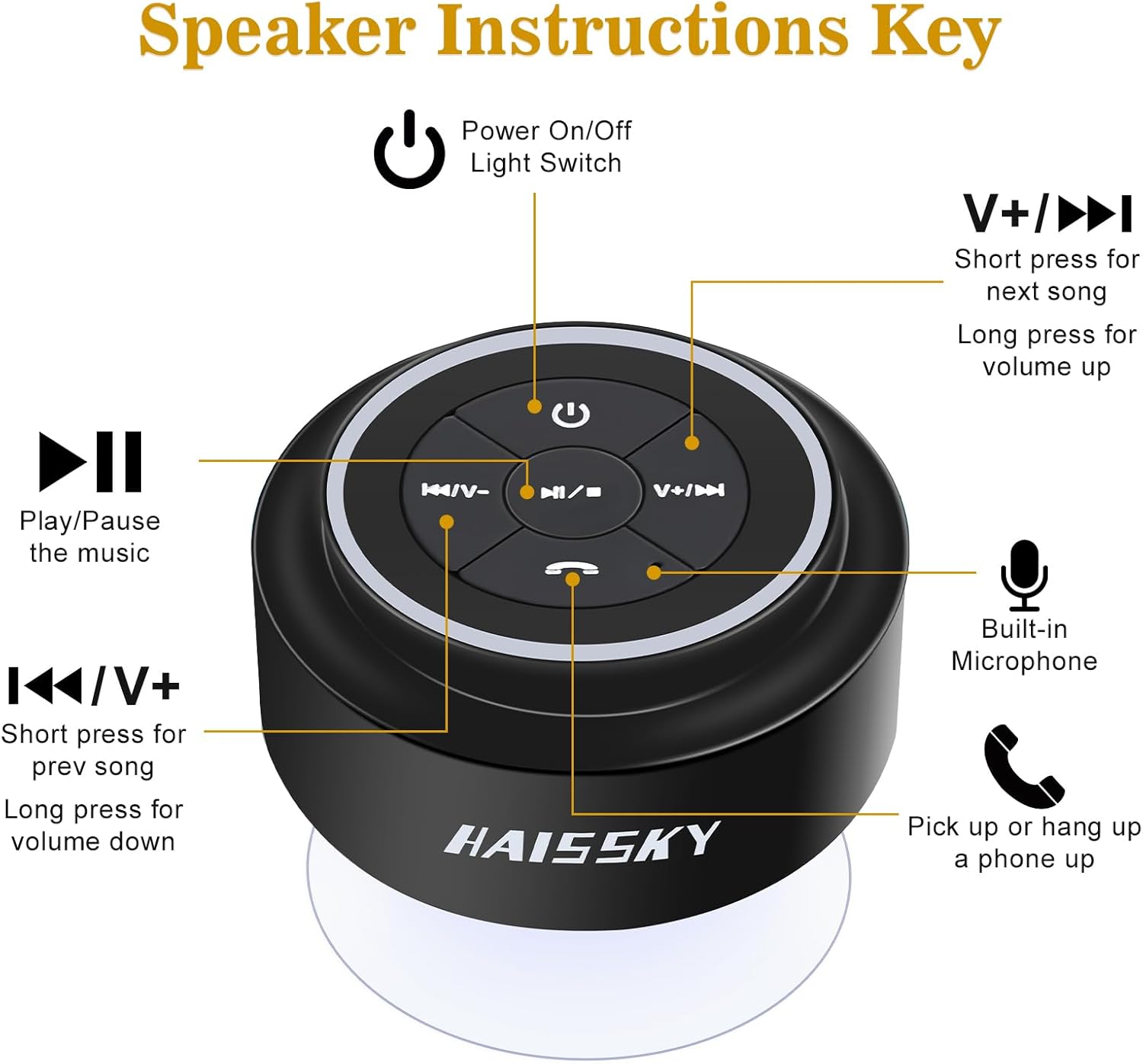
Image: A detailed diagram showing the buttons on the HAISSKY Bluetooth Shower Speaker and their corresponding functions, including Power On/Off, Play/Pause, Next/Previous Song, Volume Up/Down, Built-in Microphone, and Call Answer/End.
1. Power On/Off
- To power on: Press and hold the Power On/Off button (labeled with a power symbol) for approximately 3 seconds until you hear an audible prompt and the indicator light flashes.
- To power off: Press and hold the Power On/Off button for approximately 3 seconds until you hear an audible prompt and the indicator light turns off.
2. Bluetooth Pairing
The speaker pairs with your device via Bluetooth 4.0.
- Ensure the speaker is powered on and in pairing mode (indicator light will flash rapidly).
- On your smartphone, tablet, or computer, enable Bluetooth and search for available devices.
- Select "HAISSKY" from the list of devices.
- Once paired, you will hear a confirmation sound, and the indicator light will flash slowly or remain solid.
- The speaker has a Bluetooth range of up to 33 feet (10 meters).

Image: The HAISSKY Bluetooth Shower Speaker positioned near a smartphone, illustrating its wireless connectivity and long range capabilities.
3. Music Playback
- Play/Pause: Press the Play/Pause button (labeled with a play/pause symbol) to play or pause music.
- Next Song: Short press the Next Song/Volume Up button (labeled with a skip forward symbol).
- Previous Song: Short press the Previous Song/Volume Down button (labeled with a skip backward symbol).
- Volume Up: Long press the Next Song/Volume Up button.
- Volume Down: Long press the Previous Song/Volume Down button.
4. Speakerphone Function
The speaker has a built-in microphone for hands-free calling.
- Answer Call: Press the Call button (labeled with a phone receiver symbol) when an incoming call rings.
- End Call: Press the Call button again to end the call.
- Reject Call: Press and hold the Call button for 2 seconds to reject an incoming call.
Maintenance
To ensure the longevity and optimal performance of your HAISSKY Bluetooth Shower Speaker, follow these maintenance guidelines:
- Cleaning: Wipe the speaker with a soft, damp cloth. Do not use abrasive cleaners or solvents. Ensure the charging port cover is securely closed before cleaning or exposing to water.
- Water Exposure: While the speaker is IP67 waterproof and can be fully immersed up to 3 feet, it is recommended to dry it thoroughly after exposure to water, especially before charging.
- Storage: Store the speaker in a cool, dry place away from direct sunlight and extreme temperatures.
- Suction Cup: For best adhesion, periodically clean the suction cup and the surface it attaches to.
Troubleshooting
| Problem | Possible Solution |
|---|---|
| Speaker does not power on. | Ensure the speaker is charged. Connect it to a power source using the USB cable and allow it to charge for at least 15 minutes before attempting to power on again. |
| Cannot pair with Bluetooth device. |
|
| Poor sound quality or distortion. |
|
| Suction cup does not stick. |
|
| Speaker is not charging. |
|
Specifications

Image: An infographic displaying the dimensions (80mm/3.2" diameter, 48mm/2" height) of the HAISSKY Bluetooth Shower Speaker and icons for its key features: IP67 Waterproof, HD Audio, Rechargeable Battery, 10 Meters Wireless Range, and 6 Hours Playback Time.
| Feature | Detail |
|---|---|
| Model Name | HAISSKY |
| Item Model Number | Speakers-012 |
| Connectivity Technology | Bluetooth |
| Wireless Communication Technology | Bluetooth 4.0 |
| Bluetooth Range | Up to 33 feet (10 meters) |
| Water Resistance Level | IP67 (Fully submersible up to 3 feet) |
| Power Source | Battery Powered |
| Battery Type | 1 Lithium Polymer battery |
| Battery Capacity | 1200 mAh |
| Charging Time | Approximately 3 hours |
| Playback Time | Up to 12 hours |
| Speaker Maximum Output Power | 5 Watts |
| Signal-to-Noise Ratio | 85 dB |
| Control Method | Touch buttons |
| Built-in Microphone | Yes, for hands-free calling |
| Product Dimensions | 3.15"D x 3.15"W x 1.89"H (80mm x 80mm x 48mm) |
| Item Weight | 5.3 ounces (0.15 Kilograms) |
| Included Components | User Manual, USB Charging Cable |
Warranty Information
This HAISSKY product comes with a Limited Warranty. For specific terms and conditions, please refer to the warranty card included with your purchase or contact HAISSKY customer support.
Customer Support
If you encounter any issues or have questions regarding your HAISSKY Bluetooth Shower Speaker, please contact HAISSKY customer support through the retailer's platform or the official HAISSKY website for assistance.
Ask a question about this manual
Ask about setup, troubleshooting, compatibility, parts, safety, or missing instructions. Manuals+ will review the question and use this page’s manual context to help answer it.