
JBL T450
JBL T450 On-Ear Headphones User Manual
Model: T450
Brand: JBL
1. Introduction
The JBL T450 On-Ear Headphones are designed to deliver powerful JBL Pure Bass sound in a lightweight, comfortable, and compact form factor. Featuring 32mm drivers, these headphones reproduce the deep, impactful bass characteristic of JBL audio. Their flat-folding design and tangle-free flat cable with an in-line remote and microphone make them an ideal companion for daily use, whether at work, home, or on the go.

Figure 1.1: JBL T450 On-Ear Headphones (Black)
2. Box Contents
Please verify that all items listed below are included in your product packaging:
- 1 pair of JBL T450 Headphones
- Warning Card
- Warranty Card

Figure 2.1: JBL T450 Packaging
3. Setup
3.1 Connecting the Headphones
The JBL T450 headphones utilize a standard 3.5mm audio jack for connectivity. To connect your headphones:
- Locate the 3.5mm audio port on your audio source device (e.g., smartphone, tablet, laptop, MP3 player).
- Insert the 3.5mm jack from the JBL T450 headphones firmly into the audio port until it clicks into place.
- Ensure the connection is secure to prevent audio interruptions.
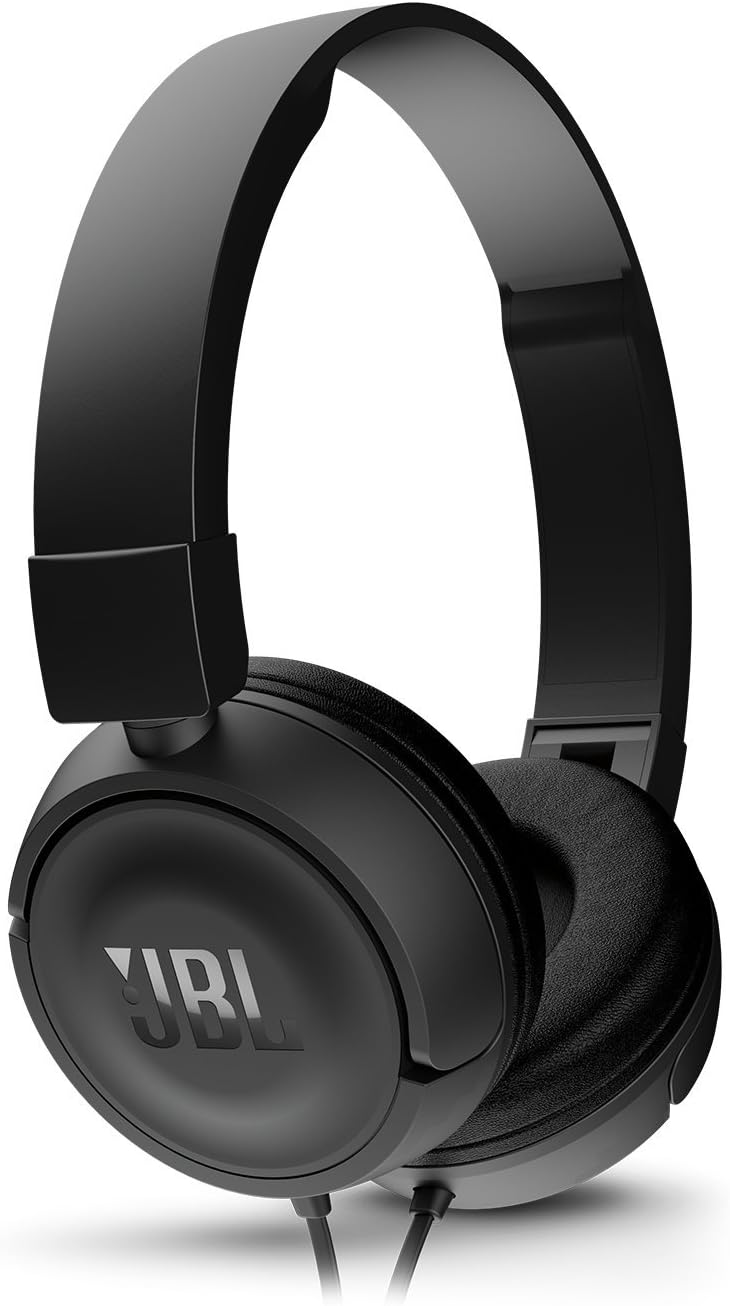
Figure 3.1: Headphone Cable Connection
4. Operating Instructions
4.1 Basic Audio Playback
Once connected, your JBL T450 headphones will output audio from your device. Adjust the volume directly on your audio source device.
4.2 Using the In-line Remote and Microphone
The JBL T450 headphones feature a convenient 1-button in-line remote and microphone integrated into the cable. This remote allows for basic control of your audio and calls.
- Single Press: Play/Pause audio, or Answer/End a call.
- Double Press: Skip to the next track (during music playback).
- Triple Press: Go back to the previous track (during music playback).
The integrated microphone allows for hands-free calling when connected to a compatible smartphone.

Figure 4.1: In-line Remote and Microphone
5. Maintenance
5.1 Cleaning
To maintain the condition and hygiene of your headphones:
- Use a soft, dry cloth to wipe down the earcups and headband.
- For stubborn dirt, slightly dampen the cloth with water. Avoid using harsh chemicals or abrasive cleaners.
- Do not immerse the headphones in water or any liquid.
5.2 Storage
The JBL T450 headphones feature a flat-folding design for easy storage and portability. To fold your headphones:
- Gently rotate the earcups inwards until they lie flat against the headband.
- Store the headphones in a clean, dry place away from extreme temperatures and direct sunlight.
- Avoid tangling the cable by coiling it neatly before storage.

Figure 5.1: Flat-Folding Design for Storage
6. Troubleshooting
If you encounter issues with your JBL T450 headphones, refer to the table below for common problems and their solutions.
| Problem | Possible Cause | Solution |
|---|---|---|
| No sound or low volume | Cable not fully inserted; Device volume too low; Incorrect audio output selected on device. | Ensure 3.5mm jack is fully inserted. Increase volume on your audio source. Check device audio settings to ensure output is directed to headphones. |
| Sound distortion | Volume too high; Damaged cable or jack; Audio source issue. | Lower the volume. Inspect the cable and jack for damage. Test with a different audio source to isolate the problem. |
| Microphone not working | Microphone port blocked; Device microphone settings; Incompatible device. | Ensure microphone is not obstructed. Check microphone input settings on your device. Some older devices may not fully support in-line microphone functions. |
| Remote button not responding | Incompatible device; Software glitch. | Test with a different device. Restart your audio source device. Note that some functions may vary by operating system or application. |
7. Specifications
Detailed technical specifications for the JBL T450 On-Ear Headphones:
| Feature | Detail |
|---|---|
| Model Name | JBL T450 BLK |
| Connectivity Technology | Wired |
| Headphones Jack | 3.5 mm Jack |
| Frequency Range | 20 Hz - 20,000 Hz |
| Driver Size | 32mm Dynamic Drivers |
| Control Type | Remote (1-button) |
| Cable Feature | Tangle-Free Flat Cable |
| Ear Placement | On Ear |
| Form Factor | On Ear |
| Material | Plastic |
| Item Weight | 0.15 Kilograms (approx. 5.1 ounces) |
| Product Dimensions | 5.91 x 2.99 x 7.28 inches |
| Color | Black |
8. Warranty and Support
JBL products are engineered for reliability and performance. Your JBL T450 headphones are covered by a limited warranty. Please refer to the included Warranty Card in your product packaging for specific terms, conditions, and duration of the warranty applicable to your region.
For technical support, service, or warranty claims, please contact JBL customer service through their official website or the contact information provided on your Warranty Card. Ensure you have your product model number (T450) and proof of purchase ready when contacting support.
For the most up-to-date support information, please visit the official JBL website: www.jbl.com