
Introduction
Thank you for choosing the DEWALT DCD996NT XR Brushless Combi Drill. This powerful 18V tool is designed for professional use, offering exceptional performance for drilling, hammer drilling, and screwdriving applications. This manual provides essential information for the safe and efficient operation, maintenance, and troubleshooting of your new tool. Please read it thoroughly before use and keep it for future reference.
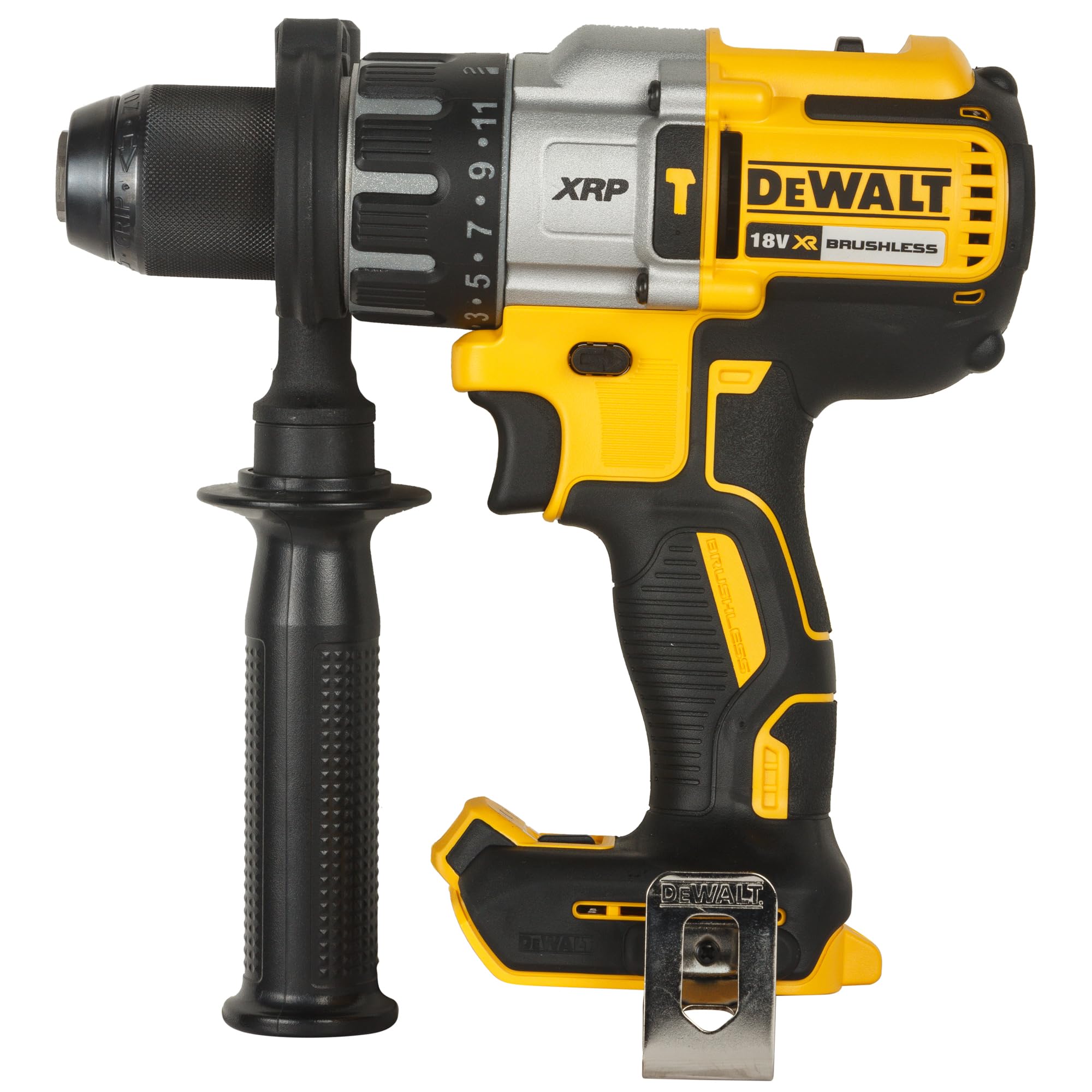
Figure 1: DEWALT DCD996NT XR Brushless Combi Drill with auxiliary handle. This image shows the complete drill unit, highlighting its robust design and the attached auxiliary handle for improved control.
General Safety Information
Always follow basic safety precautions when using power tools to reduce the risk of fire, electric shock, and personal injury. Keep your work area clean and well-lit. Do not operate power tools in explosive atmospheres, such as in the presence of flammable liquids, gases, or dust. Always wear appropriate personal protective equipment, including eye protection, hearing protection, and gloves. Disconnect the battery pack from the tool before making any adjustments, changing accessories, or storing the tool.
- Work Area Safety: Keep work area clean and well lit. Cluttered or dark areas invite accidents.
- Electrical Safety: Avoid body contact with earthed or grounded surfaces. Do not expose power tools to rain or wet conditions.
- Personal Safety: Stay alert, watch what you are doing and use common sense when operating a power tool. Do not use a power tool while you are tired or under the influence of drugs, alcohol or medication.
- Tool Use and Care: Do not force the power tool. Use the correct power tool for your application. Disconnect the battery pack before making any adjustments, changing accessories, or storing power tools.
Setup
1. Battery Installation and Removal
This DEWALT DCD996NT is supplied as a bare unit, meaning the battery and charger are not included. It is compatible with all DEWALT 18V XR Li-ion battery packs. To install a battery, align the battery pack with the rails inside the tool's handle and slide it in until it clicks securely into place. To remove, press the battery release button and pull the battery pack out.
2. Attaching the Auxiliary Handle
The auxiliary handle provides additional control and stability, especially during high-torque applications or when using the hammer drill function. To attach, loosen the handle by twisting it counter-clockwise. Slide the handle over the chuck and onto the front of the drill housing. Position it to your desired angle and tighten by twisting clockwise until secure.
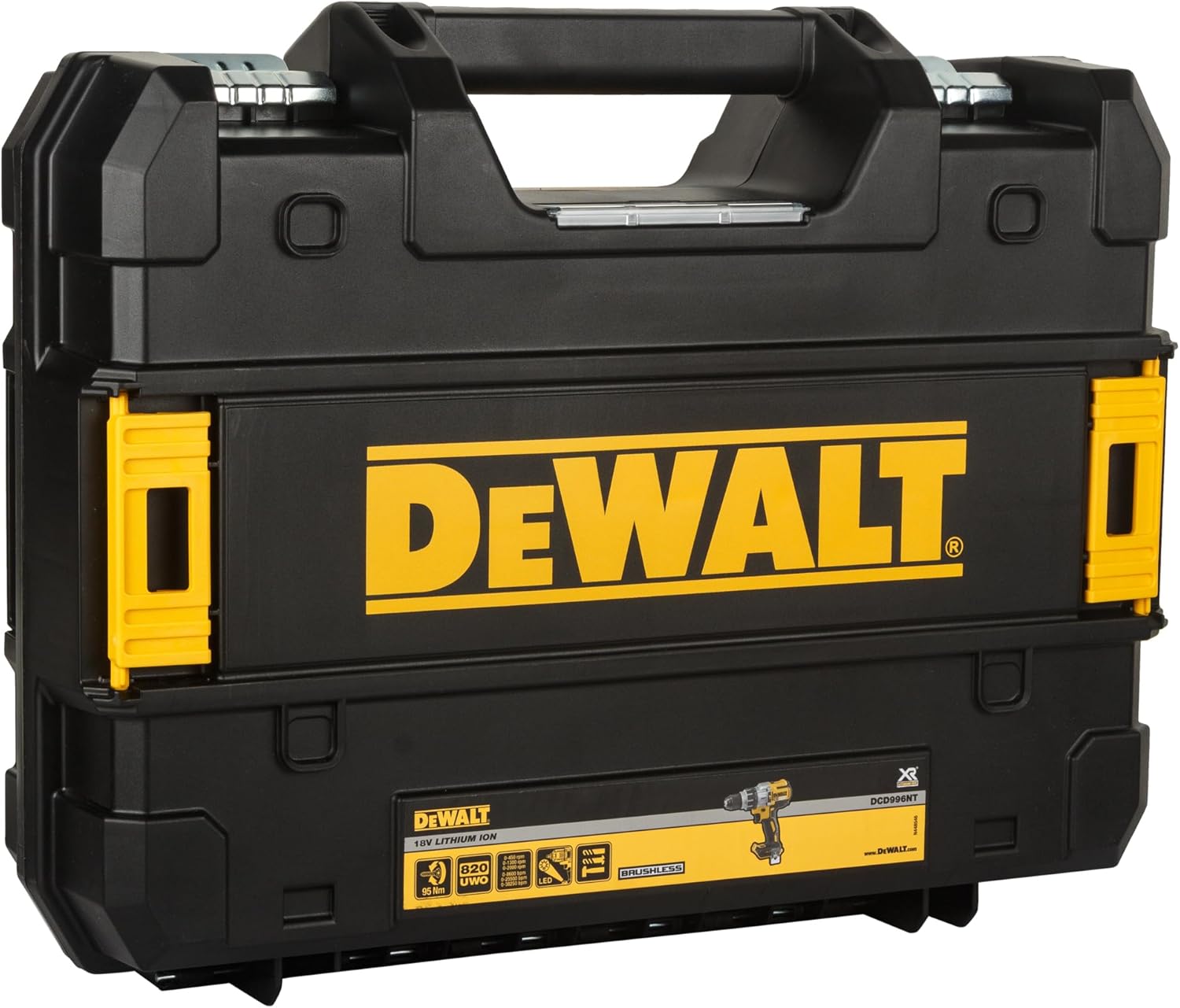
Figure 2: The DEWALT DCD996NT drill with its auxiliary handle properly attached. This handle can be rotated 360 degrees for optimal user comfort and control.
3. Installing and Removing Drill Bits/Accessories
The DCD996NT features a 13mm keyless chuck for quick and easy accessory changes. To install an accessory, rotate the chuck collar counter-clockwise until the jaws are open wide enough to insert the bit. Insert the bit fully into the chuck. Rotate the chuck collar clockwise to tighten the jaws securely around the bit. Ensure the bit is centered and firmly gripped before operation. To remove, rotate the chuck collar counter-clockwise to release the bit.

Figure 3: Close-up view of the 13mm keyless chuck on the DEWALT DCD996NT. The chuck allows for quick and secure bit changes without the need for a key.
Operating Instructions
1. Trigger Switch and Variable Speed Control
The tool is activated by pressing the trigger switch. The speed is variable; the further the trigger is pressed, the faster the tool operates. Release the trigger to stop the tool. For continuous operation, some models may feature a lock-on button, but this model primarily uses trigger control for precise speed management.

Figure 4: Detailed view of the trigger switch and the forward/reverse selector on the DEWALT DCD996NT. The trigger provides variable speed control, while the selector changes the rotation direction.
2. Forward/Reverse Control
A selector switch located above the trigger controls the direction of rotation. Push the switch to the left for forward rotation (drilling/screwing in) and to the right for reverse rotation (removing screws). Position the switch in the center to lock the trigger and prevent accidental startup.
3. Speed Selector (Gearbox)
The DCD996NT features a 3-speed all-metal transmission. Use the gear selector switch located on top of the drill to choose between three speed ranges:
- Speed 1 (Low): For high torque applications, large diameter drilling, and driving screws.
- Speed 2 (Medium): For general drilling and screwdriving.
- Speed 3 (High): For small diameter drilling and fast work progress.
Always select the appropriate speed for the material and accessory being used. Change gears only when the tool is stopped.
4. Torque Control and Mode Selector
The collar behind the chuck allows you to select the operating mode and adjust the torque for screwdriving applications. Rotate the collar to select one of the following:
- Screwdriving (1-11): Use these settings to control the amount of torque applied when driving screws. The higher the number, the greater the torque. This prevents over-driving screws or damaging the workpiece.
- Drill Mode (
 ): For drilling into wood, metal, and plastics without impact. The clutch is disengaged, providing maximum torque.
 - Hammer Drill Mode (): For drilling into masonry and concrete with impact action. The clutch is disengaged, and the hammer mechanism is engaged.
Figure 5: The clutch and mode selector ring on the DEWALT DCD996NT. This ring allows selection between 11 torque settings for screwdriving, drill mode, and hammer drill mode.
5. LED Work Light
The DCD996NT features an integrated LED work light to illuminate the work area. A selector switch below the handle allows you to choose between three settings:
- Off: Light is off.
- On (Low Brightness): Light illuminates for 20 seconds after the trigger is released.
- On (High Brightness): Light stays on for 20 minutes, functioning as a work light.
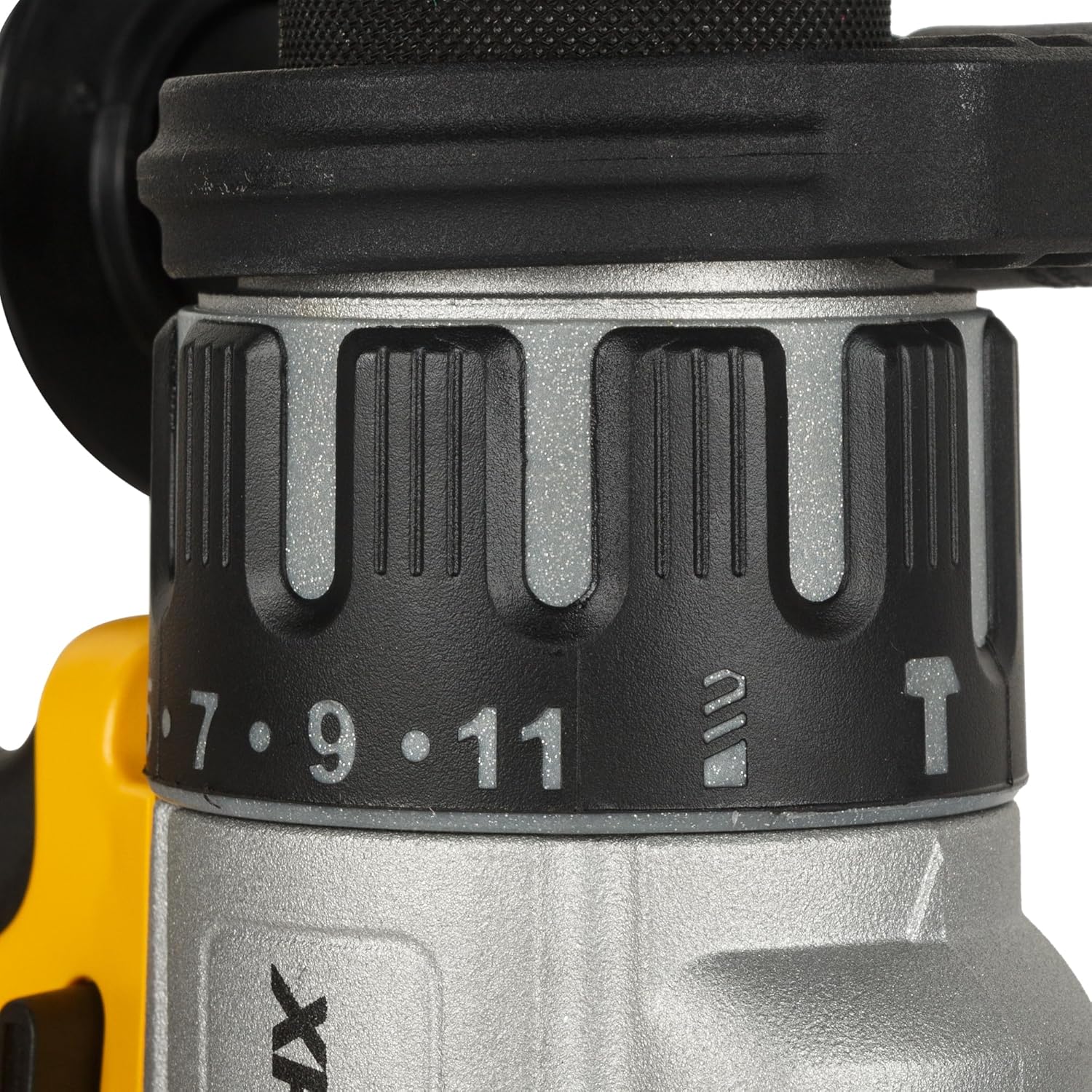
Figure 6: Close-up of the 3-stage LED work light selector on the DEWALT DCD996NT. This feature provides illumination for the work area, with options for temporary or extended lighting.
Maintenance
Regular maintenance ensures the longevity and optimal performance of your DEWALT DCD996NT combi drill.
- Cleaning: Keep the ventilation slots clear of dust and debris to prevent overheating. Use a soft brush or compressed air to clean the tool. Do not use water or chemical cleaners.
- Chuck Maintenance: Periodically clean the chuck jaws to ensure proper gripping of bits.
- Brushless Motor: This tool features a brushless motor, eliminating the need for carbon brush replacement, which simplifies maintenance.
- Storage: Store the tool in a dry, secure location out of reach of children. If storing for extended periods, remove the battery pack. The included TSTAK box (if applicable) provides excellent protection for storage and transport.
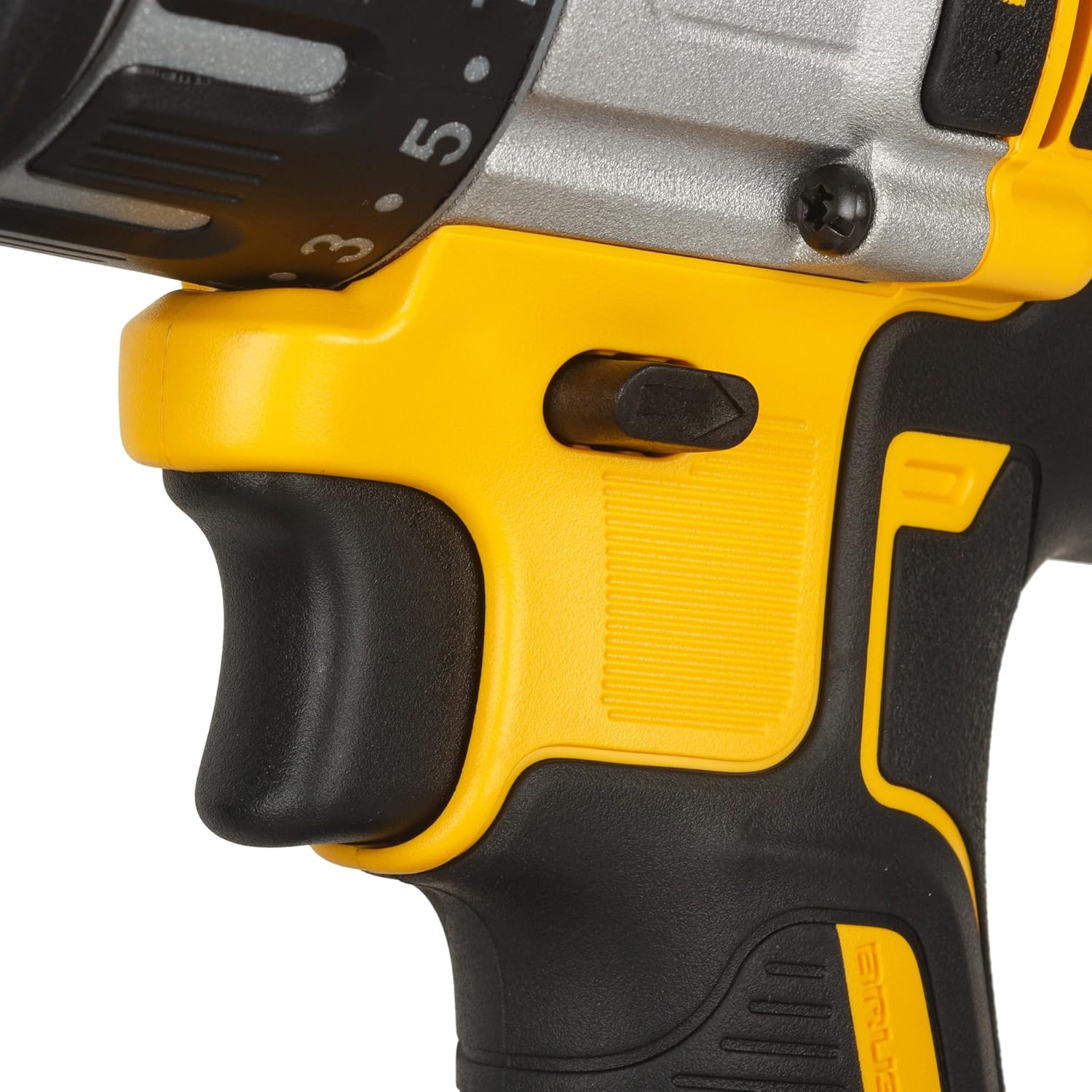
Figure 7: The DEWALT DCD996NT stored within its TSTAK compatible case. Proper storage in a protective case helps maintain the tool's condition and organization.
Troubleshooting
| Problem | Possible Cause | Solution |
|---|---|---|
| Tool does not start | Battery not charged or improperly installed; Trigger lock engaged; Tool malfunction. | Ensure battery is fully charged and correctly inserted. Check if the forward/reverse switch is in the center (locked) position. If issues persist, contact DEWALT service. |
| Reduced power or speed | Low battery charge; Incorrect speed setting; Overload protection activated. | Recharge battery. Select a lower speed setting for high-torque tasks. Allow tool to cool down if overload protection has activated. |
| Chuck not holding bit | Chuck jaws dirty or worn; Bit shank dirty or damaged. | Clean chuck jaws and bit shank. Ensure bit is inserted fully and chuck is tightened securely. If wear is evident, consider chuck replacement. |
| Excessive vibration | Bent or damaged drill bit; Loose auxiliary handle; Internal issue. | Replace damaged bits. Ensure auxiliary handle is securely tightened. If vibration persists, discontinue use and seek professional service. |
Specifications
| Feature | Detail |
|---|---|
| Model Number | DCD996NT |
| Voltage | 18 Volts (DC) |
| Power Source | Battery Powered |
| Motor Type | Brushless |
| Number of Speeds | 3 |
| Maximum Rotational Speed | 2000 RPM |
| Maximum Torque | 95 Newton Meters |
| Maximum Chuck Size | 13 Millimeters |
| Drilling Capacity (Wood) | 13 Millimeters |
| Drilling Capacity (Metal) | 13 Millimeters |
| Item Weight | 1.6 Kilograms |
| Dimensions (L x W x H) | 35L x 12W x 44H Centimetres |
| Included Components | x1 DCD996-NT XR Brushless Combi Drill 18V Bare Unit |
Warranty Information
DEWALT offers a comprehensive warranty for its products. For specific details regarding the warranty period and terms for your DCD996NT XR Brushless Combi Drill, please refer to the warranty card included with your purchase or visit the official DEWALT website. Keep your proof of purchase for any warranty claims.
Customer Support
For technical assistance, service, or to locate an authorized service center, please visit the official DEWALT website or contact their customer service department. You can find contact information and FAQs at: www.dewalt.com/support


