
Sleepace Sn902-B
Sleepace Sn902-B Nox Music Smart Sleep Light User Manual
Model: Sn902-B
1. Introduction
The Sleepace Sn902-B Nox Music Smart Sleep Light is designed to enhance your sleep quality through a combination of soothing light and sound. This device monitors, tracks, and aims to improve your sleep experience, offering features such as a natural wake-up light, Bluetooth speaker functionality, and customizable lighting options.
2. Product Overview
The Sleepace Nox Smart Sleep Light integrates several functions into a single device to support your sleep cycle.
Key Features:
- Sleep Aid Music and Light: Facilitates falling asleep with calming sounds and adjustable lighting.
- Wake-Up Light: Simulates sunrise to gently wake you up naturally.
- Bluetooth Speaker: Allows wireless audio streaming from your devices.
- Customizable Lighting: Offers 16 million LED light colors for selection.
- Gesture Control: Enables changing LED colors with simple hand gestures.
- Intelligent App Control: Provides comprehensive control and sleep tracking via a dedicated mobile application.
Components:
The product package typically includes:
- 1 x Sleepace Nox Music Smart Sleep Light unit
- Power Adapter (not explicitly listed but implied for a device of this type)
- User Manual (this document)


3. Setup
- Unboxing: Carefully remove the Sleepace Nox Smart Sleep Light and all accessories from its packaging.
- Power Connection: Connect the provided power adapter to the device and plug it into a standard electrical outlet. The device will power on automatically.
- App Download: Download the Sleepace companion application from your smartphone's app store (available for iOS and Android). Search for "Sleepace" or "Nox".
- Device Pairing:
- Open the Sleepace app on your smartphone.
- Follow the on-screen instructions within the app to create an account or log in.
- Select "Add Device" or a similar option and choose the Sleepace Nox from the list of available devices.
- Ensure your smartphone's Bluetooth is enabled for successful pairing. The device connects via Bluetooth 3.0 and above.
- Initial Configuration: Once paired, the app will guide you through initial settings such as time, alarm preferences, and light/sound preferences.
4. Operating Instructions
4.1. Basic Controls (Touch & Gesture)
The Sleepace Nox features a central button and gesture recognition for quick adjustments.
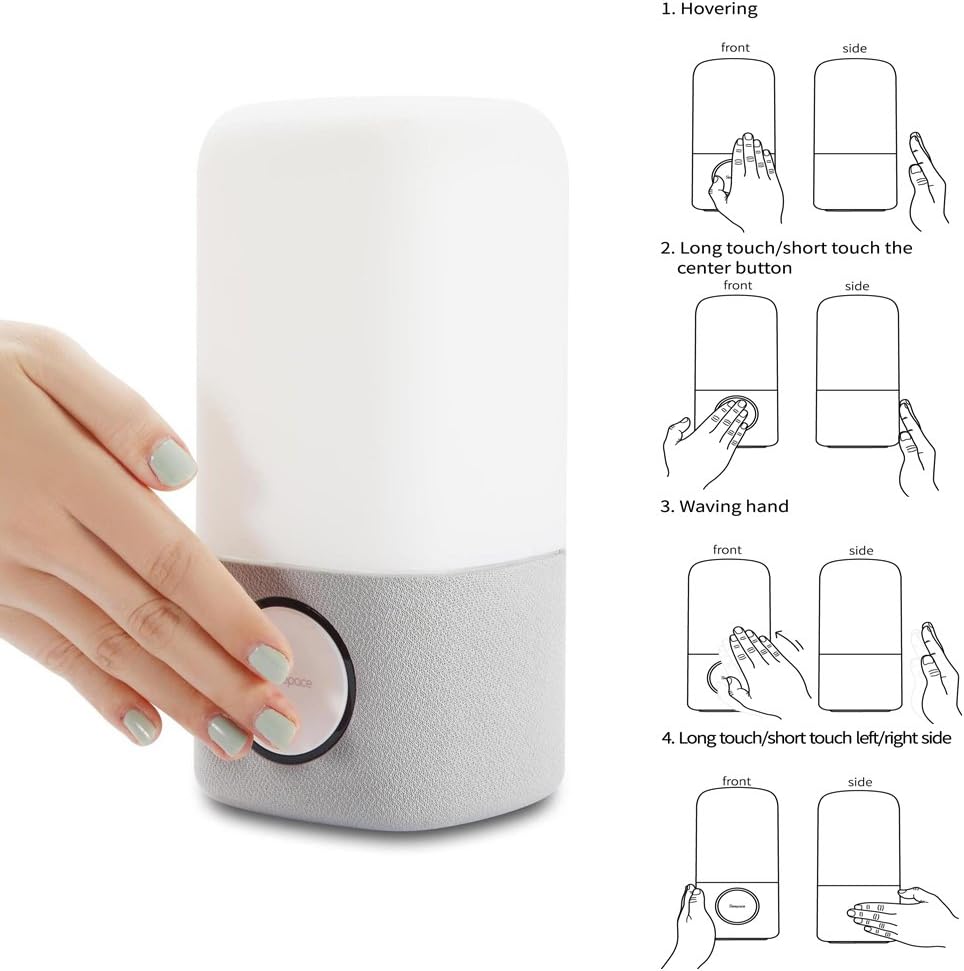
- Central Button: A short press typically toggles the light on/off or cycles through modes. A long press may activate pairing mode or other functions.
- Hovering: Moving your hand near the top of the light may activate certain features or change light settings.
- Waving Hand: Waving your hand across the device can be used to change light colors or modes.
- Left/Right Touch: Touching the sides of the device may adjust brightness or volume.
Refer to the Sleepace app for detailed customization of gesture controls.
4.2. Sleep Aid Function
The Nox light can help you fall asleep with soothing light and sound programs.
- Activation: Use the Sleepace app to select a sleep aid program.
- Light & Sound: The device will emit calming light colors and sounds designed to promote relaxation.
- Duration: Set the duration of the sleep aid program through the app.

4.3. Wake-Up Light Function
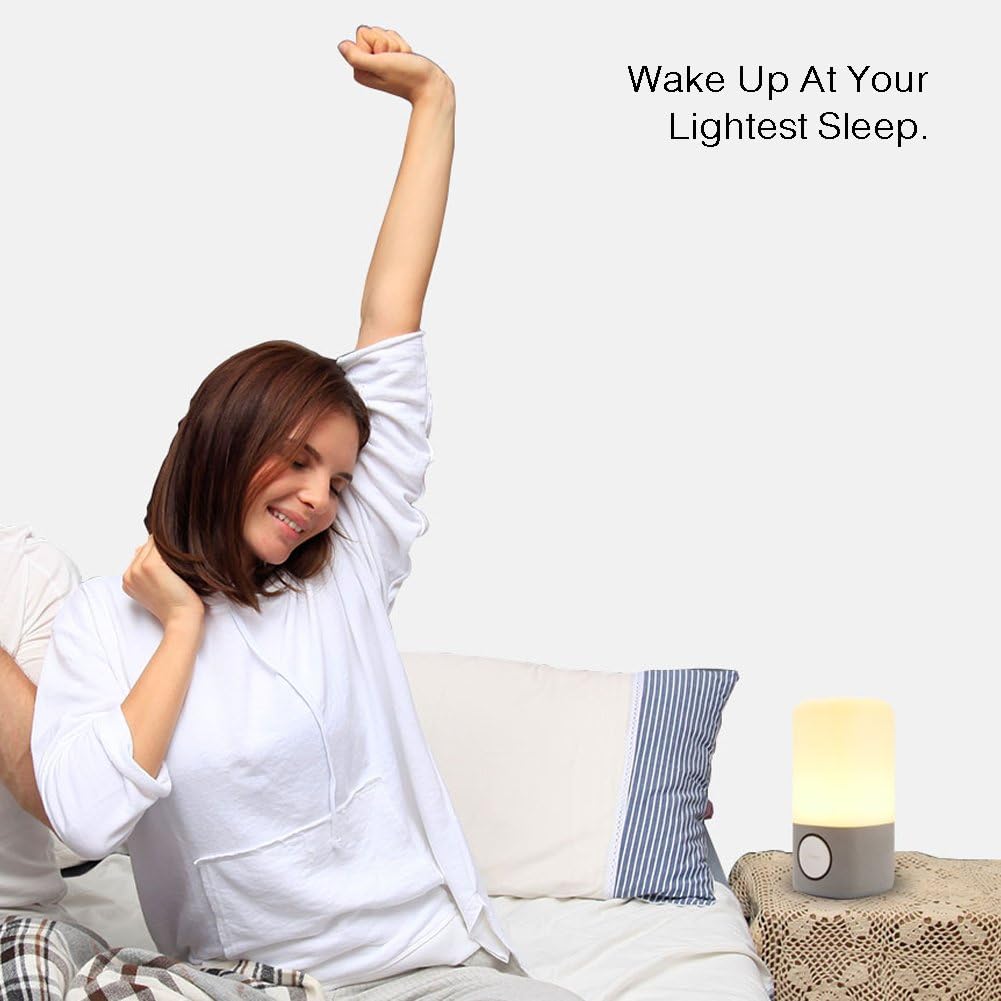
Experience a natural awakening with the simulated sunrise feature.
- Setting Alarms: Configure your wake-up time and alarm preferences within the Sleepace app.
- Sunrise Simulation: The light will gradually brighten before your set alarm time, mimicking a natural sunrise.
- Alarm Sound: Choose from various alarm sounds or use your own music via the Bluetooth speaker function.
4.4. Bluetooth Speaker
Connect your smartphone or other Bluetooth-enabled devices to play music or audio.
- Pairing: Ensure the Nox is in Bluetooth pairing mode (usually indicated by a blinking light or voice prompt). Select "Sleepace Nox" from your device's Bluetooth settings.
- Audio Playback: Once paired, play audio from your device, and it will stream through the Nox's speaker.
- Volume Control: Adjust volume via your connected device or potentially through gesture controls on the Nox.

5. Advanced Features
5.1. 16 Million LED Light Colors
The Sleepace Nox offers a vast spectrum of colors to match your mood or environment.
- Color Selection: Use the Sleepace app to choose from 16 million colors.
- Dynamic Modes: The app may offer dynamic lighting modes, such as color cycling or mood-based presets.
- Gesture Control: Certain gestures can be configured to cycle through favorite colors or activate specific lighting effects.

5.2. Sleep Tracking and Advice
While the product description mentions monitoring and tracking sleep quality, the primary mechanism for this is through the companion app, which processes data to provide insights and advice.
- Data Collection: The device works in conjunction with the app to collect sleep-related data.
- Analysis: The app analyzes your sleep patterns and provides a sleep score.
- Personalized Advice: Based on your sleep data, the app offers personalized recommendations to improve your sleep habits.
6. Maintenance
- Cleaning: Use a soft, dry, or slightly damp cloth to clean the exterior of the device. Avoid abrasive cleaners, solvents, or harsh chemicals.
- Power Disconnection: Always unplug the device from the power source before cleaning or when not in use for extended periods.
- Placement: Place the device on a stable, flat surface away from direct sunlight, heat sources, and moisture. The device is not waterproof.
- Storage: Store the device in a cool, dry place when not in use.
7. Troubleshooting
| Issue | Possible Cause | Solution |
|---|---|---|
| Device does not power on. | Not properly connected to power; power outlet issue. | Ensure the power adapter is securely plugged into both the device and a working electrical outlet. Try a different outlet. |
| Cannot connect via Bluetooth. | Bluetooth is off on your device; Nox is not in pairing mode; interference. |
|
| Light is not changing colors or responding to gestures. | Gesture control disabled; app settings; sensor obstruction. |
|
| Sleep tracking data is inaccurate or not recording. | Device placement; app synchronization issues. |
|
8. Specifications
| Model Name: | Sn902-B |
| Brand: | Sleepace |
| Item Model Number: | 6956116200084 |
| Product Dimensions: | 10D x 10W x 25H centimeters |
| Item Weight: | 1.16 Kilograms |
| Material: | Plastic |
| Power Source: | Battery Powered (Note: Typically implies rechargeable internal battery or adapter, check product for specifics) |
| Connectivity Technology: | Bluetooth |
| Compatible Devices: | Bluetooth 3 and above enabled devices |
| Control Method: | Touch, App |
| Speaker Maximum Output Power: | 10 Watts |
| Audio Output Mode: | Stereo |
| Special Features: | Colour Changing, Sleep Aid, Wake Up Light, Bluetooth Speaker, Gesture Control |
| Is Waterproof: | No |
9. Warranty and Support
The Sleepace Sn902-B Nox Music Smart Sleep Light comes with a Limited Warranty. For specific details regarding warranty coverage, duration, and terms, please refer to the warranty card included with your product or contact Sleepace customer support.
For technical assistance, troubleshooting beyond this manual, or warranty claims, please contact the manufacturer's customer support. Contact information can typically be found on the product packaging, the official Sleepace website, or within the Sleepace mobile application.
Ask a question about this manual
Ask about setup, troubleshooting, compatibility, parts, safety, or missing instructions. Manuals+ will review the question and use this page’s manual context to help answer it.