
1. Introduction
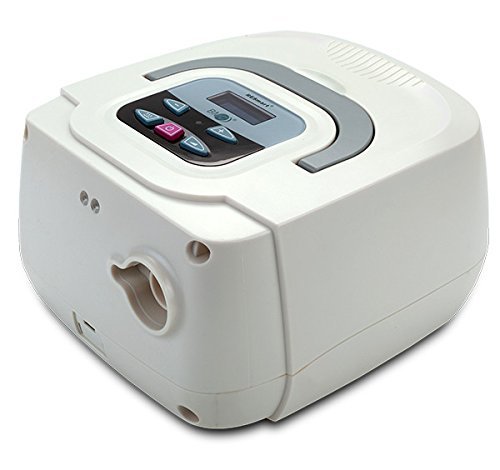
The BMC Resmart Manual CPAP machine is an intelligent Continuous Positive Airway Pressure (CPAP) device designed for home use to manage Obstructive Sleep Apnea (OSA). This manual provides comprehensive instructions for the safe and effective setup, operation, maintenance, and troubleshooting of your Resmart CPAP system. Please read this manual thoroughly before using the device.
2. Package Contents
Upon opening the package, please verify that all the following items are included and in good condition:
- BMC Resmart Manual CPAP Unit
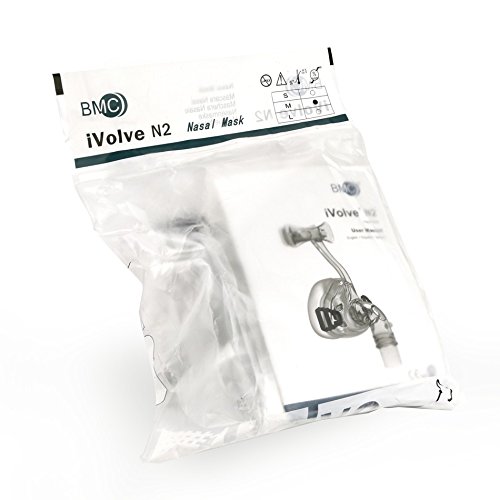
- Nasal Mask
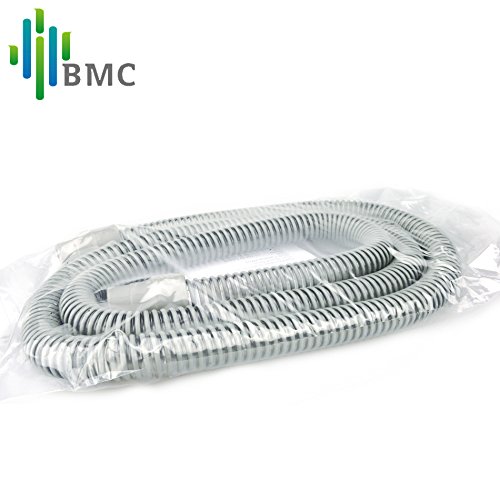
- Air Tubing
- Carry Bag
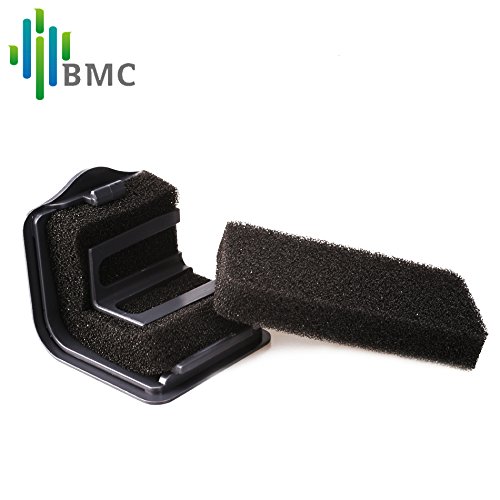
- Air Filters (2 units)
- User Manual (this document)
- Power Cable
- Warranty Card
- SD Card (2GB)

3. Safety Information
Please observe the following safety precautions to ensure safe operation and prevent damage to the device or injury to the user:
- Always use the device as prescribed by your healthcare professional.
- Do not immerse the device in water or any other liquid.
- Keep the device away from direct sunlight, heat sources, and flammable materials.
- Ensure the power supply meets the specified requirements (100 – 240V AC, 50/60Hz).
- Do not block the air inlet or outlet of the device.
- Regularly inspect the power cord and plug for any damage.
- In case of accidental power off, the device is designed to alert the user.
- Consult a healthcare professional if you experience any discomfort or unusual symptoms during use.
4. Setup Guide
Follow these steps to set up your BMC Resmart Manual CPAP machine:
- Place the Device: Position the CPAP unit on a stable, flat surface near your bed, ensuring adequate space around it for ventilation.
- Insert Air Filter: Ensure the air filter is properly inserted into its designated slot on the device. (Refer to the image of air filters in Section 2).
- Connect Air Tubing: Attach one end of the air tubing securely to the air outlet port on the CPAP unit.
- Connect Nasal Mask: Connect the other end of the air tubing to your nasal mask. Ensure a snug fit to prevent air leaks.
- Connect Power: Plug the power cable into the CPAP unit's power inlet, then plug the other end into a suitable electrical outlet.
- Insert SD Card: Insert the 2GB SD card into the designated slot on the device. This card stores your therapy data.
5. Operating Instructions
Operating your Resmart CPAP machine is straightforward:
- Start Therapy: Once the device is set up and you have donned your nasal mask, press the power button to begin therapy. The device will start delivering constant positive airway pressure.
- Adjust Settings (if applicable): Your CPAP machine operates with fixed settings based on your sleep study prescription. No manual adjustment of pressure is typically required by the user.
- Monitor Alerts: The device provides real-time audible alerts for tubing or mask leaks, ensuring effective therapy. It also alerts you in case of accidental power off.
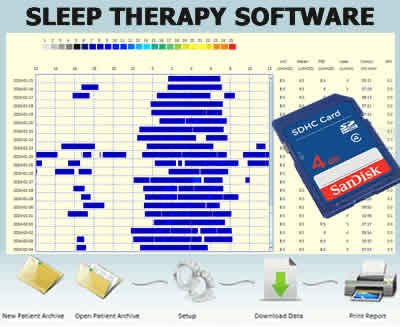
- Review Treatment Information: Press the designated button (refer to device interface) to review your treatment information from the last day. This data is also stored on the SD card for more detailed analysis via sleep therapy software.
- End Therapy: To stop therapy, press the power button again.
The BMC Resmart CPAP machine is designed for quiet operation, minimizing disturbance during sleep.
6. Maintenance
Regular cleaning and maintenance are crucial for the longevity and hygienic operation of your CPAP system:
6.1. Daily Cleaning
- Nasal Mask: Disassemble the mask components (cushion, frame, headgear). Wash the cushion and frame daily with mild soap and warm water. Rinse thoroughly and allow to air dry away from direct sunlight.
- Air Tubing: Wash the air tubing daily with mild soap and warm water. Rinse thoroughly and hang to air dry.
6.2. Weekly Cleaning
- Headgear: Hand wash the headgear weekly with mild soap and warm water. Rinse well and air dry.
6.3. Filter Replacement
- Inspect the air filters regularly (e.g., weekly). Replace the filters if they appear dirty or discolored. It is recommended to replace filters at least every 3-6 months, or more frequently in dusty environments. (Refer to the image of air filters in Section 2).
6.4. Device Exterior
- Wipe the exterior of the CPAP unit with a damp cloth as needed. Do not use abrasive cleaners or immerse the device.
7. Troubleshooting
If you encounter issues with your BMC Resmart Manual CPAP machine, refer to the following common problems and solutions:
| Problem | Possible Cause | Solution |
|---|---|---|
| No air flow or low pressure |
|
|
| Audible alert sounding |
|
|
| Device not turning on |
|
|
If the problem persists after attempting these solutions, please contact BMC customer support or your healthcare provider.
8. Specifications
| Brand | BMC |
| Model Number | RMCPAPNM |
| Weight | 1.6 kg |
| AC Power Consumption | 100 – 240V AC, 50/60Hz, 1.0A max |
| SD Card Capacity | 2G bytes |
| Features | Alert when accidental power off, Quiet operation, One button to review treatment information, Real time audible alert for tubing/mask leak. |
9. Warranty and Support
The BMC Resmart Manual CPAP machine comes with a 3-year warranty. Please retain your purchase receipt and warranty card for future reference.
For technical support, warranty claims, or any other inquiries, please contact your authorized BMC dealer or the manufacturer's customer service. Do not attempt to repair the device yourself, as this may void the warranty and pose safety risks.
For further information, you may refer to the official BMC website or contact their support channels.


