
1. Product Overview
The TCP BR30 ENERGY STAR® qualified dimmable 9-watt LED bulb is designed to provide efficient and long-lasting illumination. This bulb generates light output comparable to many 65-watt halogen bulbs while consuming significantly less energy. It is engineered for environmental safety, containing no lead or mercury, which simplifies disposal.
This LED bulb boasts a very long operational life, rated to maintain at least 70% of its initial light output after 25,000 hours of use.
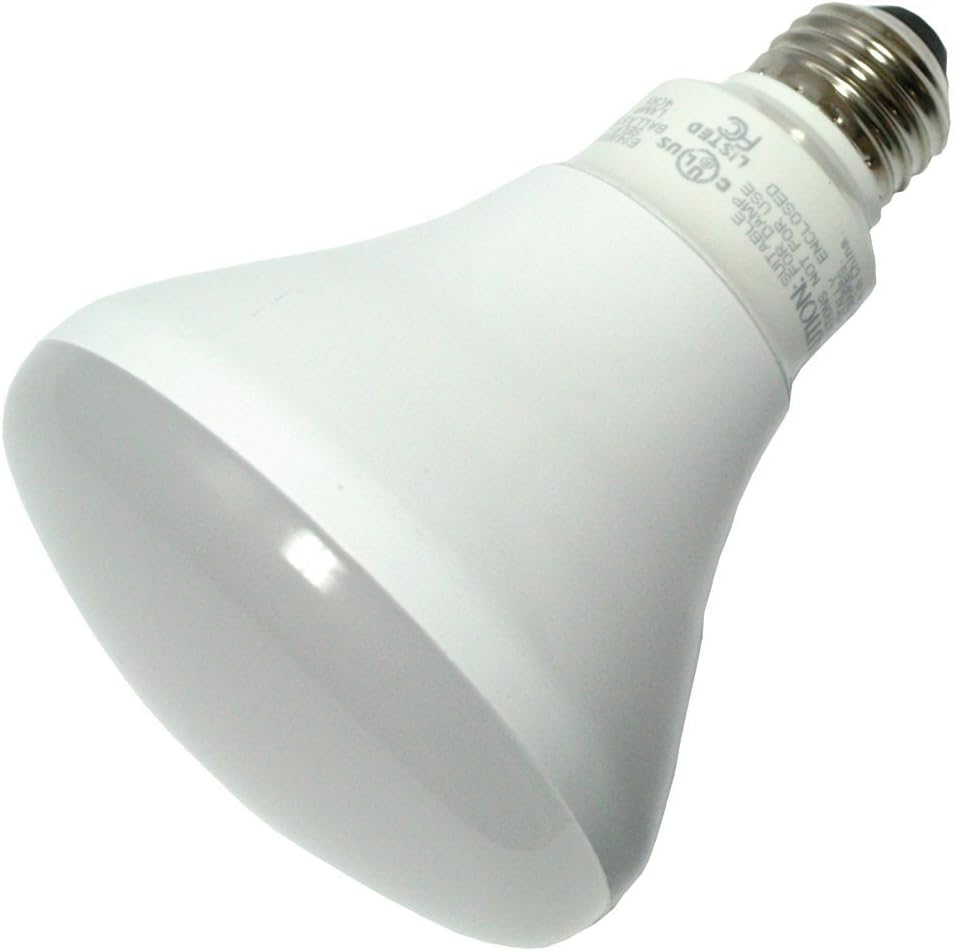
Image 1.1: The TCP BR30 LED Bulb, showcasing its standard BR30 shape and E26 screw base. The bulb is white with a frosted diffuser.
2. Important Safety Information
Please read and understand all instructions before installing or using this product. Failure to follow these instructions may result in electric shock, fire, or other hazards.
- WARNING: To avoid electric shock, always turn off the power to the fixture at the circuit breaker or fuse box before installation, removal, or inspection.
- Do not "hot swap" this bulb. Always turn off the fixture before replacing an existing bulb.
- This bulb is not recommended for use in fully enclosed fixtures because heat buildup will shorten its operational life. Ensure adequate ventilation around the bulb.
- Suitable for damp locations.
- Do not use with standard dimmers unless specifically rated for LED compatibility. Use only with dimmers designed for LED products to ensure proper performance and avoid damage.
- Do not disassemble or modify the bulb. There are no user-serviceable parts inside.
- Ensure the bulb is securely screwed into the socket.
3. Installation Guide
Follow these steps to properly install your TCP BR30 LED bulb:
- Turn Off Power: Locate the light fixture's power switch and turn it to the "OFF" position. For added safety, turn off the power at the circuit breaker or fuse box controlling the fixture.
- Remove Old Bulb: Carefully unscrew the existing bulb from the fixture. Allow it to cool if it has been recently in use.
- Inspect Fixture: Check the fixture socket for any damage or debris. Ensure it is clean and dry.
- Install New Bulb: Gently screw the TCP BR30 LED bulb into the socket until it is finger-tight. Do not overtighten.
- Restore Power: Turn the power back on at the circuit breaker or fuse box, then turn on the light switch to test the new bulb.
4. Operation
This TCP BR30 LED bulb is designed for standard on/off operation and is fully dimmable. For optimal dimming performance, use with LED-compatible dimmers. Using non-LED compatible dimmers may result in flickering, reduced performance, or damage to the bulb.
The bulb provides a cool white light with a color temperature of 4100 Kelvin, suitable for various indoor applications.
5. Care and Disposal
Cleaning: Ensure the power is off and the bulb is cool before cleaning. Wipe the bulb with a soft, dry cloth. Do not use liquid cleaners or abrasive materials.
Disposal: This TCP LED bulb contains no lead or mercury, making it environmentally safer for disposal compared to traditional fluorescent bulbs. Please dispose of the bulb according to local regulations for electronic waste or general waste, as applicable in your region.
6. Troubleshooting Common Issues
| Problem | Possible Cause | Solution |
|---|---|---|
| Bulb does not light up. |
|
|
| Bulb flickers or dims inconsistently. |
|
|
| Bulb life is shorter than expected. |
|
|
7. Technical Specifications
| Brand | TCP |
| Model Number | LED9BR30D41K |
| Light Type | LED |
| Bulb Shape Size | BR30 |
| Bulb Base | E26 (Medium) |
| Wattage | 9 Watts |
| Incandescent Equivalent | 65 Watts |
| Brightness | 740 Lumens |
| Color Temperature | 4100 Kelvin (Cool White) |
| Dimmable | Yes |
| Special Features | Damp Location, Dimmable |
| Voltage | 120 Volts |
| Estimated Life | 25,000 hours (23.1 years based on 3 hours/day) |
| Mercury Free | Yes |
| Energy Star Certified | Yes |
| Color Rendering Index (CRI) | 82.00 |
| Beam Angle | 110 Degrees |
| UPC | 762148067382 |
8. Warranty and Customer Support
For information regarding product warranty, returns, or technical assistance, please contact TCP customer support directly. Refer to the product packaging or the official TCP website for the most current contact details and warranty terms.
Manufacturer: TCP
Website: Visit the TCP Store on Amazon


