
1. Product Overview
The Talentcell Rechargeable 12V 3000mAh Lithium-ion Battery Pack is a versatile power source designed for a wide range of electronic devices. Its compact size and dual output capabilities (12V DC and 5V USB) make it ideal for portable applications. The battery pack incorporates advanced safety features to ensure reliable operation.

Figure 1.1: Talentcell 12V 3000mAh Battery Pack and accessories.
2. Package Contents
Please verify that all items are present in your package:
- 1x DC 12V/5V Li-ion battery pack
- 1x DC5521 1 female to 2 male power splitter cable
- 1x 12.6V/0.5A AC/DC Charger
- 1x User manual

Figure 2.1: Included items in the product package.
3. Setup and Charging
3.1 Initial Charging
- Connect the included 12.6V/0.5A AC/DC Charger to the battery pack's 12V input port (5.5 mm x 2.1 mm).
- Plug the charger into a standard wall outlet.
- Ensure the battery switch is turned to position "I" for charging.
- The LED indicator on the AC/DC charger will change from Red to Green when the battery is fully charged. A full charge typically takes approximately 6 hours.
3.2 Connecting Devices
The battery pack offers dual output options:
- 12V DC Output: Use the 5.5 mm x 2.1 mm port for 12V devices. The voltage range for this port is 12.6-9V. The included DC5521 1 female to 2 male power splitter cable can be used to connect multiple 12V devices if needed.
- 5V USB Output: Use the standard USB port for 5V devices such as mobile phones.

Figure 3.1: Front panel of the battery pack with labeled ports.

Figure 3.2: Example of the battery pack in use, powering an LED strip and charging a smartphone.
4. Operating Instructions
4.1 Powering On/Off
To power on the battery pack, slide the power switch to the 'ON' position. To power off, slide the switch to the 'OFF' position.
4.2 LED Indicators
The battery pack features multi-LED indicators that display the remaining battery percentage. Observe these lights to monitor the charge level.
4.3 Compatible Devices
This battery pack is compatible with a wide range of devices, including but not limited to:
- LED strip lights
- CCTV cameras
- IP cameras
- LED panels
- Amplifiers
- Modems
- Car DVRs
- Speakers
- Spectra S2 breast pumps
- Most 5V USB devices (e.g., mobile phones)

Figure 4.1: Examples of compatible devices for the battery pack.
5. Maintenance and Safety
5.1 General Maintenance
- The battery is designed for a slow charge process (6 hours for full charge), which helps the battery pack last longer.
- For long-term storage, it is suggested to charge the battery every three months to extend its service life and prevent it from remaining in a low voltage state.
5.2 Safety Precautions
WARNING: Failure to follow these safety instructions could result in fire, electric shock, injury, or damage to the product or property.
- Do not use the 12V lithium battery pack in places with high humidity or where it may be exposed to wet conditions.
- Do not modify or disassemble the power bank.
- Do not throw the 12V power bank into fire or water.
- Do not place the power bank during charging on flammable materials such as in the bed or on carpets.
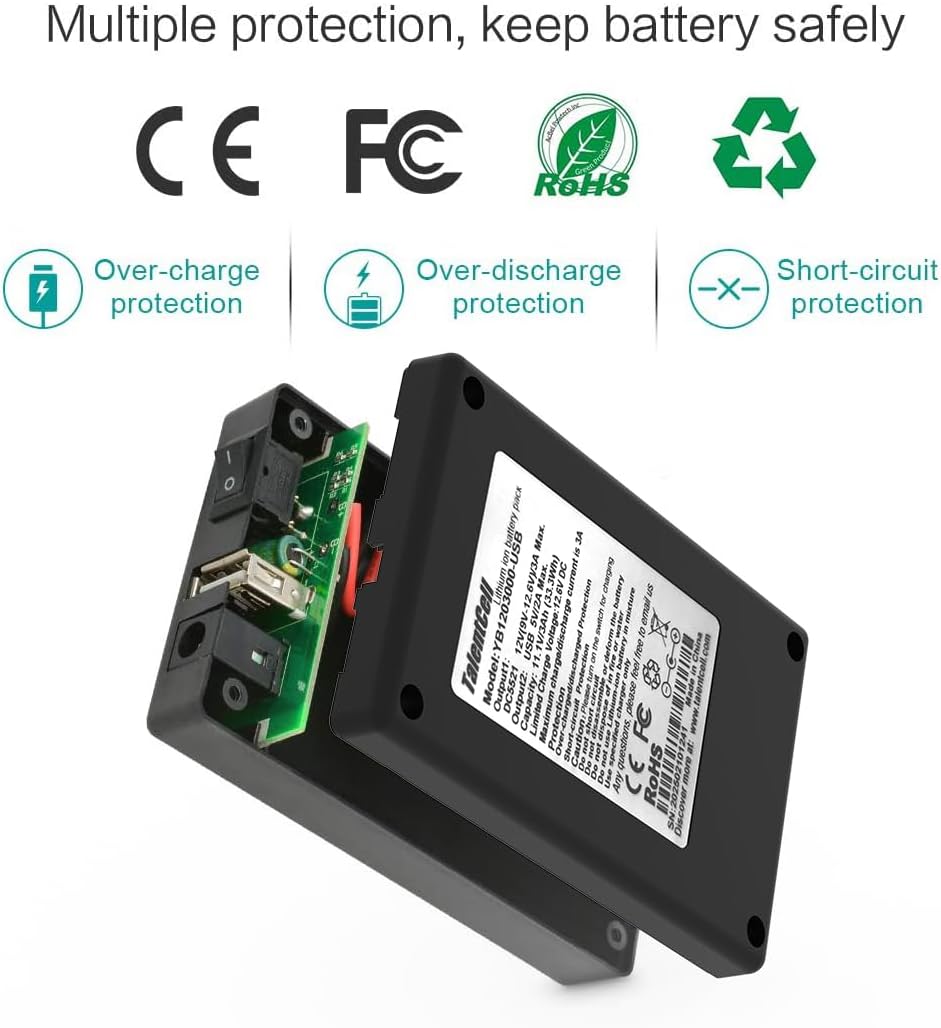
Figure 5.1: Built-in multiple protection features for safe operation.
6. Troubleshooting
If you encounter issues with your Talentcell battery pack, please refer to the following common solutions:
- No Power Output: Ensure the power switch is in the 'ON' position. Check if the battery is charged using the LED indicators. Recharge if necessary.
- Slow Charging: Verify that you are using the original 12.6V/0.5A AC/DC charger. Ensure the battery switch is in position "I" during charging.
- Device Not Charging: Confirm that the connected device's voltage and current requirements are within the battery pack's specifications (12V/3A Max. for DC, 5V/2A Max. for USB). Check all cable connections for secure fit.
- Overheating: If the battery pack feels excessively hot during operation or charging, disconnect it immediately and allow it to cool down. Ensure it is not placed on flammable surfaces.
For further assistance, please contact Talentcell customer support.
7. Specifications
| Feature | Specification |
|---|---|
| Model | YB1203000-USB |
| Capacity | 11.1V 3000mAh |
| Input | 12.6V/3A Max. |
| Output (12V) | 12V (voltage range 12.6-9V) / 3A Max. |
| Output (5V USB) | 5V / 2A Max. |
| Product Dimensions | 4.13 x 2.52 x 0.94 inches |
| Item Weight | 6.7 ounces (approx. 190g) |
| Battery Type | Lithium Ion (1 included) |

Figure 7.1: Product dimensions and weight.
8. Warranty and Support
For warranty information or technical support regarding your Talentcell Rechargeable Battery Pack, please contact Talentcell Technology directly. Refer to the contact information provided with your product or visit the official Talentcell website for assistance.