
Introduction
The JayBird X3 Wireless Headphones are designed for active lifestyles, offering functionality, comfort, and sound quality in a compact form factor. This manual provides essential information for setting up, operating, maintaining, and troubleshooting your X3 headset.
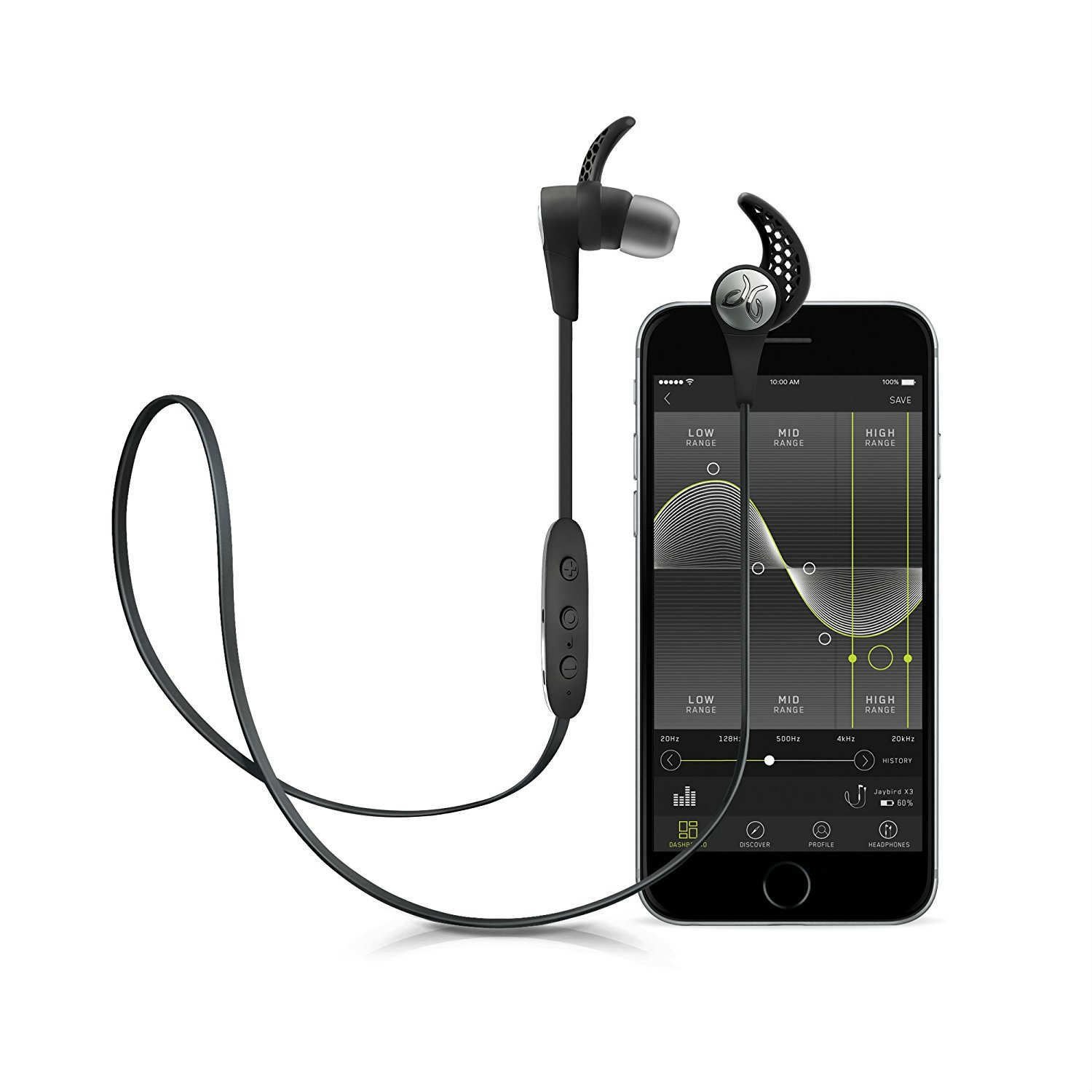
Figure 1: JayBird X3 Sport Bluetooth Headset
Setup
1. Finding the Right Fit
Achieving a secure and comfortable fit is crucial for optimal sound and stability. The X3 comes with various customized fit options, including patented silicone ear fins (S, M, L) and Comply memory foam ear tips. Experiment with different sizes and styles to find the best fit for your ears. The ear fins are designed to securely attach to the top and back/lower surface areas of the ear, locking the earbuds in during workouts and intense physical activities. Comply memory foam tips provide maximum noise isolation and comfort.
Video 1: Guide to finding the right fit for your X3 buds.
2. Pairing Your X3 Buds
The X3 buds connect to your devices via Bluetooth. To pair, ensure your device's Bluetooth is enabled and follow the pairing instructions specific to your device. The Multipoint function allows simultaneous pairing and connection to two different Bluetooth devices, such as a laptop for music and a phone for calls.
Video 2: Instructions for pairing your X3 buds.
Operating
1. Personalized Sound with MySound App
Customize your audio experience using the MySound App (compatible with iOS 9+ and Android 4.4+). This app allows you to tweak and customize every aspect of your sound, from lows to highs. Your customized presets save directly onto the X3 buds, carrying them over to any music device or streaming service/app you use.
Video 3: Demonstrating the use of the MySound App with X3.
Video 4: Overview of the Jaybird X3 MySound App features.
2. Controls
The X3 features button controls for managing music playback, volume, and calls. Refer to the quick start guide included in your package for detailed button functions.
Charging & Battery Life
The X3 headphones offer an 8-hour battery life. A quick 15-minute charge provides a full hour of playtime, ensuring you're always ready. Charging is done via the included charge clip and USB 2.0 charging cable.
Video 5: Instructions on charging your X3 buds.
Video 6: Information regarding the Jaybird X3 battery.
Maintenance
The X3 Headphones are built to last with a sleek yet rugged design. They feature a hydrophobic nano-coating, making them sweatproof and resistant to rain and snow. This protection ensures your earbuds remain functional in various weather conditions and during intense workouts. To clean, gently wipe the earbuds and tips with a damp cloth. Ensure they are completely dry before charging or storing.
Specifications
- Noise Control: Sound Isolation
- Frequency Response: 20 Hz
- Sensitivity: 103 dB
- Connectivity Technology: Bluetooth
- Wireless Communication Technology: Bluetooth
- Age Range (Description): Adult
- Material: Silicone
- Specific Uses For Product: Sports and Exercise
- Charging Time: 2.5 Hours (for full charge)
- Recommended Uses For Product: Exercising
- Compatible Devices: Bluetooth-enabled devices (e.g., smartphones, laptops, tablets, car audio systems)
- Control Type: Button Control
- Cable Feature: Without Cable
- Item Weight: 13.61 g (0.48 ounces)
- Water Resistance Level: Waterproof
- Style: Earbuds
- Control Method: App
- Battery Life: 8 Hours
- Audio Driver Type: Dynamic Driver
- Bluetooth Range: 10 Meters
- Bluetooth Version: 4.2
- Audio Driver Size: 6 Millimeters
- Earpiece Shape: Rounded
- Impedance: 16 Ohms
- Product Dimensions: 21.5 x 0.5 x 0.9 inches
What's in the Box
- X3 Wireless Buds
- Pair Silicone Ear Tips (3 sizes)
- Pair Secure-Fit Ear Fins (3 sizes)
- Cord Management Clips
- Shirt Clip
- Charge Clip
- USB 2.0 Charging Cable
- Sport Carry Pouch
- Pair Comply Isolation Tips (3 sizes)
Troubleshooting
For common issues such as pairing difficulties, sound quality problems, or battery concerns, please refer to the comprehensive troubleshooting section in the full user manual available on the Jaybird support website. Ensure your X3 buds are fully charged and within Bluetooth range of your device.
Warranty and Support
For detailed warranty information, product registration, and customer support, please visit the official Jaybird website. You can also find FAQs and additional resources to help you get the most out of your X3 Sport Bluetooth Headset.


