
AVITAL DWS-DEI3100L
Avital 3100L 1-Way Security System
User Manual
Introduction
The Avital 3100L is a comprehensive 1-way vehicle security system designed to protect your car from theft and unauthorized entry. This system features a powerful siren, a dual-zone impact sensor, and two 4-button remote controls for convenient operation. It also includes keyless entry and auxiliary functions, along with Nuisance Prevention and Warn-Away features to enhance vehicle security.
This manual provides essential information for understanding the system's components, operation, and basic troubleshooting. For installation, professional assistance is highly recommended.
System Components
Your Avital 3100L security system package includes the following components:
- Control Module: The central processing unit of the security system.
- Siren: A six-tone siren for audible alerts.
- Two 4-Button Remote Controls: For arming, disarming, and controlling system functions.
- Wiring Harnesses: For connecting the system components to your vehicle's electrical system.
- Dual-Zone Impact Sensor: Detects impacts to the vehicle.

Image: Overview of the Avital 3100L security system components, including the control module, siren, two 4-button remote controls, and retail packaging.

Image: Close-up view of the Avital 3100L siren (left) and the main control module (right). The control module is a black rectangular box with "3100" printed on it.

Image: Two black 4-button remote controls for the Avital 3100L system. Each remote features lock, unlock, star (auxiliary), and car/trunk release buttons.
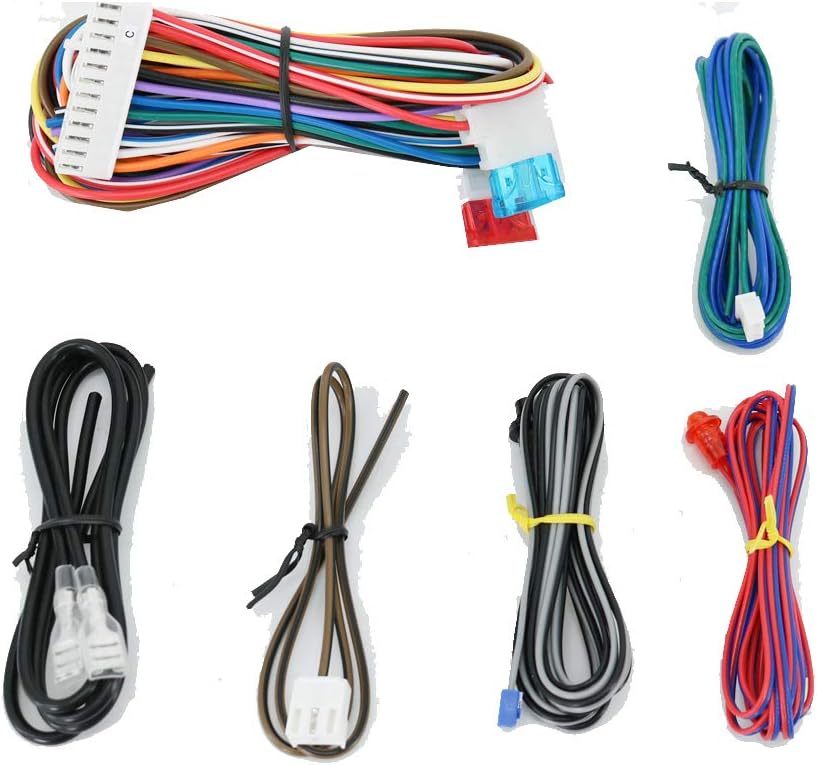
Image: Various wiring harnesses and connectors included with the Avital 3100L system, showing a bundle of multi-colored wires with white plastic connectors.
Setup and Installation
The Avital 3100L security system requires professional installation. Due to the complexity of vehicle electrical systems and the specific wiring requirements for security components, attempting self-installation without proper knowledge and tools can lead to damage to the system or your vehicle, and may void your warranty.
It is strongly recommended to have this system installed by an authorized Avital dealer or a certified automotive electronics technician. They possess the necessary expertise and equipment to ensure correct and safe integration with your vehicle.
Pre-Installation Considerations:
- Ensure your vehicle's battery is disconnected before any wiring work begins.
- Identify suitable mounting locations for the control module, siren, and impact sensor, ensuring they are secure and protected from moisture.
- Familiarize yourself with your vehicle's wiring diagrams to correctly identify power, ground, ignition, door trigger, and other necessary connections.
Post-Installation Steps:
- Test all system functions, including arming, disarming, remote start (if applicable and installed), keyless entry, and auxiliary outputs.
- Adjust the sensitivity of the dual-zone impact sensor to prevent false alarms while ensuring adequate protection.
- Program the remote controls to the system as per the installer's instructions.
Operating Instructions
The Avital 3100L system is operated primarily using the two included 4-button remote controls. Familiarize yourself with the button functions for optimal use.
Remote Control Functions:
| Button | Function |
|---|---|
| Lock Icon | Press to arm the security system and lock the vehicle doors. |
| Unlock Icon | Press to disarm the security system and unlock the vehicle doors. |
| Car Icon (Trunk/Aux) | Press and hold to activate the auxiliary output, typically used for trunk release or other programmable functions. |
| Star Icon (*) | Press to activate the Panic/Car Finder feature, causing the siren to sound and lights to flash. Press again to stop. |
Arming the System:
Press the Lock button on your remote control. The system will chirp once, and the vehicle's parking lights will flash once, indicating the system is armed and doors are locked. If a door, hood, or trunk is open, the system will chirp multiple times to alert you.
Disarming the System:
Press the Unlock button on your remote control. The system will chirp twice, and the vehicle's parking lights will flash twice, indicating the system is disarmed and doors are unlocked.
Dual-Zone Impact Sensor and Warn-Away:
The dual-zone impact sensor detects disturbances to your vehicle. A light impact will trigger the "Warn-Away" feature, which emits a low-volume, brief warning signal from the siren. A heavier impact will trigger the full alarm, causing the siren to sound continuously and lights to flash.
The sensitivity of this sensor is adjustable by your installer to suit your environment and prevent false alarms.
Maintenance
The Avital 3100L security system is designed for reliable operation with minimal maintenance. Regular care primarily involves the remote controls.
Remote Control Battery Replacement:
If your remote control's range decreases significantly or it stops responding, the battery may need replacement. Refer to the specific remote model's instructions for battery type and replacement procedure. Typically, this involves opening the remote casing and replacing a small coin-cell battery.
Note: The main control module of the security system is powered by your vehicle's electrical system and does not require battery replacement.
General Care:
- Keep remote controls dry and away from extreme temperatures.
- Avoid dropping the remote controls or subjecting them to strong impacts.
- Do not attempt to open or repair the main control module or siren yourself. Contact a professional if you suspect a malfunction.
Troubleshooting
If you experience issues with your Avital 3100L security system, review the common problems and solutions below. For complex issues, contact your authorized installer or Avital customer support.
| Problem | Possible Cause | Solution |
|---|---|---|
| System does not respond to remote. | Dead remote battery; out of range; system in Valet mode; remote not programmed. | Replace remote battery; move closer to vehicle; check Valet mode status; re-program remote (professional assistance may be needed). |
| Alarm triggers unexpectedly (false alarms). | Impact sensor sensitivity too high; faulty sensor; loose wiring. | Have installer adjust impact sensor sensitivity; contact installer for diagnosis and repair. |
| Siren does not sound. | Siren disconnected or faulty; system fuse blown. | Check siren connections; inspect system fuses; contact installer. |
| Doors do not lock/unlock. | Vehicle's door lock actuators faulty; wiring issue; system malfunction. | Verify vehicle's central locking system functionality; contact installer for diagnosis. |
Specifications
| Feature | Detail |
|---|---|
| Model Number | DWS-DEI3100L |
| System Type | 1-Way Security System |
| Remote Controls | Two 4-Button Remotes Included |
| Siren | Six-Tone Siren |
| Sensors | Dual-Zone Impact Sensor |
| Keyless Entry | Yes |
| Auxiliary Functions | Yes (Programmable) |
| Nuisance Prevention | Warn-Away (low-volume, brief warning signal) |
| Power Source | Vehicle's 12V Electrical System (Main Unit) |
| Product Dimensions | 7.25 x 5.25 x 4.75 inches (approximate package dimensions) |
| Item Weight | 0.01 ounces (system components only, excluding packaging) |
| UPC | 659355969410 |
Warranty and Support
Avital products are manufactured to high-quality standards. For warranty information, it is important to note that Avital typically provides warranty coverage only when the product is purchased from an authorized dealer and installed by an authorized installer. Please retain your proof of purchase and installation documentation.
For technical support, product inquiries, or to locate an authorized installer, please visit the official Avital website or contact their customer service department. Contact information can usually be found on the manufacturer's packaging or website.
Important: Do not attempt to modify or repair the system yourself, as this may void the warranty and could cause damage to your vehicle.
Ask a question about this manual
Ask about setup, troubleshooting, compatibility, parts, safety, or missing instructions. Manuals+ will review the question and use this page’s manual context to help answer it.