
Introduction
Thank you for purchasing the GHB Baby Monitor with Camera. This device is designed to provide reliable and secure monitoring of your baby, offering peace of mind with its advanced features. This manual will guide you through the setup, operation, and maintenance of your new baby monitor.

Image: The GHB Baby Monitor system, showing the parent unit with a 3.2-inch HD display and the baby camera unit.
Package Contents
Please check the package contents carefully. If any items are missing or damaged, please contact customer support.
- 1 x Parent Unit (Monitor)
- 1 x Baby Unit (Camera)
- 2 x Power Adapters (for Parent Unit and Baby Unit)
- 1 x User Manual (this document)

Image: The GHB Baby Monitor packaging, displaying the monitor, camera, and two power adapters.
Product Overview
Parent Unit (Monitor)
- 3.2-inch HD Display
- VOX Mode Indicator
- Battery Level Indicator
- Temperature Display
- Microphone and Speaker for Two-Way Audio
- Control Buttons (Menu, OK, Navigation, VOX, Lullaby, Talk)
- Power Port (USB-C)
Baby Unit (Camera)
- Camera Lens
- Infrared LEDs for Night Vision
- Microphone and Speaker for Two-Way Audio
- Temperature Sensor
- Power Port
- Pairing Button

Image: An illustration highlighting the main features of the GHB Baby Monitor, including the 3.2-inch LCD, 1000mAh battery, VOX mode, two-way intercom, 3X zoom, FHSS private connection, night vision, temperature sensor, low battery alarm, and music playback.
Setup
1. Charging the Parent Unit
Before first use, fully charge the parent unit for approximately 4 hours. Connect the smaller end of one power adapter to the USB-C port on the parent unit and the larger end to a power outlet. The battery indicator on the screen will show charging status.
2. Powering the Baby Unit
Connect the smaller end of the second power adapter to the power port on the baby unit and the larger end to a power outlet. The baby unit does not have an internal battery and must remain connected to power during operation.

Image: The baby unit (camera) connected to a power source, demonstrating how it can be used with an optional camera mount for optimal positioning. Note: The baby unit requires continuous power.
3. Placement
Place the baby unit in a location that provides a clear view of your baby, such as on a flat surface near the crib or mounted on a wall. Ensure it is out of reach of the baby. Position the parent unit in a convenient location where you can easily monitor your baby. The wireless range is up to 300 meters in an open, unobstructed environment.

Image: Examples of different installation methods for the baby unit, including placement on a dresser and wall mounting with an optional bracket. The system supports connecting up to two cameras (one camera included in the package).
4. Initial Connection
The GHB Baby Monitor uses reliable 2.4GHz FHSS wireless technology for a secure and interference-free connection. The units are typically pre-paired at the factory. Simply power on both units, and they should automatically connect. If they do not connect, refer to the Troubleshooting section for pairing instructions.

Image: A visual representation of the secure FHSS wireless connection between the baby unit and parent unit, emphasizing that it does not require Wi-Fi or a mobile application, ensuring privacy.
Operating Instructions
Power On/Off
- To power on the Parent Unit: Press and hold the Power button until the screen lights up.
- To power off the Parent Unit: Press and hold the Power button until the screen turns off.
- The Baby Unit powers on automatically when connected to a power source. Disconnect from power to turn off.
VOX Mode (Voice Operated Exchange)
VOX mode conserves battery life by automatically turning off the parent unit's screen when no sound is detected from the baby's room. The screen will automatically activate when sound is detected.
- To activate/deactivate VOX mode: Press the VOX button on the parent unit.
- In VOX mode, the monitor can last approximately 10 hours. Without VOX mode, it lasts approximately 5 hours.

Image: A visual comparison showing the parent unit's screen off when the environment is quiet (VOX ON) and the screen illuminating when sound is detected (VOX OFF), illustrating the energy-saving function of VOX mode.
Two-Way Audio
The two-way audio feature allows you to speak to your baby through the monitor.
- To speak to your baby: Press and hold the Talk button on the parent unit. Release the button to listen.

Image: A woman speaking into the parent unit, with a speech bubble indicating "Hello baby, I'm here!", and a baby in a crib with a speech bubble indicating "Mom!", demonstrating the clear two-way audio communication with low background noise.
Night Vision
The baby unit is equipped with infrared LEDs for automatic night vision, allowing you to monitor your baby clearly even in a dark room.

Image: A comparison showing the clear 720P HD night vision of the GHB Baby Monitor versus a less clear 480P display from another monitor, highlighting the superior clarity in low-light conditions.
Temperature Monitoring
The baby unit has a built-in temperature sensor that displays the room temperature on the parent unit's screen, helping you ensure a comfortable environment for your baby.
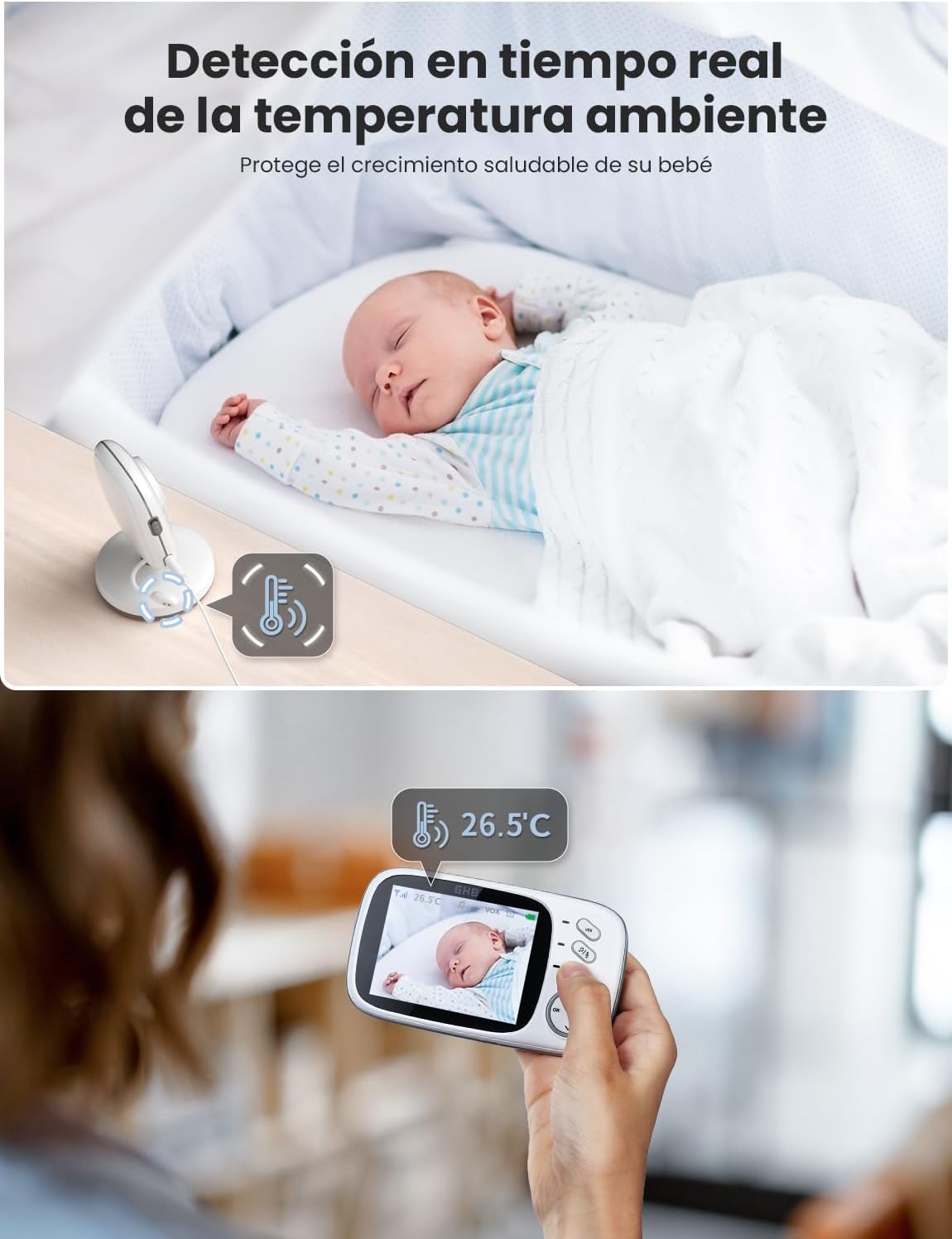
Image: The parent unit displaying the room temperature (26.5°C) while a baby sleeps in a crib, illustrating the real-time ambient temperature detection feature.
Lullabies
You can play soothing lullabies through the baby unit to help calm your baby.
- To play/stop lullabies: Press the Lullaby button on the parent unit.
- The monitor includes 8 sweet lullabies.

Image: A baby sleeping soundly in a crib with musical notes emanating from the baby unit, indicating the lullaby feature is active to help the baby fall asleep quickly.
Zoom Function
The parent unit features a 3X zoom function to get a closer look at your baby.
- To zoom in/out: Use the navigation buttons on the parent unit while in live view.
Adding Additional Cameras
The parent unit supports connecting up to 2 cameras, allowing you to monitor multiple rooms or children simultaneously. Additional cameras are sold separately.
- To add a new camera: Navigate to the camera settings menu on the parent unit and follow the on-screen instructions for pairing.
Maintenance
Cleaning
- Wipe the units with a soft, dry cloth.
- Do not use abrasive cleaners or solvents.
- Keep the camera lens clean for optimal image quality.
Battery Care (Parent Unit)
- To prolong battery life, avoid fully discharging the battery frequently.
- Charge the unit regularly, especially if it will not be used for an extended period.
- Store the unit in a cool, dry place when not in use.
Troubleshooting
| Problem | Possible Cause | Solution |
|---|---|---|
| No image/sound on parent unit. |
|
|
| Poor image quality. |
|
|
| Static or interference. |
|
|
| Parent unit battery drains quickly. |
|
|
Specifications
| Feature | Detail |
|---|---|
| Model Number | 40 |
| Screen Size | 3.2 Inches |
| Video Resolution | 720p HD |
| Wireless Technology | 2.4 GHz FHSS |
| Wireless Range | Up to 300 meters (open environment) |
| Battery Capacity (Parent Unit) | 1000mAh |
| VOX Mode Battery Life | Approx. 10 hours |
| Non-VOX Mode Battery Life | Approx. 5 hours |
| Charging Time | Approx. 4 hours |
| Night Vision Range | 10 Meters |
| Two-Way Audio | Yes |
| Temperature Sensor | Yes |
| Lullabies | 8 melodies |
| Zoom Function | 3X |
| Material | Plastic |
| Dimensions | 18.4 x 14.8 x 7.1 cm |
| Weight | 470 g |
Warranty and Support
For warranty information and customer support, please refer to the contact details provided with your purchase or visit the official GHB website. Keep your purchase receipt as proof of purchase for any warranty claims.
This product is verified by Transparency, with each unit having a unique code for verification before shipment.


