
1. Introduction
Thank you for choosing the FOCUSPOWER F10 Mini Bluetooth Earbud. This compact and discreet wireless headphone is designed for comfortable wear and seamless connectivity with your mobile devices. Please read this manual carefully to ensure proper setup and operation.

Image: The FOCUSPOWER F10 Mini Bluetooth Earbud, a small, black, and discreet wireless headphone.
2. What's in the Box
Your FOCUSPOWER F10 package includes the following items:
- 1 x FOCUSPOWER F10 Mini Bluetooth Earbud
- 1 x Magnetic Inductive USB Charging Adapter
- Multiple sizes of ear tips for a comfortable fit
- 1 x Compact carrying case
- 1 x User Manual

Image: The complete package contents, including the earbud, charging adapter, ear tips, carrying case, and user manual.
3. Setup
3.1. Charging the Earbud
The FOCUSPOWER F10 features magnetic inductive charging for convenience. To charge your earbud:
- Connect the magnetic inductive USB charging adapter to a USB power source (e.g., computer USB port, wall adapter with 5V current and 500mA voltage).
- Align the earbud with the magnetic charging points on the adapter. The earbud will snap into place securely.
- A red indicator light will illuminate on the earbud during charging. The light will turn blue or off when fully charged.
Important Safety Note: Do not charge the item for an excessively long time. Always refer to the product manual for specific charging durations.

Image: The earbud being charged via its magnetic inductive USB adapter, showing various charging scenarios like a laptop USB port and a wall adapter.
3.2. Bluetooth Pairing
The F10 earbud utilizes Bluetooth 4.1 & EDR technology for stable and fast connections.
- Ensure the earbud is charged.
- Press and hold the multi-function button on the earbud until the indicator light flashes red and blue alternately, indicating pairing mode.
- On your smartphone or Bluetooth-enabled device, go to the Bluetooth settings and search for available devices.
- Select "F10" (or similar name) from the list of found devices.
- Once connected, the earbud's indicator light will typically flash blue slowly or turn off. A voice prompt may confirm the connection.
4. Operating Instructions
4.1. Power On/Off
- Power On: Press and hold the multi-function button for approximately 3 seconds until you hear a voice prompt or see the blue indicator light.
- Power Off: Press and hold the multi-function button for approximately 5 seconds until you hear a voice prompt or see the red indicator light.
4.2. Call Control
The F10 earbud allows for easy call management:
- Answer/End Call: Press the multi-function button once.
- Reject Call: Press and hold the multi-function button for about 2 seconds.
- Redial Last Number: Double-press the multi-function button.
4.3. Music Playback
- Play/Pause: Press the multi-function button once.
4.4. Multipoint Connection
The F10 earbud supports multipoint connection, allowing it to connect to two separate devices simultaneously (e.g., two mobile phones). This feature enables seamless switching between devices without re-pairing.
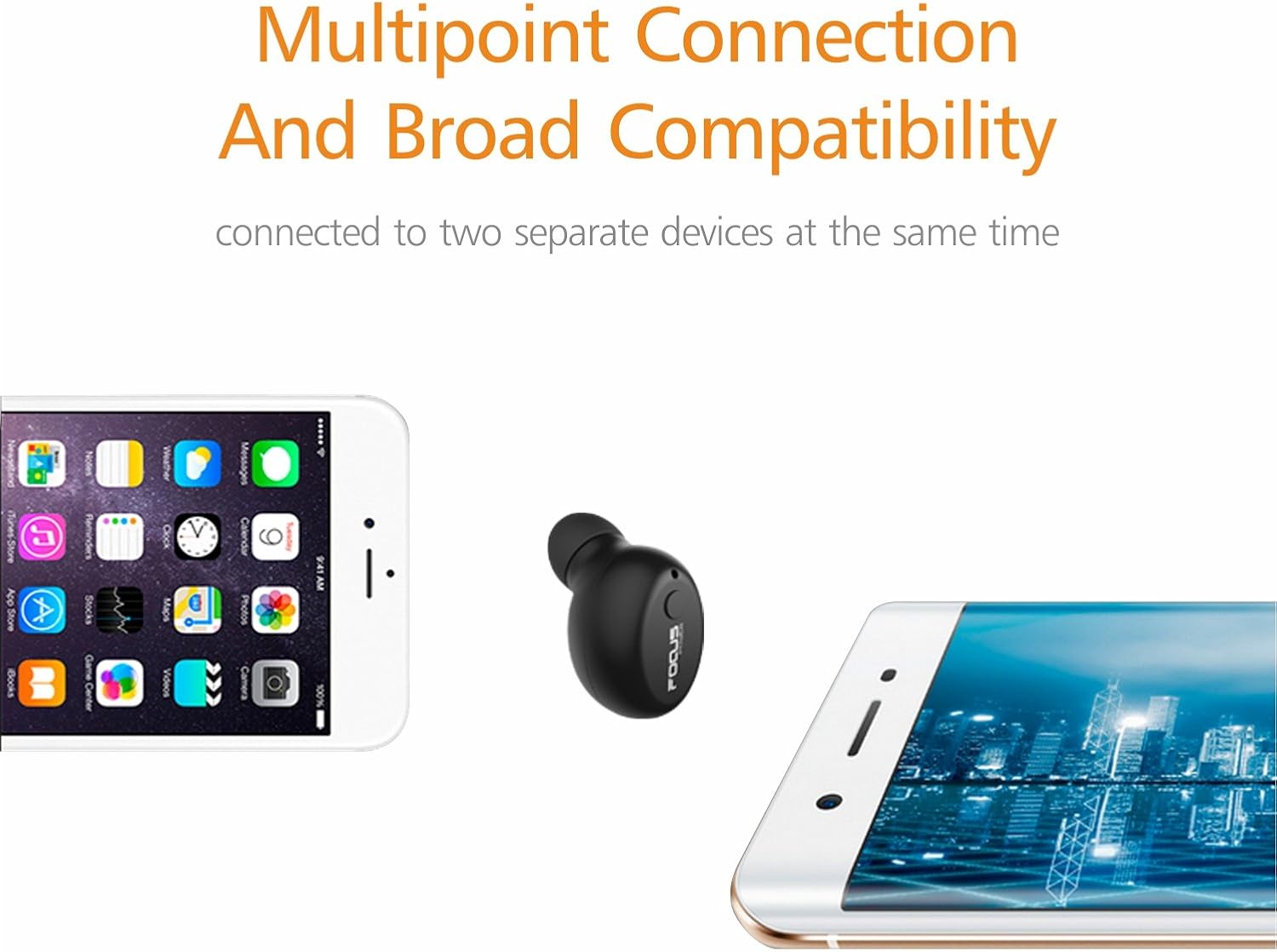
Image: The F10 earbud shown wirelessly connected to both a smartphone and a tablet, illustrating its multipoint connection capability.
4.5. Universal Fit and Concealed Design
The F10 earbud is designed to be small and lightweight, offering a universal fit with various ear tip sizes to ensure comfort and security. Its concealed design makes it suitable for discreet use in various environments.

Image: A close-up of the F10 earbud comfortably seated in an ear, highlighting its universal fit and compact design.

Image: Multiple individuals using the F10 earbud in various everyday scenarios, such as driving, attending a lecture, and reading, showcasing its discreet and versatile application.
5. Battery Life and Power Management
The F10 earbud is equipped with a high-capacity lithium accumulator, providing extended usage time compared to similar mini Bluetooth earbuds.
- Music Playtime: Approximately 7 hours at 30-40% volume, or 4.5 hours at full volume.
- Talking Time: Approximately 6-8 hours.
- Standby Time: Up to 72 hours.

Image: A visual representation of the F10 earbud's impressive 6-hour playtime, depicted with a clock graphic.
6. Maintenance
To ensure the longevity and optimal performance of your FOCUSPOWER F10 earbud, please follow these maintenance guidelines:
- Use only a good quality charger with 5V current and 500mA voltage, or a computer USB connector, to charge the earbud.
- Avoid overcharging the device.
- Keep the earbud and charging adapter clean and dry.
- Store the earbud in its provided carrying case when not in use to protect it from dust and damage.
7. Troubleshooting
If you encounter any issues with your F10 earbud, please refer to the following common solutions:
- Earbud not turning on: Ensure the earbud is fully charged.
- Cannot pair with device: Make sure the earbud is in pairing mode (red and blue flashing light). Turn off and on your device's Bluetooth, then try pairing again. Ensure the earbud is within the 33-foot range.
- Poor sound quality: Check the earbud's battery level. Ensure there are no obstructions between the earbud and your device. Try moving closer to your device.
- Battery drains quickly: Reduce the volume level. Ensure the earbud is fully charged before use.
If the issue persists, please contact customer support.
8. Specifications
| Feature | Specification |
|---|---|
| Model Name | F10 |
| Connectivity Technology | Bluetooth |
| Wireless Communication Technology | Bluetooth |
| Bluetooth Version | 4.1 |
| Bluetooth Range | 10 Meters (33 feet) |
| Battery Life (Music) | Up to 7 hours (30-40% volume) / 4.5 hours (full volume) |
| Battery Life (Talk Time) | 6-8 hours |
| Charging Time | Approx. 3.5 hours (Note: Product manual may state 10-20 mins, but user reviews indicate longer) |
| Standby Time | Up to 72 hours |
| Item Weight | 3 Grams (0.106 ounces) |
| Product Dimensions | 0.9 x 0.6 x 0.5 inches |
| Compatible Devices | Mobile phone, pad, notebook, and any other Bluetooth devices (iOS, Android) |
| Control Type | Call Control (Single multi-function button) |
| Ear Placement | In Ear |
| Color | Black |
| Manufacturer | FOCUSPOWER |
9. Warranty and Support
The FOCUSPOWER F10 Mini Bluetooth Earbud is fully backed by a 45-day money-back guarantee and an 18-month worry-free guarantee. For any questions, technical support, or warranty claims, please contact FOCUSPOWER customer service through the retailer where you purchased the product or refer to the contact information provided in your product packaging.

