
1. Introduction
The Avidsen Orane 400 is an automatic motorization system designed for two-panel swing gates. This system is compatible with various gate materials, including wood, iron, aluminum, or PVC. It is engineered to operate gates up to 2.50 meters per leaf and 200 kg per leaf, with a maximum total width of 5 meters and a total weight of 400 kg. The system allows for an inward opening angle of up to 120° and an outward opening angle of up to 90°.
This manual provides essential information for the safe and efficient installation, operation, and maintenance of your Avidsen Orane 400 gate motorization system.
2. Safety Instructions
- Professional Installation: Installation should be performed by qualified personnel in compliance with all local electrical and safety regulations.
- Clear Area: Ensure the gate's path is clear of people, pets, and objects before and during operation.
- Emergency Stop: Familiarize yourself with the emergency stop procedure.
- Obstacle Detection: The system features automatic stop upon obstacle detection. However, always exercise caution.
- Children and Remote Controls: Keep remote controls out of reach of children to prevent accidental operation.
- Maintenance: Regularly inspect the system for wear, damage, or misalignment. Disconnect power before any maintenance or repair.
3. Package Contents
Verify that all components are present and undamaged before beginning installation.

Image: Avidsen Orane 400 system components, showing two articulated arm motors, two remote controls, and a flashing lamp.
- 2 x Articulated Arm Motors (24 VDC, with integrated electronics)
- 1 x Flashing Lamp
- 2 x Four-Button Remote Controls (433.92 MHz)
- Fixing Straps and Supports
4. Specifications
| Manufacturer | Avidsen |
| Model Number | 114156 |
| Gate Type | 2-panel Swing Gates |
| Compatible Gate Materials | Wood, Iron, Aluminum, PVC |
| Max Gate Leaf Length | 2.50 meters per leaf |
| Max Gate Leaf Weight | 200 kg per leaf |
| Max Total Gate Width | 5 meters |
| Max Total Gate Weight | 400 kg |
| Inward Opening Angle | Up to 120° |
| Outward Opening Angle | Up to 90° |
| Remote Control Frequency | 433.92 MHz |
| Remote Control Range | Up to 100 meters |
| Power Supply | 24 VDC |
| Weight (System) | Approximately 15 kg (33.07 lbs) |
5. Setup and Installation
Proper installation is crucial for the performance and safety of your gate motorization system. It is highly recommended that installation be carried out by a qualified professional.
5.1 Pre-Installation Checks
- Ensure your gate is in good working condition, moves freely, and is properly balanced.
- Verify that the gate structure can support the weight and forces exerted by the motorization system.
- Confirm that there is adequate space for the articulated arms to operate without obstruction.
5.2 Motor Mounting
The motors must be securely mounted to the gate pillars or posts. Refer to the diagrams below for critical dimensions and positioning.

Image: Motor mounting diagram, indicating a vertical dimension 'A' of 510mm for optimal arm articulation.

Image: Gate opening diagram, showing a maximum distance 'D' of 250mm from the pivot point to the motor mounting for proper operation.

Image: Detailed diagram for inward opening, showing central and lateral stops, opening angle, and a table correlating maximum opening angles (90°, 100°, 110°, 120°) with the required 'Distance D' range (-50 to 250mm max, -50 to 160mm max, -50 to 80mm max, -50 to 50mm max respectively).
5.3 Electrical Connections
All electrical wiring should be performed by a certified electrician. Ensure the power supply is disconnected before making any connections. Refer to the wiring diagram provided in the full installation manual for specific details on connecting the motors, flashing lamp, and control unit.
5.4 Initial Learning / Programming
After installation, the system requires an initial learning phase to calibrate the gate's travel limits. For this initial learning, it is advised to position the gate leaves at half-open, not fully closed. Starting with the gate fully closed may cause the motor to block due to excessive force during the first maneuver. Follow the specific programming steps outlined in the comprehensive installation guide for your control unit.
6. Operating Instructions
6.1 Remote Control Operation
The system includes two 4-button remote controls for convenient operation. The remote controls have an effective range of up to 100 meters, depending on environmental conditions.
- Pressing a designated button on the remote control will initiate the gate opening or closing sequence.
- A second press during operation will typically stop the gate.
- A third press will reverse the gate's direction.
6.2 Automatic and Semi-Automatic Closure
The Avidsen Orane 400 offers flexible closure options:
- Automatic Closure: The gate can be configured to close automatically after a pre-set time delay once it has fully opened.
- Semi-Automatic Closure: The gate will close only when a command is given via the remote control or other access device.
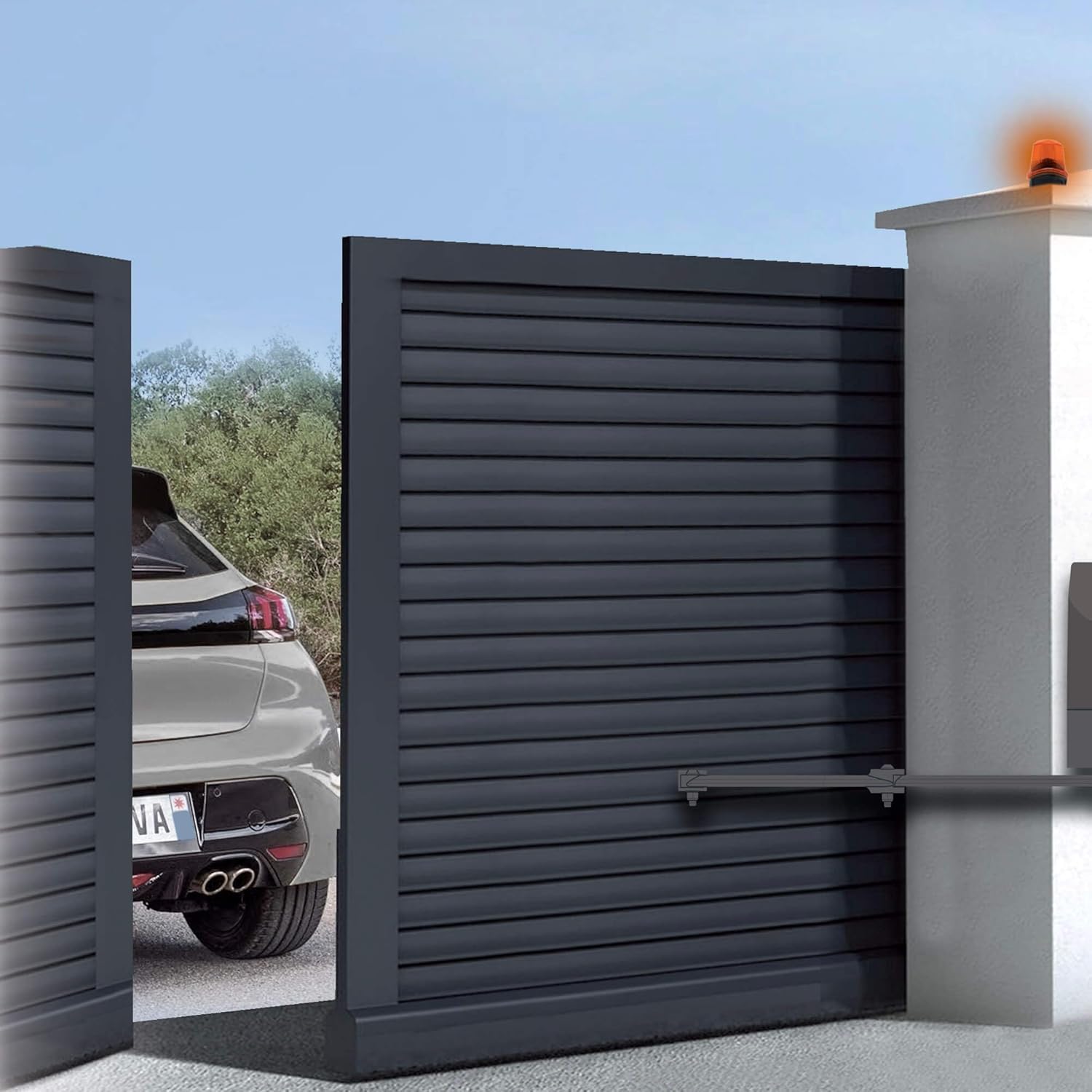
Image: A two-panel gate opening automatically, with a car waiting to enter. The flashing lamp on the pillar is active.

Image: A two-panel gate closing, with a curved arrow illustrating the closing movement of the gate leaf.
7. Maintenance
Regular maintenance ensures the longevity and reliable operation of your gate motorization system.
- Monthly Inspection: Check all moving parts, hinges, and mounting points for signs of wear, corrosion, or looseness.
- Cleaning: Keep the motors and articulated arms clean from dirt, dust, and debris. Avoid using high-pressure washers directly on electrical components.
- Lubrication: Periodically lubricate the gate hinges and any moving mechanical joints as recommended by the gate manufacturer. Do not lubricate the motor's internal components unless specifically instructed.
- Obstacle Detection Test: Regularly test the obstacle detection feature by placing a soft, non-damaging object in the gate's path during closure. The gate should stop and reverse.
- Remote Control Batteries: Replace remote control batteries as needed.
8. Troubleshooting
If you encounter issues with your Avidsen Orane 400 system, refer to the following common troubleshooting steps:
- Gate Not Responding to Remote:
- Check remote control battery.
- Ensure you are within the operating range.
- Verify that the control unit has power.
- Gate Stops During Operation:
- Check for any physical obstructions in the gate's path. The obstacle detection system may have activated.
- Inspect the gate for mechanical issues (e.g., stiff hinges, ground friction).
- Gate Does Not Close Fully/Opens Partially:
- The travel limits may need to be re-programmed. Refer to the programming section of the full manual.
- Ensure there are no obstructions preventing full closure.
- Flashing Lamp Not Working:
- Check the lamp's power connection and bulb (if replaceable).
If these steps do not resolve the issue, contact customer support or a qualified technician.
9. Warranty and Support
9.1 Warranty Information
Please refer to the warranty card included with your product or visit the official Avidsen website for detailed warranty terms and conditions. The product box indicates a 3-year warranty. Keep your proof of purchase for warranty claims.
9.2 Customer Support
For technical assistance, spare parts, or further inquiries, please contact Avidsen customer service. Contact details can typically be found on the Avidsen website or in the product packaging. Information regarding the availability of spare parts is not explicitly provided in the product specifications, please inquire directly with Avidsen support.