
1. Introduction
The 10Gtek SAS 9211-8i PCI Express (PCIe)-to-Serial Attached SCSI (SAS) Host Bus Adapter (HBA) provides high-performance internal storage connectivity for servers and workstations. This HBA offers eight lanes of 6Gb/s SAS connectivity, matched with eight lanes of PCIe 2.0 5Gb/s performance. Its low-profile design includes both a full-height and a low-profile mounting bracket, ensuring compatibility with various server chassis. The 10Gtek SAS 9211-8i HBA is built on the 10Gtek SAS 2008 controller, incorporating the latest advancements in PCIe 2.0 and 6Gb/s SAS technologies. This HBA supports RAID 0, RAID 1, RAID 10, and RAID 1E configurations.
2. Product Features
- Controller: LSI SAS 2008 6Gbps SAS/SATA HBA RAID Controller Card.
- Interface: PCIe 2.0 (6.0 Gb/s), X8 Lane. Features 2x Mini SAS SFF-8087 Ports. Note: Does not support hot-swapping.
- Data Rates: Supports up to 6 Gb/s SATA and SAS link rates, compliant with SAS 2.0.
- Device Support: Capable of supporting up to 256 SAS and SATA devices.
- Driver Availability: Driver CD is included. Drivers can also be downloaded from the 10Gtek website.
- Included Components: 10Gtek LSI-2008-8I HBA Card x1, Driver CD x1, Low-profile Bracket x1.
3. Specifications
| Feature | Detail |
|---|---|
| Brand | 10Gtek |
| Hardware Interface | PCI, SAS |
| Compatible Devices | Desktop |
| Model Number | LSI-2008-8I (LSI9211-8I) |
| UPC | 744370567694 |
| Operating System Support | Windows 7, Windows 8 (Check 10Gtek website for latest OS support) |
PCIe Aggregate Bandwidth

Table 1: PCIe Aggregate Bandwidth details the performance for different PCIe lane configurations.
6Gb/s SAS Bandwidths

Table 2: 6Gb/s SAS Bandwidths illustrates the data transfer rates for narrow and wide ports in both half and full duplex modes.
4. Setup and Installation
4.1 Physical Installation
Before installation, ensure your system is powered off and disconnected from the power source. Open your computer case to access the PCI Express slots.
- Select a PCIe Slot: Identify an available PCI Express x8 or x16 slot on your motherboard. The 10Gtek SAS 9211-8I HBA is compatible with both.
- Remove Slot Cover: Remove the corresponding metal slot cover from your computer case.
- Insert the HBA: Carefully align the HBA card with the chosen PCIe slot. Apply even pressure to both ends of the card until it is firmly seated in the slot.
- Secure the Card: Secure the HBA card to the chassis using the bracket screw. If using a low-profile case, replace the standard bracket with the included low-profile bracket before installation.
- Connect SAS/SATA Devices: Connect your SAS or SATA drives to the Mini SAS SFF-8087 ports on the HBA using appropriate cables (not included).
- Close Case: Close your computer case and reconnect the power source.
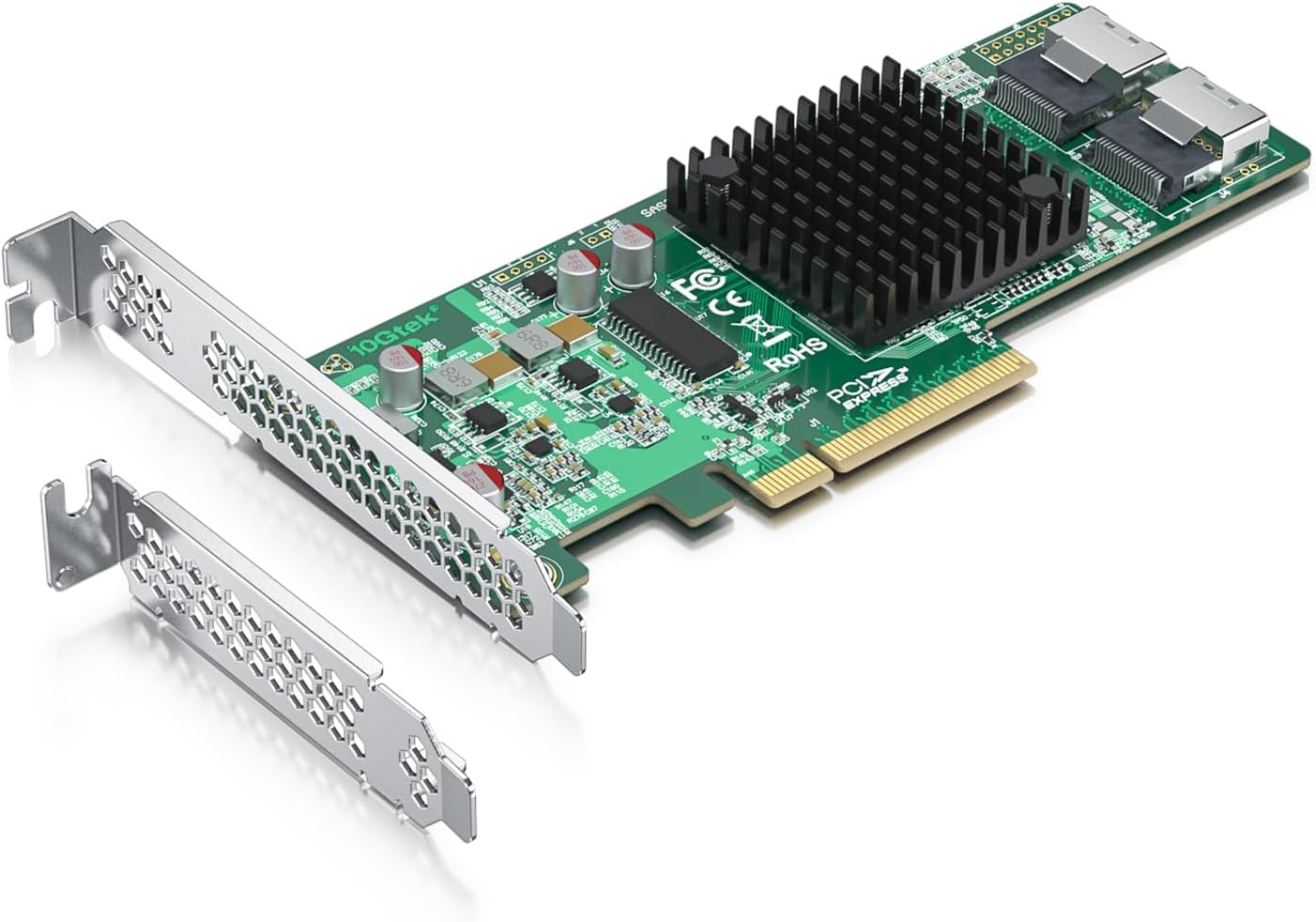
Figure: The 10Gtek SAS 9211-8I HBA RAID Controller Card.

Image: The HBA card is compatible with PCIe X8 and X16 slots, as indicated by the green checkmarks. It is not compatible with PCIe X1 or X4 slots.

Image: Detailed diagram illustrating the process of installing the 10Gtek SAS 9211-8i HBA into a PCI Express slot, showing the Mini-SAS x4 (SFF-8087) internal connectors and fan-out cables.

Image: Product dimensions of the 10Gtek SAS 9211-8I HBA card, measuring 168 mm in length and 68.5 mm in height.

Image: Application diagram showing the 10Gtek HBA card connected to four SATA SSDs using an 8087 to 4xSATA cable (cable and SSDs not included).
4.2 Driver Installation
After physical installation, power on your system. The operating system may automatically detect the new hardware. If not, you will need to install the drivers:
- Using the Driver CD: Insert the included driver CD into your optical drive and follow the on-screen instructions to install the necessary drivers.
- Downloading Drivers: Alternatively, visit the official 10Gtek website and navigate to the support section for the LSI-2008-8I or SAS 9211-8I model to download the latest drivers.
5. Operation
Once the HBA card is installed and drivers are loaded, your operating system should recognize the connected SAS/SATA devices. For RAID configurations (RAID 0, 1, 10, 1E), you will typically access the controller's BIOS or a software utility during system boot-up to configure the RAID array. Refer to your operating system's documentation or the LSI SAS 2008 controller's specific manual for detailed RAID setup instructions.
6. Maintenance
To ensure optimal performance and longevity of your 10Gtek HBA card:
- Keep Clean: Periodically inspect the card for dust accumulation. Use compressed air to gently clean the heatsink and components. Ensure the system's internal environment is free from excessive dust.
- Ventilation: Ensure adequate airflow within your computer case to prevent overheating. Proper ventilation is crucial for the stability of all internal components, including the HBA.
- Firmware Updates: Check the 10Gtek website periodically for any available firmware updates for your HBA model. Firmware updates can improve performance, stability, and compatibility.
7. Troubleshooting
If you encounter issues with your 10Gtek HBA card, consider the following troubleshooting steps:
- Check Connections: Verify that the HBA card is securely seated in the PCIe slot and that all SAS/SATA cables are properly connected to both the card and the drives.
- Driver Verification: Ensure that the correct and latest drivers are installed for your operating system. Reinstalling drivers can sometimes resolve detection issues.
- BIOS/UEFI Settings: Check your system's BIOS/UEFI settings to ensure the PCIe slot is enabled and configured correctly.
- Test with Minimal Configuration: If possible, test the HBA with a single drive to rule out issues with multiple drives or cables.
- Consult 10Gtek Support: If problems persist, refer to the 10Gtek support resources or contact their technical support for further assistance.
8. Warranty and Support
The 10Gtek LSI-2008-8I HBA Card comes with a 3-Year Free Warranty and Lifetime Technology Support. Additionally, it is backed by 30 Days Free-returned policy.
For technical support, driver downloads, or further product information, please visit the official 10Gtek website or their Amazon store:
9. Product Overview Video
Watch this official 10Gtek video for a general overview of 10Gtek products and their applications in optical communication and data centers. This video showcases various communication products including transceivers, DAC/AOC cables, converters, network cards, and SAS cables.