
Ozeri ZBB1-W
Ozeri All-in-One Baby and Toddler Scale
Instruction Manual
Product Overview
The Ozeri All-in-One Baby and Toddler Scale is designed to provide accurate measurements of weight and height for infants and toddlers. It features advanced technology for precise readings and includes functions to track growth over time.

Figure 1: Front view of the Ozeri All-in-One Baby and Toddler Scale, showing the main weighing platform and digital display.
Package Contents
Ensure all items are present before beginning setup:
- Ozeri All-in-One Baby and Toddler Scale Unit
- Head Circumference Measuring Tape
- Growth Chart Booklet (World Health Organization and CDC charts)
- 4 x AAA Batteries
- Instruction Manual (this document)
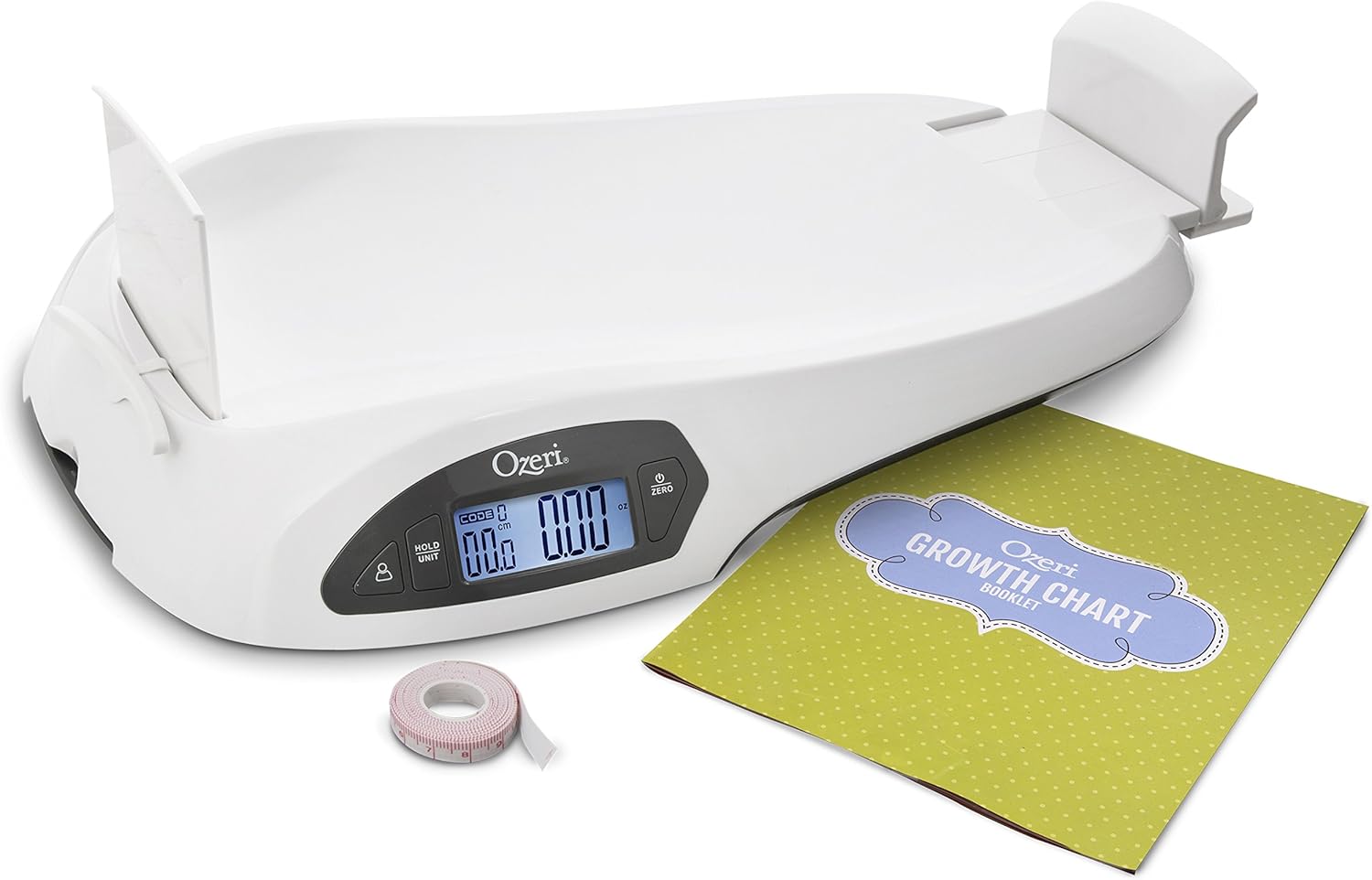
Figure 2: The Ozeri scale displayed with its included accessories: the head circumference measuring tape and the growth chart booklet.
Setup
1. Battery Installation
- Locate the battery compartment on the underside of the scale.
- Open the battery compartment cover.
- Insert 4 AAA batteries, ensuring correct polarity (+/-) as indicated inside the compartment.
- Close the battery compartment cover securely.
2. Preparing for Use
- Place the scale on a firm, flat, and stable surface to ensure accurate readings. Avoid soft or uneven surfaces.
- For height measurement, extend the sliding measurement board. Gently pull the end of the board outwards until it locks into place.

Figure 3: The Ozeri scale with its height measurement board fully extended, ready for use.
Operating Instructions
1. Powering On and Zeroing
- Press the POWER/ZERO button to turn on the scale. The display will illuminate and show "0.00 lb" (or current unit).
- If the display does not show zero, press the POWER/ZERO button again to tare the scale to zero.
2. Selecting Measurement Units
- Press the UNIT button to cycle through available measurement units: kg-cm, lb-in, oz-in, and lb:oz-in.
- Select the desired unit before taking a measurement.
3. Weighing an Infant/Toddler
- Ensure the scale is on a stable surface and zeroed.
- Gently place the infant or toddler onto the center of the weighing platform.
- Allow the reading to stabilize. The weight will be displayed on the LCD.
- If the infant is moving, press the HOLD button to capture a stable reading.
4. Measuring Height
- With the infant on the scale, ensure the height measurement board is extended.
- Position the infant with their head against the fixed headrest.
- Slide the footrest until it gently touches the infant's feet.
- The height will be displayed on the LCD along with the weight.

Figure 4: A baby positioned on the Ozeri scale for both weight and height measurement, with the head circumference being measured separately.
5. Using the Tare Function
- To subtract the weight of a diaper or clothing, place the item on the scale before placing the infant.
- Press the POWER/ZERO button (Tare button) to zero the scale with the item on it.
- Then, place the infant on the scale for an accurate net weight reading.
6. Memory Function and Growth Tracking
- The scale can store up to 8 unique infant profiles.
- It stores up to 15 weigh-ins for each profile, allowing for monitoring of growth data.
- The scale features net change detection, instantly displaying current weight/height and the net change since the most recent measurement.
- Refer to the included Growth Chart Booklet for detailed tracking and interpretation of growth data.
Maintenance and Care
- Clean the scale with a soft, damp cloth. Do not use abrasive cleaners or immerse the scale in water.
- Store the scale in a dry place, away from extreme temperatures and direct sunlight.
- When not in use, the height measurement board can be retracted for compact storage.
- If the scale will not be used for an extended period, remove the batteries to prevent leakage.

Figure 5: The Ozeri scale in its compact form, with the height measurement board retracted for easy storage.
Troubleshooting
| Problem | Possible Cause | Solution |
|---|---|---|
| Scale does not turn on. | Batteries are dead or incorrectly installed. | Check battery polarity. Replace with new AAA batteries. |
| Inaccurate readings. | Scale is on an uneven surface; weight limit exceeded; infant is moving excessively. | Place scale on a firm, flat surface. Ensure weight is within 55 lbs / 25 kg. Use the HOLD function for moving infants. |
| Display shows "Err". | Overload or internal error. | Remove weight from the scale. Turn off and on again. If error persists, contact customer support. |
Specifications
- Brand: Ozeri
- Model: ZBB1-W
- Color: White
- Weight Capacity: 55 lbs / 25 kg
- Weight Graduation: 0.1 oz (0.01 lbs / 0.005 kg)
- Height Measurement Range: 18.1 to 31.5 inches (46 to 80 cm)
- Height Graduation: 0.1 inch / 1 mm (0.1 cm)
- Display: LCD
- Power Source: 4 x AAA Batteries (included)
- Product Dimensions: 24 x 14 x 3.8 inches
- Item Weight: 5.8 pounds
Warranty and Support
For warranty information or technical support, please visit the official Ozeri website or contact their customer service department. Keep your purchase receipt as proof of purchase.
Ozeri Official Website: www.ozeri.com
Customer Service: Refer to the contact information provided on the Ozeri website or in the product packaging for the most current support details.
Related documentsZBB1-W

Ask a question about this manual
Ask about setup, troubleshooting, compatibility, parts, safety, or missing instructions. Manuals+ will review the question and use this page’s manual context to help answer it.