
Jebao STU-75 Stainless Steel Pond and Aquarium Clarifier 75-watt User Manual
Introduction
This manual provides instructions for the safe and effective use of your Jebao STU-75 Stainless Steel Pond and Aquarium Clarifier. This device is designed to clarify water in ponds and aquariums by reducing algae and improving water clarity. Please read this manual thoroughly before installation and operation.
Important Safety Information
- Avoid exposure to direct or reflected light from this device. Ultraviolet (UV) light can be harmful to eyes and skin.
- Always disconnect power to the unit before performing any maintenance, installation, or cleaning.
- This unit is non-submersible. Do not immerse the clarifier or its electronic ballast in water.
- Ensure all electrical connections are dry and protected from moisture.
- Keep the electronic ballast in a dry, protected area, away from direct sunlight.
Product Overview
The Jebao STU-75 Clarifier is a 75-watt unit specifically designed for effective water clarification in ponds and aquariums. It features a durable stainless steel housing and is suitable for ponds up to 8,000 gallons.
Key features include:
- Powerful 75-watt light bulb for efficient water clarification.
- Stainless steel reflective interior designed to enhance UV-C reflection and performance.
- Versatile connection options with included 1", 1-1/4", and 1-1/2" hose fittings, and a 2" PVC adapter.
- Flexible installation, allowing for both vertical and horizontal mounting.

Image: Jebao STU-75 Clarifier with its packaging, illustrating the product's design and branding.
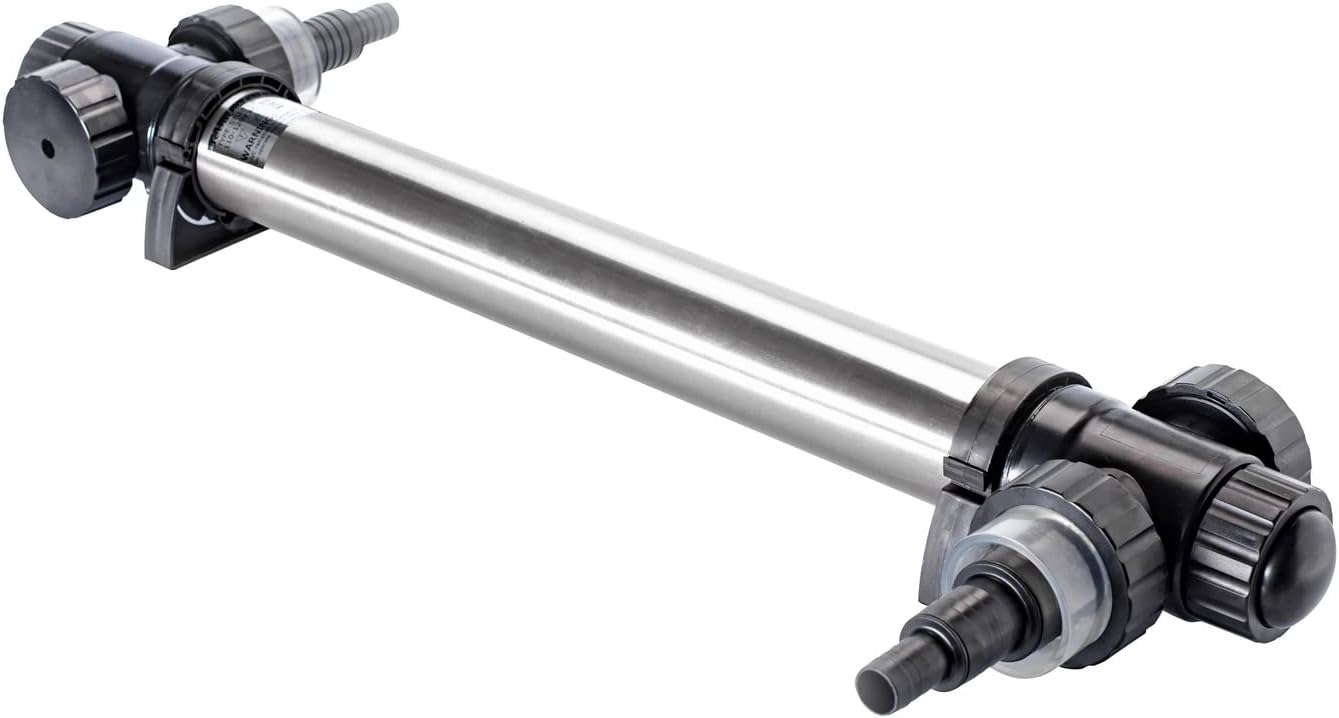
Image: Angled view of the Jebao STU-75 Clarifier, showcasing its stainless steel body and connection points.
Setup
1. Unpacking and Component Check
Carefully remove all components from the packaging. Verify that all parts are present:
- Jebao STU-75 Clarifier unit
- Electronic ballast
- Hose fittings (1", 1-1/4", 1-1/2")
- 2" PVC adapter
- Mounting brackets
- Instruction manual

Image: All components of the Jebao STU-75 Clarifier laid out, including the main unit, ballast, various hose fittings, and the instruction manual.
2. Placement
The clarifier can be installed either vertically or horizontally. Choose a location that is easily accessible for maintenance and protected from direct sunlight and moisture. Ensure the unit is placed in a non-submersible area.

Image: The Jebao STU-75 Clarifier shown with its power cord and mounting brackets, indicating installation readiness.
3. Water Connections
Attach the appropriate hose fittings (1", 1-1/4", or 1-1/2") or the 2" PVC adapter to the inlet and outlet ports of the clarifier. Secure all connections tightly to prevent leaks. Ensure proper water flow direction through the unit.
4. Electrical Connection
Connect the clarifier to the electronic ballast. The ballast should be placed in a dry, protected area, avoiding direct sunlight and any potential water exposure. The power cord provided is approximately 22 ft long, offering flexibility in placement.

Image: The Jebao STU-75 Clarifier with its power cord connected, showing the electrical input side of the unit.
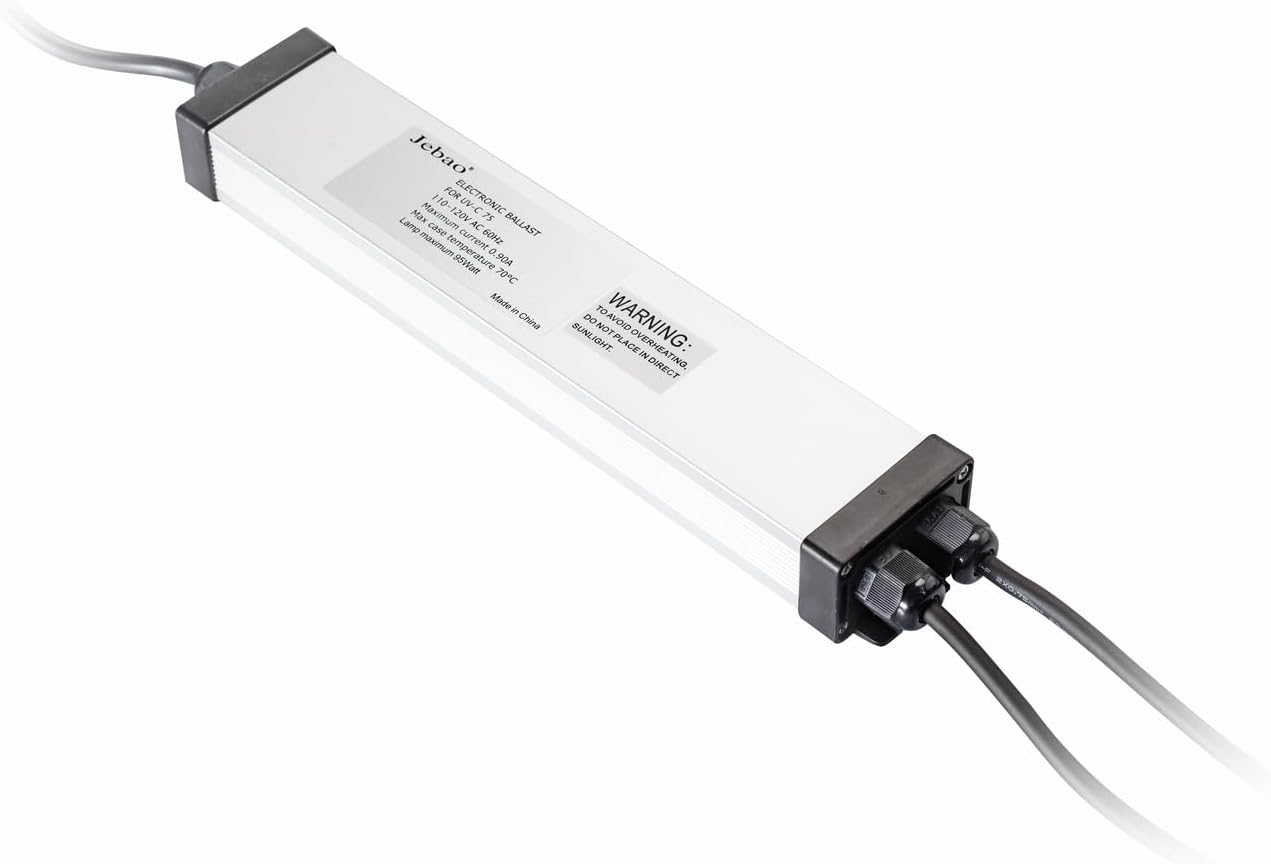
Image: Close-up view of the electronic ballast for the Jebao STU-75 Clarifier, displaying its specifications and warning label.
Operating Instructions
Once the clarifier is properly installed and all connections are secure, plug the electronic ballast into a suitable, grounded power outlet. The clarifier will begin operation immediately.
The unit is designed for continuous operation to maintain optimal water clarity. For best results, allow the clarifier to run continuously. You should observe significant improvement in water clarity within 24-36 hours, especially in water with high algae content.
Maintenance
Light Bulb Replacement
The 75-watt light bulb has an estimated lifespan of 8,000 hours, which translates to approximately 11 months of continuous operation. For optimal clarification performance, it is recommended to replace the bulb every 6-12 months, even if it appears to be working, as its UV-C output diminishes over time.
- Disconnect power to the unit completely before attempting any bulb replacement.
- Carefully open the clarifier housing. Refer to the specific instructions in your physical manual for detailed steps on accessing the bulb compartment.
- Remove the old bulb and dispose of it according to local regulations for fluorescent bulbs.
- Insert a new, compatible 75-watt replacement bulb, ensuring it is seated correctly.
- Securely reassemble the unit, ensuring all seals and O-rings are properly seated to prevent water leaks.
Cleaning
Periodically inspect the quartz sleeve (if applicable, common in UV clarifiers) and the interior of the unit for any debris, algae buildup, or mineral deposits. Clean these components as necessary using a soft cloth and mild cleaning solution, ensuring to rinse thoroughly. Always disconnect power before cleaning.
Troubleshooting
- Unit Not Turning On: Check all power connections, ensure the electronic ballast is properly plugged into a functional power outlet. Inspect the light bulb for signs of damage or burnout.
- Reduced Clarification Performance: This often indicates a diminished bulb lifespan. Replace the light bulb if it has been in use for 6-12 months. Also, ensure that water flow through the unit is adequate and not obstructed by debris.
- Water Leaks: Verify that all hose connections and seals are properly installed and tightened. Check O-rings for correct seating and any signs of damage.
Specifications
| Feature | Specification |
|---|---|
| Model | STU-75 |
| Power Consumption | 75 watts |
| Dimensions (Approx.) | 37 inches (length) x 3 inches (diameter) |
| Item Weight | 11.73 pounds |
| Recommended Pond Size | Up to 8,000 gallons |
| Hose Fittings Included | 1", 1-1/4", 1-1/2" |
| PVC Adapter Included | 2" |
| Power Cord Length | 22 ft |
| Manufacturer | Jebao |
Warranty and Support
For specific warranty information, technical support, or to inquire about replacement parts, please contact your retailer or the manufacturer directly. It is recommended to retain your purchase receipt as proof of purchase for any warranty claims.