
1. Product Overview
The Star S1104 0.3 HP Drain Pump System is an automatic, compact solution designed for efficient wastewater removal from various fixtures such as wet bars, sinks, water softeners, and laundry trays. Its innovative non-clog vortex impeller ensures smooth drainage without the need for frequent cleaning or filter replacement. This system is engineered for easy installation, requiring no roughed-in plumbing, making it a versatile choice for many applications.

Figure 1.1: Star S1104 Drain Pump System components.
2. Safety Information
Please read all safety instructions carefully before installation and operation. Failure to follow these instructions may result in electric shock, fire, serious injury, or property damage.
- Always disconnect power before servicing the pump system.
- Ensure proper grounding to prevent electrical hazards.
- Do not operate the pump with a damaged cord or plug.
- This product contains chemicals known to the State of California to cause cancer and birth defects or other reproductive harm. Wash hands after handling.
- Installation should be performed by a qualified professional if you are unsure about any steps.
3. Package Contents
Verify that all items are present and undamaged upon opening the package:
- Star S1104 Drain Pump
- Collection Basin with Lid
- Integrated Vertical Float Switch
- 1 1/2-inch NPT Discharge Hose Adapter
- Assorted Hardware (washers, nuts, bolts)
- Inlet and Vent Connections
4. Specifications
| Feature | Specification |
|---|---|
| Brand | Star |
| Model Number | S1104 |
| Horsepower | 0.3 HP |
| Voltage | 115 Volts |
| Power Source | AC/DC |
| Maximum Flow Rate | 43 Gallons Per Minute (GPM) |
| Material | Stainless Steel, Plastic |
| Item Weight | 23 Pounds |
| Discharge Hose Size | 1 1/2-inch NPT |
| Dimensions (Approx.) | 14.4 x 14.7 x 14.7 inches |
5. Setup and Installation
The Star S1104 Drain Pump System is designed for straightforward installation in various settings, including wet bars, utility sinks, and water softeners. It does not require complex roughed-in plumbing, simplifying the setup process.
5.1 Installation Locations
This versatile system can be installed in:
- Wet Bars
- Kitchen Sinks (where gravity drainage is not feasible)
- Water Softener Discharge
- Laundry Trays/Sinks

Figure 5.1: Versatile installation options for the S1104 system.
5.2 General Installation Steps (Consult local plumbing codes)
- Positioning: Place the collection basin in a stable, level location, typically beneath the sink or fixture it will serve. Ensure adequate space for connections and future access.
- Inlet Connection: Connect the drain line from your sink or fixture to the inlet port on the basin. Use appropriate plumbing fittings and sealants to ensure a watertight connection.
- Discharge Line: Connect a 1 1/2-inch NPT discharge pipe to the pump's outlet. Route this pipe to a suitable drain or sewer connection, ensuring it has an upward slope to prevent backflow.
- Vent Line: Connect a vent line to the basin's vent port. This line should extend to an open air vent or tie into an existing vent stack according to local codes.
- Electrical Connection: Plug the pump into a properly grounded 115-volt electrical outlet. Ensure the circuit is protected by a Ground Fault Circuit Interrupter (GFCI).
- Testing: Once all connections are secure, fill the sink or fixture with water to test the pump's operation. The pump should activate when the water level rises and shut off when it falls.
Video 5.1: Overview of the Drain Maker Sink Pump System and its easy installation.
6. Operation
The Star S1104 Drain Pump System operates automatically, providing hassle-free wastewater removal.
6.1 Automatic Operation
The system is equipped with a vertical float switch. When the water level in the collection basin rises to a predetermined point, the float switch activates the pump. The pump then rapidly drains the water through the discharge hose. Once the water level drops below the activation point, the float switch deactivates the pump.
6.2 Non-Clog Vortex Impeller
The pump features a non-clog vortex impeller. This design creates a whirlpool effect that efficiently moves water and small solids without clogging, eliminating the need for internal filters or screens that require regular cleaning or replacement.
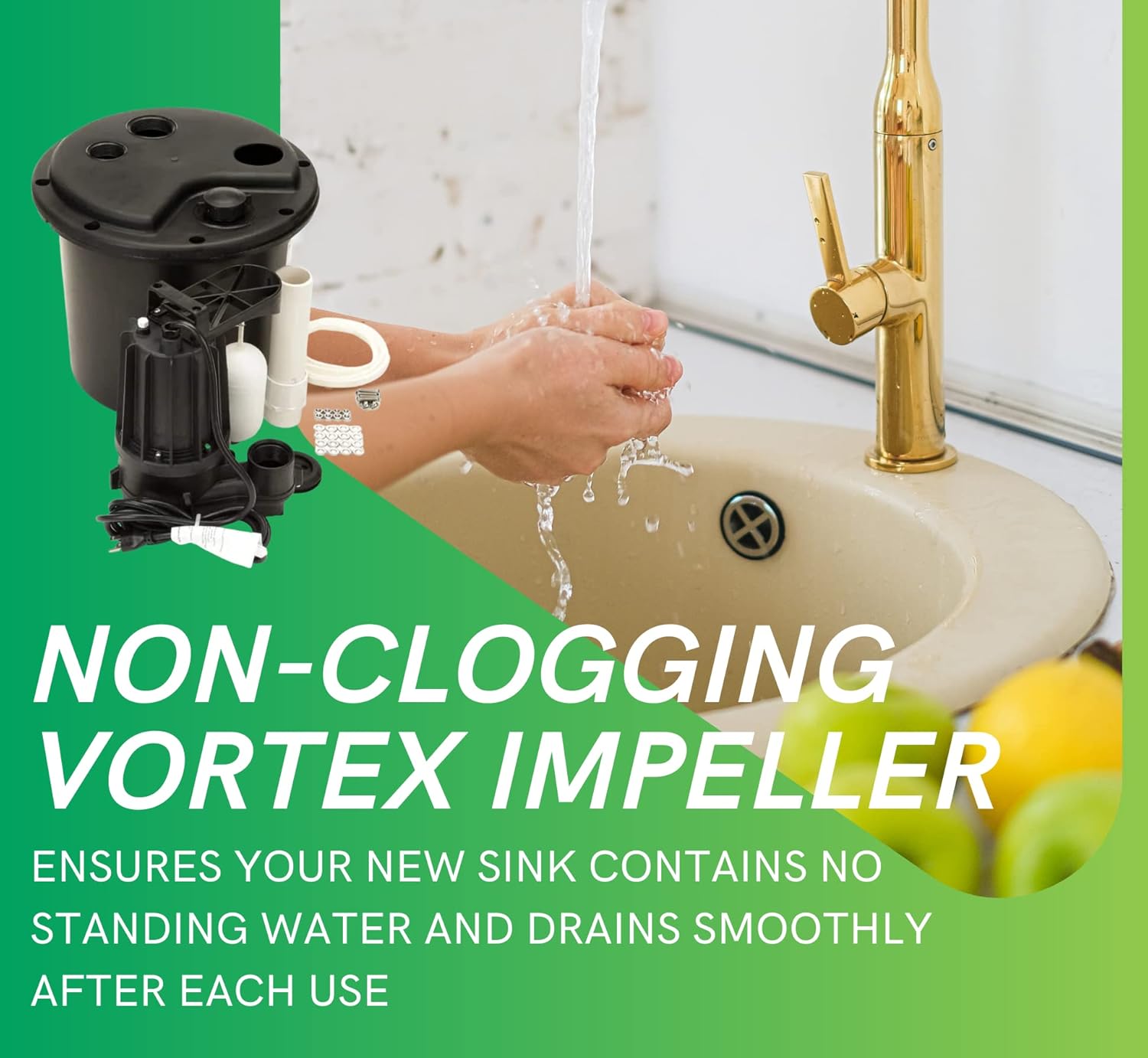
Figure 6.1: The non-clogging vortex impeller ensures efficient drainage.
7. Maintenance
The Star S1104 Drain Pump System is designed for minimal maintenance due to its non-clogging impeller and automatic operation. However, periodic checks are recommended to ensure optimal performance.
- Regular Inspection: Periodically inspect the basin for any debris accumulation. While the impeller is designed to handle small solids, large foreign objects could impede operation.
- Float Switch Check: Ensure the float switch moves freely and is not obstructed by any buildup or debris within the basin.
- Connection Integrity: Check all plumbing and electrical connections for leaks or signs of wear. Tighten any loose connections.
- Cleaning: If necessary, the interior of the basin can be cleaned with mild soap and water after disconnecting power and removing the pump.
8. Troubleshooting
Refer to the following table for common issues and their potential solutions:
| Problem | Possible Cause | Solution |
|---|---|---|
| Pump does not turn on | No power; Float switch stuck; Clogged impeller | Check power supply/GFCI; Clear float switch path; Inspect impeller for obstructions (disconnect power first) |
| Pump runs continuously | Float switch stuck in ON position; Backflow in discharge line | Clear float switch path; Check for proper check valve operation in discharge line |
| Low flow or no water pumped | Partial clog in discharge line or impeller; Air lock; Insufficient water in basin | Clear clogs; Bleed air from system; Ensure adequate water level for pump activation |
| Excessive noise or vibration | Debris in impeller; Loose mounting; Air in system | Inspect and clear impeller; Secure pump mounting; Check for air leaks in inlet |
If troubleshooting steps do not resolve the issue, contact customer support.
9. Warranty and Support
The Star S1104 Drain Pump System comes with a 1-year limited warranty from the date of purchase, covering defects in materials and workmanship under normal use and service.
For technical assistance, warranty claims, or to purchase replacement parts, please visit the official Star Water Systems website or contact their customer service department.
Official Website: www.starwatersystems.com


