
1. Introduction
This manual provides instructions for the proper installation, operation, and maintenance of your NGOSEW Foot Control Pedal with a 3-prong cord. This foot pedal is designed to provide variable speed control for compatible sewing machines, enhancing your sewing experience.
Please read this manual thoroughly before using the product to ensure safe and efficient operation.
2. Safety Information
- Always disconnect the sewing machine from the power outlet before cleaning, making adjustments, or performing maintenance.
- Do not operate the foot pedal if the cord is damaged or frayed. Contact customer support for a replacement.
- Keep the foot pedal away from water or other liquids to prevent electric shock.
- Ensure the foot pedal is placed on a stable, flat surface during use to prevent accidental movement.
- This product is intended for indoor use only.
- Do not attempt to open or repair the foot pedal yourself. Refer all servicing to qualified personnel.
3. Setup
Follow these steps to connect your NGOSEW Foot Control Pedal to your sewing machine:
- Identify the Foot Pedal and Cord: Locate the foot control pedal and its attached 3-prong cord.
- Locate the Machine Port: On your sewing machine, identify the power input port designed for the foot control pedal. This is typically a 3-hole receptacle.
- Connect the Foot Pedal: Carefully insert the 3-prong plug of the foot pedal cord into the corresponding port on your sewing machine. Ensure a firm and secure connection.
- Connect to Power: Plug the sewing machine's main power cord (which may be integrated with the foot pedal cord or separate) into a standard electrical outlet.

Figure 1: Overall view of the NGOSEW Foot Control Pedal and its attached 3-prong cord.

Figure 2: Close-up view of the 3-prong plug, designed for secure connection to compatible sewing machines.
4. Operating Instructions
Once the foot pedal is properly connected and the sewing machine is powered on, you can control the sewing speed:
- Start Sewing: Gently press down on the foot pedal with your foot. The machine will begin to sew.
- Increase Speed: Apply more pressure to the foot pedal to increase the sewing speed.
- Decrease Speed: Reduce pressure on the foot pedal to slow down the sewing speed.
- Stop Sewing: Release pressure completely from the foot pedal to stop the machine.
Practice varying pressure on the pedal to achieve smooth and consistent speed control for different sewing tasks.
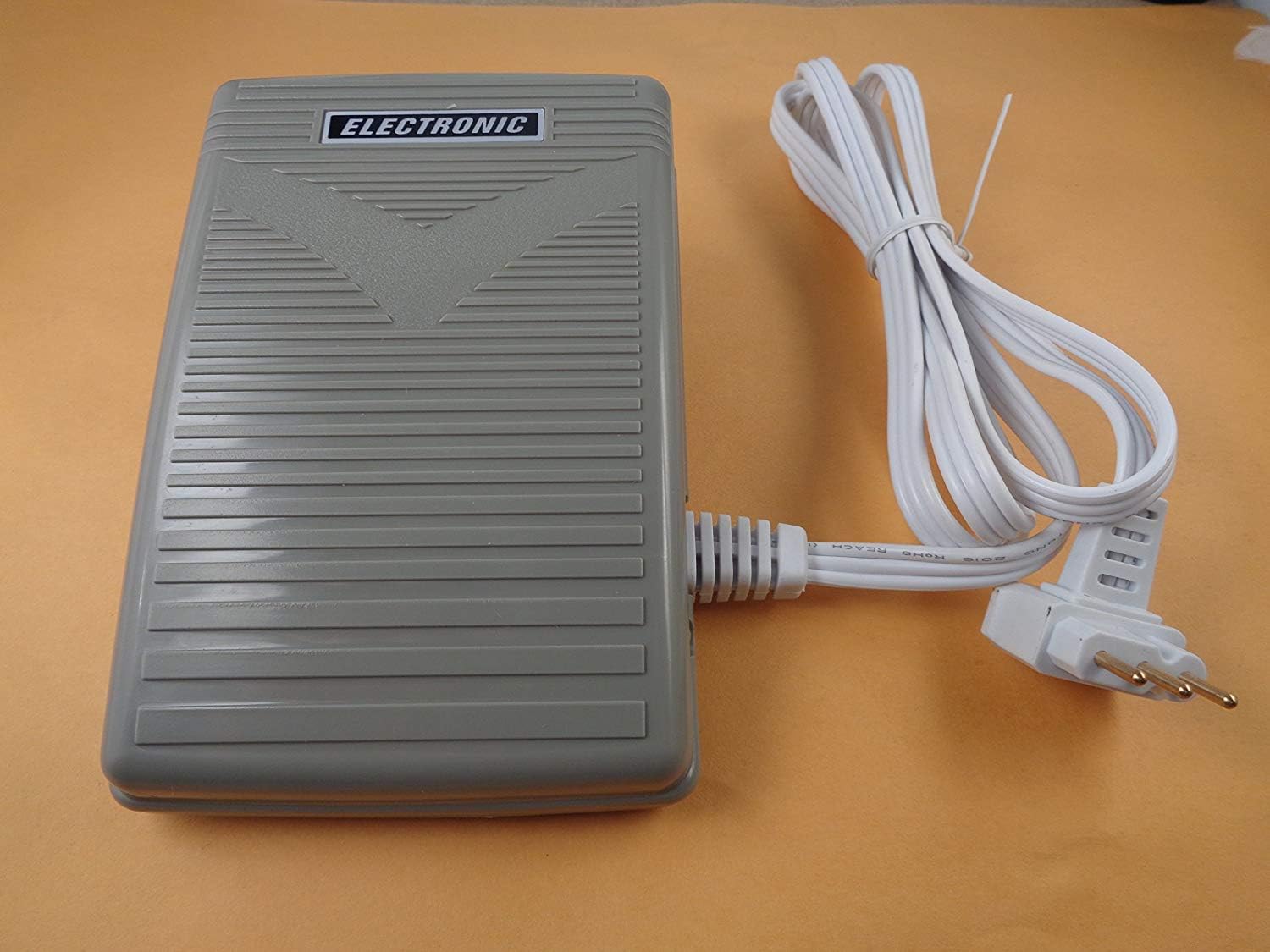
Figure 3: The foot pedal with its cord and plug, ready for connection to a sewing machine and power outlet.
5. Maintenance
To ensure the longevity and optimal performance of your foot control pedal, follow these simple maintenance guidelines:
- Cleaning: Wipe the exterior of the pedal with a soft, dry cloth. Do not use harsh chemicals or abrasive cleaners. Ensure the pedal is unplugged from the power source before cleaning.
- Storage: When not in use, store the foot pedal in a clean, dry place, away from direct sunlight and extreme temperatures. Avoid coiling the cord too tightly to prevent damage.
- Cord Inspection: Periodically inspect the cord for any signs of wear, cuts, or damage. If damage is found, discontinue use and replace the pedal.
6. Troubleshooting
If you encounter issues with your foot control pedal, refer to the following troubleshooting tips:
- Pedal Not Responding:
- Ensure the 3-prong plug is fully inserted into the sewing machine's port.
- Verify that the sewing machine's main power cord is securely plugged into a working electrical outlet.
- Check if the sewing machine's power switch is turned ON.
- Inconsistent Speed Control:
- Ensure the pedal is clean and free from debris that might obstruct its mechanism.
- Confirm that the pedal is placed on a flat, stable surface.
- Machine Not Powering On:
- This issue may not be related to the foot pedal. Check the sewing machine's power supply and internal components.
If the problem persists after trying these steps, please contact NGOSEW customer support.
7. Specifications
| Feature | Detail |
|---|---|
| Model Number | YC-485, 0330712222, 043670206 |
| Plug Type | 3-Prong |
| Package Dimensions | 5.4 x 3.7 x 1.8 inches |
| Item Weight | 8 ounces |
| Part Numbers | YC-485, 0330712222, 043670206, 4160798-01, C21361 (IR) |
8. Compatible Sewing Machine Models
This NGOSEW Foot Control Pedal is compatible with a range of sewing machine models, including but not limited to:
- Janome (Newhome): 1600P, 1600P-DB, 1600P-DBX, 1600P-QC, 2200, 4123, 6125QC, 625E Sewist 7325 Magnolia, CE2200, CM2200, Sew Precise
- Kenmore: 385.16231300, 385.16231301
- Pfaff: 1200 Grand Quilter
- Viking: 118 Emerald, 122 Emerald, 224 Huskystar, Megar Quilter
- Elna: 3230, 7100
If your machine model is not listed, please verify compatibility with your sewing machine's manual or contact NGOSEW customer support.
9. Warranty and Support
For warranty information, technical support, or any questions regarding your NGOSEW Foot Control Pedal, please refer to the contact information provided with your purchase or visit the official NGOSEW website.