
1. Welcome
Thank you for choosing the GHB Baby Monitor Camera. This device is designed to provide you with peace of mind by allowing you to monitor your baby from another room. Featuring a 3.2-inch color LCD screen, 720p video resolution, automatic night vision, two-way communication, and temperature monitoring, this monitor ensures a stable and secure connection to your little one.

Image: The GHB Baby Monitor Camera (left) and Parent Unit (right) showing a baby sleeping on the screen.
2. Product Features
- 3.2-inch High-Contrast Color LCD Screen: Provides a clear view of your baby.
- 720p Video Resolution: For detailed monitoring.
- Automatic Night Vision: Ensures clear visibility in low-light conditions.
- 2.4 GHz FHSS Wireless Communication: Offers a stable and secure connection without Wi-Fi or app requirements.
- Two-Way Communication: Allows you to talk to your baby from the parent unit.
- Temperature Monitoring: Displays the real-time temperature of the baby's room.
- VOX Mode (Voice Operated Exchange): Activates the screen and sound when noise is detected, saving battery.
- 8 Built-in Lullabies: Helps soothe your baby to sleep.
- 3X Digital Zoom: For closer inspection of your baby.
- Portable and Lightweight: Easy to carry and use around the house.
- 1000mAh Rechargeable Battery: Provides extended monitoring time for the parent unit.
3. Package Contents
Please check the package contents to ensure all items are present and in good condition:
- Parent Unit (Monitor)
- Camera Unit
- Power Adapter for Parent Unit
- Power Adapter for Camera Unit
- User Manual
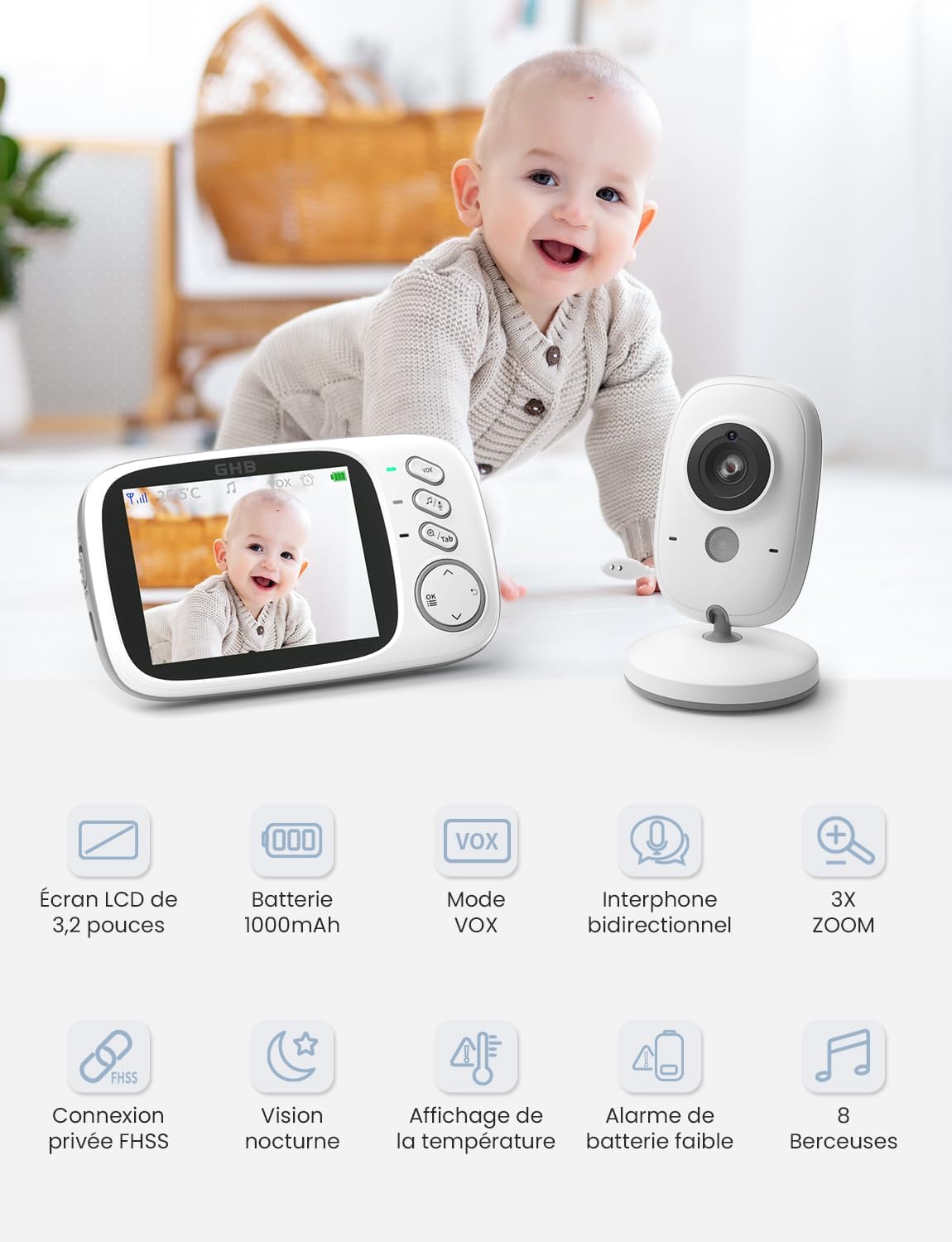
Image: The GHB Baby Monitor Camera package showing the monitor, camera, power adapters, and manual.
4. Important Safety Guidelines
Please read and follow these safety instructions carefully to ensure safe operation and prevent damage to the device or injury.
- Keep the monitor and camera units out of reach of children.
- Do not place the camera or cords within 3 feet (1 meter) of the crib or playpen to avoid strangulation hazards.
- Use only the provided power adapters. Using unauthorized adapters may damage the device and void the warranty.
- Do not expose the units to water, moisture, or extreme temperatures.
- Avoid placing the units near heat sources such as radiators, heat registers, stoves, or other heat-producing appliances.
- Ensure proper ventilation. Do not block any ventilation openings.
- Clean only with a dry cloth.
- Do not attempt to open or repair the units yourself. Refer all servicing to qualified service personnel.
5. Setup
5.1 Charging the Parent Unit
Before first use, fully charge the parent unit for approximately 4 hours. The parent unit has a built-in rechargeable Lithium-ion battery.
- Connect the smaller end of the parent unit's power adapter to the charging port on the parent unit.
- Plug the larger end of the power adapter into a wall outlet.
- The battery indicator on the screen will show charging status.
5.2 Positioning the Camera Unit
The camera unit must always be plugged into a power outlet to function. Place the camera in a location that provides a clear view of your baby, ensuring it is at a safe distance from the crib.
- Place the camera unit on a flat surface, such as a dresser or shelf, or mount it securely on a wall.
- Connect the camera unit's power adapter to the camera and plug it into a wall outlet.
- Adjust the camera angle manually to get the best view of your baby.
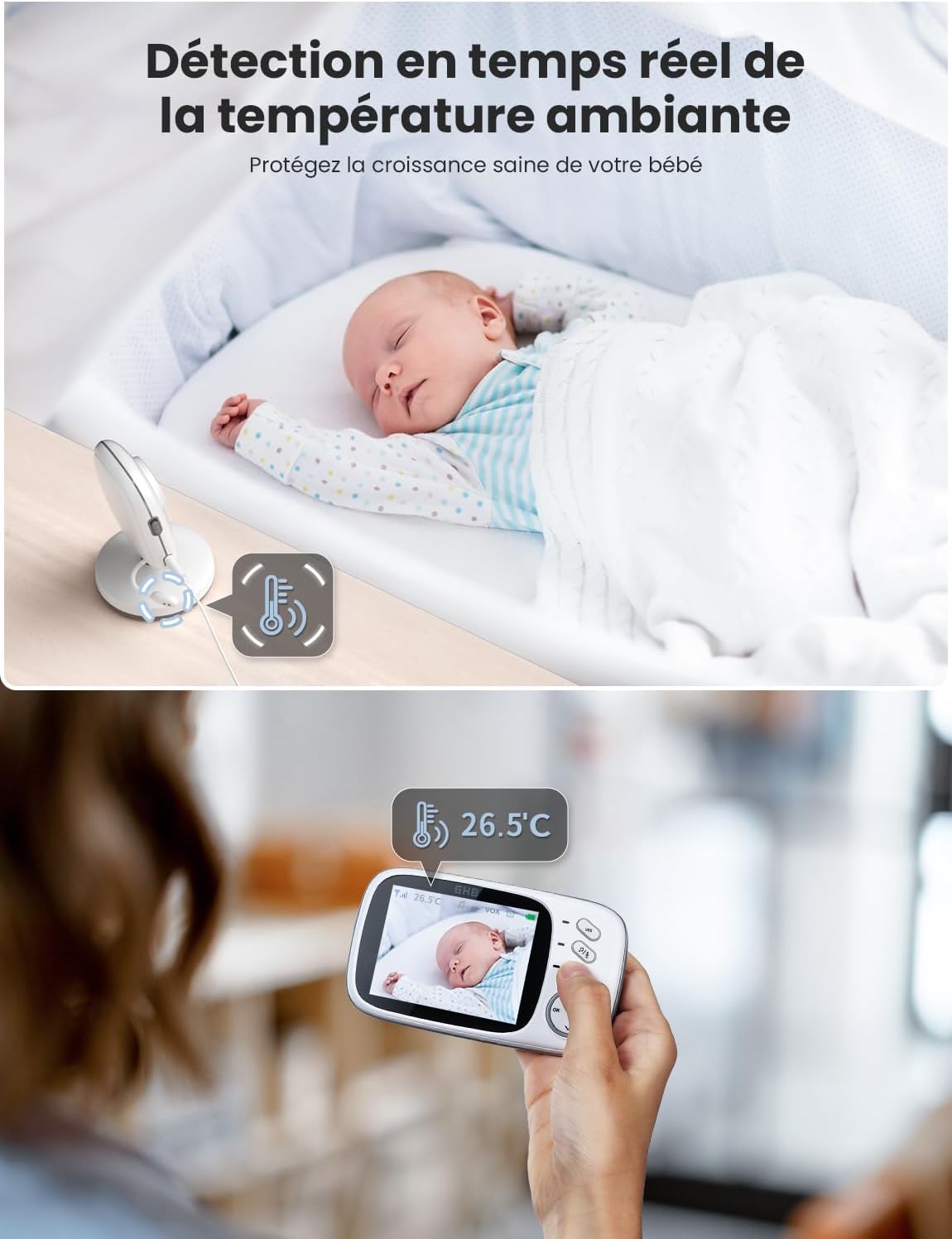
Image: The camera unit displaying room temperature and connected to power, with a baby sleeping in the background.

Image: The camera unit positioned on a crib using an optional camera support arm, showing a baby in the crib.
5.3 Pairing the Units
The parent unit and camera unit are pre-paired at the factory. If you lose connection or need to pair additional cameras (up to 4 cameras supported, sold separately), follow the instructions in the full manual (not provided in this summary).
6. Operating Instructions
6.1 Power On/Off
- To turn on the parent unit, press and hold the Power button until the screen lights up.
- To turn off the parent unit, press and hold the Power button until the screen turns off.
- The camera unit powers on automatically when plugged into an outlet.
6.2 VOX Mode (Voice Operated Exchange)
VOX mode is a power-saving feature. When enabled, the parent unit's screen will turn off when no sound is detected in the baby's room. It will automatically turn on when sound is detected.

Image: Demonstration of VOX mode, showing the screen off when quiet and on when sound is detected.
6.3 Two-Way Talk
You can speak to your baby through the camera unit using the two-way talk feature.
- Press and hold the Talk button on the parent unit.
- Speak clearly into the microphone on the parent unit. Your voice will be transmitted through the camera unit.
- Release the Talk button to hear your baby again.

Image: A parent speaking into the monitor, with a speech bubble indicating two-way communication to the baby.
6.4 Lullabies
The monitor includes 8 pre-programmed lullabies to help soothe your baby.
- Press the Lullaby button on the parent unit to cycle through the available melodies.
- Press the button again to stop playback.

Image: The camera unit near a crib, with musical notes indicating lullabies playing to a sleeping baby.
6.5 Temperature Monitoring
The camera unit has a built-in temperature sensor that displays the room temperature on the parent unit's screen.
- The temperature reading is continuously displayed on the top left corner of the parent unit's screen.
- Ensure the camera is not placed in direct sunlight or near heat sources for accurate readings.
6.6 Night Vision
The camera automatically switches to infrared night vision mode in low-light conditions, providing a clear black-and-white image of your baby.

Image: A comparison showing the clear 720p HD night vision of the GHB monitor versus a blurry 480p image from another device.
6.7 Battery Life
The parent unit's 1000mAh rechargeable battery provides approximately 3-4 hours of continuous use in normal mode and up to 20 hours in VOX mode after a full charge. Actual battery life may vary based on usage.

Image: A visual representation of the parent unit's battery life, showing 10 hours in VOX ON mode and 5 hours in VOX OFF mode.
7. Maintenance
Proper maintenance ensures the longevity and optimal performance of your baby monitor.
- Cleaning: Use a soft, dry cloth to clean the surfaces of the parent and camera units. Do not use abrasive cleaners or solvents.
- Storage: If storing the device for an extended period, ensure both units are turned off and disconnected from power. Store in a cool, dry place.
- Battery Care: For optimal battery life, avoid fully discharging the parent unit's battery frequently. Charge it regularly.
8. Troubleshooting
If you encounter any issues with your GHB Baby Monitor, please refer to the following table for common problems and solutions.
| Problem | Possible Cause | Solution |
|---|---|---|
| No image/sound on parent unit | Camera unit is not powered on or connected. Parent unit battery is low. Units are out of range. | Ensure camera is plugged in and powered. Charge parent unit. Move units closer to each other. |
| Poor image quality | Low light conditions (night vision active). Obstructions between units. | Ensure sufficient lighting if not in night vision. Remove obstructions. Adjust camera angle. |
| Static or interference | Other 2.4 GHz devices nearby. Units are too far apart. | Move the monitor away from other wireless devices (e.g., Wi-Fi routers, microwaves). Move units closer. |
| Parent unit battery drains quickly | Continuous screen on. Frequent two-way talk. Battery degradation over time. | Use VOX mode to conserve battery. Reduce continuous screen time. Ensure full charge before use. |
| Temperature reading seems inaccurate | Camera placed in direct sunlight or near a heat/cold source. | Relocate the camera unit to a more neutral spot in the room. |
9. Technical Specifications
| Feature | Specification |
|---|---|
| Model Number | AM-3049 |
| Screen Size | 3.2 inches LCD |
| Video Resolution | 720p |
| Wireless Technology | 2.4GHz FHSS |
| Parent Unit Battery | 1000mAh Lithium-ion (rechargeable) |
| Camera Power Source | 5 Volts DC (via power adapter) |
| Special Features | Night Vision, Two-Way Audio, Temperature Sensor, VOX Mode, Lullabies |
| Color | White |
| Material | Plastic |
| Mounting Type | Tabletop Mount |
10. Warranty and Customer Support
GHB is committed to providing high-quality products. For any questions, technical support, or warranty inquiries, please contact GHB customer service through the retailer's platform or the official GHB website. Please retain your proof of purchase for warranty claims.
For more information and support, you may visit the official GHB store: GHB Store on Amazon


