
Introduction
The Lucid Audio Amped HearBand provides a unique listening experience, combining high-definition audio with situational awareness. This device allows you to control the volume of your media and ambient sounds independently, ensuring you can enjoy your audio while remaining aware of your surroundings. It also functions as a sound amplifier, beneficial for those with hearing loss.
Package Contents
Before you begin, please ensure all items are present in your package:
- Lucid Audio Amped HearBand
- Tip Pack (various sizes of ear tips)
- Carrying Case
- Micro USB Charging Cable
- Wall Adapter
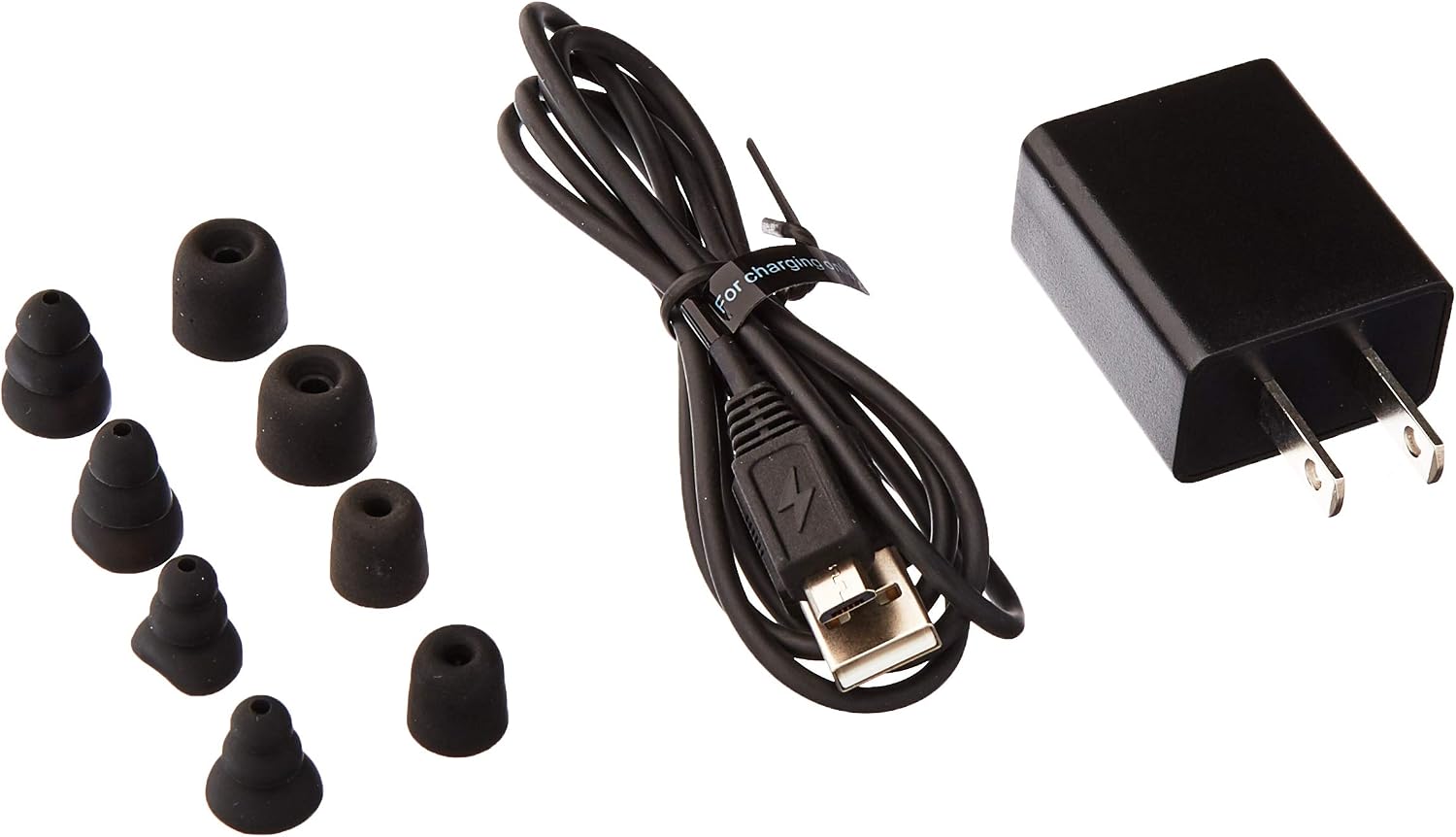
Image: Package contents including the HearBand, various ear tips, charging cable, and wall adapter.
Setup
1. Charging the Device
Before initial use, fully charge your Lucid Audio Amped HearBand. Connect the micro USB charging cable to the charging port on the neckband and the other end to the provided wall adapter or a compatible USB power source. The integrated rechargeable battery provides approximately 5 hours of uninterrupted use when fully charged.
2. Selecting Ear Tips
Choose the ear tips that provide the most comfortable and secure fit for your ears. A proper fit is essential for optimal sound quality and ambient sound amplification.
3. Powering On/Off
Locate the power switch on the neckband. Slide the switch to the "ON" position to power on the device. Slide it to the "OFF" position to power off.

Image: Front view of the Lucid Audio Amped HearBand.
4. Bluetooth Pairing
- Ensure the HearBand is powered on.
- Activate Bluetooth on your audio device (smartphone, tablet, etc.).
- Search for available Bluetooth devices. The HearBand should appear as "Lucid Audio Amped HearBand" or similar.
- Select the HearBand to pair. Once paired, you will hear an audio confirmation.
Operating Instructions
The Lucid Audio Amped HearBand features ergonomic fingertip controls for managing your audio and ambient sound experience.
Media Playback and Call Management
- Play/Pause: Press the dedicated button on the neckband.
- Volume Control (Media): Use the volume up/down buttons to adjust the volume of your music or calls.
- Answer/End Call: Press the dedicated call button to answer an incoming call or end an active call.
Ambient Sound Control
The HearBand allows for independent control of ambient sounds. Hi-gain omnidirectional microphones on the neckband and within each earbud detect and amplify surrounding sounds.
- Ambient Volume Adjustment: Use the dedicated ambient sound volume controls to increase or decrease the amplification of external sounds. This allows you to remain aware of your surroundings or engage in conversations without removing your earbuds.
- Sound Activated Compression: The device includes sound-activated compression to instantly protect your hearing from sudden loud noises.

Image: Back view of the Lucid Audio Amped HearBand, highlighting control placement.
Maintenance
- Cleaning: Gently wipe the neckband and earbuds with a soft, dry cloth. Do not use harsh chemicals or abrasive materials.
- Ear Tips: Periodically remove and clean the ear tips with mild soap and water. Ensure they are completely dry before reattaching.
- Storage: When not in use, store the HearBand in the provided carrying case to protect it from dust and damage.
- Battery Care: To prolong battery life, avoid fully discharging the battery frequently. Charge the device regularly, even if not in constant use.
Troubleshooting
| Problem | Possible Solution |
|---|---|
| Device does not power on. | Ensure the battery is charged. Connect to a power source and try again. |
| Cannot pair with Bluetooth device. |
|
| No sound or low sound. |
|
| Battery life is shorter than expected. | Battery life can vary based on usage (e.g., high volume, constant ambient amplification). Ensure the device is fully charged before use. |
Specifications
| Feature | Detail |
|---|---|
| Model Number | HLT-NHE-BT |
| Dimensions | 11 x 7 x 3 inches |
| Weight | 2.08 ounces |
| Battery Type | Lithium Ion (included) |
| Estimated Battery Life | Up to 5 hours |
| Color | Black |
| Material | Plastic, Silicone |
| Style | Neck-worn with Earbuds |
Safety Information and Warnings
Proposition 65 Warning:
This product contains chemicals known to the State of California to cause cancer and birth defects or other reproductive harm.
Always use the device responsibly. Avoid using at excessively high volumes for extended periods to prevent hearing damage. Be aware of your surroundings, especially when using ambient amplification in traffic or other potentially hazardous environments.
Support
For further assistance or inquiries, please visit the Lucid Audio website or contact their customer support. Refer to the product packaging or the official Lucid Audio website for the most current support contact information.
Manufacturer: Lucid Audio