

Introduction
Thank you for choosing the CALYPSO K5730/4 Digital Watch. This manual provides essential information for the proper setup, operation, and maintenance of your watch. Please read these instructions carefully to ensure optimal performance and longevity of your timepiece.
Product Overview
The CALYPSO K5730/4 is a robust digital watch designed for daily wear. It features a 45mm case, a durable plastic strap, and multiple functions including time display, date, day of the week, chronograph, alarm, and backlight.
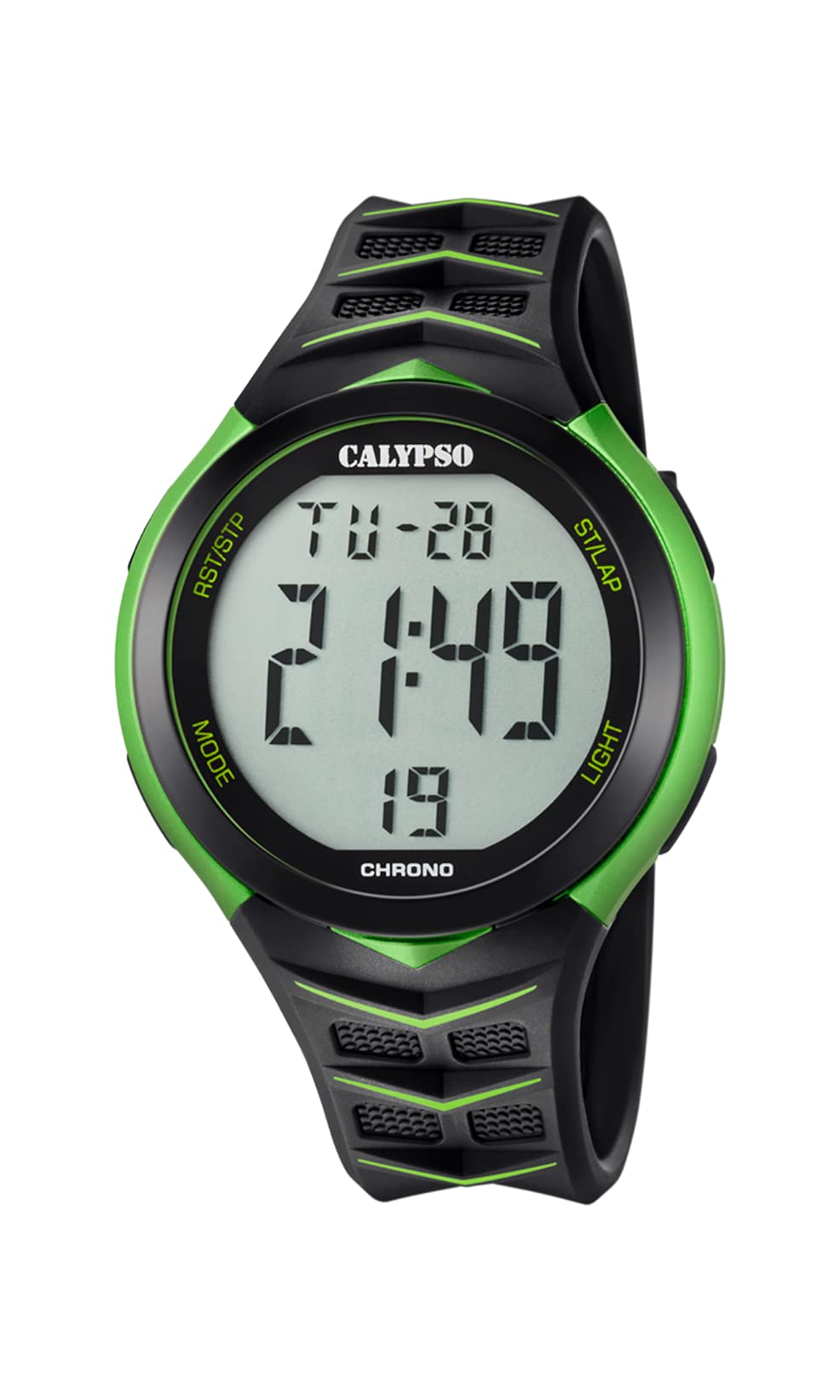
Figure 1: Front view of the CALYPSO K5730/4 Digital Watch, showing the digital display and various buttons.
Button Functions
Your watch typically features four buttons, usually located at the 2, 4, 8, and 10 o'clock positions. While exact labels may vary, their general functions are as follows:
- MODE: Cycles through different modes (Time, Chronograph, Alarm, Timer).
- SET/ADJ: Used to enter setting mode and adjust values.
- START/STOP: Starts and stops the chronograph or timer, or changes values during setting.
- LIGHT: Activates the backlight for illumination.

Figure 2: Example of a CALYPSO digital watch, illustrating typical button placement for MODE, SET, START/STOP, and LIGHT functions.
Setup
Setting Time and Date
- In Timekeeping Mode, press the MODE button repeatedly until the time display starts flashing (indicating setting mode).
- Press the SET/ADJ button to cycle through the settings: seconds, hour, minute, year, month, day, 12/24-hour format.
- Use the START/STOP button to increase the flashing value. Hold it down for faster adjustment.
- Once all settings are correct, press the MODE button again to exit the setting mode.
12/24-Hour Format
During time setting, when the 12/24-hour format is flashing, press the START/STOP button to toggle between 12-hour (with AM/PM indicator) and 24-hour formats.
Operating Modes
Press the MODE button to cycle through the watch's various functions:
- Timekeeping Mode: Displays current time, date, and day of the week. This is the default mode.
- Chronograph (Stopwatch) Mode:
- Press START/STOP to start the stopwatch.
- Press START/STOP again to pause it.
- Press SET/ADJ (or a dedicated RESET button if present) to reset the stopwatch to zero.
- Alarm Mode:
- In Alarm Mode, press SET/ADJ to select the hour or minute to set.
- Use START/STOP to adjust the value.
- Press MODE to exit setting.
- To activate/deactivate the alarm, press START/STOP while in Alarm Mode (not setting). An alarm icon will appear/disappear.
- Timer Mode: (If available)
- In Timer Mode, press SET/ADJ to select the hour or minute to set.
- Use START/STOP to adjust the value.
- Press MODE to exit setting.
- Press START/STOP to start the countdown. It will beep when it reaches zero.
- Light Function: Press the LIGHT button (usually top-left or bottom-left) to illuminate the display for a few seconds.
Maintenance
Cleaning
Wipe the watch case and strap with a soft, damp cloth. Avoid using harsh chemicals or abrasive cleaners, as these can damage the watch's finish and seals.
Water Resistance
Your CALYPSO K5730/4 watch is water-resistant up to 10 BAR (100 meters). This means it is suitable for swimming, showering, and snorkeling. However, it is important to:
- Do not operate any buttons while the watch is submerged in water or wet.
- Avoid exposing the watch to hot water or steam, as this can compromise the water-resistant seals.
- Ensure the watch is completely dry before operating buttons after exposure to water.
Battery Replacement
When the display becomes dim or functions become erratic, it may be time to replace the battery. Battery replacement should be performed by a qualified watch technician to ensure the water resistance is maintained. Attempting to replace the battery yourself may void the warranty and damage the watch.
Troubleshooting
| Problem | Possible Cause | Solution |
|---|---|---|
| Display is blank or dim. | Low battery. | Replace battery (professional service recommended). |
| Time is incorrect. | Time not set correctly or accidental button press. | Re-set the time and date as per the "Setting Time and Date" section. |
| Buttons are unresponsive. | Watch may be in a locked mode or internal malfunction. | Try pressing the MODE button repeatedly. If issue persists, consult customer support. |
| Water inside the watch. | Buttons operated underwater or seals compromised. | Immediately take the watch to a professional watch repair service. Do not attempt to dry it yourself. |
Specifications
- Model Number: K5730/4
- Brand: CALYPSO
- Case Diameter: Approximately 45 mm
- Strap Material: Plastic
- Display Type: Digital
- Water Resistance: 10 BAR (100 meters) - Suitable for swimming and snorkeling.
- Manufacturer: GRUPO FESTINA
- Country of Origin: Spain
Warranty and Support
Your CALYPSO watch is covered by a manufacturer's warranty against defects in materials and workmanship. For specific warranty terms and conditions, please refer to the warranty card included with your purchase or visit the official CALYPSO website. For technical support or service inquiries, please contact your authorized CALYPSO dealer or the manufacturer's customer service department.
You can find more information and contact details on the official CALYPSO website: www.calypsowatch.com


