Introduction
Thank you for choosing the Baseus Small Ears Series Magnetic Car Phone Holder, model SUER-B01. This product is designed to provide a secure and convenient mounting solution for your smartphone in your vehicle. Please read this manual thoroughly before installation and use to ensure proper operation and safety.
Package Contents
- Baseus Small Ears Series Magnetic Car Phone Holder (SUER-B01)
- Magnetic Metal Plate (for phone/case)
- Adhesive Base (pre-attached or separate)
- Alcohol Prep Pad (for cleaning surface)
Safety Information
- Do not obstruct your view of the road or vehicle controls when mounting the holder.
- Ensure the holder is securely attached before placing your device.
- Avoid placing the holder in areas that deploy airbags.
- Keep magnetic components away from sensitive electronic devices that may be affected by magnetic fields.
- Do not attempt to disassemble or modify the product.
Setup and Installation
- Choose a Mounting Location: Select a flat, smooth surface on your dashboard that does not obstruct your driving view or interfere with vehicle operations.
- Clean the Surface: Use the provided alcohol prep pad to thoroughly clean the chosen mounting area. Allow it to dry completely. This ensures optimal adhesion.
- Attach the Holder: Remove the protective film from the adhesive base of the magnetic holder. Carefully position the holder on the cleaned surface and press firmly for at least 30 seconds. Allow the adhesive to cure for 24 hours before first use for maximum strength.
- Prepare Your Phone:
- For phones with a case: Place the magnetic metal plate between your phone and its case. Ensure it is centered for best magnetic connection.
- For phones without a case: Adhere the magnetic metal plate directly to the back of your phone. Clean the phone's back surface before applying.

Image: The Baseus magnetic phone holder installed on a car dashboard, demonstrating a typical mounting position.
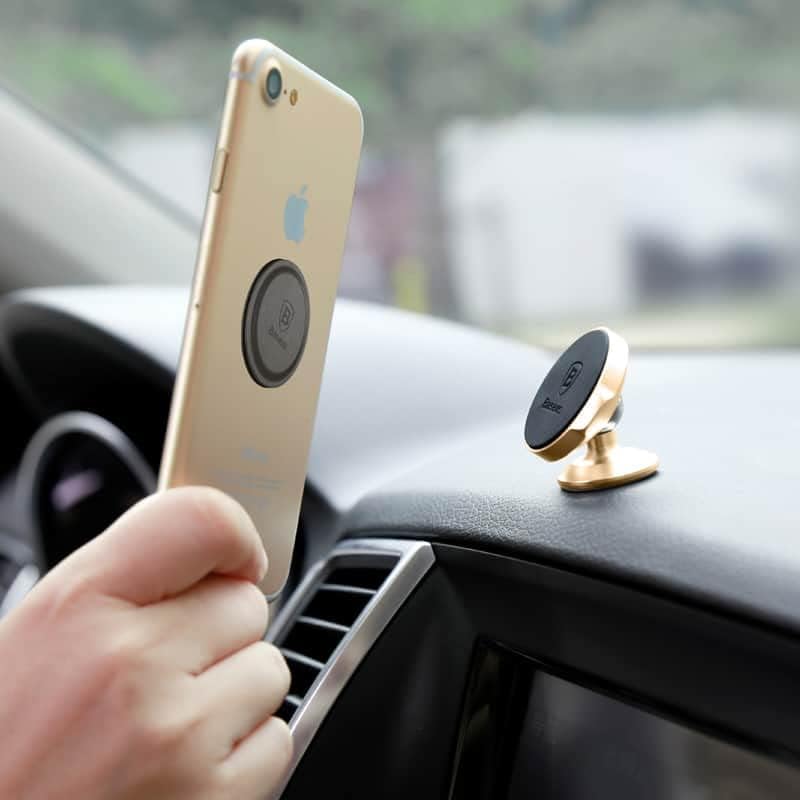
Image: A hand attaching a smartphone, equipped with a metal plate, to the magnetic surface of the car holder.
Operating Instructions
- Attaching Your Phone: Gently bring your smartphone (with the metal plate installed) close to the magnetic surface of the holder. The strong magnets will automatically secure your phone in place.
- Adjusting the Angle: The holder features a ball joint, allowing you to rotate and tilt your phone to achieve the optimal viewing angle (360-degree rotation).
- Removing Your Phone: To remove your phone, simply pull it away from the magnetic surface.

Image: A smartphone securely mounted horizontally on the Baseus magnetic holder, positioned on a car dashboard for navigation.
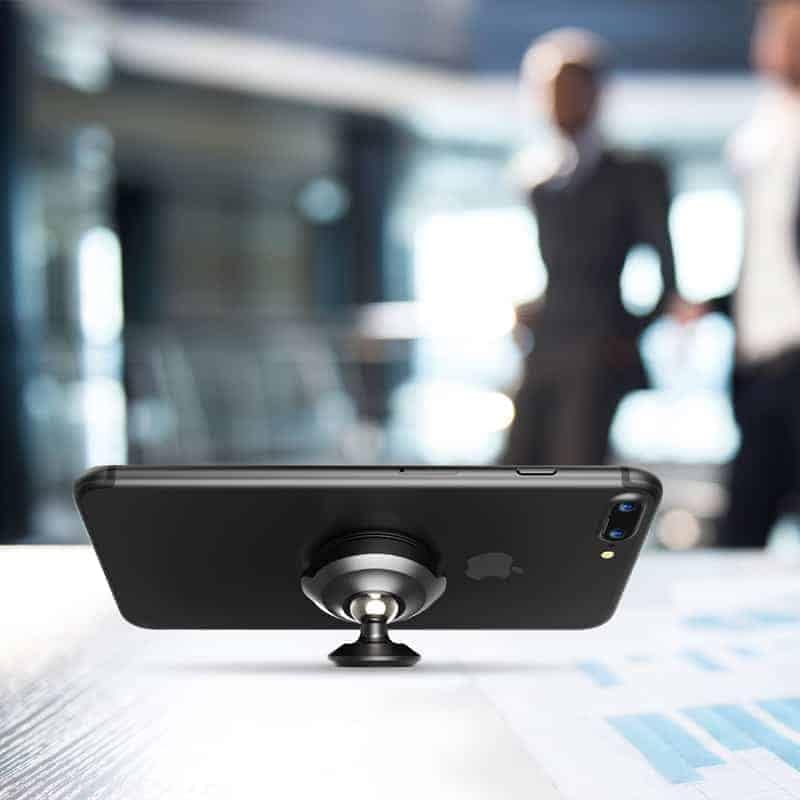
Image: The Baseus magnetic holder with a smartphone, demonstrating its use as a desk stand.
Maintenance
- Clean the holder regularly with a soft, dry cloth.
- Do not use harsh chemicals or abrasive cleaners.
- Ensure the magnetic surface is free of dust or debris to maintain optimal grip.
Troubleshooting
- Issue: Phone does not stick securely.
Solution: Ensure the metal plate is correctly positioned on your phone or inside its case. Verify that the magnetic surface of the holder is clean and free of obstructions. If using a thick phone case, the magnetic connection may be weakened; consider a thinner case or adhering the metal plate to the outside of the case.
- Issue: Holder detaches from the dashboard.
Solution: The mounting surface may not have been clean enough, or the adhesive did not have sufficient time to cure. Re-clean the surface thoroughly with an alcohol pad, allow it to dry, and re-attach the holder. Apply firm pressure and wait 24 hours before use. Extreme temperatures can also affect adhesive performance.
Specifications
| Model Name | SUER-B01 |
| Brand | Baseus |
| Material | Plastic |
| Color | Black |
| Mounting Type | Dashboard |
| Special Features | Magnetic |
| Product Dimensions | 10 x 20 x 40 millimeters (L x W x H) |
| Item Weight | 76 g |
| Compatible Devices | Smartphones |
Warranty and Support
This product comes with a standard manufacturer's warranty. For detailed warranty information, technical support, or customer service inquiries, please refer to the official Baseus website or contact your local retailer. Please retain your proof of purchase for warranty claims.
For further assistance, you may visit the Baseus Store on Amazon.


