Important Safety Information
Please read all instructions carefully before using this appliance. Failure to follow these instructions may result in electric shock, fire, or serious injury.
- Always unplug the appliance from the outlet when not in use, before putting on or taking off parts, and before cleaning.
- Do not immerse the appliance, cord, or plug in water or other liquids.
- Close supervision is necessary when any appliance is used by or near children.
- Avoid contact with moving parts.
- Do not operate any appliance with a damaged cord or plug, or after the appliance malfunctions or has been damaged in any manner.
- Do not use outdoors.
- Do not let the cord hang over the edge of a table or counter, or touch hot surfaces.
- Do not place on or near a hot gas or electric burner, or in a heated oven.
- Extreme caution must be used when moving an appliance containing hot oil or other hot liquids.
- Do not use the appliance for other than intended household use.
- Do not leave the appliance unattended while in use.
- Ensure the popping chamber is empty before adding new kernels.
Product Overview
The West Bend 82702GB Air Crazy On Demand Hot Air Popcorn Popper is designed for convenient, oil-free popcorn preparation. It features an integrated kernel storage compartment and a dispensing dial for precise portion control.

Image: The West Bend 82702GB Air Crazy On Demand Hot Air Popcorn Popper, showcasing its design and controls.
Key Features:
- Integrated Kernel Storage: Holds up to 16 oz. of popcorn kernels, eliminating the need for separate storage.
- On-Demand Dispensing: A lever allows for single-serve or family-sized portions with a simple turn.
- Hot Air Popping: Prepares popcorn using hot air, offering a healthy, oil-free alternative.
- Efficient Design: Minimizes unpopped kernels and directs popped corn into your bowl.
- Customizable Flavor: Provides a blank canvas for adding your preferred seasonings, butter, or salt after popping.
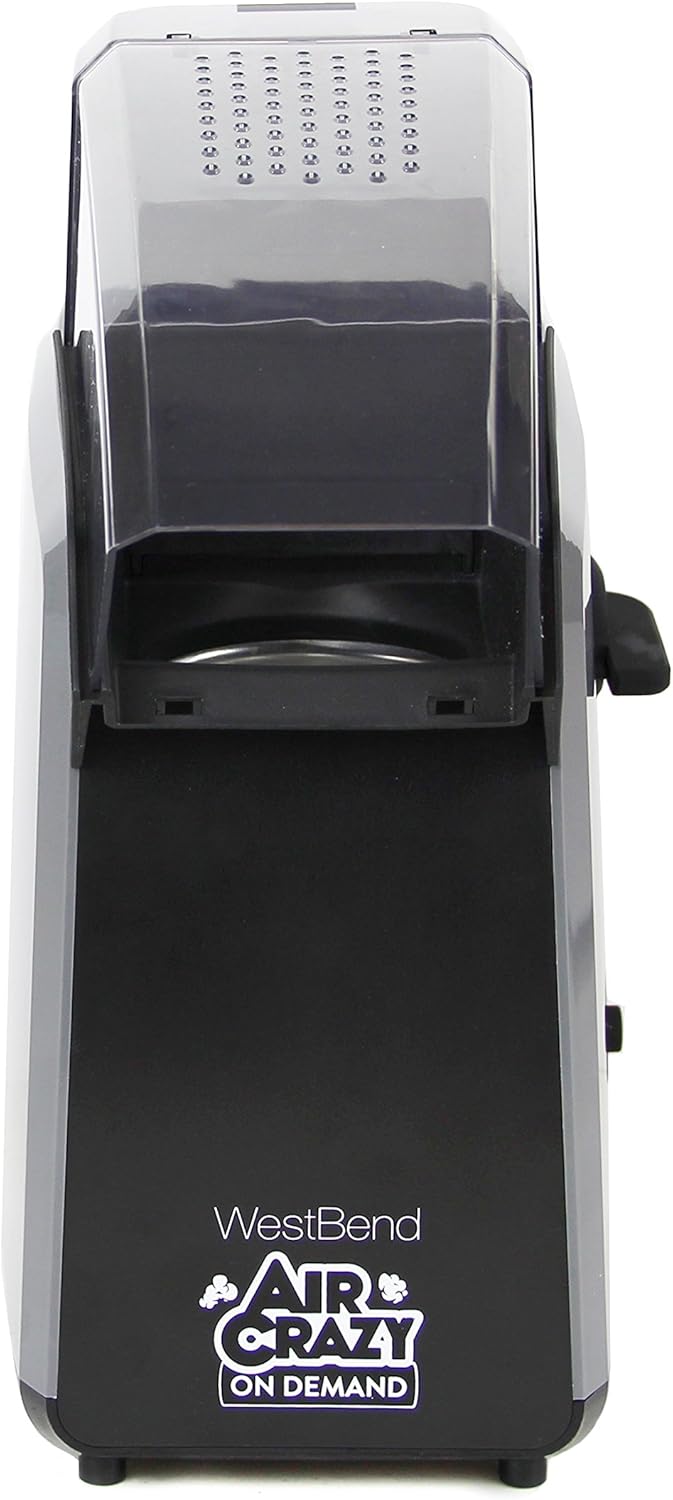
Image: Front view of the popcorn popper, highlighting the dispense dial and power switch.
Setup
Before first use, ensure all packaging materials are removed and the unit is clean.
- Placement: Place the popcorn popper on a stable, flat, heat-resistant surface. Ensure there is adequate clearance around the unit for ventilation.
- Power Connection: Plug the power cord into a standard 120-volt AC electrical outlet.
- Fill Kernel Storage: Open the lid of the kernel storage compartment and pour unpopped popcorn kernels into the reservoir. The unit can hold up to 16 oz. of kernels. Close the lid securely.

Image: A hand pouring popcorn kernels into the integrated storage compartment of the popper.

Image: Rear view of the popcorn popper, illustrating the power cord connection.
Operating Instructions
Follow these steps to prepare fresh hot air popcorn:
- Prepare Serving Bowl: Place a large, heat-resistant bowl directly under the popcorn chute to collect the popped corn.
- Dispense Kernels: Turn the 'DISPENSE' dial to release the desired amount of kernels into the popping chamber. One turn typically dispenses a single serving, while four turns dispense a family-sized portion.
- Start Popping: Flip the 'POP/OFF' switch to the 'POP' position. The popper will begin to heat and pop the kernels.
- Collect Popcorn: Popped corn will begin to exit the chute into your prepared bowl. Allow the popping cycle to complete.
- Turn Off: Once popping has stopped, flip the 'POP/OFF' switch to the 'OFF' position and unplug the unit.
- Season: Carefully remove the bowl of popcorn and season to your preference.

Image: The West Bend Air Crazy On Demand Popcorn Popper with a bowl of freshly popped popcorn, ready for serving.
Cleaning and Maintenance
Regular cleaning ensures optimal performance and extends the life of your popcorn popper.
- Unplug and Cool: Always unplug the appliance and allow it to cool completely before cleaning.
- Exterior Cleaning: Wipe the exterior of the popper with a damp cloth. Do not use abrasive cleaners or scouring pads.
- Popping Chamber: The popping chamber is not removable. Use a soft, dry cloth or a small brush to remove any unpopped kernels or debris from the popping chamber and chute. Do not use water inside the popping chamber.
- Kernel Storage: If necessary, empty the kernel storage compartment and wipe it clean with a dry cloth. Ensure it is completely dry before refilling.
- Storage: Store the popper in a dry place when not in use.
Troubleshooting
If you encounter issues with your popcorn popper, refer to the following table for common problems and solutions.
| Problem | Solution |
|---|---|
| Popper does not turn on. | Ensure the power cord is securely plugged into a working electrical outlet. Check the 'POP/OFF' switch is in the 'POP' position. |
| Many unpopped kernels remain. | Ensure you are using fresh popcorn kernels. Old or dry kernels may not pop efficiently. Do not overfill the popping chamber. |
| Popcorn is not fully popped or is chewy. | Verify the kernels are fresh. Ensure the popping chamber is clean and free of debris. |
| Popcorn shoots out too quickly or makes a mess. | Ensure a large enough bowl is placed directly under the chute. Some kernels may naturally escape during vigorous popping. |
Specifications
| Feature | Detail |
|---|---|
| Brand | West Bend |
| Model Number | 82702GB |
| Color | Black |
| Capacity | 4 Quarts (popped popcorn) / 16 oz. (kernel storage) |
| Special Feature | Oil Free |
| Material | Plastic |
| Item Weight | 4.29 Pounds |
| Product Dimensions | 13 x 10.5 x 5.5 inches |
| Power | 120 volts, 1500 watts |
| Included Components | 1 popcorn popper |
Warranty and Support
For warranty information or customer support regarding your West Bend 82702GB Air Crazy On Demand Hot Air Popcorn Popper, please refer to the documentation included with your purchase or visit the official West Bend website. Ensure you have your model number (82702GB) available when contacting support.
You can visit the West Bend Store for more information: West Bend Store


