
1. Product Overview
The Smart Games Penguins Pool Party is a captivating single-player puzzle game designed to stimulate cognitive skills such as spatial insight, planning, problem-solving, concentration, and visual perception. It features 60 challenges ranging from beginner to master levels, suitable for ages 6 to adult.

Image: Smart Games Penguins Pool Party game box.
Included Components:
- Game board (blue base)
- 4 Penguin figurines
- 4 Ice blocks (hexagonal puzzle pieces)
- Booklet with 60 challenges and solutions
- Transparent lid (for storage)
Safety Information:
WARNING: Not suitable for children under 3 years due to small parts.
2. Setup and How to Play
The objective of Penguins Pool Party is to arrange the four ice blocks on the game board so that all penguins are safely swimming in the water. Each challenge has only one correct solution.
Step-by-Step Instructions:
- Choose a Challenge: Select a challenge from the provided booklet. The challenges are categorized by difficulty: Starter, Junior, Expert, and Master.
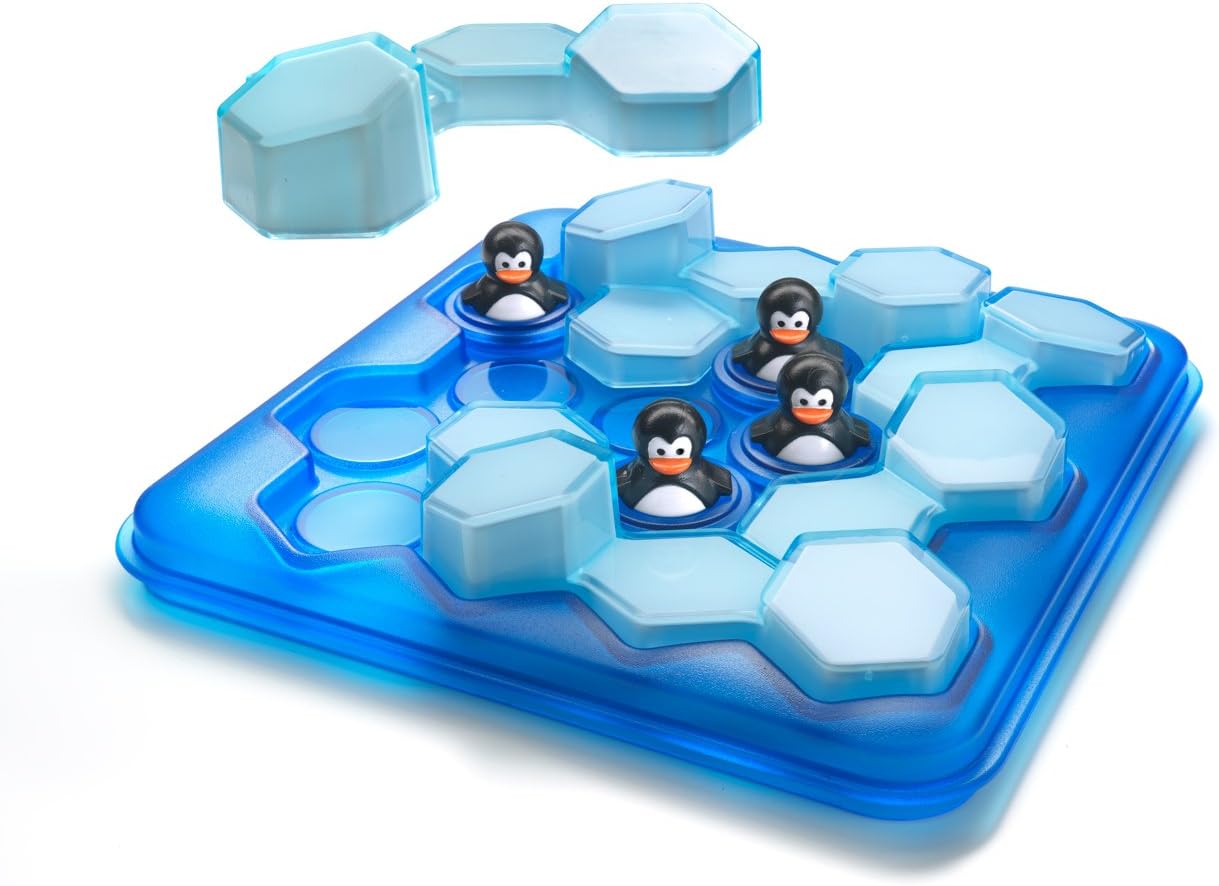
Image: A challenge setup on the game board.
- Place the Penguins: Position the penguin figurines on the game board exactly as shown in the challenge illustration. Pay close attention to the orientation of the game board and the specific spots for each penguin. Some challenges may not require all four penguins.

Image: Close-up of a penguin on the game board.
- Arrange the Ice Blocks: Place the four ice blocks around the penguins. The goal is to fit all four ice blocks onto the game board such that they surround all the penguins, creating a "pool" for them. The ice blocks must lie flat on the board.
- Solve the Challenge: Continue to rotate and position the ice blocks until all penguins are enclosed by the ice, and all four ice blocks are correctly placed on the game board. There is only one solution for each challenge.
Official How-to-Play Video:
Video: Watch this official Smart Games video for a visual guide on how to play Penguins Pool Party, including setup and solving challenges.
3. Maintenance and Storage
- Cleaning: To clean the game components, gently wipe them with a soft, damp cloth. Avoid using harsh chemicals or abrasive materials, as these may damage the plastic.
- Storage: After playing, place all penguins and ice blocks back onto the game board. Use the transparent lid to cover the game board for easy and secure storage. This keeps all pieces together and protected.
4. Troubleshooting
- Difficulty Solving a Challenge: Remember that every challenge has a unique solution. If you are stuck, double-check your initial penguin placement against the challenge illustration. Ensure the game board is oriented correctly.
- Finding Solutions: The solutions for all 60 challenges are provided at the end of the challenge booklet. Refer to these if you need a hint or to verify your solution.
- Missing Pieces or Further Assistance: If you encounter any issues with missing pieces or require additional support, please refer to the SmartGames Customer App or contact SmartGames customer service.
5. Specifications
| Brand: | SmartGames |
| Model Name: | Penguins Pool Party |
| Model Number: | SG431 (Manufacturer Part Number: 518488) |
| Age Range: | 6-99 Years |
| Number of Players: | 1 |
| Material Type: | Plastic |
| Item Dimensions (L x W x H): | 9.45 x 6.69 x 1.77 inches (24 x 17 x 4.5 cm) |
| Item Weight: | 360 Grams |
| Language: | English |
| Educational Objective: | Spatial Awareness |
6. Warranty and Support
For information regarding product warranty, please refer to the packaging or contact SmartGames directly through their official website.
SmartGames Customer App: For additional support, including animated clues for challenges and options to order replacement pieces, download the "SmartGames Customer App" from your app store.
You can visit the official SmartGames store for more products and information: SmartGames Store.