
1. Product Overview
The NETGEAR Arlo Pro Charging Station (VMA4400C) is an accessory designed to efficiently charge rechargeable batteries for Arlo Pro wire-free cameras. This station features dual charging bays, allowing two batteries to be charged simultaneously, and incorporates fast charging technology for quicker power replenishment.
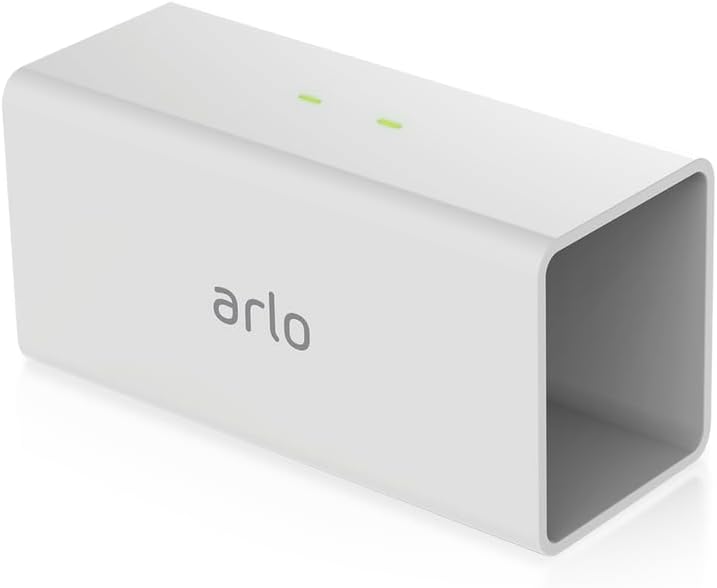
Image 1.1: Front view of the Arlo Pro Charging Station, showing its compact design and Arlo branding.
Key Features:
- Charges Arlo rechargeable camera batteries.
- Dual charging bays for simultaneous charging of two batteries.
- Fast charging technology for up to 4X faster charging.
- Official certified accessory, designed by Arlo.
2. Package Contents
Verify that all items listed below are included in your package:
- (1) Arlo Pro Charging Station
- (1) Camera Power Adapter
- (1) Camera Power Cable
- (1) Quick Start Guide
- (1) Window Decal

Image 2.1: Retail packaging of the Arlo Pro Charging Station, indicating included accessories.
3. Setup Instructions
- Connect Power Adapter: Plug the camera power cable into the camera power adapter. Then, connect the power adapter to the charging station.
- Connect to Power Outlet: Plug the power adapter into a standard electrical wall outlet.
- Insert Batteries: Gently insert one or two Arlo Pro rechargeable batteries into the charging bays of the station. Ensure the batteries are correctly oriented and click into place.

Image 3.1: The Arlo Pro Charging Station with an Arlo Pro battery partially inserted, demonstrating the correct orientation for charging.
4. Operating Instructions
Charging Process:
- Once batteries are inserted and the station is powered, the LED indicator lights above each bay will illuminate.
- A yellow/amber light indicates that the battery is currently charging.
- A green light indicates that the battery is fully charged.
- The charging station supports fast charging, significantly reducing the time required to fully charge your Arlo Pro batteries.

Image 4.1: Top view of the charging station, highlighting the LED indicator lights that show charging status for each battery bay.
Removing Batteries:
To remove a charged battery, gently press the battery further into its bay. It will then spring out slightly, allowing you to easily grasp and remove it.
5. Maintenance
- Cleaning: Use a soft, dry cloth to clean the exterior of the charging station. Avoid using liquid cleaners or abrasive materials.
- Storage: Store the charging station in a cool, dry place away from direct sunlight and extreme temperatures when not in use.
- Battery Care: For optimal battery life, avoid fully discharging batteries frequently. It is recommended to keep spare batteries charged and ready.
6. Troubleshooting
| Problem | Possible Cause | Solution |
|---|---|---|
| Battery not charging (no indicator light) |
|
|
| One bay not charging |
|
|
| Slow charging |
|
|
7. Specifications
| Brand | NETGEAR |
| Model Number | VMA4400C |
| Product Dimensions | 4.33 x 1.69 x 1.98 inches (1.69"D x 4.33"W x 1.98"H) |
| Item Weight | 2.72 ounces |
| Color | White |
| Output Voltage | 3.7 Volts |
| Manufacturer | Arlo Technologies, Inc |
| First Available Date | October 11, 2016 |
8. Warranty and Support
For warranty information, technical support, or further assistance, please visit the official NETGEAR or Arlo support website. You can also refer to the User Manual (PDF) for additional details.
Manufacturer: Arlo Technologies, Inc.