Introduction
Thank you for choosing the cofuo CF-1077-R Sport Digital Watch. This manual provides detailed instructions for the proper setup, operation, and maintenance of your new watch. Please read this manual thoroughly to ensure optimal performance and longevity of your device.
Product Overview
The cofuo CF-1077-R is a versatile digital watch designed for active users. It features a clear digital display, multiple functions including an alarm, stopwatch, and LED backlight, all housed in a durable, waterproof casing.

Image: Key features of the cofuo CF-1077-R watch, highlighting the Japan movement and battery, stainless steel bezel, 50M waterproof rating, imported PC watch case, high transparent resin face, stainless steel buckle, and German premium PU watch band.
Watch Components and Functions

Image: Diagram showing the watch face with labels for Week Display, Date Display, EL Light Button, Start/Stop Button, P: Afternoon Time indicator, Hour/Minutes, Mode Button, Reset Button, Alarm indicator, and Seconds display.
- LIGHT Button: Activates the EL backlight for visibility in low light conditions.
- MODE Button: Cycles through different display modes (Time, Alarm, Stopwatch).
- ST/STP Button (Start/Stop): Used to start/stop the stopwatch or adjust settings.
- RESET Button: Used to reset the stopwatch or confirm settings.
Setup
Initial Time and Date Setting
- From the normal time display, press the MODE button repeatedly until the seconds begin to flash. This indicates you are in time setting mode.
- Press the RESET button to cycle through the settings: Seconds → Hours → Minutes → Month → Date → Day of Week.
- Use the ST/STP button to adjust the flashing value.
- Once all settings are correct, press the MODE button to exit the setting mode and return to the normal time display.
Battery Information
The watch requires 1 product-specific battery. Battery replacement is not typically user-serviceable and should be performed by a qualified technician to maintain water resistance.
Operating Instructions
Time Display
The watch defaults to the normal time display, showing hours, minutes, seconds, day of the week, and date.
EL Backlight

Image: A side-by-side comparison showing the watch display in normal mode (unlit) and with the EL backlight activated, illustrating improved visibility.
Press the LIGHT button (top-left) to illuminate the display for a few seconds. This feature is useful in dark environments.
Alarm Function
- From the normal time display, press the MODE button once to enter Alarm mode. The alarm time will be displayed.
- Press the RESET button to select the hour or minute setting. The selected value will flash.
- Use the ST/STP button to adjust the flashing hour or minute.
- Press the MODE button to confirm and exit Alarm setting mode.
- To activate/deactivate the alarm, press the ST/STP button while in Alarm mode. An alarm icon will appear/disappear on the display.
Stopwatch (Chronograph)
- From the normal time display, press the MODE button twice to enter Stopwatch mode. The display will show '00:00:00'.
- Press the ST/STP button to start the stopwatch.
- Press the ST/STP button again to pause the stopwatch.
- Press the RESET button to reset the stopwatch to '00:00:00' while it is paused.
- Press the MODE button to exit Stopwatch mode.
Maintenance
Cleaning
Wipe the watch regularly with a soft, damp cloth. Avoid using harsh chemicals or abrasive cleaners, as these can damage the watch's finish and seals.
Water Resistance
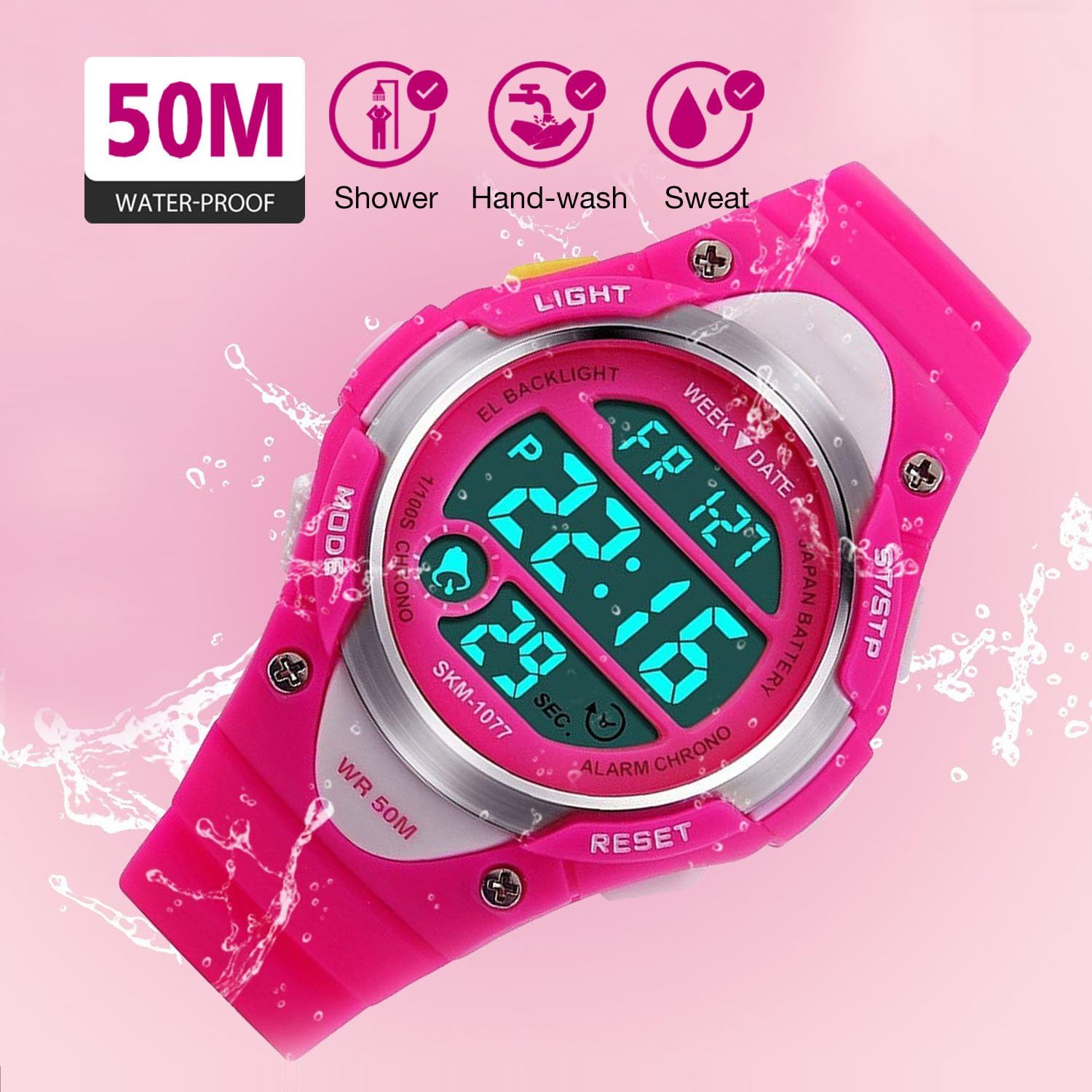
Image: Icons illustrating the 50M water resistance rating, suitable for showering, hand-washing, and exposure to sweat.
This watch is rated for 50 meters (5ATM) water resistance. This means it is suitable for showering, hand-washing, and exposure to sweat. It is generally suitable for short periods of recreational swimming, but not for diving or snorkeling. Do not press any buttons while the watch is submerged or wet, as this can compromise the water resistance. Avoid exposing the watch to hot water or steam, as extreme temperature changes can affect the seals.
Troubleshooting
- Watch not displaying time: Check if the battery needs replacement. If recently replaced, ensure it was installed correctly.
- Buttons not responding: Ensure the watch is not in a locked mode (if applicable, though not a feature on this model). Try pressing buttons firmly. If unresponsive, a battery issue or internal fault may be present.
- Alarm not sounding: Verify that the alarm function is activated (alarm icon visible on display) and that the alarm time is set correctly.
- Inaccurate time: Reset the time and date as per the 'Initial Time and Date Setting' instructions. If the issue persists, the battery may be low or the internal movement may require service.
For persistent issues not resolved by these steps, please contact customer support.
Specifications
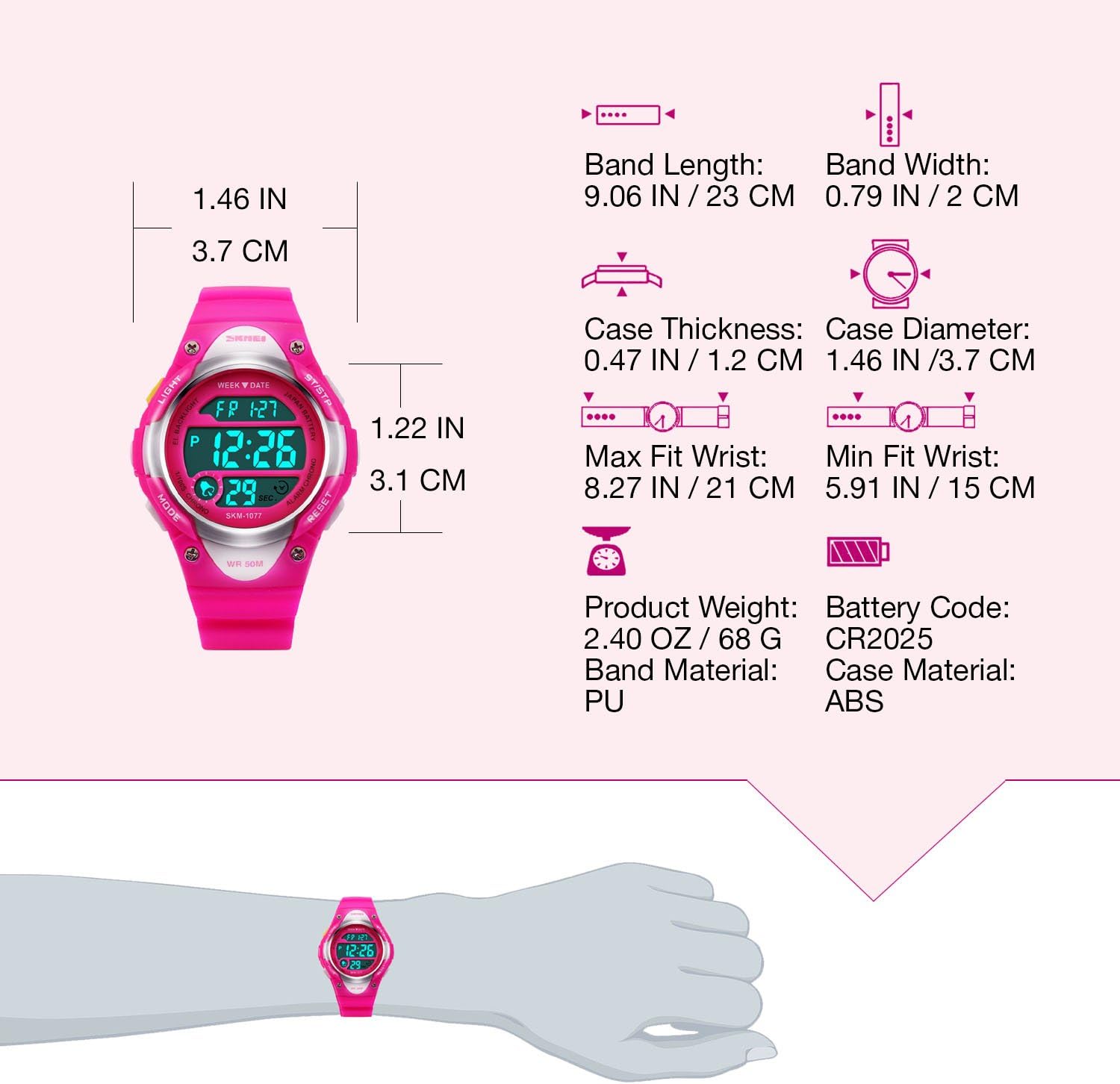
Image: Detailed diagram outlining the watch's dimensions (band length, band width, case thickness, case diameter) and material specifications (band material, case material, battery code, product weight).
| Feature | Detail |
|---|---|
| Model Number | CF-1077-R |
| Product Dimensions | 9.06 x 1.77 x 0.47 inches |
| Item Weight | 2.4 Ounces (68g) |
| Water Resistance Depth | 50 Meters (5ATM) |
| Watch Movement Type | Electronic |
| Display Type | Digital |
| Additional Features | Alarm, Calendar Date Window, LED Display, Luminous, Stopwatch |
| Band Material Type | Silicone (PU) |
| Case Material Type | Rubber (PC) |
| Crystal Material | Glass (High Transparent Resin Face) |
| Battery | 1 Product Specific battery (CR2025) |
| UPC | 606860096582 |
Warranty and Support
Warranty Information
Specific warranty details for the cofuo CF-1077-R watch may vary. Please refer to the product packaging or contact the seller directly for information regarding warranty coverage and terms.
Customer Support
For any questions, technical assistance, or support regarding your cofuo Sport Digital Watch, please contact the Cofuo Official Store through your purchase platform or their official website. Provide your model number (CF-1077-R) and purchase details for efficient service.


