
1. Introduction
The BENEWY Roku Express HD Streaming Player provides an easy and affordable way to stream high-definition content to your television. This device offers access to a vast library of movies and TV episodes from various channels, both paid and free. It features a user-friendly remote, simple navigation, and an unbiased search function across top streaming services.
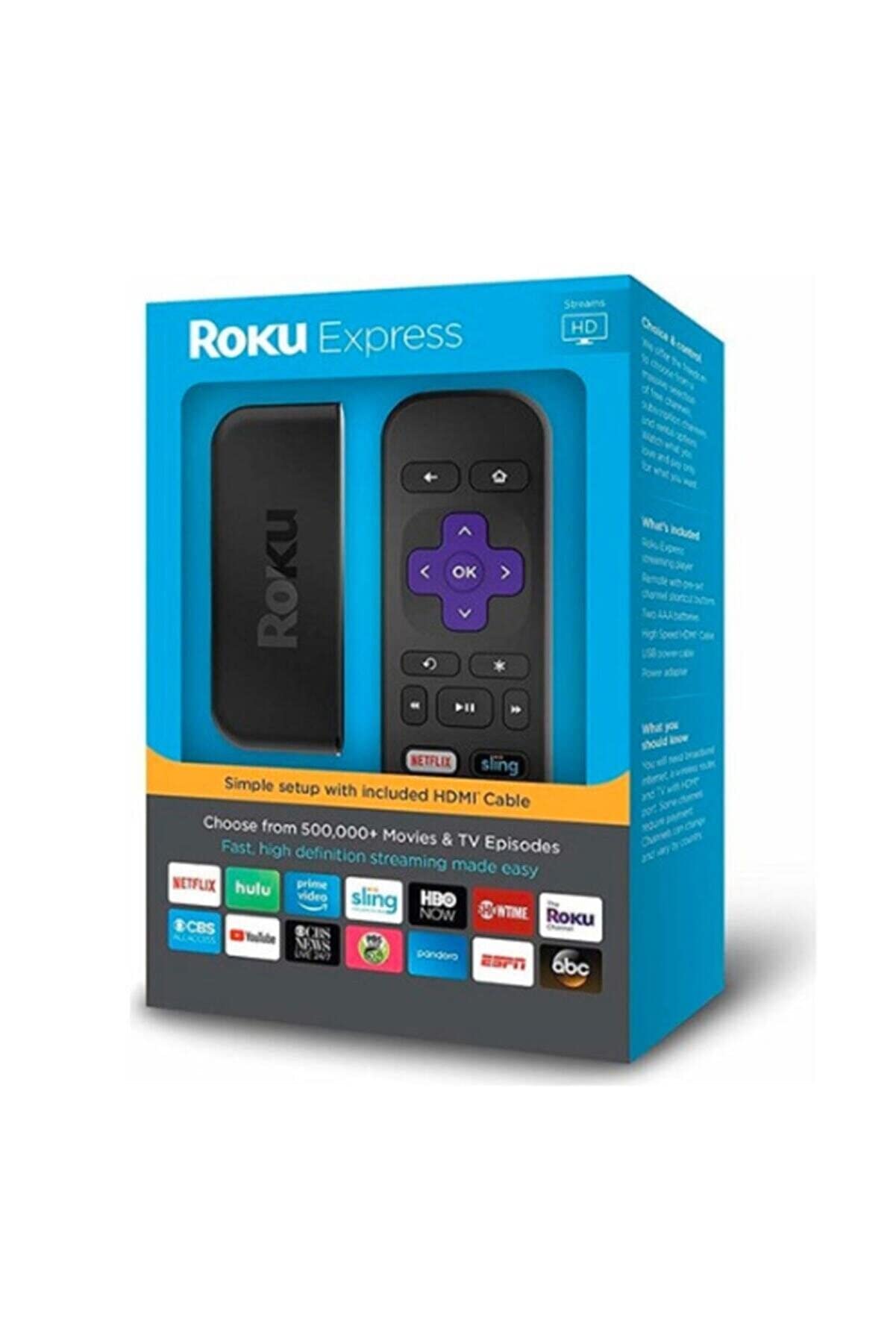
Image 1: The Roku Express HD Streaming Player, a compact black device designed for easy streaming.
2. Setup
Setting up your Roku Express is designed to be effortless. Follow these general steps:
- Connect to TV: Connect the Roku Express to an available HDMI port on your television.
- Power On: Connect the power adapter to the Roku Express and plug it into a wall outlet.
- Internet Connection: Follow the on-screen instructions to connect your Roku Express to your home Wi-Fi network.
- Account Setup: Create or sign in to your Roku account.
- Channel Installation: Select and install your preferred streaming channels.
For detailed setup instructions, please refer to the official PDF manual: Roku Express Setup Guide (PDF).
3. Operating Instructions
3.1. Remote Control
The Roku Express comes with an easy-to-use remote control for simple navigation through menus and content. The remote allows you to browse channels, select content, and control playback.
3.2. Mobile App
A free mobile app is available for iOS and Android devices, offering enhanced control and features:
- Voice Search: Use your smartphone's microphone to search for movies, TV shows, and channels.
- Private Listening: Connect headphones to your smartphone to listen to Roku audio privately, silencing the TV speakers.
- Keyboard Input: Use your phone's keyboard for faster text entry when searching or logging in.
4. Key Features
- Extensive Content Library: Access over 450,000 movies and TV episodes across more than 4,500 paid or free channels, including popular services like YouTube, Netflix, Hulu, and Google Play.
- No Monthly Rental Fees: Own your Roku Express without incurring additional monthly rental charges.
- Unbiased Search: Find content easily with a search function that provides results across multiple top channels without favoring any specific provider.
5. Troubleshooting
If you encounter issues with your Roku Express, consider the following:
- No Power/Display: Ensure all cables are securely connected and the power adapter is plugged into a working outlet. Check your TV's input source.
- No Internet Connection: Verify your Wi-Fi network is active and your Roku Express is within range. Restart your router and the Roku device.
- Remote Not Responding: Check the remote's batteries. If using the mobile app, ensure your phone is connected to the same Wi-Fi network as the Roku.
- Poor Video Quality: Ensure your internet connection is stable and sufficient for streaming HD content. Check your Roku's display settings to ensure it's set to the appropriate resolution for your TV.
6. Specifications
| Feature | Detail |
|---|---|
| Brand | BENEWY |
| Model Name | Roku Express |
| Connectivity Technology | Wi-Fi |
| Connector Type | HDMI |
| Resolution | 1080p |
| Supported Internet Services | Amazon Instant Video, Netflix, Hulu |
| Controller Type | Android, iOS |
| Compatible Devices | Television |
| Video Output Resolution | 1920x1080 |
| Item Weight | 1.28 ounces |
| Item Dimensions L x W x H | 2.95"L x 0.75"W x 0.75"H |
| Manufacturer | Roku, Inc. |
7. Warranty and Support
Warranty: This product comes with a 1-year warranty.
For additional support, troubleshooting, or warranty claims, please visit the official BENEWY Store or contact customer service.
8. Additional Resources
For a complete list of ingredients or materials, please refer to the following document: Product Materials Information (PDF).
