
Introduction
Thank you for purchasing the Sigma 500mm f/4 DG OS HSM Sports Lens. This hyper-telephoto lens is engineered for professional photographers, offering exceptional portability, durability, and high optical performance. This manual provides essential information for the proper use, maintenance, and care of your new lens.
What's in the Box
- Sigma 500mm f/4 DG OS HSM Sports Lens
- Lens hood
- Lens case
- WR protector filter (for rear part of the lens)
Product Overview
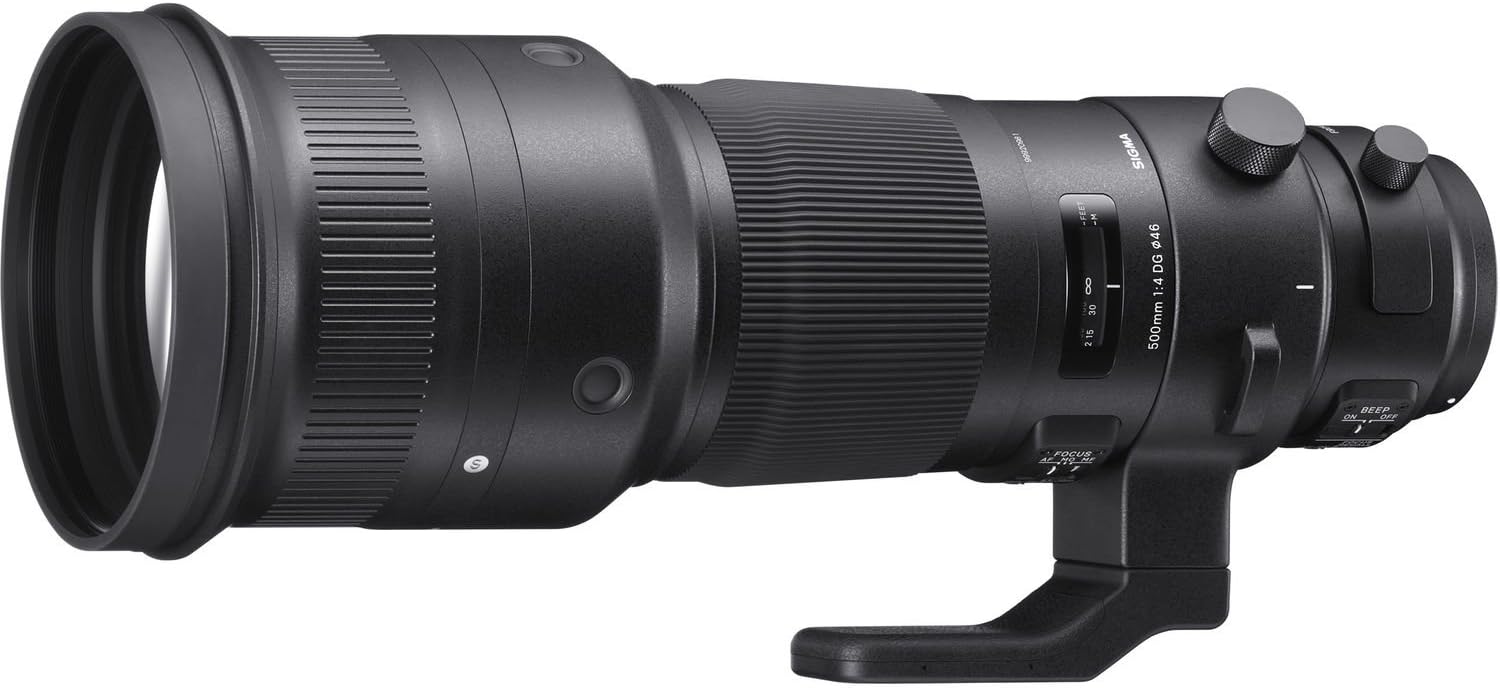
Overall view of the Sigma 500mm f/4 DG OS HSM Sports Lens, showcasing its robust design and large front element.
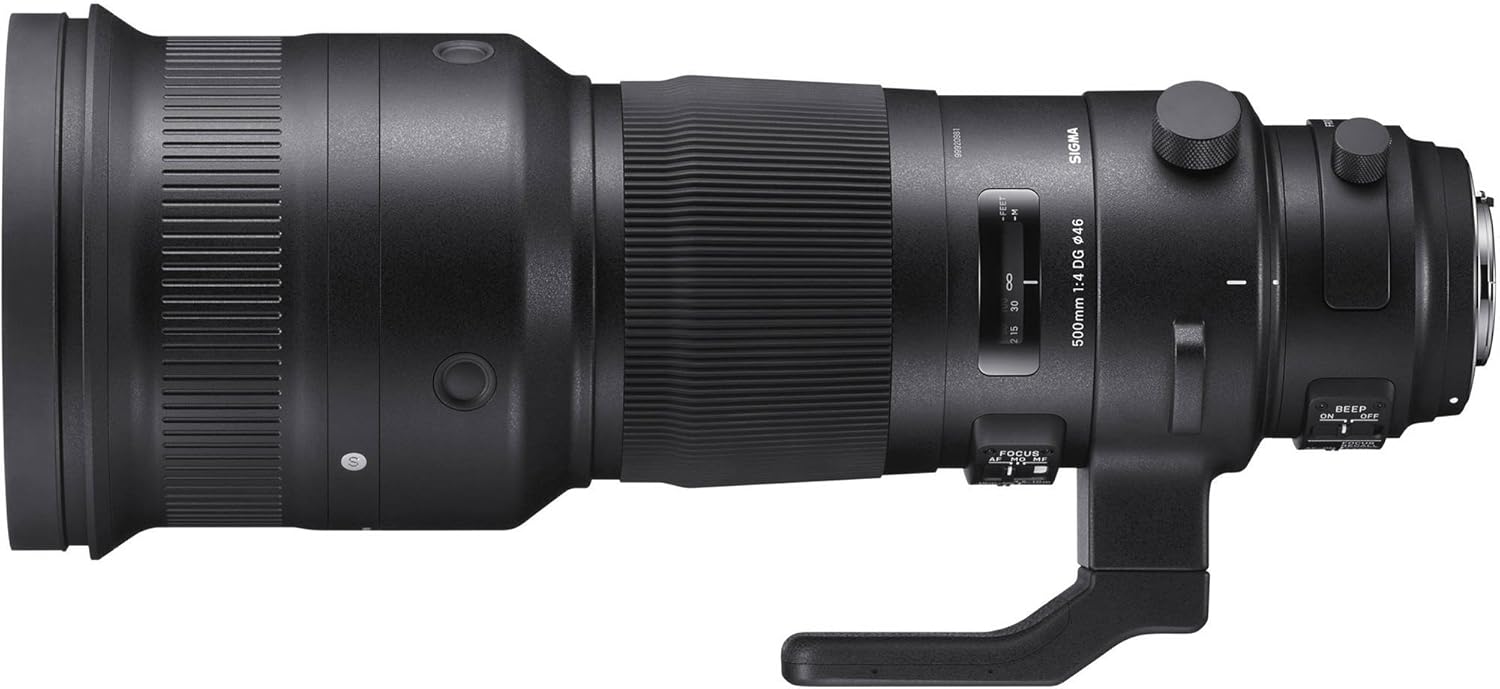
Side profile of the lens, highlighting the focus distance window and the smooth barrel design.
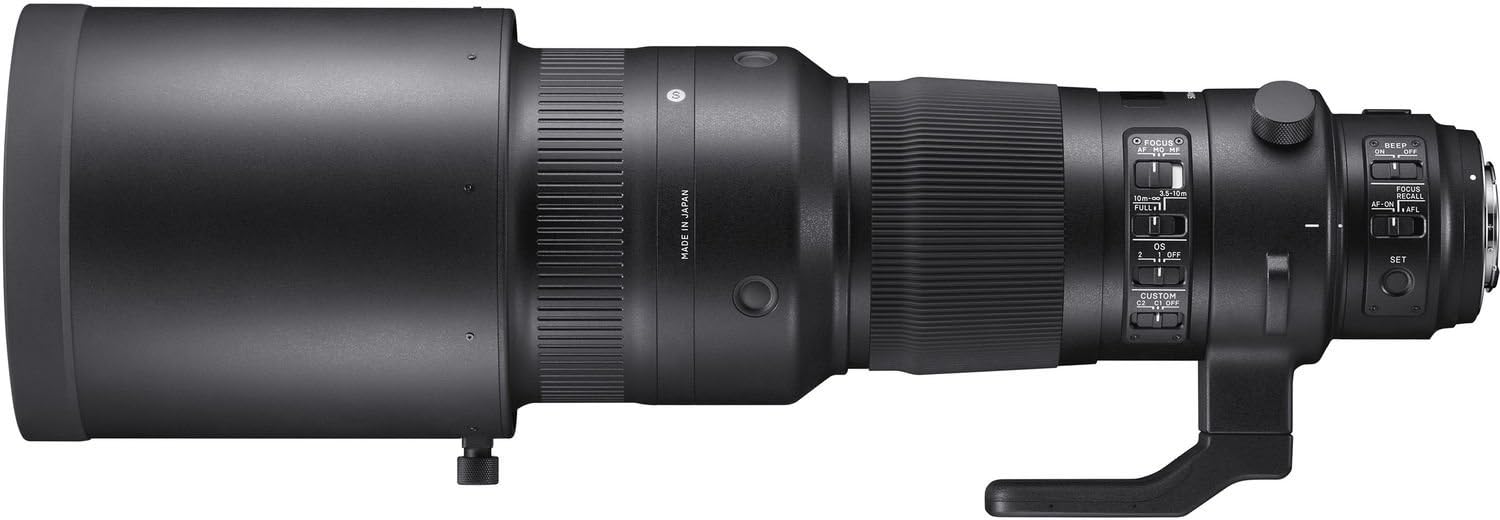
Detailed side view displaying the various control switches for focus mode, optical stabilization, and custom settings.

The lens equipped with its integrated tripod collar and foot, designed for stable mounting.

The lens securely mounted on a tripod, illustrating its typical setup for stable long-distance photography.

A close-up view of the lens barrel, showing the 'Made in Japan' marking, indicating manufacturing origin.
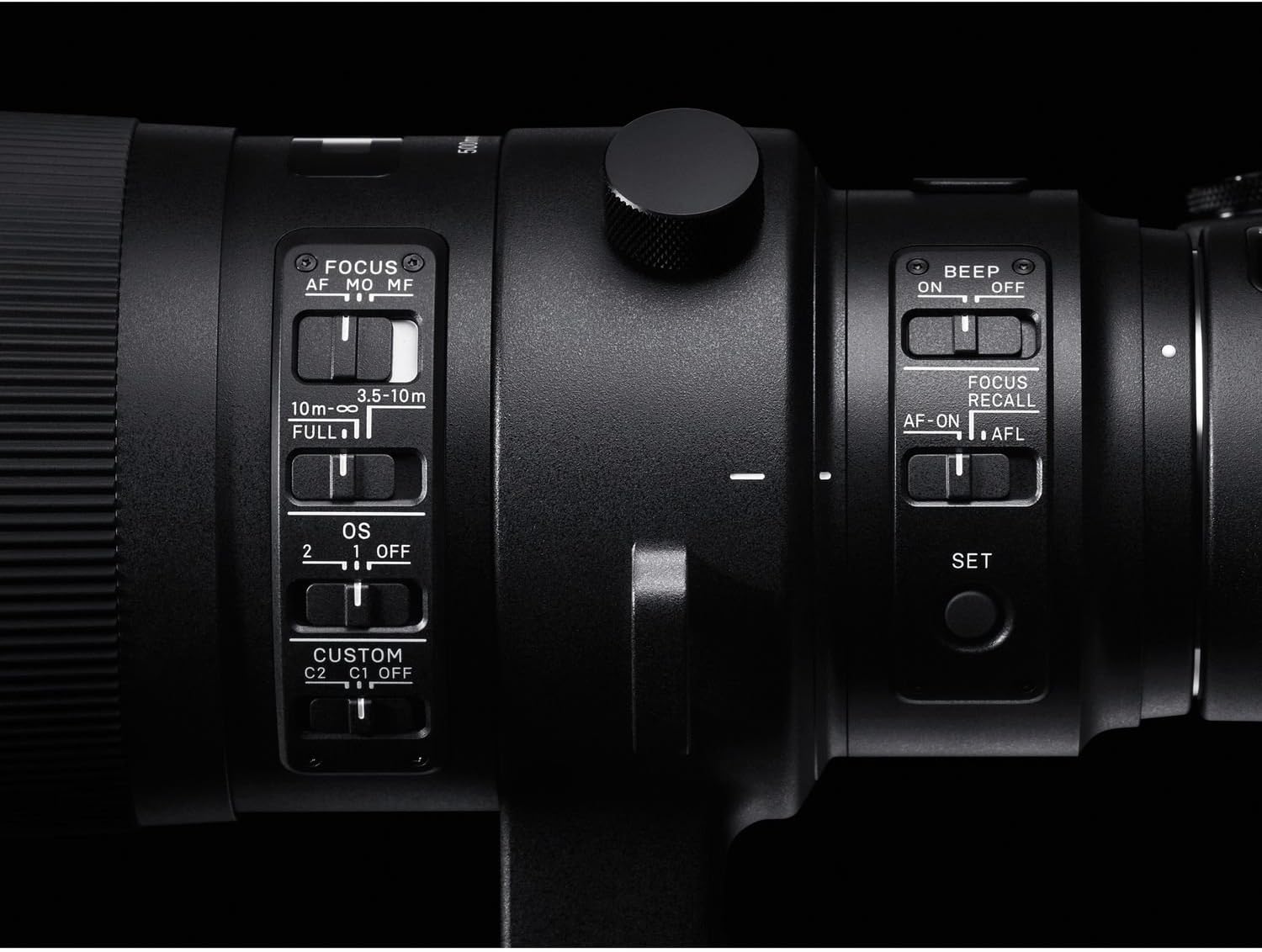
Detailed view of the control panel, including switches for BEEP, FOCUS RECALL, AF/AFL, OS modes, Focus limiter, and Custom modes.
Setup
Attaching the Lens to Your Camera
- Ensure both the camera and lens are powered off.
- Align the mounting index on the lens with the corresponding index on your camera body.
- Rotate the lens clockwise (for Nikon F mount) until it clicks into place. Do not force the lens.
Attaching the Lens Hood
The included lens hood helps to prevent flare and protect the front element. Align the hood with the front of the lens and twist until it locks securely.
Using the Tripod Collar
The lens features a built-in tripod collar for balanced mounting on a tripod or monopod. Loosen the locking knob on the collar to rotate the lens for vertical or horizontal shooting. Tighten the knob firmly once the desired orientation is achieved.
Operating the Lens
Focus Mode Switch (AF/MO/MF)
- AF (Autofocus): Enables automatic focusing.
- MO (Manual Override): Allows for manual focus adjustment even when in autofocus mode, by rotating the focus ring.
- MF (Manual Focus): Disables autofocus, allowing for precise manual focusing.
Optical Stabilizer (OS) Switch
The Optical Stabilizer function reduces camera shake, especially useful for handheld shooting at slower shutter speeds.
- OFF: Optical Stabilizer is disabled.
- MODE 1: General-purpose stabilization for various shooting situations.
- MODE 2: Designed for panning shots, stabilizing vertical movement while allowing horizontal movement.
Focus Limiter Switch
This switch allows you to limit the autofocus range, which can improve autofocus speed when shooting subjects within a specific distance.
- FULL: Autofocus operates across the entire focus range (minimum focus distance to infinity).
- 3.5m - 10m: Limits autofocus to subjects between 3.5 meters and 10 meters.
- 10m - ∞: Limits autofocus to subjects from 10 meters to infinity.
Custom Mode Switch (C1/C2/OFF)
The lens supports custom settings (C1 and C2) which can be configured using the optional Sigma USB Dock. These modes allow you to save personalized autofocus speed, OS effect, and focus limiter settings.
- OFF: Uses standard lens settings.
- C1: Activates Custom Mode 1 settings.
- C2: Activates Custom Mode 2 settings.
Focus Recall / AFL Switch
- FOCUS RECALL: Recalls a pre-set focus position.
- AF-ON / AFL: Functions as an autofocus activation button or an autofocus lock button, depending on camera settings.
Maintenance
Cleaning the Lens
Use a soft, lint-free cloth specifically designed for optical surfaces to clean the lens elements. For stubborn smudges, use a small amount of lens cleaning fluid applied to the cloth, not directly to the lens. Avoid touching the glass surfaces with your fingers.
Storage
When not in use, store the lens in its case in a cool, dry place away from direct sunlight and extreme temperatures. Use the front and rear lens caps to protect the elements from dust and scratches.
Handling Precautions
- This lens is designed to withstand challenging conditions like near the ocean, rain, or snow, thanks to its durable construction. However, avoid prolonged exposure to severe weather.
- Do not expose the lens to sudden temperature changes, which can cause condensation.
- Avoid dropping or subjecting the lens to strong impacts.
Troubleshooting
Common Issues and Solutions
- Lens not recognized by camera: Ensure the lens is securely mounted and the camera is powered on. Clean the lens and camera contacts with a dry, clean cloth.
- Autofocus not working: Check if the focus mode switch on the lens is set to AF or MO. Ensure the focus limiter is not set to a range outside your subject's distance.
- Images are blurry: Verify that the Optical Stabilizer (OS) is enabled if shooting handheld. Check your camera's shutter speed and aperture settings. Ensure the lens elements are clean.
- Unusual noises from lens: A slight whirring sound from the OS system is normal. If you hear grinding or loud clicking, discontinue use and contact support.
For more detailed troubleshooting or complex issues, please refer to the official user guide available at: Sigma 500mm f/4 DG OS HSM Sports Lens User Guide (PDF).
Specifications
| Feature | Specification |
|---|---|
| Product Dimensions | 15 x 5.7 x 5.7 inches |
| Item Weight | 7 pounds |
| ASIN | B01LWZ7CS5 |
| Item Model Number | 185955 |
| Is Discontinued By Manufacturer | No |
| Date First Available | September 21, 2016 |
| Manufacturer | Sigma Corporation of America |
| Country of Origin | Japan |
| Brand | Sigma |
| Focal Length Description | 500 mm |
| Lens Type | Telephoto |
| Compatible Mountings | Nikon F |
| Camera Lens Description | 11 |
Warranty and Support
Warranty Information
This Sigma lens comes with a manufacturer's warranty. Please refer to the warranty card included with your product or visit the official Sigma website for detailed terms and conditions regarding warranty coverage and registration.
Product Support
For technical assistance, service, or inquiries regarding your Sigma 500mm f/4 DG OS HSM Sports Lens, please contact Sigma customer support. Contact information can typically be found on the official Sigma website or in the documentation provided with your lens.
The lens is compatible with Sigma's USB Dock (sold separately), which allows for firmware updates and customization of lens settings, including focus adjustment and custom mode configurations.


