
1. Introduction
This manual provides detailed instructions for the proper use and care of your Tamron 2.0X Teleconverter (Model TC-X20). This teleconverter is specifically designed for select Tamron lenses with a Canon mount, enhancing their focal length while maintaining close focusing capabilities.
Key features include:
- Increases maximum focal length by 2.0x.
- Features Tamron's eBAND Coating to minimize ghosting and flare.
- Retains autofocus and Vibration Compensation (VC) features with compatible lenses.
- Constructed with moisture-proof and dust-resistant materials for durability.
- Equipped with a robust bayonet mount, brass on the camera side and stainless steel on the lens side, for secure attachment.
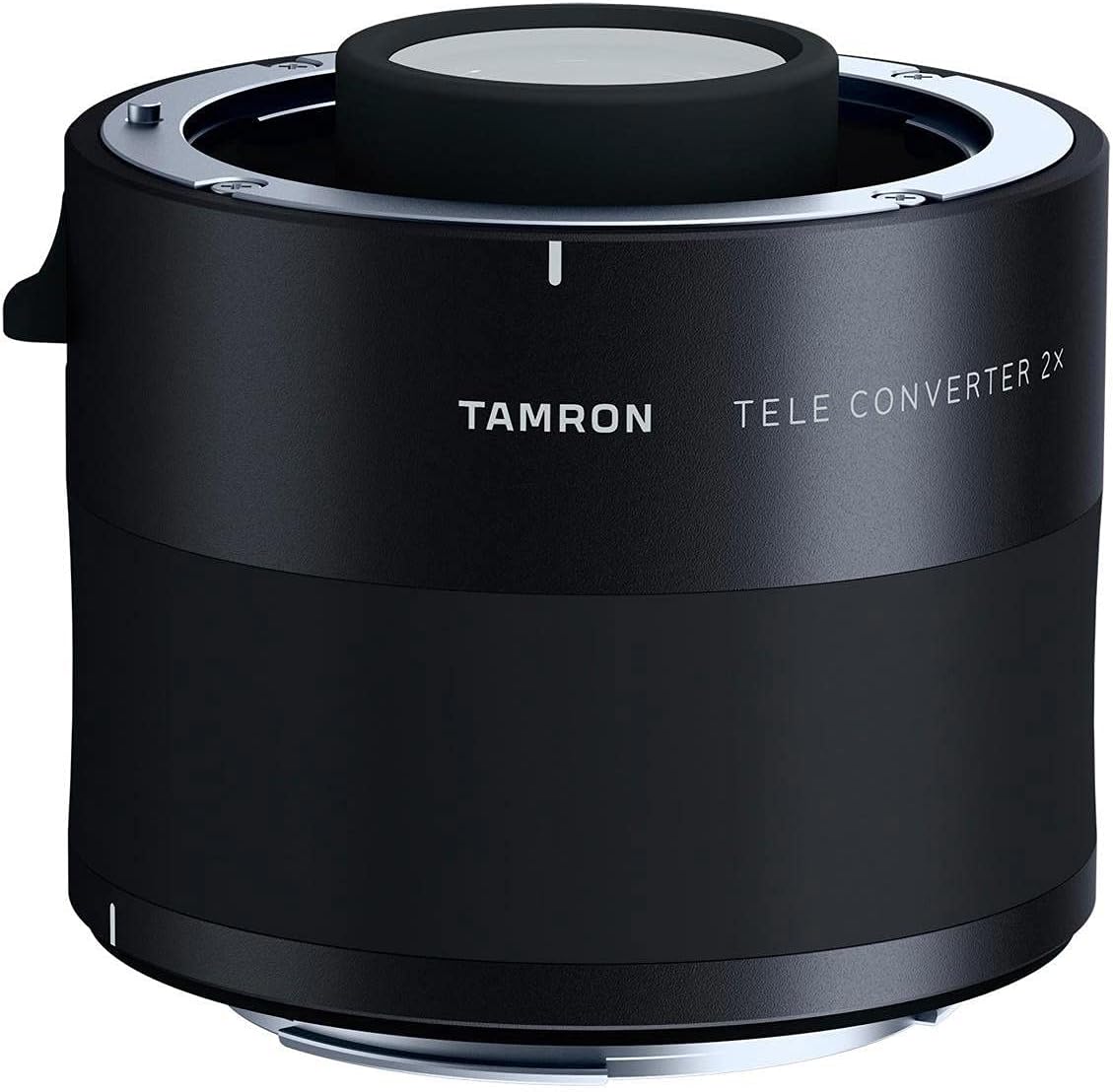
Image: The Tamron 2.0X Teleconverter (Model TC-X20), a black cylindrical device with "TAMRON" and "TELE CONVERTER 2X" printed on its side, featuring metal mounts at both ends.
2. Setup and Installation
2.1. Package Contents
Before proceeding, ensure all items are present in the package:
- Tamron 2.0X Teleconverter for Canon
- Mount Cap
- Rear Cap
- Lens Case
2.2. Attaching the Teleconverter
- Ensure both your camera and lens are powered off.
- Remove the rear cap from your Tamron lens and the front cap from the teleconverter.
- Align the mounting index (usually a white or red dot) on the teleconverter with the corresponding index on your Tamron lens.
- Gently attach the teleconverter to the lens, rotating it clockwise until it clicks securely into place.
- Remove the rear cap from the teleconverter.
- Align the mounting index on the teleconverter with the corresponding index on your camera body.
- Gently attach the teleconverter and lens assembly to the camera body, rotating it clockwise until it clicks securely into place.
2.3. Detaching the Teleconverter
- Ensure your camera is powered off.
- Press the lens release button on your camera body and rotate the lens/teleconverter assembly counter-clockwise to detach it.
- Place the rear cap on the teleconverter.
- Press the teleconverter release button (if present) or rotate the teleconverter counter-clockwise from the lens to detach it.
- Place the front cap on the teleconverter and the rear cap on your lens.
3. Operating Instructions
The Tamron 2.0X Teleconverter doubles the focal length of the attached compatible Tamron lens. For example, a 70-200mm lens will become a 140-400mm lens when used with this teleconverter.
3.1. Compatibility
This teleconverter is designed for select Tamron lenses in Canon mount. Please refer to Tamron's official website or product compatibility chart for a complete list of compatible lenses. Using the teleconverter with incompatible lenses may result in improper function or damage.
3.2. Autofocus and Vibration Compensation (VC)
Autofocus and Vibration Compensation (VC) features are retained when using the teleconverter with compatible lenses. However, the effective aperture of the lens will be reduced by two stops (e.g., an f/2.8 lens becomes an f/5.6 lens). This reduction in light may affect autofocus performance, especially in low-light conditions or with camera bodies that have limited autofocus sensitivity at smaller apertures. Ensure your camera body supports autofocus at the resulting maximum aperture.
3.3. Image Quality Considerations
While designed to maintain high image quality, using a teleconverter can sometimes introduce minor optical aberrations or slightly reduce sharpness, particularly at the edges of the frame or at wider apertures. For optimal results, consider stopping down the aperture slightly and using a sturdy tripod or monopod, especially at longer focal lengths.
4. Care and Maintenance
4.1. Cleaning the Lens Elements
To clean the optical surfaces, first use a blower brush to remove dust and loose particles. For smudges or fingerprints, apply a small amount of lens cleaning solution to a clean microfiber lens cloth and gently wipe the surface in a circular motion from the center outwards. Do not apply cleaning solution directly to the lens element.
4.2. General Care
- Always attach the front and rear caps when the teleconverter is not in use to protect the optical elements and mounts.
- Store the teleconverter in its provided lens case or a dry, cool place away from direct sunlight and extreme temperatures.
- Avoid exposing the teleconverter to excessive moisture or dust, despite its resistant construction.
- Do not attempt to disassemble or repair the teleconverter yourself, as this will void the warranty and may cause damage.
5. Troubleshooting
5.1. Autofocus Not Working or Slow
- Check Compatibility: Ensure your Tamron lens is officially compatible with the TC-X20 teleconverter. Refer to Tamron's compatibility list.
- Light Conditions: The teleconverter reduces the effective aperture by two stops. In low light, autofocus may struggle. Try shooting in brighter conditions or using manual focus.
- Camera Body Limitations: Some camera bodies have autofocus systems that are less sensitive at smaller apertures (e.g., f/8 or higher). Verify your camera's autofocus capabilities at the resulting aperture (e.g., if your lens is f/2.8, with the 2x TC it becomes f/5.6; if your lens is f/5.6, it becomes f/11).
- Firmware Update: Ensure both your lens and camera body have the latest firmware installed. Check the manufacturer's websites for updates.
- Clean Contacts: Gently clean the electronic contacts on both the teleconverter and your lens/camera with a clean, dry microfiber cloth.
5.2. Image Quality Issues (Softness, Aberrations)
- Stability: At extended focal lengths, camera shake is more pronounced. Use a tripod or monopod to ensure stability.
- Aperture: Try stopping down the aperture by one or two stops from wide open to improve sharpness.
- Lens Condition: Ensure your primary lens is clean and free from dust or smudges.
5.3. Teleconverter Not Attaching Securely
- Alignment: Ensure the mounting indexes on the teleconverter, lens, and camera body are correctly aligned before rotating to lock.
- Obstructions: Check for any debris or obstructions on the mounting surfaces of the teleconverter, lens, or camera.
6. Technical Specifications
| Model Name | TC-X20 |
| Magnification | 2.0x |
| Optical Construction | 9 elements in 5 groups |
| Maximum Diameter (Canon) | Ø69.8mm |
| Entire Length | 66.8mm |
| Weight (Canon) | 7.2 oz (approx. 204g) |
| Product Dimensions | 2.6 x 4 x 4 inches (6.6 x 10.2 x 10.2 cm) |
| Compatible Mountings | Canon EF |
| Manufacturer | Tamron |
| Date First Available | September 1, 2016 |
7. Warranty and Support
For detailed warranty information and customer support, please refer to the official Tamron website or contact Tamron customer service directly. Keep your purchase receipt as proof of purchase for warranty claims.
Tamron Official Website: www.tamron-usa.com


