
Introduction
The San Jamar M-Series Digital Food Scale is engineered for precision and durability in various culinary environments. This versatile tool is ideal for accurate portion control in cooking, baking, meal preparation, and diet tracking. With a robust 66-pound capacity and the flexibility of dual imperial (pounds/ounces) and metric (kilograms/grams) measurements, it ensures consistent results and helps manage costs effectively. Its user-friendly design includes convenient features for seamless operation and easy maintenance.

Figure 1: Top and side view of the San Jamar M-Series Digital Food Scale. The scale features a stainless steel platform and a digital display with control buttons.
Setup
Power Options
The San Jamar Digital Food Scale offers flexible power options to suit your operational needs:
- Battery Operation: The scale can run on 4 C batteries, which are included with the product. This provides portability and convenience for use in various locations without needing a power outlet.
- AC Adapter: For continuous use or when batteries are not preferred, a 9V AC adapter can be used (sold separately).
Placement
The scale's low-profile design, with an overall height of just 4.75 inches, allows it to be used efficiently under cabinets or in other confined spaces, maximizing versatility in your kitchen or workspace.
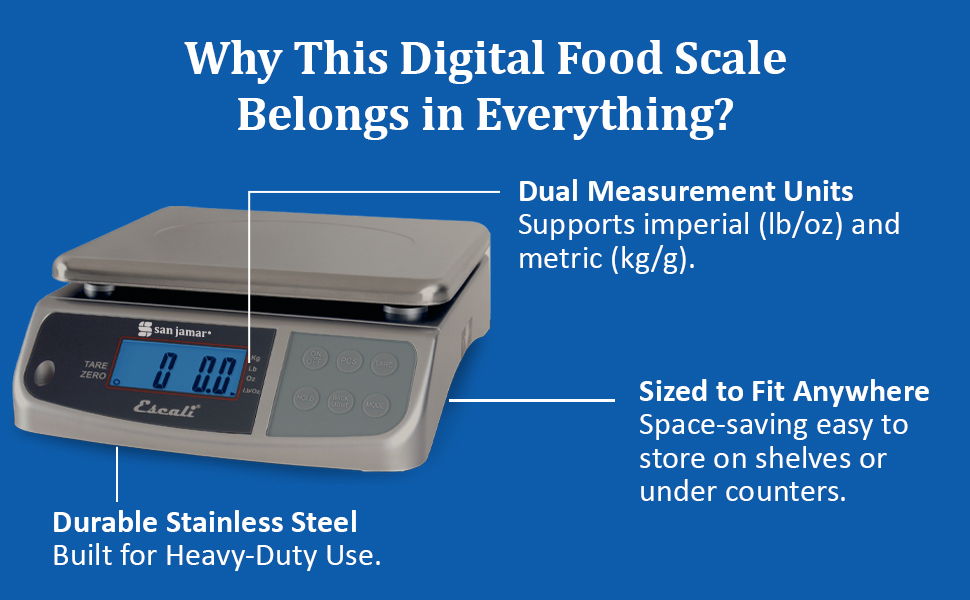
Figure 2: The San Jamar Digital Food Scale displaying its compact dimensions, highlighting its suitability for various kitchen setups.
Operating Instructions
Turning On/Off
Press the ON/OFF button to power the scale on or off.
Taring Function
The convenient taring function allows you to quickly reset the scale to zero weight. This is useful when using a container to hold items, ensuring only the contents are weighed. Place the empty container on the scale, then press the TARE/ZERO button. The display will reset to zero, and you can then add your ingredients.
Changing Measurement Units
The scale supports both imperial and metric measurements. To switch between units (kilograms, pounds, ounces, and pound/ounce), press the MODE button. The current unit will be displayed on the LCD screen.
Backlit LCD Display
The scale features an easy-to-read LCD display with a backlight for clear visibility in various lighting conditions. Press the BACK LIGHT button to activate or deactivate the backlight.
Dual Display Feature
For commercial settings or situations where customers need to view the weight, the scale is equipped with a dual display. This allows both the operator and the customer to see the exact weight simultaneously, ensuring transparency and accuracy in transactions.
Video 1: This video demonstrates the San Jamar M-Series Digital Kitchen Scale in use, showcasing its features and ease of operation for various food measurement tasks.
Video 2: This video highlights the partnership between Escali and San Jamar, showcasing a range of measurement tools, including the digital food scale, emphasizing precision and quality in food preparation.
Maintenance
Cleaning Instructions
Maintaining the cleanliness of your San Jamar Digital Food Scale is crucial for hygiene and longevity. The scale is designed for easy cleaning:
- Removable Stainless Steel Measuring Plate: The top measuring plate is made of stainless steel and is fully removable. This allows for thorough cleaning, especially after weighing raw meats or other messy ingredients. It can be washed separately with soap and water or placed in a dishwasher.
- Metal Frame and Sealed Buttons: The main body of the scale features a durable metal frame and sealed buttons. These surfaces can be easily wiped clean with a damp cloth to remove spills and debris. Avoid using abrasive cleaners or submerging the entire unit in water.
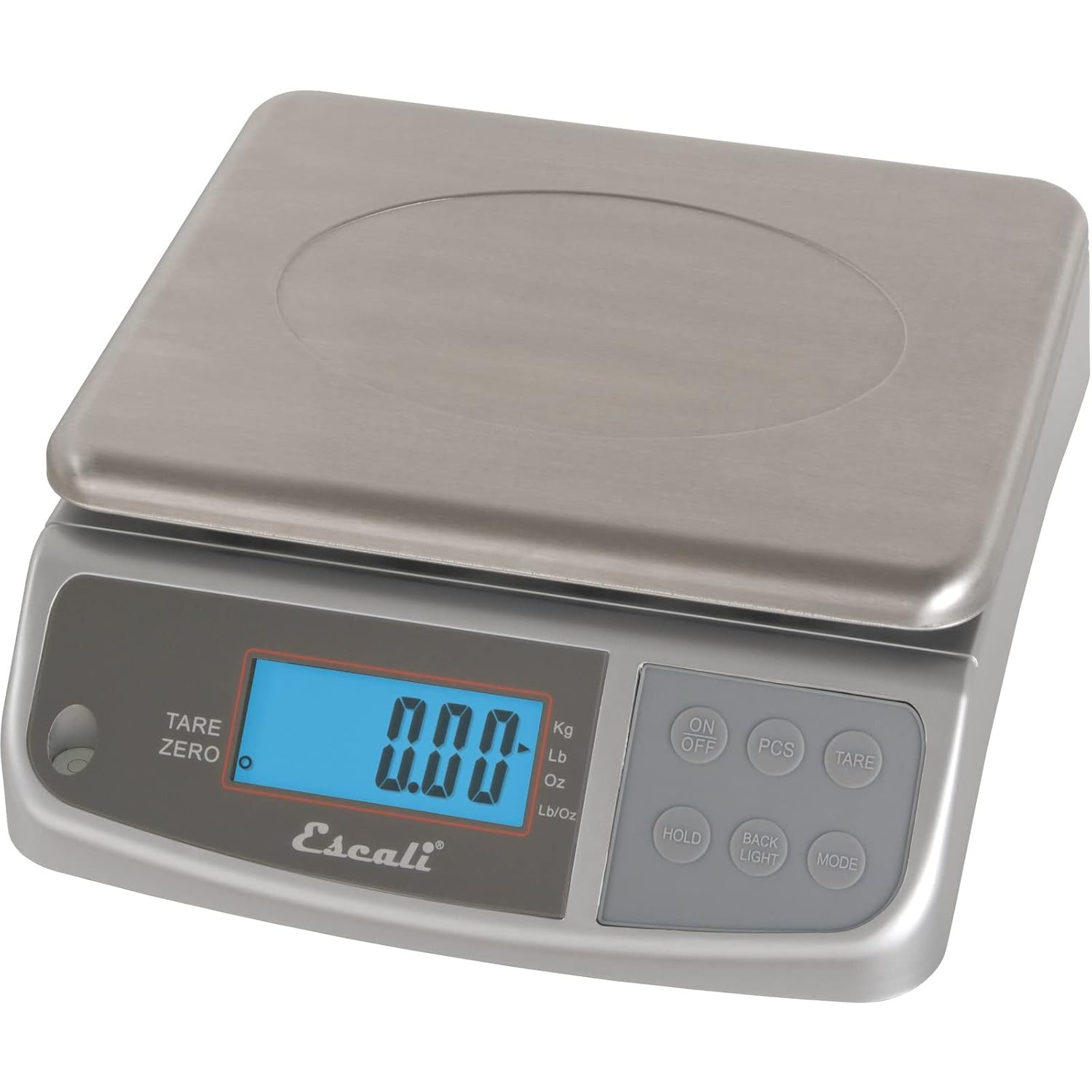
Figure 3: A hand demonstrating the easy removal of the stainless steel measuring plate for cleaning.
Troubleshooting
While the San Jamar Digital Food Scale is designed for reliability, occasional issues may arise. Here are some general tips:
- Inaccurate Readings: Ensure the scale is placed on a flat, stable surface. Uneven surfaces can affect accuracy. Also, check if the tare function was properly used before weighing.
- Display Not Turning On: Verify that the batteries are correctly installed and have sufficient charge. If using the AC adapter, ensure it is securely plugged into both the scale and a working power outlet.
- Error Messages: Refer to the specific error code displayed on the screen. Common issues might include overloading the scale (exceeding 66 lbs capacity) or unstable conditions. Remove any excess weight or stabilize the scale.
- Slow Response Time: If the scale is slow to register weight, ensure no debris is lodged underneath the weighing platform or around the sensors.
For persistent issues not resolved by these steps, please contact San Jamar customer support for further assistance.
Specifications
| Brand | San Jamar |
| Model Number | 759376209202 |
| Capacity | 66 Pounds (30 kg) |
| Material | Stainless Steel |
| Color | Metal (Silver) |
| Product Dimensions | 12 x 10.25 x 3.8 inches |
| Item Weight | 6.6 Pounds |
| Display Type | LCD |
| Power Source | 4 C batteries (included) or 9V adapter (sold separately) |
| Special Feature | M-Series, Removable Stainless Steel Plate, Dual Display |
Warranty and Support
For information regarding product warranty, returns, or technical support, please refer to the official San Jamar website or contact their customer service department directly. Keep your purchase receipt as proof of purchase for any warranty claims.
You can visit the San Jamar Store for more information and products: San Jamar Store