
Introduction
This manual provides essential information for the safe and efficient operation of your ECTIVE SSI 25 Pure Sine Wave Inverter. The SSI 25 is a versatile device that converts 24V DC power to 230V AC pure sine wave power, suitable for a wide range of electrical appliances. It integrates an inverter, a multi-stage battery charger, an MPPT solar charge controller, and UPS functionality into a single unit.
Please read this manual thoroughly before installation and operation to ensure proper use and to prevent damage to the unit or connected equipment.
1. Setup and Installation
1.1 Unpacking and Inspection
Carefully unpack the ECTIVE SSI 25 inverter and inspect it for any signs of damage during transit. Ensure all components are present.

Image: The ECTIVE SSI 25 inverter shown with its accompanying installation and operating instructions manual.
1.2 Mounting Location
Choose a dry, well-ventilated location for mounting the inverter. Ensure adequate clearance around the unit for proper airflow and cooling. Avoid direct sunlight, heat sources, and moisture.
1.3 Electrical Connections
All electrical connections must be performed by a qualified professional to ensure safety and compliance with local regulations.
- Battery Connection (DC Input): Connect the 24V DC battery bank to the designated DC input terminals on the inverter. Ensure correct polarity (positive to positive, negative to negative). Use appropriately sized cables to minimize voltage drop.
- AC Output Connection: Connect your 230V AC loads to the AC output socket or terminals. The SSI 25 provides a pure sine wave output, suitable for sensitive electronics.
- Solar Panel Connection (MPPT): If using solar panels, connect them to the dedicated solar input terminals. The integrated MPPT charge controller will optimize solar power harvesting.
- AC Input Connection (UPS/Charger): For UPS functionality and battery charging from grid power, connect the 230V AC grid supply to the AC input terminals.

Image: Detailed view of the ECTIVE SSI 25 inverter's front and back panels, showing connection points for solar input, AC output, AC input, and battery terminals.
1.4 Remote Control (Optional)
The optional RC4 remote control (sold separately) can be connected to the designated remote port for convenient monitoring and control of the inverter from a distance.
2. Operating Instructions
2.1 Powering On/Off
After all connections are securely made, switch on the DC power supply from the battery bank. Then, press the power button on the inverter to turn it on. To power off, reverse this sequence.
2.2 Operating Modes
The SSI 25 operates in several integrated modes:
- Inverter Mode: Converts 24V DC from batteries to 230V AC for connected appliances.
- Battery Charger Mode: Charges the connected 24V battery bank using an external 230V AC source (grid or generator).
- MPPT Solar Charge Controller Mode: Charges the 24V battery bank using connected solar panels, maximizing energy harvest.
- UPS (Uninterruptible Power Supply) Mode: When connected to an AC grid input, the unit can seamlessly switch to battery power in case of a grid outage, providing continuous power to critical loads.
2.3 Load Management
The SSI 25 provides a continuous output of 2500W. It can handle peak loads of 3750W for 10 seconds and 5000W for 2 seconds, allowing it to power appliances with high startup currents such as microwaves, air conditioning systems, and welding equipment. Always ensure the total power consumption of your connected devices does not exceed the inverter's continuous rating.

Image: Diagram illustrating the power flow for the ECTIVE SSI 25, showing solar energy, grid/generator input, battery storage, and 230V AC output to consumers.
3. Maintenance
Regular maintenance ensures the longevity and optimal performance of your ECTIVE SSI 25 inverter.
- Cleaning: Periodically clean the exterior of the inverter with a dry, soft cloth. Ensure ventilation openings are free from dust and debris. Do not use liquid cleaners.
- Connection Checks: Annually, inspect all electrical connections (DC input, AC output, solar input, AC input) to ensure they are tight and free from corrosion. Loose connections can lead to overheating and poor performance.
- Battery Health: Monitor the health of your battery bank according to the battery manufacturer's recommendations. The SSI 25's multi-stage charger helps maintain battery health, but regular checks are still important.
- Ventilation: Ensure the inverter's cooling fan and vents are not obstructed. The fan is crucial for dissipating heat during operation.
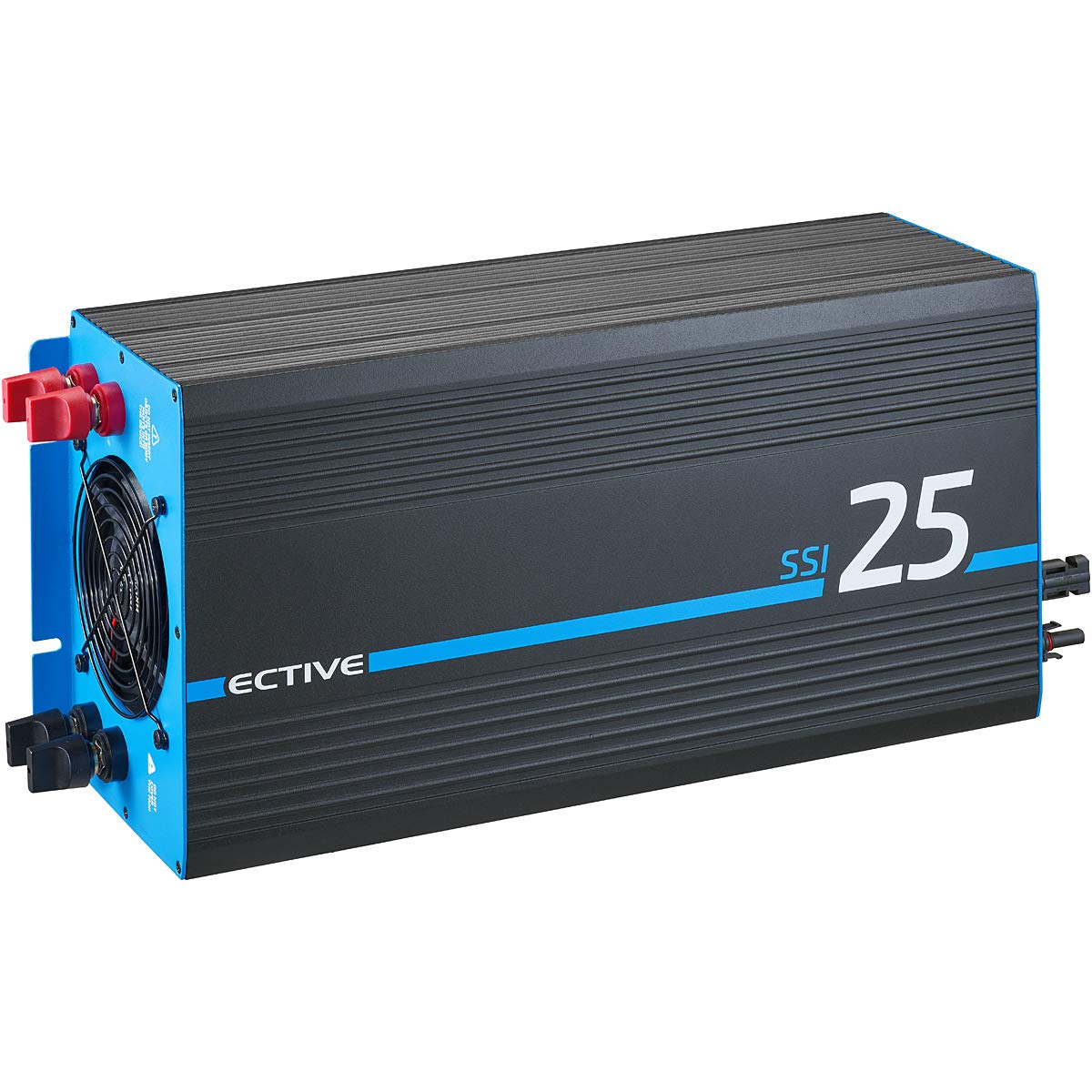
Image: The ECTIVE SSI 25 inverter, highlighting its robust design and the 3-year warranty.
4. Troubleshooting
If you encounter issues with your ECTIVE SSI 25 inverter, refer to the following common problems and solutions before contacting support.
| Problem | Possible Cause | Solution |
|---|---|---|
| No AC output |
|
|
| Overload warning/shutdown |
|
|
| Battery not charging from solar |
|
|
For issues not listed here or if problems persist, please contact ECTIVE customer support.
5. Technical Specifications
| Model | SSI 25 (SSI254) |
| Manufacturer | Ective Energy |
| Continuous Output Power | 2500 Watt |
| Peak Output Power (10s) | 3750 Watt |
| Peak Output Power (2s) | 5000 Watt |
| Input Voltage (DC) | 24 Volt |
| Input Voltage (AC) | 220 Volt |
| Output Voltage (AC) | 230 Volt AC (VAC) |
| Output Waveform | Pure Sine Wave |
| Efficiency (Solar) | >97% |
| Product Dimensions | 52 x 22 x 15 cm |
| Item Weight | 6.5 kg (14.33 pounds) |
| Safety Features | Soft start, Over/Under voltage protection, Overload protection |
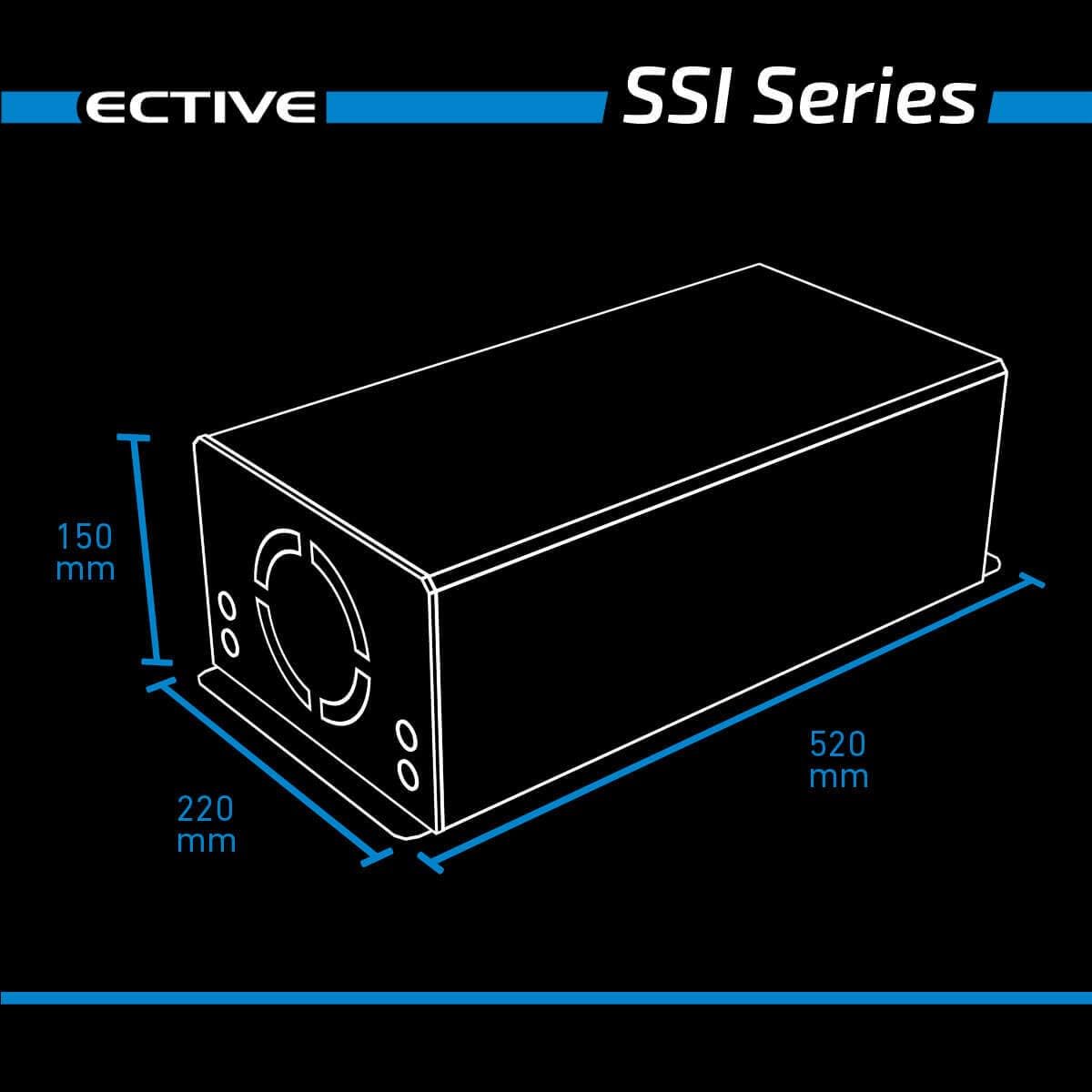
Image: Diagram showing the dimensions of the ECTIVE SSI 25 inverter: 520 mm length, 220 mm width, and 150 mm height.
6. Warranty Information
ECTIVE provides a three-year factory warranty for the SSI 25 Pure Sine Wave Inverter. This warranty covers defects in materials and workmanship under normal use and service. Please retain your proof of purchase for warranty claims.
For detailed warranty terms and conditions, please refer to the official ECTIVE warranty documentation or contact customer support.
7. Customer Support
If you require further assistance, have questions, or need to report a problem with your ECTIVE SSI 25 inverter, please contact ECTIVE customer support.
For the most up-to-date contact information, please visit the official ECTIVE website or refer to the contact details provided with your product packaging.
When contacting support, please have your model number (SSI 25 / SSI254) and purchase date available.


