
1. Introduction
Thank you for choosing the SVAKOM Elva Vibrating Egg. This device is designed for personal pleasure, featuring a sleek design, multiple vibration patterns, and convenient wireless control. Please read this manual carefully before use to ensure proper operation and maintenance.
2. Product Overview
The SVAKOM Elva is a rechargeable vibrating egg made from soft, hypoallergenic silicone. It offers a variety of sensations controlled by a wireless remote. Its compact size and waterproof design make it versatile for various environments.
- Material: Hypoallergenic Silicone and ABS
- Vibration Modes: 5 modes with 5 intensities each, plus 1 smart mode (totaling 26 vibration patterns).
- Control: Wireless remote control.
- Power: Rechargeable via USB (cable included).
- Water Resistance: Waterproof.
- Dimensions: 8 cm (length) x 3.2 cm (diameter).
- Weight: 80 grams.
Components
- Elva Vibrating Egg
- Wireless Remote Control
- USB Charging Cable
- User Manual (this document)
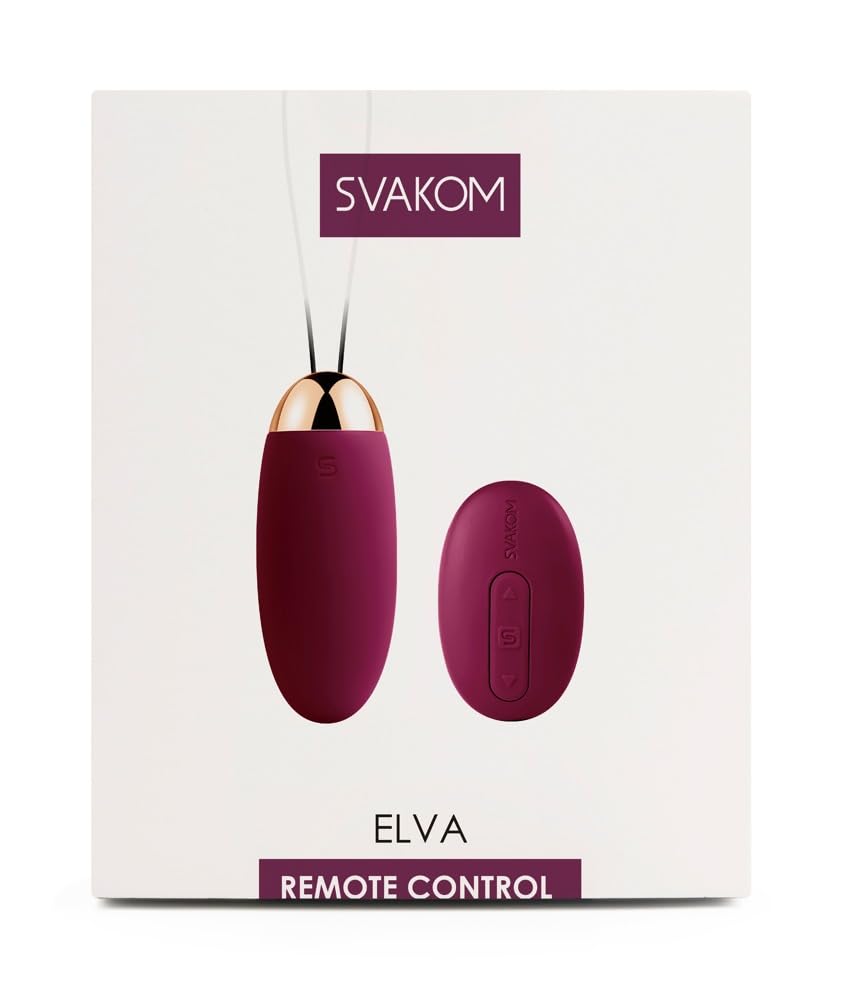
Figure 1: SVAKOM Elva Vibrating Egg and Remote Control (Violet color variant).
3. Setup
3.1 Initial Charging
Before first use, fully charge the Elva Vibrating Egg. Locate the charging port on the device, typically at the base. Connect the provided USB charging cable to the device and a USB power source (e.g., computer, USB wall adapter).
- A full charge takes approximately 1 hour.
- A fully charged device provides approximately 2 hours of use.
- Ensure the charging port is clean and dry before connecting the cable.

Figure 2: Charging port area of the Elva Vibrating Egg.
3.2 Remote Control Battery
The wireless remote control requires a battery. Ensure the battery is correctly inserted. A spare battery may be included.
4. Operating Instructions
4.1 Powering On/Off
- To power on the Elva Vibrating Egg, press and hold the power button on the device itself for a few seconds until it vibrates briefly.
- To power off, press and hold the power button on the device again.
- The device will automatically enter standby mode after 30 minutes of inactivity and may require manual reactivation by pressing the power button on the device.
4.2 Using the Remote Control
Once the Elva Vibrating Egg is powered on, you can control its functions using the wireless remote control.

Figure 3: SVAKOM Elva Remote Control.
- Power Button (S): Press the 'S' button on the remote to start or pause vibrations. Note that the remote may not be able to power on the device from a completely off state; the device's power button might need to be pressed first.
- Mode Button (Up/Down Arrows): Use the arrow buttons to cycle through the 5 vibration modes and 5 intensity levels, or to activate the smart mode.
- The remote has a good range for discreet control.
4.3 Waterproof Feature
The Elva Vibrating Egg is designed to be waterproof, allowing for use in wet environments such as baths or showers. However, exercise caution around the charging port during cleaning to prevent water ingress, as some user experiences suggest potential issues if not properly sealed.
5. Maintenance and Care
- Cleaning: Clean the device thoroughly before and after each use with warm water and a mild, toy-safe soap, or a specialized toy cleaner. Rinse thoroughly.
- Drying: Pat dry with a lint-free cloth. Ensure the device is completely dry before storage or recharging.
- Charging Port Caution: When cleaning, pay special attention to the charging port. While the device is waterproof, some users have reported issues if water enters the charging port. It is advisable to obstruct the charging hole and avoid directing water directly into it.
- Storage: Store the Elva Vibrating Egg in a clean, dry place, away from direct sunlight and extreme temperatures. Keep it separate from other toys made of different materials to prevent material degradation.
- Lubrication: Use only water-based lubricants with this product to avoid damaging the silicone material.
6. Troubleshooting
| Problem | Possible Cause | Solution |
|---|---|---|
| Device does not turn on or vibrate. | Low battery; device not properly powered on; internal malfunction. |
|
| Remote control is unresponsive. | Remote battery low/dead; device not powered on; remote out of range. |
|
| Device stops working after a short period or shows signs of water damage. | Water ingress, particularly through the charging port. |
|
| Device turns off automatically. | Automatic standby feature. |
|
7. Specifications
| Model Name | Svakom Elva Oeuf Vibrant |
| Model Number | 05956160000 |
| Brand | SVAKOM |
| Material | ABS-Silicone |
| Color | Violet |
| Dimensions (L x W x H) | 8 cm x 3.2 cm (product); 24 x 10 x 5 cm (package) |
| Weight | 80 grams (product); 100 grams (package) |
| Battery Type | 1 Lithium-polymer battery (rechargeable) |
| Charging Time | Approx. 1 hour |
| Usage Time | Approx. 2 hours |
| Water Resistance Level | Waterproof |
| Country of Origin | China |
| ASIN | B01LLA4OLS |
8. Warranty and Support
SVAKOM products are manufactured to high-quality standards. For warranty information, product support, or to report any issues, please contact the retailer where you purchased the product or visit the official SVAKOM website. Keep your proof of purchase for warranty claims.
Manufacturer: Lovely Planet


