1. Introduction
This manual provides detailed instructions for the installation, operation, and maintenance of the Excelltel SOHO-PBX MS108-GSM Telephone Switch System. This system is designed to manage telephone communications efficiently for small offices, home offices (SOHO), and villas, offering a blend of traditional PSTN and modern GSM connectivity.
2. Product Overview
The Excelltel MS108-GSM is a compact and versatile Private Automatic Branch Exchange (PABX) system. It supports 1 GSM line, 1 PSTN (Public Switched Telephone Network) line, and 8 analog extensions, allowing for flexible communication setups.
Key Features:
- Capacity: 1 GSM line + 1 PSTN line + 8 analog phone extensions.
- GSM Wireless Trunk: Integrated GSM module for wireless connectivity.
- Call Management: Call transfer, call forwarding, call pickup (external calls).
- Attendant Modes: Operator mode and auto-attendant (DISA) with 20-second OGM for 3 levels.
- Advanced Features: Auto CO to CO transfer, Do Not Disturb (DND), call restriction, C.O. Line Reservation (call waiting), C.O. Line booking.
- Music on Hold: External music on hold capability.
- Caller ID: Supports caller ID display.
- Flexible Coding: Ability to change extension numbers.
- Outgoing Call Control: Outgoing call transfer, three-way conference, Least Cost Routing (LCR).
System Components:
Familiarize yourself with the main components and ports of the MS108-GSM system.

Figure 1: Excelltel SOHO-PBX MS108-GSM Front View. This image shows the overall design of the PABX unit.

Figure 2: Rear Panel Connections. This diagram labels the Antenna, Music Port, SIM card slot, CO Port, Extension Ports (Ext. 601-608), and Power Port.
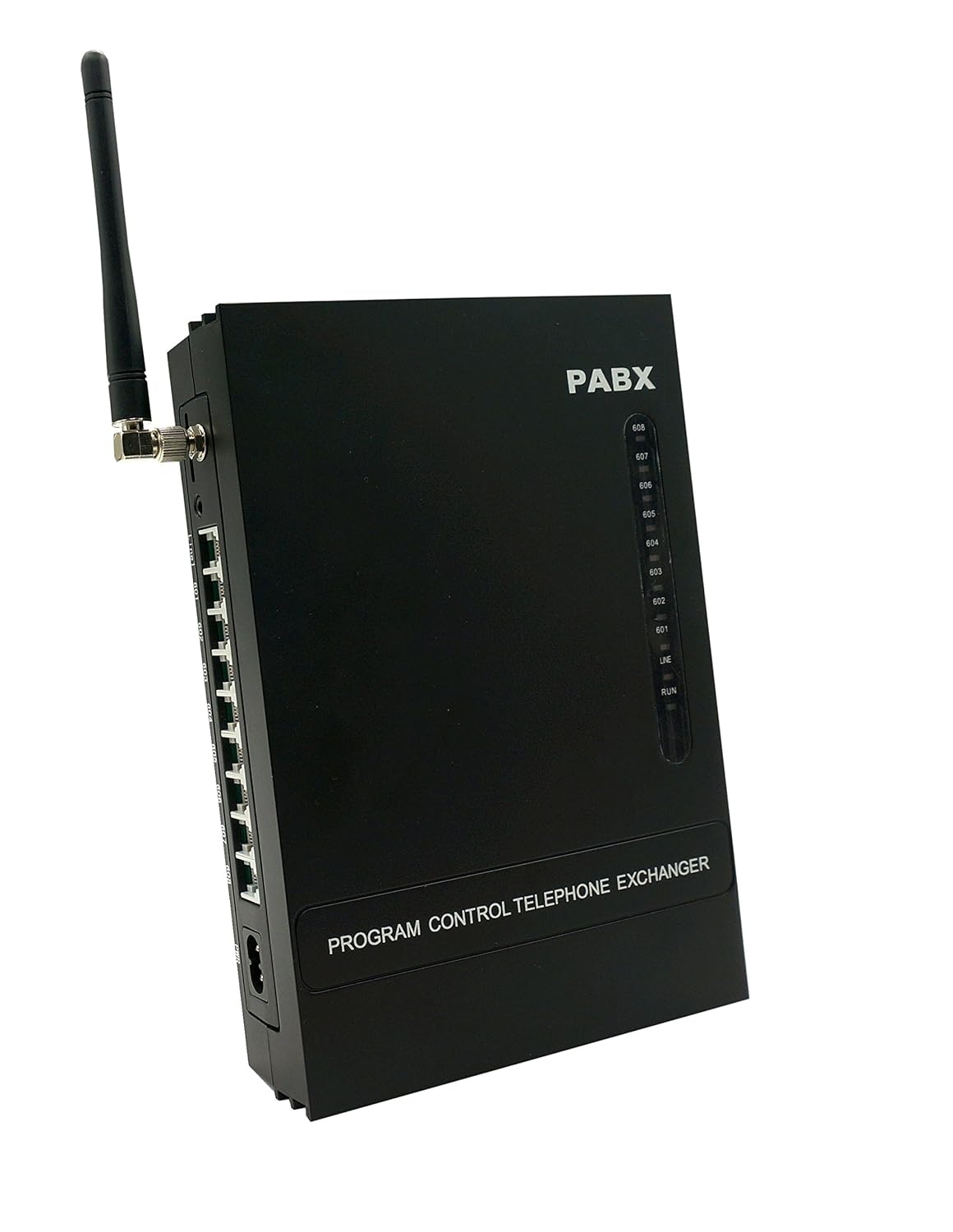
Figure 3: Excelltel SOHO-PBX MS108-GSM Side View. This image provides a perspective of the unit's side profile, showing the antenna connection.

Figure 4: Excelltel SOHO-PBX MS108-GSM Rear View. This image clearly displays the various ports for Line 1, extensions 601-608, and power.
3. Setup
3.1 SIM Card Installation
To utilize the GSM line functionality, a standard SIM card must be correctly inserted into the system.
- Power Off: Ensure the PABX system is completely powered off before inserting or removing the SIM card. Failure to do so may damage the SIM card or the system.
- Locate Slot: Identify the SIM card slot on the rear panel of the PABX (refer to Figure 2).
- Insert SIM: Gently insert a standard-sized SIM card into the slot as indicated by the diagram, ensuring correct orientation. MicroSIM and NanoSIM cards are not supported without an adapter.

Figure 5: SIM Card Insertion. This diagram illustrates the correct way to insert a standard SIM card and specifies supported GSM frequencies and SIM card sizes.
3.2 System Connections
Connect all necessary cables to the PABX unit.
- Antenna: Screw the provided GSM antenna into the antenna port on the rear panel (refer to Figure 2).
- PSTN Line: Connect your external PSTN telephone line to the 'CO Port' (Line 1) on the rear panel.
- Extensions: Connect your analog telephones to the 'Ext. 601-608' ports. Each port corresponds to an extension number.
- Music on Hold (Optional): If using an external music source for 'Music on Hold', connect it to the 'Music Port'.
- Power: Connect the power adapter to the 'Power Port' and then to a suitable electrical outlet.
3.3 Initial Power On
After all connections are secure:
- Turn on the power switch for the PABX system.
- Allow approximately 1 minute for the system to initialize and detect the SIM card.
4. Operating Instructions
4.1 Basic Call Functions
- Making Calls: Lift the handset of an extension phone and dial the desired number. The system will automatically select an available CO line (PSTN or GSM).
- Receiving Calls: When an incoming call rings on an extension, simply lift the handset to answer.
- Call Transfer: During an active call, you can transfer it to another extension. Consult the detailed programming guide for specific codes.
- Call Forwarding: Set up calls to be forwarded to another extension or external number.
- Call Pickup: Answer a call ringing on another extension from your own phone.
- Three-Way Conference: Establish a conference call with two other parties.
4.2 GSM Line Activation
The GSM line is designated as CO Line 2. To enable the SIM card for use:
- From extension 601, dial
*#*0000. - Then dial
0610#to enable the GSM line.
For more detailed programming options and feature codes, please refer to the comprehensive programming manual.
5. Maintenance
To ensure the longevity and optimal performance of your Excelltel MS108-GSM system, follow these maintenance guidelines:
- Cleaning: Use a soft, dry cloth to clean the exterior of the unit. Avoid using liquid cleaners or aerosols, which can damage the electronics.
- Environment: Place the unit in a cool, dry, and well-ventilated area, away from direct sunlight, excessive heat, moisture, and dust.
- Power Supply: Use only the original power adapter supplied with the unit.
- Cable Management: Ensure all cables are securely connected and not strained or kinked.
6. Troubleshooting
This section addresses common issues you might encounter with your MS108-GSM system.
6.1 SIM Card Not Working After Activation
If the SIM card does not function correctly even after following the activation steps (Section 4.2), it may be due to signal interference affecting communication with the system.
- Power Off: Turn off the PABX system.
- Adjust Antenna: Carefully unscrew the antenna, expand it fully, and then re-attach it securely. Try repositioning the antenna for better signal reception.
- Restart: Wait for approximately 1 minute, then power on the system again.
- Check SIM: Ensure the SIM card is correctly inserted and not damaged. Test the SIM card in another device if possible to confirm its functionality.
- Signal Strength: If the issue persists, consider the location of the PABX. Poor GSM signal strength in the area can prevent the SIM card from working.
6.2 No Dial Tone on Extensions
- Verify that the PABX system is powered on.
- Check all extension phone connections to the PABX.
- Ensure the PSTN line (CO Port) is properly connected and active.
6.3 Incoming Calls Not Ringing
- Check if the 'Do Not Disturb' (DND) feature is accidentally activated on the extension.
- Verify that the incoming lines (PSTN/GSM) are active and receiving calls.
7. Specifications
| Feature | Specification |
|---|---|
| Model Number | MS108-GSM |
| Capacity | 1 GSM + 1 PSTN + 8 Analog Extensions |
| Package Dimensions | 40.8 x 29.2 x 8.2 cm |
| Item Weight | 1.93 kg |
| Call Conference | Basic |
| Other Display Features | Wireless |
| Colour | Black |
| Telephone Type | Corded (for extensions) |
| Power Source | Corded Electric |
| Dialer Type | Single Keypad (for programming) |
8. Warranty and Support
For warranty information, please refer to the documentation provided at the time of purchase or contact your retailer. For technical support, please reach out to Excelltel customer service or your authorized dealer. Keep your purchase receipt and product model number (MS108-GSM) handy when seeking support.