
Ninja NN102
Ninja Nutri Bowl Duo with Auto-iQ Boost (NN102) Instruction Manual
Model: NN102
Important Safety Information
Please read all instructions carefully before using your Ninja Nutri Bowl Duo with Auto-iQ Boost. Failure to follow these instructions may result in electric shock, fire, or serious injury.
- Always ensure the appliance is unplugged from the power outlet before assembling, disassembling, or cleaning.
- Do not immerse the motor base in water or other liquids. Clean with a damp cloth only.
- Keep hands and utensils out of the container while blending to reduce the risk of severe injury to persons or damage to the blender. A scraper may be used, but only when the blender is not running.
- Blades are sharp. Handle with care.
- Do not operate any appliance with a damaged cord or plug, or after the appliance malfunctions or has been dropped or damaged in any manner.
- Ensure the lid is securely locked onto the container before operating the appliance.
- Do not blend hot liquids in the Nutri Ninja Cups as pressure buildup may result in injury.
- This appliance is not intended for use by persons with reduced physical, sensory, or mental capabilities, or lack of experience and knowledge, unless they have been given supervision or instruction concerning use of the appliance by a person responsible for their safety.
What's Included
Your Ninja Nutri Bowl Duo package includes the following components:
- 1200-Watt Motor Base with Auto-iQ Boost
- Nutri Bowl™ (4 cup capacity)
- Quad Blade Assembly (for Nutri Bowl)
- Chopping Blade (for Nutri Bowl)
- Dough Blade (for Nutri Bowl)
- (2) 24 oz. Tritan Nutri Ninja Cups
- (2) Spout Lids
- (1) Pro Extractor Blades Assembly (for Nutri Ninja Cups)
- Instruction Book
- Quick Start Guide

Image: All included components of the Ninja Nutri Bowl Duo system.
Setup and Assembly
- Unpack: Carefully remove all components from the packaging.
- Wash: Wash all containers, lids, and blade assemblies in warm, soapy water. Rinse thoroughly and dry. The Nutri Ninja Cups, Nutri Bowl, and lids are top-rack dishwasher safe. The blade assemblies should be rinsed under tap water.
- Placement: Place the motor base on a clean, dry, and level surface. Ensure the appliance is unplugged during assembly.
- Attachment Selection: Choose the appropriate attachment for your task: the Nutri Ninja Cup for blending drinks or the Nutri Bowl for food processing.
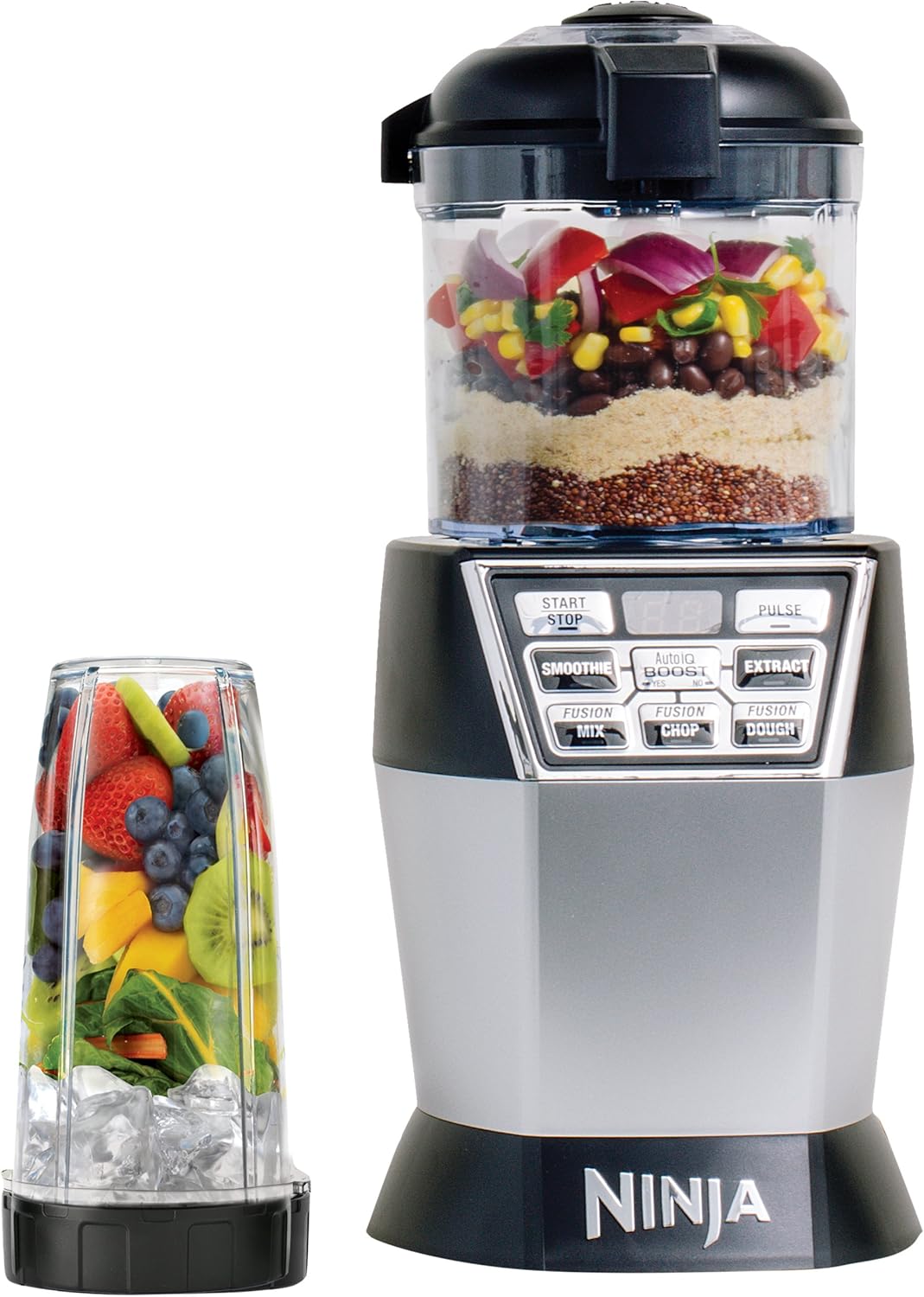
Image: The Ninja Nutri Bowl Duo system ready for use with both attachments.
Operating Instructions
Using the Nutri Ninja Cups for Nutrient & Vitamin Extraction
The Nutri Ninja Cups are designed for creating nutrient-rich drinks by breaking down whole fruits, vegetables, seeds, and ice.
- Fill the Cup: Add your desired ingredients to the Nutri Ninja Cup. Do not exceed the MAX LIQUID fill line.
- Attach Blades: Screw the Pro Extractor Blades Assembly onto the open end of the cup until it is tightly sealed.
- Place on Base: Invert the cup and place it onto the motor base, aligning the tabs on the cup with the slots on the base. Twist clockwise until it locks into place.
- Select Program: Plug in the appliance. Select either the SMOOTHIE or EXTRACT Auto-iQ program. These intelligent programs combine specific timed pulsing, blending, and pausing patterns.
- Auto-iQ Boost: Use the Auto-iQ BOOST feature to control the texture and consistency. Select 'YES' for smoother results or 'NO' for more texture.
- Start/Stop: Press the selected program button to start. The unit will automatically stop when the program is complete. You can also press START/STOP to manually stop the program at any time.
- Remove: Once blending is complete, twist the cup counter-clockwise to unlock and lift it from the motor base.
- Serve: Unscrew the blade assembly and replace it with a spout lid for on-the-go convenience.

Image: Nutri Ninja cups prepared for blending.
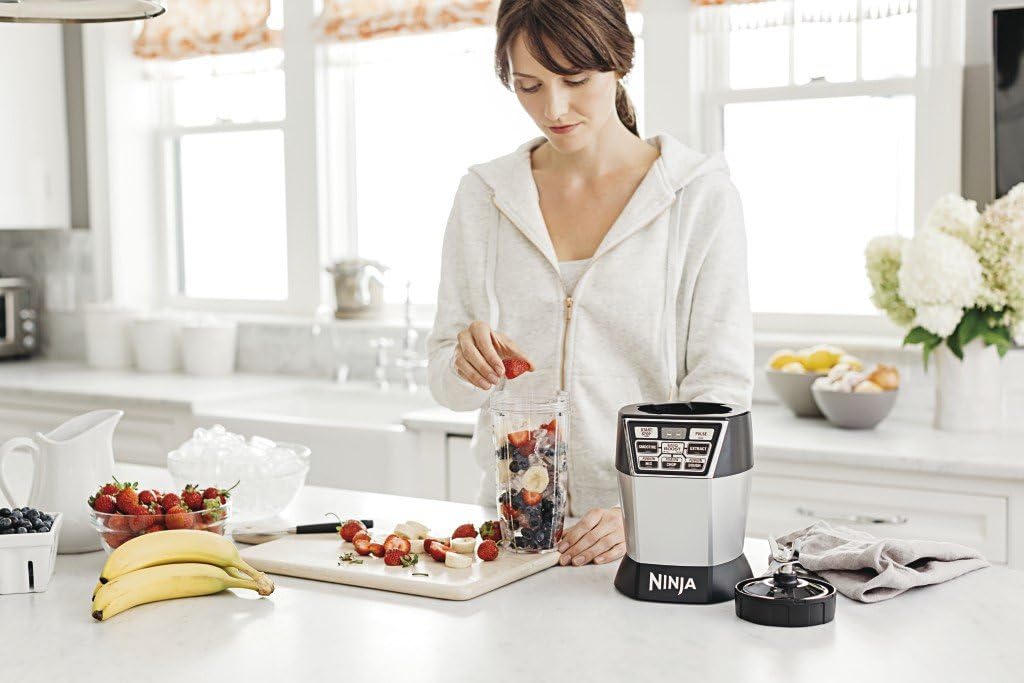
Image: Preparing ingredients for a smoothie in a Nutri Ninja cup.

Image: A freshly blended smoothie, ready to drink.
Using the Nutri Bowl for Nutrient Fusion
The Nutri Bowl allows you to combine fresh, wholesome ingredients to create meals, snacks, and desserts, including chopping, mixing, and even making dough.
- Assemble Bowl: Place the Nutri Bowl onto the motor base, aligning the tabs and twisting clockwise until it locks.
- Insert Blade: Choose the appropriate blade assembly (Quad Blade for chopping/mixing, Dough Blade for dough) and place it onto the drive gear inside the Nutri Bowl.
- Add Ingredients: Add your ingredients to the Nutri Bowl. Do not exceed the MAX fill line.
- Secure Lid: Place the Nutri Bowl lid onto the bowl and twist clockwise until it locks into place. Ensure the lid handle is aligned with the handle on the bowl.
- Select Program: Plug in the appliance. Select the appropriate Auto-iQ program: FUSION MIX, FUSION CHOP, or FUSION DOUGH.
- Auto-iQ Boost: The Auto-iQ BOOST feature can be used to fine-tune the texture.
- Start/Stop: Press the selected program button to start. The unit will automatically stop when the program is complete. You can also press START/STOP to manually stop.
- Remove: Once processing is complete, twist the lid counter-clockwise to unlock and remove. Then, twist the bowl counter-clockwise to unlock and lift it from the motor base.

Image: Preparing ingredients for processing in the Nutri Bowl.

Image: Example of food processed using the Nutri Bowl.
Official Product Video: Nutri Ninja Nutri Bowl Overview
Video: This video provides an overview of the Nutri Ninja Nutri Bowl, demonstrating its features and capabilities for food processing.
Maintenance and Cleaning
Proper maintenance ensures the longevity and optimal performance of your Ninja Nutri Bowl Duo.
- Motor Base: Wipe the motor base clean with a damp cloth. Do not immerse it in water.
- Containers and Lids: The Nutri Ninja Cups, Nutri Bowl, and their respective lids are top-rack dishwasher safe. Alternatively, wash them in warm, soapy water.
- Blade Assemblies: Rinse the blade assemblies under tap water immediately after use to prevent food from drying on them. Use caution when handling blades due to their sharpness.
- Storage: Store the appliance and its accessories in a clean, dry place.
Troubleshooting
If you encounter issues with your Ninja Nutri Bowl Duo, please refer to the following common solutions:
- Appliance Not Turning On: Ensure the power cord is securely plugged into a working electrical outlet. Verify that the cup or bowl and lid are correctly assembled and locked onto the motor base. The appliance has safety features that prevent operation if not properly assembled.
- Ingredients Not Blending/Processing: Check that you have not overfilled the container beyond the MAX fill line. Ensure there is enough liquid for blending. If ingredients are stuck, remove the container from the base, shake it, and re-attach. For tough ingredients, use the PULSE function or add more liquid.
- Loud Noise/Vibration: Ensure the appliance is on a stable, flat surface. Check that the blade assembly is securely tightened onto the cup or bowl.
- Leaking: Confirm that the blade assembly is tightly screwed onto the Nutri Ninja Cup or that the Nutri Bowl lid is properly sealed and locked.
If problems persist after attempting these solutions, please contact customer support.
Specifications
| Feature | Detail |
|---|---|
| Brand | Ninja |
| Model Name | Nutri Ninja Nutri Bowl DUO with Auto-iQ Boost |
| Item Model Number | NN102 |
| Color | Black |
| Wattage | 1200 Watts |
| Number of Speeds | 2 (via Auto-iQ programs) |
| Blade Material | Stainless Steel |
| Power Source | AC adapter |
| Nutri Bowl Capacity | 4 cups |
| Nutri Ninja Cup Capacity | 24 oz. (each) |
| Product Dimensions | 14.37 x 10.44 x 16.14 inches |
| Item Weight | 6.14 pounds |
Warranty and Support
For warranty information, product registration, or customer support, please refer to the Quick Start Guide included with your product or visit the official Ninja website. You may also contact Ninja customer service directly for assistance with any product-related inquiries.
Related documentsNN102


Ask a question about this manual
Ask about setup, troubleshooting, compatibility, parts, safety, or missing instructions. Manuals+ will review the question and use this page’s manual context to help answer it.