
1. Introduction
Thank you for choosing the Jabra Evolve 30 UC Mono Headset. This headset is designed for unified communications, offering clear audio and passive noise cancellation to enhance your concentration and communication experience. This manual provides detailed instructions on how to set up, operate, and maintain your headset.
2. Package Contents
Ensure all items are present in your package:
- Jabra Evolve 30 UC Mono On-Ear Headset
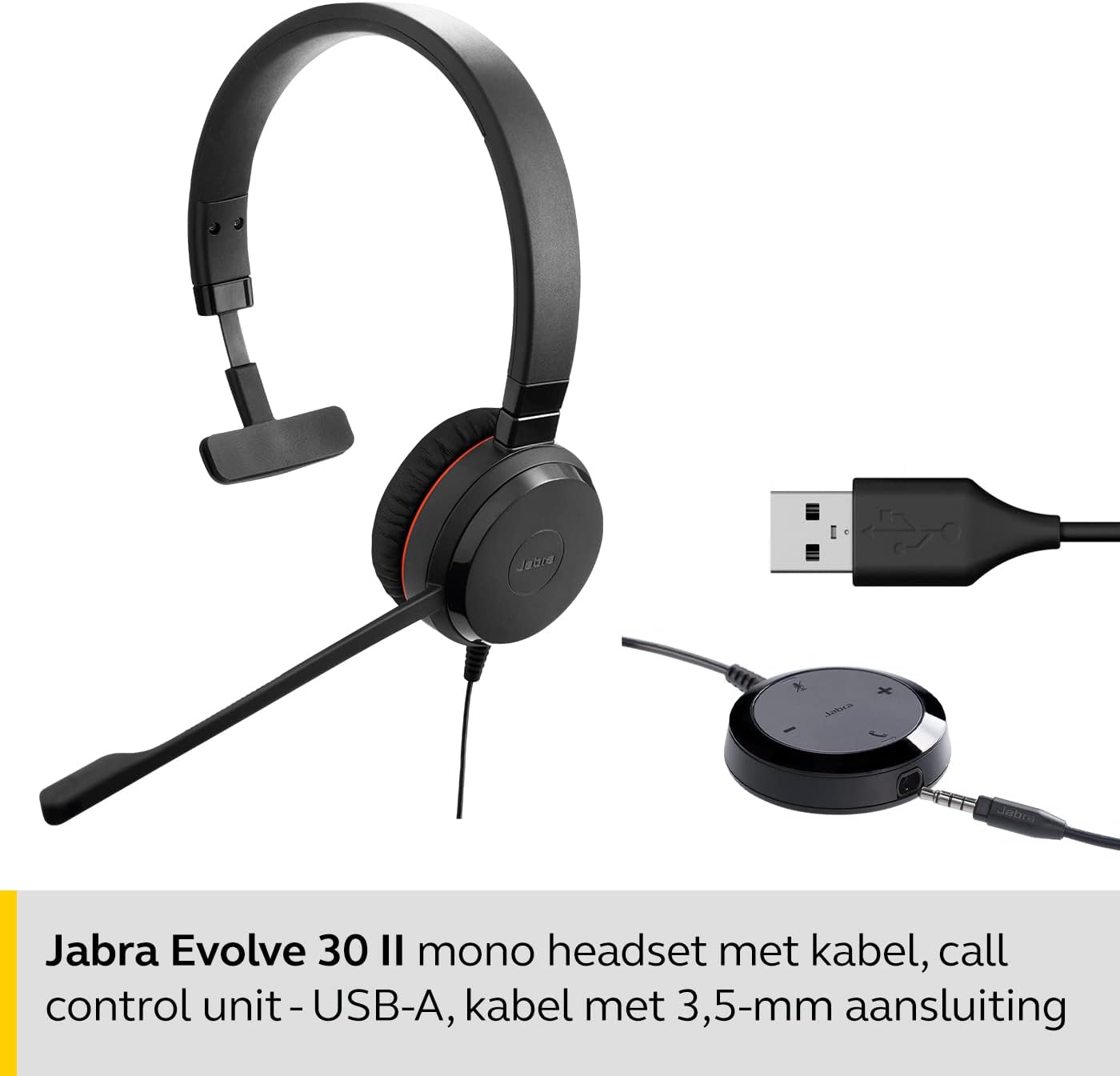
- USB Cable with Control Unit
3. Setup
The Jabra Evolve 30 UC Mono Headset features plug-and-play installation, allowing you to use it immediately with most leading communication systems. Simply connect the headset to your device.
Connecting to a Computer (USB-A)
Connect the USB-A connector of the control unit cable to an available USB-A port on your computer. The headset will be automatically recognized and ready for use.
Connecting to a Mobile Device (3.5mm Jack)
For mobile devices, connect the 3.5mm jack from the control unit cable to the headphone jack on your smartphone or tablet. Note that call control functions on the unit may be limited when connected via 3.5mm jack.
4. Operating Instructions
The inline control unit provides easy access to call management functions.
Call Control Unit Functions
- Answer/End Call: Press the 'Answer/End' button (typically a phone icon) to accept or finish a call.
- Volume Up/Down: Use the '+' and '-' buttons to adjust the listening volume.
- Mute Microphone: Press the 'Mute' button (microphone icon) to mute or unmute your microphone during a call. An LED indicator on the control unit may show the mute status.

Wearing the Headset
Adjust the headband for a comfortable fit. Position the microphone boom approximately two fingers' width from your mouth for optimal voice pickup.

5. Features
- Passive Noise Cancellation: The headset is designed to block high-frequency sounds, such as human voices, providing a better sound experience and enabling more efficient collaboration in various environments.
- Optimized for Unified Communications: This headset is optimized for use with all major communication platforms, ensuring seamless integration and performance.
- Comfortable Design: Features a stylish and comfortable design with soft leatherette ear cushions and an adjustable headband for a perfect fit during extended use.
- Dual Connectivity: Offers flexible connectivity options via USB-A for computers and a 3.5mm jack for personal mobile devices.

6. Maintenance
To ensure the longevity and optimal performance of your headset, follow these maintenance guidelines:
- Cleaning: Gently wipe the headset, including ear cushions and microphone, with a soft, dry cloth. Avoid using harsh chemicals or abrasive materials.
- Storage: Store the headset in a cool, dry place away from direct sunlight and extreme temperatures.
- Cable Care: Avoid sharp bends or excessive pulling on the cable to prevent damage.
7. Troubleshooting
If you encounter issues with your Jabra Evolve 30 UC Mono Headset, try the following troubleshooting steps:
| Problem | Solution |
|---|---|
| No sound from headset |
|
| Microphone not working |
|
| Poor audio quality |
|
8. Specifications
| Specification | Detail |
|---|---|
| Brand | Jabra |
| Model Name | Jabra Evolve 30 |
| Item Model Number | 5393-829-309 |
| Color | Black |
| Product Dimensions | 24.13 x 19.05 x 5.08 cm |
| Weight | 142 g |
| Ear Placement | On-Ear |
| Form Factor | On-ear |
| Sound Control | Passive Noise Cancellation |
| Sensitivity | 93.6 dB |
| Headphone Jack | 3.5 mm jack |
| Connectivity Technology | Wired (USB-A, 3.5mm jack) |
| Material | Leatherette |
| Frequency Range | 20 Hz - 20,000 Hz |
| Compatible Devices | Avaya, Unify, Cisco (and other major communication platforms) |
| Manufacturer | Jabra |
| Country of Origin | China |
9. Warranty and Support
The Jabra Evolve 30 UC Mono Headset comes with a 2-year (24-month) warranty from the date of purchase. This warranty covers manufacturing defects and ensures reliable performance.
For technical support, warranty claims, or further assistance, please visit the official Jabra support website or contact their customer service. Keep your proof of purchase for warranty validation.
10. Product Video
Watch this official product video for a visual overview of the Jabra Evolve 30 UC Mono Headset.


