
Introduction
The Cyber Acoustics CA-SP34BT is a 2.1 Bluetooth speaker system designed to deliver room-filling audio with dynamic LED lighting effects. This system includes a subwoofer and two satellite speakers, offering versatile connectivity options for various multimedia devices.
The speaker system provides 32W peak power and 16W RMS, ensuring high-quality audio with deep, rich bass. The sleek design features piano black finish and lighted driver rings, enhancing the aesthetic appeal of any setup.
What's in the Box
- CA-SP34BT 2.1 Bluetooth Speaker System with LED Lighting Effects
- 120V AC Power Adapter
- User Guide
Setup
Follow these steps to set up your Cyber Acoustics CA-SP34BT speaker system:
- Connect Satellite Speakers: Plug the satellite speakers into the corresponding ports on the subwoofer.
- Power Connection: Connect the 120V AC power adapter to the subwoofer and then to a power outlet.
- Audio Source Connection: Connect your audio source (e.g., computer, smartphone, tablet) using one of the following methods:
- Bluetooth Pairing: Ensure the subwoofer is powered on. On your device, enable Bluetooth and search for 'CA-SP34BT'. Select it to pair.
- 3.5mm Aux/RCA Input: Use a 3.5mm audio cable or RCA cables to connect your device directly to the subwoofer's input ports.

Figure 1: Rear view of the subwoofer with input connections. Connect satellite speakers and audio sources here.

Figure 2: The complete CA-SP34BT 2.1 speaker system set up.
Operating Instructions
All controls for the CA-SP34BT system are conveniently located on the subwoofer.
- Power On/Off: Use the dedicated power button on the subwoofer to turn the system on or off.
- Master Volume Control: Adjust the overall sound level using the master volume knob.
- Treble and Bass Control: Fine-tune the audio output with separate treble and bass control knobs.
- LED Color Lighting Selection: Cycle through various LED light colors (green, blue, red, purple, yellow, light blue, white, continuous color changing, or no lights) using the dedicated LED control button.
- Bluetooth Pairing: Press the Bluetooth button to initiate pairing mode for new devices.
- Headphone Jack: Connect headphones to the 3.5mm headphone jack for private listening.

Figure 3: Subwoofer control panel with knobs for volume, treble, bass, and buttons for power, Bluetooth, and LED light selection.
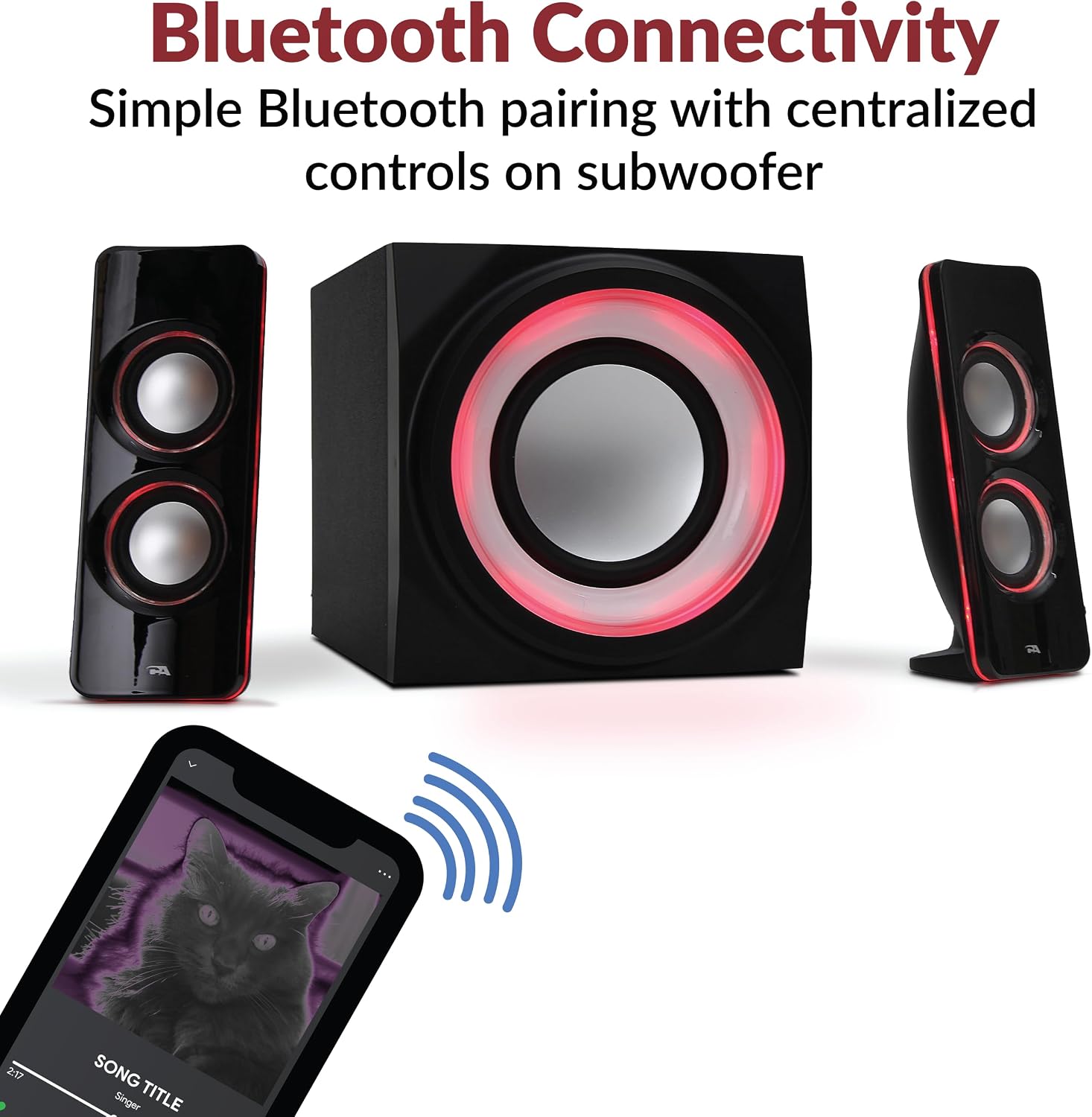
Figure 4: Satellite speakers and subwoofer illuminated with red LED lights, demonstrating the lighting feature.
Maintenance
To ensure the longevity and optimal performance of your Cyber Acoustics CA-SP34BT speakers, follow these maintenance guidelines:
- Cleaning: Use a soft, dry cloth to clean the speaker surfaces. Avoid abrasive cleaners or solvents that may damage the finish.
- Placement: Place the speakers on a stable, flat surface to prevent accidental falls. Ensure adequate ventilation around the subwoofer to prevent overheating.
- Avoid Moisture: The speakers are not waterproof. Keep them away from liquids and high humidity environments.
- Cable Management: Ensure all cables are securely connected and not tangled or pinched to prevent damage.
Troubleshooting
If you encounter any issues with your speaker system, refer to the following common troubleshooting steps:
- No Sound:
- Ensure the power adapter is securely plugged into both the subwoofer and the wall outlet.
- Check that the speakers are powered on and the master volume is turned up.
- Verify that your audio source is playing and its volume is not muted or too low.
- If using Bluetooth, ensure the device is properly paired and within range. Try re-pairing.
- If using a wired connection, ensure the audio cable is fully inserted into both the subwoofer and your device. Try a different cable if available.
- Distorted Sound:
- Lower the volume on both the speaker system and your audio source.
- Adjust the treble and bass controls on the subwoofer.
- Ensure the audio source is not sending a distorted signal.
- Bluetooth Connectivity Issues:
- Ensure the speaker is in Bluetooth pairing mode.
- Move your Bluetooth device closer to the speakers.
- Forget the speaker from your device's Bluetooth settings and attempt to re-pair.
- Turn off and on both the speaker system and your Bluetooth device.
Specifications
| Feature | Detail |
|---|---|
| Model Name | CA-SP34BT |
| Speaker Type | 2.1 Subwoofer System |
| Connectivity Technology | Bluetooth, 3.5mm Aux, RCA |
| Speaker Maximum Output Power | 32 Watts (Peak) / 16 Watts (RMS) |
| Subwoofer Diameter | 4.25 Inches |
| Compatible Devices | Laptop, Personal Computer, Phones, Smartphone, Tablet, Television |
| Control Method | Manual Knobs/Buttons on Subwoofer |
| Product Dimensions | 9.1"D x 15"W x 10.4"H |
| Item Weight | 9 Pounds |
| Color | Black |
| Material | Plastic |
| Is Waterproof | FALSE |
Warranty and Support
The Cyber Acoustics CA-SP34BT speaker system includes a 1-year manufacturer warranty. For any questions, technical assistance, or warranty claims, please contact our US-based customer service team through Amazon.
Product Video
Official product video showcasing the Cyber Acoustics Bluetooth Speakers with LED Lights and their multimedia capabilities.

