
Introduction
The Levenhuk LabZZ MTB3 Kit is designed for young explorers, offering a microscope, a telescope, and binoculars. This manual provides essential information for the safe and effective use of each instrument, covering assembly, operation, and care.

Image: All components of the Levenhuk LabZZ MTB3 Kit, including the microscope, telescope, binoculars, and various accessories.
Safety Information
- Never look directly at the sun through the telescope or binoculars. This can cause permanent eye damage.
- Keep small parts away from young children to prevent choking hazards.
- Handle all optical components with care to avoid scratches or damage.
- Use only the recommended batteries (2 AA) for the microscope's illumination.
Kit Contents
The Levenhuk LabZZ MTB3 Kit includes the following items:
- Microscope
- Telescope with tripod
- Binoculars
- Microscope accessories (slides, cover slips, labels, tools, vials)
- Telescope accessories (eyepieces, diagonal mirror, finderscope)

Image: A collection of accessories for the microscope and telescope, including prepared slides, blank slides, cover slips, labels, a scalpel, spatula, tweezers, dropper, and vials.
Setup Instructions
Microscope Setup
- Place the microscope on a stable, flat surface.
- Insert 2 AA batteries into the battery compartment for the lower illumination (if applicable).
- Rotate the revolving nosepiece to select the lowest power objective lens (e.g., 4x).
- Place a prepared slide or your own specimen on the stage, securing it with the stage clips.

Image: The Levenhuk LabZZ MTB3 Microscope, showing the eyepiece, objective lenses, stage, and focus knobs.
Telescope Setup
- Extend the tripod legs and secure them firmly on a level surface.
- Attach the telescope tube to the tripod mount.
- Insert the diagonal mirror into the focuser.
- Insert the desired eyepiece into the diagonal mirror.
- Attach the finderscope to the main telescope tube.

Image: The Levenhuk LabZZ MTB3 Telescope mounted on its tripod, ready for observation.

Image: Close-up view of the telescope's focuser with a diagonal mirror and eyepiece installed.
Binoculars Usage
The binoculars require minimal setup. Simply adjust the interpupillary distance to match the distance between your eyes by folding or unfolding the halves until you see a single, clear circular field of view.

Image: The Levenhuk LabZZ MTB3 Binoculars, showing the compact design and objective lenses.
Operating Instructions
Microscope Operation
- With the lowest power objective selected, look through the eyepiece.
- Use the coarse focus knob to bring the specimen into approximate focus.
- Adjust the mirror or turn on the LED illumination to brighten the field of view.
- Use the fine focus knob for precise focusing.
- To increase magnification, rotate the nosepiece to a higher power objective. Re-focus as needed.

Image: A child observing a specimen through the Levenhuk LabZZ MTB3 Microscope.

Image: Close-up of the microscope's large and comfortable focus knobs.
Telescope Operation
- Point the telescope towards your desired object using the finderscope for initial alignment.
- Look through the eyepiece and adjust the focuser knob until the image is sharp.
- For terrestrial observations, ensure the diagonal mirror is correctly oriented for an upright image.
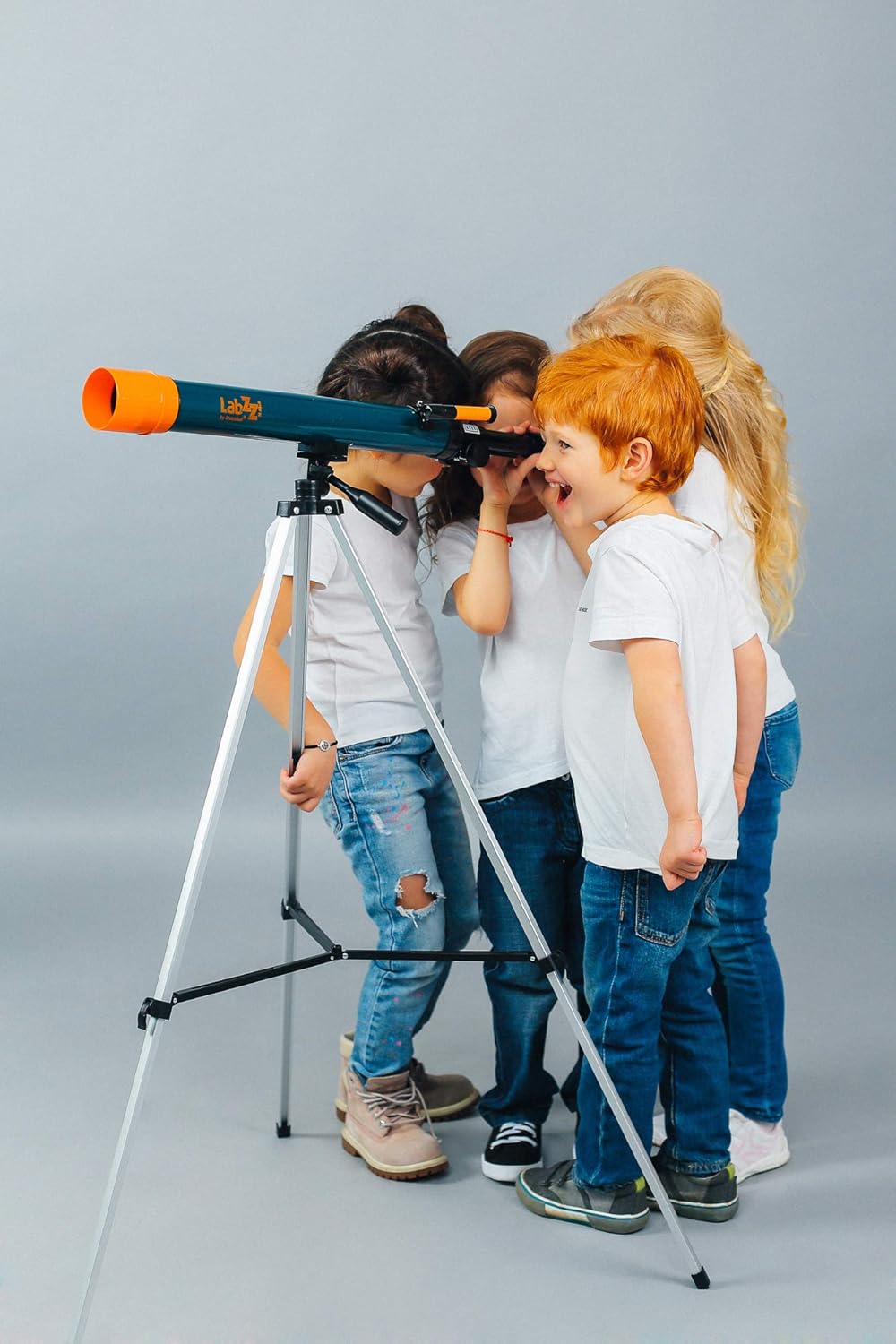
Image: The Levenhuk LabZZ MTB3 Telescope, highlighting its main tube and mount.

Image: Children looking through the Levenhuk LabZZ MTB3 Telescope, demonstrating its use.
Binoculars Operation
- Hold the binoculars up to your eyes.
- Adjust the interpupillary distance by moving the barrels closer or further apart until you see a single, merged image.
- Use the central focus wheel to bring the image into sharp focus.

Image: A child using the Levenhuk LabZZ MTB3 Binoculars to observe an object.
Maintenance
- Cleaning Optics: Use a soft, lint-free cloth specifically designed for optical surfaces. Breathe lightly on the lens before wiping to remove dust. Do not use abrasive cleaners.
- General Cleaning: Wipe the body of the instruments with a soft, damp cloth. Avoid harsh chemicals.
- Storage: Store all components in a dry, dust-free environment. Keep them in their original packaging or a protective case when not in use.
- Remove batteries from the microscope if it will not be used for an extended period.
Troubleshooting
Microscope Issues
- No illumination: Check if batteries are correctly inserted or need replacement. Ensure the illumination switch is on.
- Blurry image: Adjust the focus knobs. Ensure the slide is correctly placed and the objective lens is clean.
Telescope Issues
- Cannot find object: Ensure the finderscope is aligned with the main telescope. Start with the lowest magnification eyepiece.
- Blurry image: Adjust the focuser knob. Ensure the eyepiece and diagonal mirror are fully inserted and clean.
Binoculars Issues
- Double image: Adjust the interpupillary distance until a single circular field of view is achieved.
- Blurry image: Adjust the central focus wheel. Ensure lenses are clean.
Specifications
| Feature | Detail |
|---|---|
| Product Dimensions | 28.74 x 9.76 x 3.54 inches |
| Item Weight | 4.19 pounds (1901 Grams) |
| Microscope Magnification | 150-900x (typical range for this type of kit) |
| Telescope Objective Lens Diameter | 21 Millimeters |
| Telescope Mount Type | Altazimuth Mount |
| Binoculars Magnification | 4x |
| Power Source (Microscope) | 2 AA batteries (required) |
| Focus Type | Manual Focus |
| Finderscope | Reflex |
| Model Number | 69698 |
Warranty and Support
For warranty information and customer support, please refer to the documentation included with your purchase or visit the official Levenhuk website. Keep your proof of purchase for any warranty claims.
Manufacturer: Levenhuk
