
Introduction
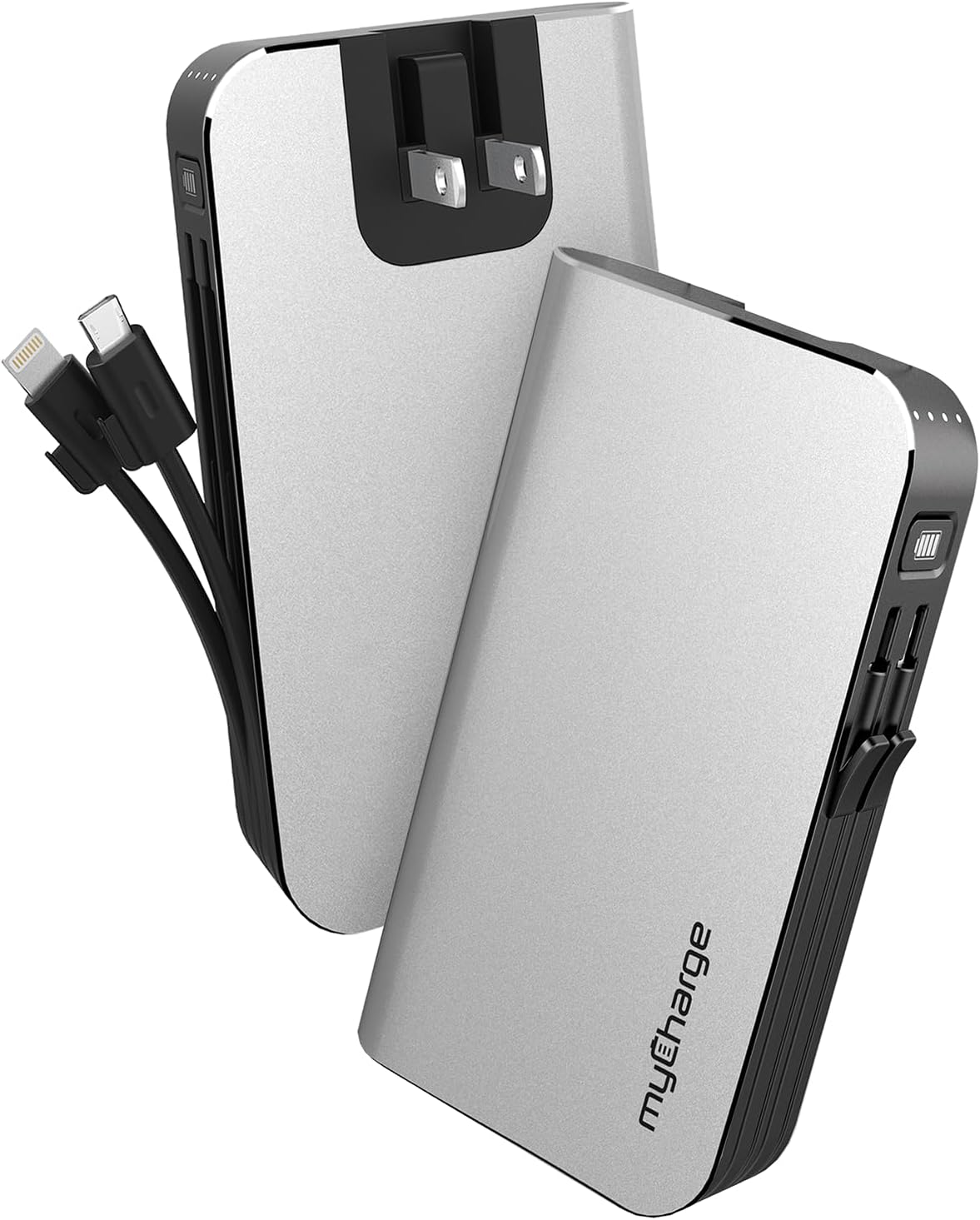
The myCharge HubMax portable charger, model HB10V, is a versatile power bank designed to provide on-the-go power for your mobile devices. It features a 10050mAh internal battery, integrated Lightning and Micro USB charging cables, and a built-in wall plug for convenient recharging of the power bank itself. This manual provides instructions for the proper use and care of your HubMax charger.
Setup
Initial Charging of the HubMax
Before first use, fully charge your myCharge HubMax. The device features a foldable wall plug for direct connection to a standard AC outlet.
- Locate the foldable wall prongs on the side of the HubMax.
- Flip out the prongs and plug the HubMax directly into a wall outlet.
- The LED indicators on the device will illuminate to show the charging status. A full recharge typically takes approximately 4.6 hours.
- Once fully charged, unplug the device and fold the prongs back into the unit for storage.
Operating Instructions
Charging Mobile Devices
The HubMax allows you to charge up to three devices simultaneously using its built-in cables and USB-A port.
- Using Built-in Cables: Extend the integrated Lightning cable for Apple devices or the Micro USB cable for compatible Android and other devices. Connect the appropriate cable to your device's charging port.
- Using the USB-A Port: For devices requiring a different cable type (e.g., USB-C), connect your device's standard USB charging cable to the USB-A output port on the HubMax.
- The HubMax will automatically begin charging your connected device(s). The LED indicators will show the remaining battery capacity of the HubMax.
- For optimal charging speed, ensure your device is compatible with Power Delivery or Quick Charge 3.0 standards, which the HubMax supports for faster charging (up to 2.4x faster than standard chargers).


Maintenance
Proper maintenance ensures the longevity and optimal performance of your myCharge HubMax.
- Cleaning: Use a soft, dry cloth to clean the exterior of the device. Avoid using harsh chemicals or abrasive materials.
- Storage: Store the HubMax in a cool, dry place away from direct sunlight and extreme temperatures.
- Battery Care: For best battery health, avoid fully discharging the power bank frequently. Recharge it when the battery level is low.
- Cable Care: Handle the built-in cables gently. Avoid excessive bending or pulling to prevent damage.
Troubleshooting
If you encounter issues with your myCharge HubMax, refer to the following common solutions:
- HubMax Not Charging:
- Ensure the wall plug is fully extended and securely inserted into a working AC outlet.
- Check if the outlet is functional by plugging in another device.
- Device Not Charging from HubMax:
- Verify that the HubMax itself has sufficient charge (check LED indicators).
- Ensure the built-in cables or your external USB cable are securely connected to both the HubMax and your device.
- Try a different cable or device to isolate the issue.
- Slow Charging:
- Ensure your device is compatible with fast charging protocols supported by the HubMax.
- Avoid using your device extensively while it is charging, as this can slow down the charging process.
Specifications
| Feature | Detail |
|---|---|
| Model Number | HB10V |
| Brand | myCharge |
| Battery Capacity | 10050mAh (Lithium Polymer) |
| Product Dimensions | 0.9 x 2.8 x 4.6 inches |
| Item Weight | 3.53 ounces |
| Connector Types | Built-in Lightning Cable, Built-in Micro USB, USB-A Output Port |
| Special Features | Built-in Wall Plug, Integrated Cables |
| Recharge Time | Approximately 4.6 hours (via wall plug) |
Warranty and Support
For warranty information and customer support, please refer to the official myCharge website or contact their customer service directly. Keep your proof of purchase for any warranty claims.
Manufacturer: myCharge
For further assistance, visit: www.mycharge.com


