
Introduction
The TUSA IQ-1204 DC Solar Link Dive Computer is an advanced instrument designed for divers. This device features solar recharging, eliminating the need for battery replacement. It supports 4-Mix Gas diving, includes a Free-Dive Mode, and allows dive log transfer to smartphones or tablets via Bluetooth SMART technology. Its factory-sealed design enhances durability and prevents water intrusion.
This manual provides essential information for the proper setup, operation, and maintenance of your IQ-1204 dive computer.
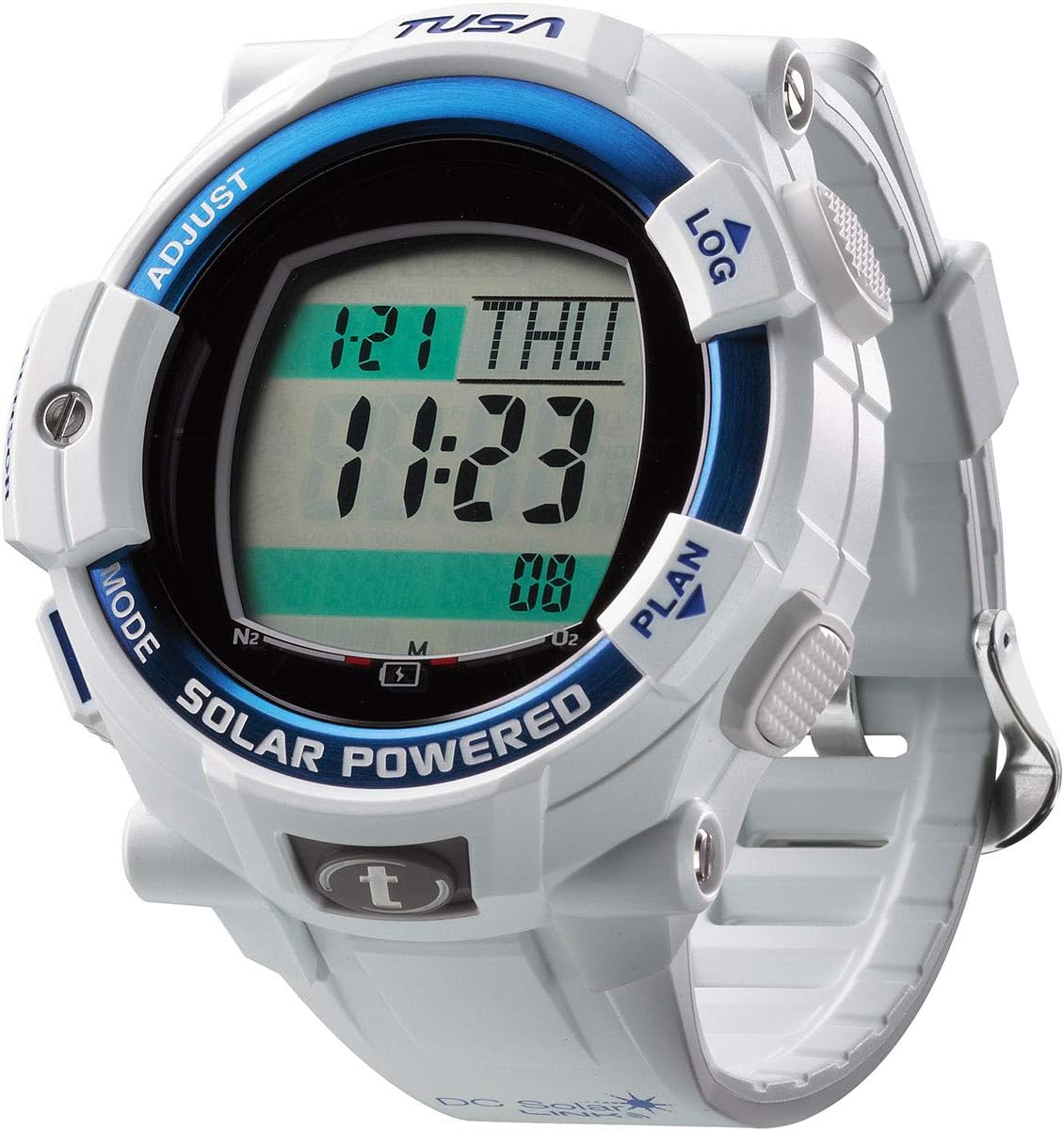
Image: Front view of the TUSA IQ-1204 DC Solar Link Dive Computer displaying the current time and date, with "SOLAR POWERED" visible on the bezel.
Important Safety Information
Always read and understand this manual completely before using the TUSA IQ-1204 DC Solar Link Dive Computer. Failure to follow instructions can result in serious injury or death.
- This dive computer is a dive aid and does not replace proper dive training or experience.
- Always plan your dives and dive within your training and experience limits.
- Perform pre-dive checks to ensure the computer is functioning correctly.
- Never dive alone.
- In case of any malfunction, ascend safely and terminate the dive.
- Regularly check the computer's display and battery status.
Setup and Initial Configuration
1. Solar Charging
The IQ-1204 is powered by solar energy. For optimal performance, ensure the dive computer is exposed to light regularly. A full charge can take several hours depending on light intensity. The battery indicator on the display shows the current charge level.
2. Initial Settings (Time, Date, Units)
Upon first use or after extended storage, you may need to set the time, date, and measurement units (metric/imperial).
- Press and hold the MODE button to enter the main menu.
- Use the ADJUST or LOG buttons to navigate to the "Settings" option.
- Press MODE to select "Settings".
- Navigate to "Time", "Date", or "Units" and press MODE to enter.
- Use ADJUST or LOG to change values, and MODE to confirm and move to the next setting.
- Exit the menu by holding MODE or navigating to "Exit".
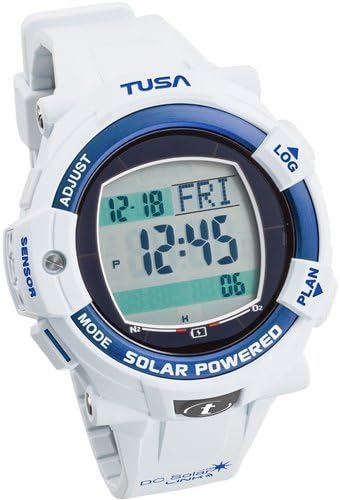
Image: Close-up of the TUSA IQ-1204 DC Solar Link Dive Computer display, illustrating button labels for navigation and adjustment.
3. Bluetooth SMART Pairing
To transfer dive logs, download the TUSA Diving LOG app on your smartphone or tablet. Follow the app's instructions to pair your device with the IQ-1204 via Bluetooth SMART technology.
Operating Modes
The IQ-1204 features several operating modes accessible via the MODE button.
1. Dive Mode
This is the primary mode for diving. It automatically activates when submerged and displays critical dive information such as current depth, dive time, no-decompression limit, and ascent rate. The computer uses the AA Buhrmann ZHL-16C Decompression algorithm for calculations.
2. Gauge Mode
In Gauge Mode, the computer functions as a bottom timer, displaying current depth, dive time, and temperature. Decompression calculations are disabled in this mode, requiring the diver to manage decompression manually.
3. Free-Dive Mode
Optimized for freediving, this mode tracks maximum depth, dive time, and surface interval. It provides specific alarms and data relevant to freediving activities.
4. Log Mode
Access your stored dive history. The computer records details of your previous dives, which can be reviewed on the device or transferred to the TUSA Diving LOG app.
5. Plan Mode
Use Plan Mode to simulate no-decompression limits for various depths and bottom times. This helps in planning safe dives before entering the water.
Dive Planning
The Plan Mode allows you to simulate dives to determine no-decompression limits. To use:
- From the surface interval display, press the PLAN button.
- Use the ADJUST or LOG buttons to scroll through different depths.
- The display will show the corresponding no-decompression limit for each depth.
- Press PLAN again to exit.
Dive Log Transfer
The TUSA IQ-1204 can transfer dive log data to compatible smartphones or tablets using Bluetooth SMART technology. This requires the TUSA Diving LOG app, available for download from your device's app store.
- Ensure Bluetooth is enabled on your smartphone/tablet.
- Open the TUSA Diving LOG app.
- Follow the app's instructions to initiate pairing and data transfer with your IQ-1204.
- The dive computer will display a confirmation message when data transfer is active.
Maintenance and Care
1. Cleaning
After each dive, rinse your IQ-1204 thoroughly with fresh water to remove salt, sand, and other debris. Dry with a soft cloth. Do not use chemical cleaners or solvents.
2. Storage
Store the dive computer in a cool, dry place away from direct sunlight and extreme temperatures. Ensure it is fully charged before long-term storage to maintain battery health.
3. Solar Cell Care
Keep the solar panel clean and free from obstructions to ensure efficient charging. Avoid scratching the surface of the solar cell.

Image: Full view of the TUSA IQ-1204 DC Solar Link Dive Computer, showcasing its overall design and strap.
Troubleshooting
| Problem | Possible Cause | Solution |
|---|---|---|
| Display is blank or dim. | Low battery charge. | Expose the dive computer to bright light for several hours to recharge. |
| Cannot pair with smartphone. | Bluetooth not enabled; app not open; computer not in pairing mode. | Ensure Bluetooth is on, open the TUSA Diving LOG app, and follow app instructions to initiate pairing. |
| Incorrect depth/time readings. | Sensor obstruction; unit setting error. | Rinse sensors thoroughly. Check unit settings (metric/imperial) in the setup menu. If problem persists, contact support. |
| Computer does not activate Dive Mode. | Not submerged deep enough; sensor issue. | Ensure the computer is submerged to the activation depth (typically 1.2m/4ft). Clean sensors. |
If you encounter issues not listed here or if solutions do not resolve the problem, please contact TUSA customer support.
Specifications
| Feature | Detail |
|---|---|
| Model Name | TUSA IQ-1204 DC Solar Link Dive Computer |
| Power Source | Solar Rechargeable |
| Connectivity | Bluetooth SMART (for dive log transfer) |
| Gas Mix Support | 4 Gas Mixes (21-100% Oxygen) |
| Operating Modes | Dive, Gauge, Free-Dive, Log, Plan |
| Decompression Algorithm | AA Buhrmann ZHL-16C |
| Material | Plastic |
| Item Dimensions (LxWxH) | 5 x 5 x 5 inches (approximate) |
| Item Package Dimensions (LxWxH) | 4.65 x 3.31 x 3.23 inches |
| Package Weight | 0.06 Kilograms |
| Included Components | Dive Computer |
Warranty Information
TABATA USA warrants to the purchaser, consumer that the products TABATA USA manufacture or distribute are free from defects in materials or workmanship. For specific warranty terms, conditions, and duration, please refer to the official warranty documentation included with your product or visit the TUSA website.
Customer Support
For technical assistance, service, or further inquiries regarding your TUSA IQ-1204 DC Solar Link Dive Computer, please contact TUSA customer support through their official website or the contact information provided in your product packaging.
Website: www.tusa.com

