
Introduction
This manual provides instructions for the proper setup, operation, and maintenance of your Timex Expedition Field Chrono 43mm watch. Please read these instructions carefully to ensure optimal performance and longevity of your timepiece.
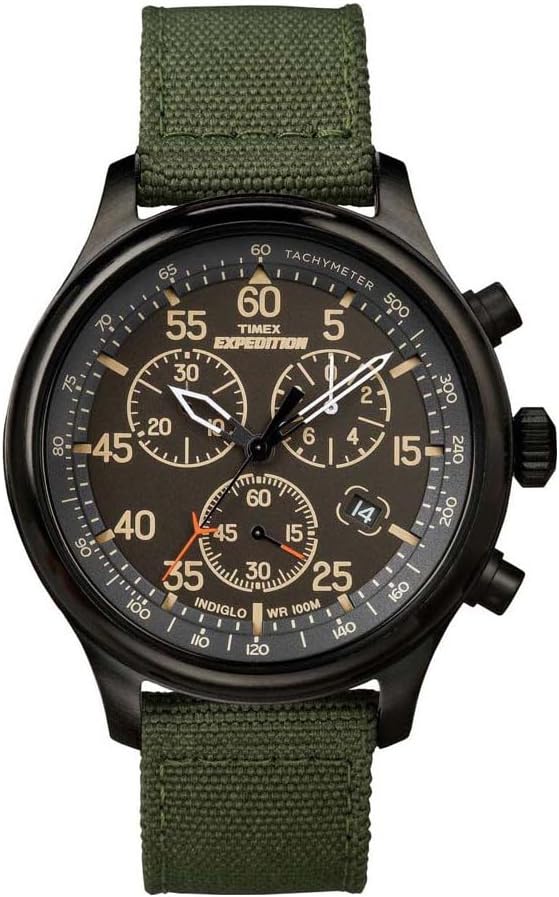
Front view of the Timex Expedition Field Chrono 43mm watch, showcasing the black dial, Arabic numerals, and chronograph sub-dials.
Setup
1. Setting the Time
- Pull the crown (B) out to the furthest position (position 3).
- Turn the crown in either direction to advance the hands to the correct time.
- Push the crown back in to position 1 to start the watch.
2. Setting the Date (Quick Date Function)
The date window is located at the 4 o'clock position.
- Pull the crown (B) out to the middle position (position 2).
- Turn the crown clockwise or counter-clockwise to adjust the date.
- Once the desired date is displayed, push the crown back in to position 1.
3. Strap Adjustment
The watch features an adjustable 20mm nylon strap. To adjust the fit:
- Unbuckle the strap.
- Thread the strap through the buckle and keepers to achieve a comfortable fit on your wrist.
- Ensure the strap is securely fastened through the buckle and both keepers to prevent accidental unfastening.

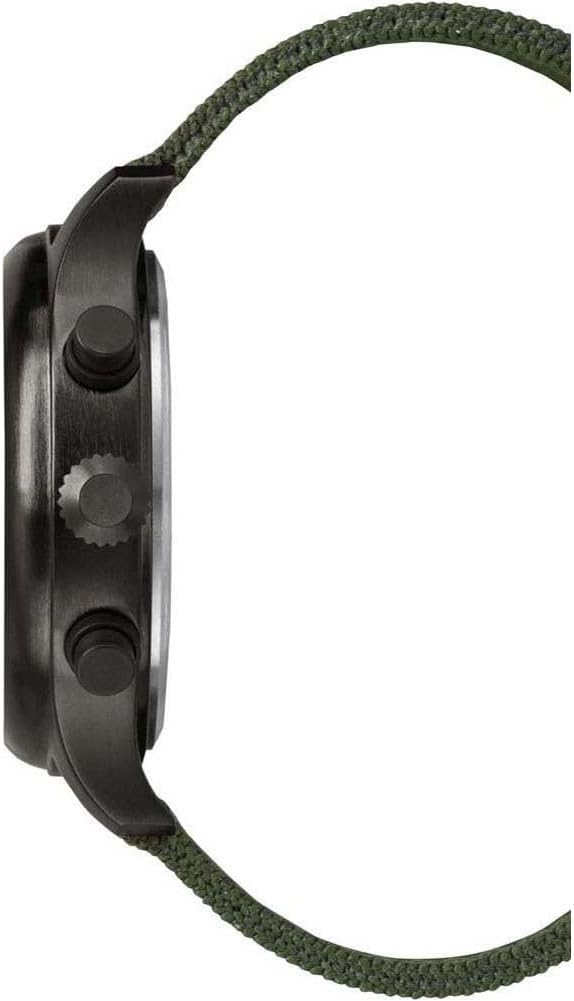
Side view of the watch, illustrating the crown (B) and chronograph pushers (A and C) for time, date, and chronograph operations.
Operating the Watch
1. Chronograph Function
The chronograph measures elapsed time up to 30 minutes in 1/20th second increments.
- Start/Stop: Press pusher (A) to start the chronograph. Press (A) again to stop it.
- Reset: While the chronograph is stopped, press pusher (C) to reset all chronograph hands to zero.
2. Indiglo Night-Light
The Indiglo night-light illuminates the watch dial for visibility in low-light conditions.
- Press and hold the crown (B) to activate the Indiglo night-light. It will remain lit as long as the crown is pressed.
3. Water Resistance
This watch is water-resistant to 100 meters (330 feet).
- Suitable for snorkeling, swimming, and showering.
- Not suitable for scuba diving.
- Do not operate the crown or pushers while the watch is wet or submerged to prevent water intrusion.
Maintenance
1. Battery Replacement
The watch uses one Lithium Metal battery (included). When the watch stops running, the battery may need replacement. It is recommended to have battery replacement performed by a qualified watch technician to ensure proper sealing and maintain water resistance.
2. Cleaning
To clean your watch:
- Wipe the case and crystal with a soft, damp cloth.
- For the nylon strap, a mild soap solution and soft brush can be used, followed by thorough rinsing and air drying.
- Avoid using harsh chemicals or abrasive materials.
3. Storage
When not wearing your watch, store it in a cool, dry place away from direct sunlight and extreme temperatures.
Troubleshooting
- Watch Not Running: Check if the crown is fully pushed in (position 1). If it is, the battery may need replacement.
- Date Not Changing: Ensure the time is set correctly, passing midnight will advance the date. If using the Quick Date function, ensure the crown is in position 2.
- Chronograph Malfunction: If chronograph hands do not reset to zero or operate incorrectly, try resetting the watch by pulling the crown to position 3, waiting a few seconds, and then pushing it back in. If the issue persists, professional service may be required.
Specifications
| Model Number | TW4B10300 |
| Case Diameter | 43 millimeters |
| Case Material | Brass |
| Dial Window Material | Mineral |
| Band Material | Fabric (Nylon) |
| Band Width | 20 millimeters |
| Movement | Quartz |
| Water Resistance Depth | 100 Meters (330 Feet) |
| Special Features | Chronograph, Indiglo Night-Light, Date Display |
| Battery | 1 Lithium Metal battery (included) |
Close-up view of the durable green nylon strap with a buckle clasp.
Warranty Information
For detailed warranty information regarding your Timex Expedition Field Chrono watch, please refer to the official Timex warranty documentation or visit the manufacturer's website. A link to general warranty information can be found here.
Customer Support
If you require further assistance or have questions not covered in this manual, please contact Timex customer support through their official website or the contact information provided with your purchase.

