
1. Product Overview
The Makita MT01R1 12V max CXT Lithium-Ion Cordless Multi-Tool Kit is designed for a variety of applications including cutting, sanding, scraping, and grout removal. This compact tool offers performance and superior ergonomics, making it suitable for work in tight spaces.
Key features include:
- Variable speed control dial (6,000-20,000 OPM) for matching speed to the application.
- 3.2° oscillation angle engineered for faster cutting and more aggressive sanding.
- Large on/off slide switch with lock-on button for operator convenience.
- Built-in L.E.D. light at the tip of the tool to illuminate the work area.
- Hex wrench storage on the tool for easy accessory changes.
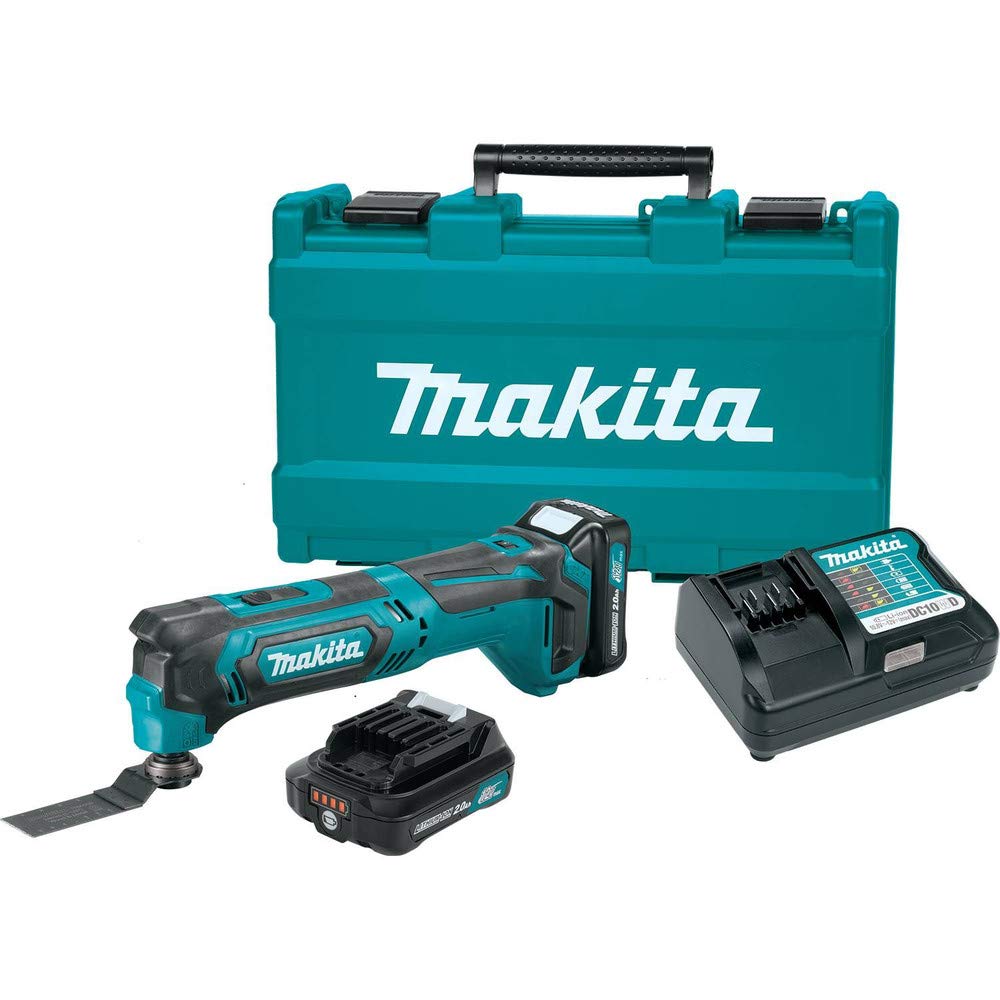
Figure 1: Makita MT01R1 Multi-Tool with battery installed.
2. Safety Information
Always observe basic safety precautions to reduce the risk of fire, electric shock, and personal injury when operating power tools. Read and understand all instructions before use.
General Power Tool Safety Warnings
- Work Area Safety: Keep the work area clean and well-lit. Cluttered or dark areas invite accidents. Do not operate power tools in explosive atmospheres, such as in the presence of flammable liquids, gases, or dust.
- Electrical Safety: Avoid body contact with earthed or grounded surfaces. Do not expose power tools to rain or wet conditions.
- Personal Safety: Always wear eye protection. Use hearing protection when operating for extended periods. Dress properly; avoid loose clothing or jewelry. Secure long hair.
- Tool Use and Care: Do not force the power tool. Use the correct power tool for your application. Disconnect the plug from the power source and/or remove the battery pack before making any adjustments, changing accessories, or storing power tools.
- Battery Tool Use and Care: Recharge only with the charger specified by the manufacturer. Use power tools only with specifically designated battery packs.
3. Components Included
The Makita MT01R1 kit typically includes the following items:
- (2) 12V Max CXT Lithium-Ion 2.0Ah Battery (BL1021B)
- 1-1/4" Plunge Blade (Bim) (A-95255)
- 12V Max CXT Lithium-Ion Charger (DC10WD)
- Multi-Tool Adapter (196271-6)
- Multi-Tool Adapter (313249-6)
- Tool Case
4. Setup
4.1 Battery Installation and Charging
Ensure the battery is fully charged before first use. Insert the battery pack into the charger, ensuring proper alignment. The charger indicator light will show the charging status. Once charged, slide the battery pack into the tool until it clicks securely into place.
Video 1: Demonstration of a Makita battery charging. This short clip shows the indicator light on the charger changing from red to green, indicating a full charge.
4.2 Accessory Installation
To install an accessory (e.g., a saw blade or sanding pad), locate the hex bolt on the tool head. Use the included hex wrench to loosen the bolt. Align the accessory with the tool's mounting interface and secure it by tightening the hex bolt firmly. The tool includes on-board storage for the hex wrench.

Figure 2: A hand demonstrating the use of the hex wrench to change the multi-tool accessory.

Figure 3: The Makita multi-tool with a cutting blade securely attached.
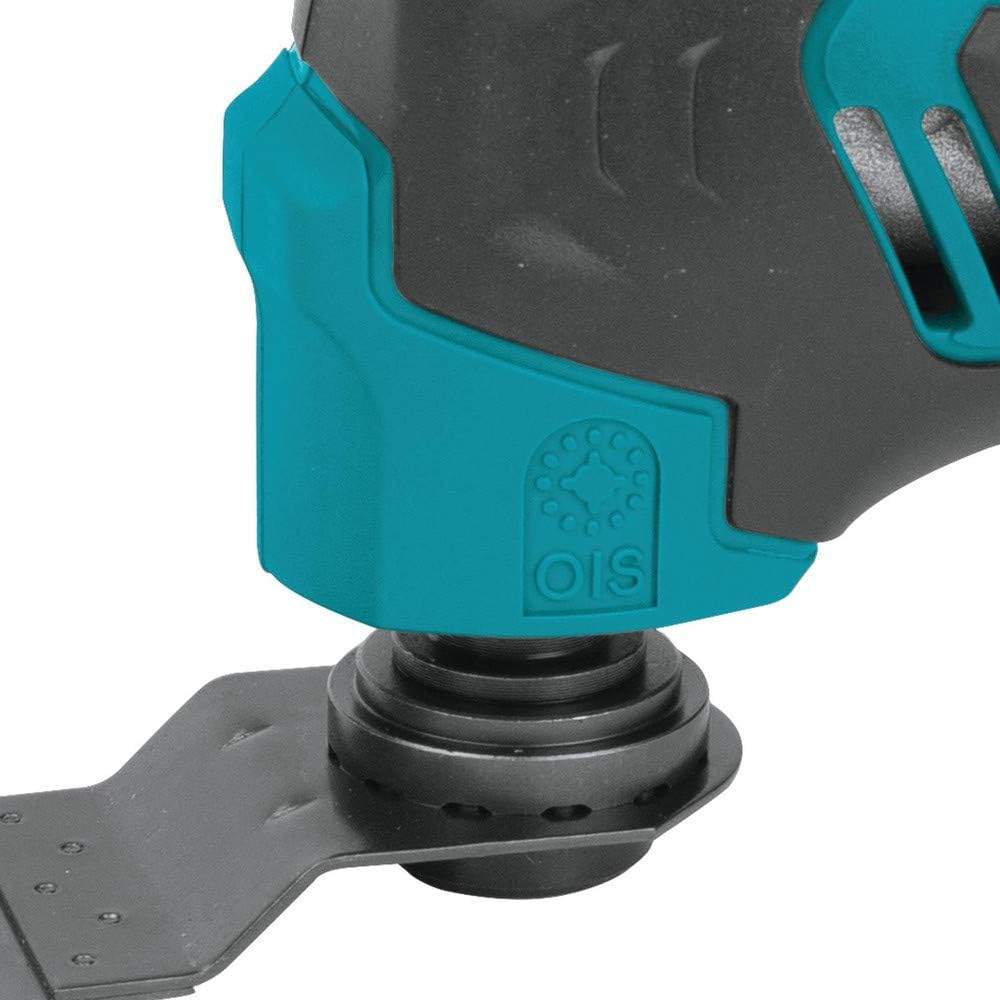
Figure 4: A detailed view of the blade attachment mechanism on the multi-tool.
Video 2: This video demonstrates how to change the blade on the Makita oscillating multi-tool, showing the use of the hex wrench and the different types of blades available.
5. Operating Instructions
5.1 Powering On/Off
To turn the tool ON, slide the large on/off switch forward. To turn it OFF, slide the switch backward. The switch includes a lock-on button for continuous operation, enhancing user convenience during prolonged tasks.

Figure 5: A hand demonstrating the operation of the on/off slide switch.
5.2 Variable Speed Control
The tool features a variable speed control dial, allowing adjustment of oscillations per minute (OPM) from 6,000 to 20,000. Rotate the dial to select the appropriate speed for your specific application, ensuring optimal performance and control.

Figure 6: A hand adjusting the variable speed control dial on the multi-tool.
5.3 Work Area Illumination
A built-in L.E.D. light is located at the tip of the tool. This light illuminates the work area, providing improved visibility, especially in dimly lit conditions or tight spaces.

Figure 7: The integrated LED light illuminating the work surface.
5.4 General Usage
The 3.2-degree oscillation angle is designed for efficient material removal during cutting and sanding tasks. The compact size and small barrel grip allow for easy handling and maneuverability, particularly in confined areas. The tool's adapter is compatible with most competitor's accessories, offering versatility.

Figure 8: A hand holding the Makita multi-tool during operation, demonstrating its ergonomic design.
6. Maintenance
Regular maintenance ensures the longevity and optimal performance of your multi-tool.
- Cleaning: Keep the tool's ventilation openings clean to prevent overheating. Regularly wipe down the tool with a dry cloth to remove dust and debris.
- Accessory Inspection: Before each use, inspect accessories for wear, damage, or dullness. Replace worn or damaged accessories immediately to maintain cutting efficiency and safety.
- Battery Care: Store batteries in a cool, dry place away from direct sunlight. Do not store batteries in a discharged state for extended periods.
- Hex Wrench Storage: Always return the hex wrench to its designated storage slot on the tool after use to prevent loss.
7. Troubleshooting
If you encounter issues with your Makita MT01R1 multi-tool, refer to the following common troubleshooting steps:
- Tool Not Starting: Ensure the battery is fully charged and properly inserted. Check the on/off switch for proper engagement.
- Reduced Performance: Verify that the accessory is securely attached and not dull or damaged. Adjust the variable speed dial to a higher setting if necessary for the material being worked on.
- Excessive Vibration/Noise: Check for loose accessories or components. Ensure the accessory is correctly installed and not bent or damaged.
- Battery Not Charging: Confirm the charger is properly plugged into a working power outlet and the battery is correctly seated in the charger. Check for any damage to the battery or charger.
If problems persist after attempting these steps, contact Makita customer support or an authorized service center.
8. Specifications
| Feature | Specification |
|---|---|
| Brand | Makita |
| Model Number | MT01R1 |
| Voltage | 12 Volts |
| Power Source | Battery Powered |
| Maximum Rotational Speed | 20000 RPM |
| Minimum Speed | 6000 RPM |
| Oscillation Angle | 3.2 degrees |
| Item Weight | 2.4 Pounds |
| Product Dimensions | 5.2 x 19.3 x 13 inches |
| Battery Cell Type | Lithium Ion |
| Number of Batteries | 2 (included) |
| Special Features | Compact, Cordless, Variable Speed, Built-in LED |
9. Warranty
The Makita MT01R1 12V CXT Lithium-Ion Cordless Multi-Tool Kit comes with a 3-year limited warranty on the tool, battery, and charger. Please retain your proof of purchase for warranty claims. For detailed terms and conditions, refer to the official Makita warranty documentation or contact Makita customer service.
10. Support
For further assistance, technical support, or to locate an authorized service center, please visit the official Makita website or contact their customer service department. Contact information can typically be found on the Makita website or in the packaging materials included with your product.


