
RYOBI P2300A
Ryobi P2300A ONE+ 9-inch 18-Volt Lithium-Ion Cordless Edger Instruction Manual
1. Introduction
This manual provides essential information for the safe and effective operation of your RYOBI 18V ONE+ Edger. This tool is designed for creating clean lines around driveways, walkways, flowerbeds, and patios. It features a 4-position depth adjustment and a dual serrated 9-inch blade for extended life. The front and rear wheels enhance stability, and the overmold handle ensures user comfort.
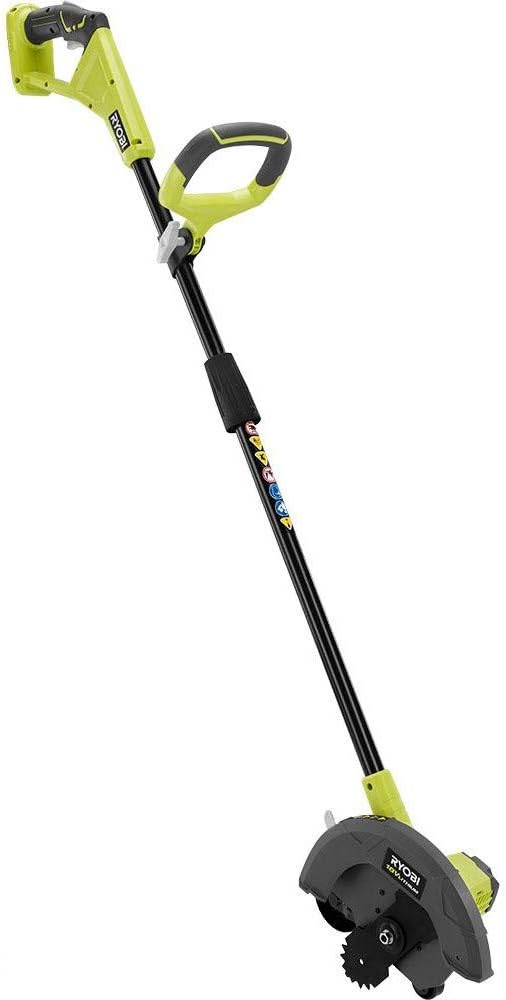
Figure 1: The Ryobi P2300A ONE+ 9-inch 18-Volt Lithium-Ion Cordless Edger.
2. What's in the Box
Upon opening the packaging, verify that all components are present and undamaged. The Ryobi P2300A is typically sold as a 'tool only' unit, meaning the battery and charger are sold separately. The box should contain the main edger unit with the blade pre-attached, the auxiliary handle, and any included tools for maintenance.
Video 1: Unboxing the Ryobi One+ 18V Lawn Edger. This video demonstrates the contents of the box and initial assembly steps.
- Main Edger Unit with 9-inch Serrated Blade
- Auxiliary Handle
- Blade Change Tools (Spanner and Locking Bar)
- Instruction Manual

Figure 2: All components of the Ryobi P2300A Edger.
3. Setup
3.1 Attaching the Auxiliary Handle
- Locate the auxiliary handle and the main shaft.
- Slide the auxiliary handle onto the main shaft.
- Adjust the handle to a comfortable height and angle for your operation. The handle can be rotated for optimal grip.
- Tighten the locking mechanism on the auxiliary handle to secure it in place.

Figure 3: The adjustable auxiliary handle for user comfort.

Figure 4: The shaft adjustment mechanism allows for height customization.
3.2 Inserting the Battery
Ensure the edger is turned off before inserting or removing the battery. The RYOBI 18V ONE+ Edger is compatible with any RYOBI ONE+ 18V Lithium-Ion battery (sold separately).
- Align the battery pack with the battery port on the main handle.
- Slide the battery into the port until it clicks securely into place.
- To remove, press the release latches on the battery and slide it out.

Figure 5: The main handle with the battery insertion slot.

Figure 6: Top view of the battery slot, showing the connection points.
4. Operating Instructions
4.1 Adjusting Cutting Depth
The edger features a 4-position depth adjustment mechanism to suit various lawn types and desired edging depths (15mm - 45mm).
- Locate the depth adjustment lever near the blade guard.
- Move the lever to select one of the four available depth settings.
- Ensure the lever is securely locked into your chosen position before operation.
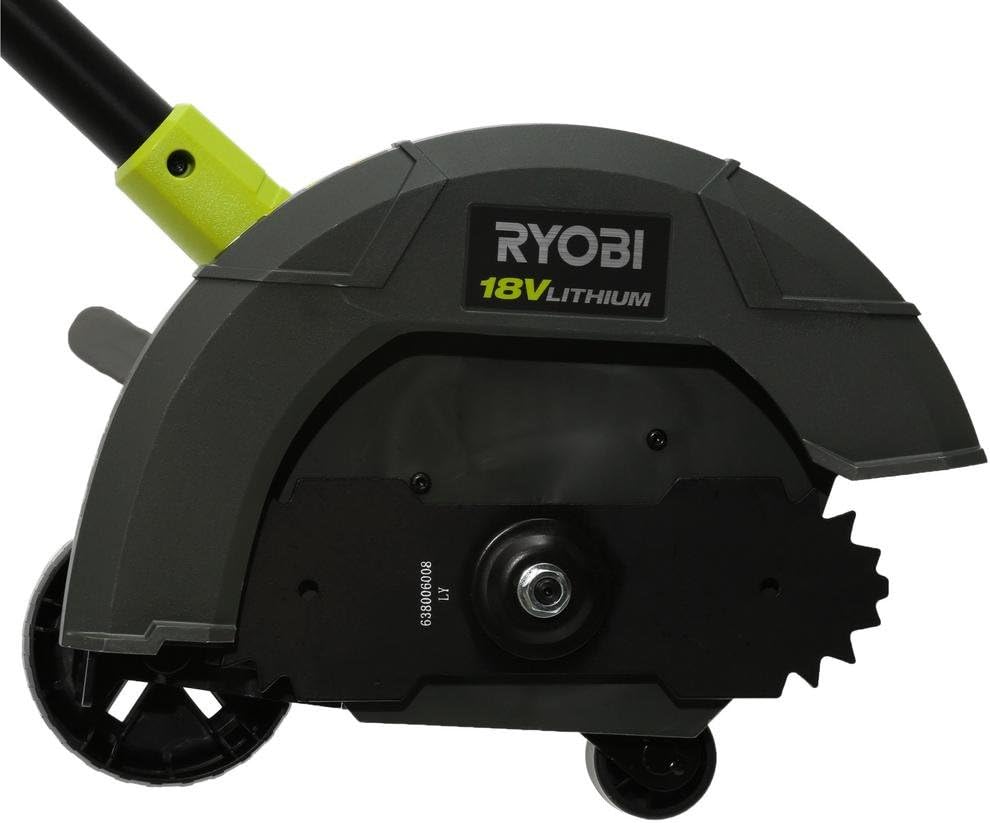
Figure 7: The blade guard and depth adjustment lever.

Figure 8: Side view showing the depth adjustment settings.
4.2 Starting and Stopping the Edger
- To start, ensure the battery is securely inserted.
- Press the safety lock-out button (if present) and then squeeze the trigger switch.
- To stop, release the trigger switch.
4.3 Edging Technique
For best results, guide the edger along the edge of your lawn, driveway, or path. Allow the wheels to follow the hard surface to maintain a consistent line. Move at a steady pace, avoiding forcing the blade through dense areas. For initial edging of overgrown areas, a slower pace and shallower depth may be required, with subsequent passes to achieve the desired depth.
5. Maintenance
5.1 Blade Replacement
Regularly inspect the blade for wear or damage. A dull or damaged blade can reduce performance and increase strain on the motor. Always disconnect the battery before performing any maintenance.
Video 2: How to change the blade on the Ryobi One+ 18V Lawn Edger. This video provides a step-by-step guide for replacing the edger blade.
- Disconnect Power: Remove the battery pack from the edger.
- Secure the Blade: Insert the provided locking bar into the designated hole to prevent the blade from rotating.
- Remove the Nut: Use the provided spanner (or an adjustable wrench for better leverage if needed) to loosen and remove the blade retaining nut. Turn the nut counter-clockwise.
- Remove Old Blade: Carefully remove the outer washer and the old blade.
- Install New Blade: Place the new 9-inch serrated blade onto the shaft, ensuring it is correctly oriented.
- Reassemble: Replace the outer washer and tighten the retaining nut clockwise using the spanner, ensuring it is very tight.
- Remove Locking Bar: Remove the locking bar. The blade should now spin freely.

Figure 9: Close-up view of the edger blade and wheel assembly.
5.2 General Cleaning and Storage
- After each use, clean the edger of any grass clippings, dirt, or debris. Use a damp cloth; do not use harsh chemicals or abrasive cleaners.
- Store the edger in a dry, secure location out of reach of children.
- For compact storage, the shaft can be separated by unscrewing the plastic locking piece, as demonstrated in the unboxing video.
6. Troubleshooting
If your Ryobi P2300A Edger is not functioning as expected, consider the following common issues:
- Edger not starting: Ensure the battery is fully charged and properly inserted. Check that the safety lock-out button is pressed before squeezing the trigger.
- Poor cutting performance: Inspect the blade for sharpness and damage. Replace the blade if it is dull or bent. Ensure the cutting depth is set appropriately for the task.
- Excessive vibration: A bent or damaged blade can cause vibration. Disconnect power and inspect the blade. Replace if necessary.
- Short runtime: The battery may not be fully charged, or it may be an older battery with reduced capacity. Consider using a higher amp-hour (Ah) battery for longer operation, especially during heavy-duty tasks.
For persistent issues, consult the full manufacturer's manual or contact Ryobi customer support.
7. Specifications
| Brand | RYOBI |
| Model Number | P2300A |
| Power Source | Battery Powered (18-Volt Lithium-Ion) |
| Cutting Width | 9 Inches |
| Depth Adjustment | 4-Position (15mm - 45mm) |
| Item Weight | 9.98 Pounds |
| Product Dimensions | 34"L x 12"W |
| Assembly Required | No (minor assembly for handle) |
8. Safety Information
WARNING: Always wear eye protection, long pants, and sturdy shoes when operating the edger. Keep a safe distance from the blade and avoid touching it while in operation. Read and understand all safety warnings and instructions provided in the full product manual before use.
This product contains chemicals known to the State of California to cause cancer and birth defects or other reproductive harm. Wash hands after handling.
Related documentsP2300A


Ask a question about this manual
Ask about setup, troubleshooting, compatibility, parts, safety, or missing instructions. Manuals+ will review the question and use this page’s manual context to help answer it.