
1. Introduction
This manual provides essential information for the safe and effective installation, operation, and maintenance of your Baomain Waterproof DPDT ON-OFF-ON Toggle Switch, Model C-523A+C. This robust 6-pin switch is designed for reliable performance in various applications, including automotive, marine, industrial equipment, and electronic projects, with a rating of 15A at 250V AC.
Please read this manual thoroughly before installation and operation to ensure proper usage and to prevent potential hazards.
2. Package Contents
- 1 x Baomain DPDT ON-OFF-ON Toggle Switch (Model C-523A+C)
- 1 x Waterproof Rubber Cap
- Mounting Hardware (nuts and washers)
3. Safety Information
Warning: Electrical work should only be performed by qualified personnel. Failure to follow these safety guidelines may result in electric shock, fire, or damage to the product and connected equipment.
- Always disconnect power to the circuit before installing, wiring, or servicing the switch.
- Ensure the switch's voltage and current ratings (15A 250V AC) are compatible with your application.
- Do not exceed the specified electrical ratings.
- Protect terminals from accidental short circuits.
- Use appropriate personal protective equipment (PPE) such as insulated gloves and safety glasses.
- Ensure proper ventilation if installing in an enclosed space.
4. Specifications
| Feature | Specification |
|---|---|
| Model Number | C-523A+C |
| Switch Type | DPDT (Double Pole Double Throw) ON-OFF-ON Toggle Switch |
| Rating | 15A 250V AC |
| Number of Pins | 6 Pins |
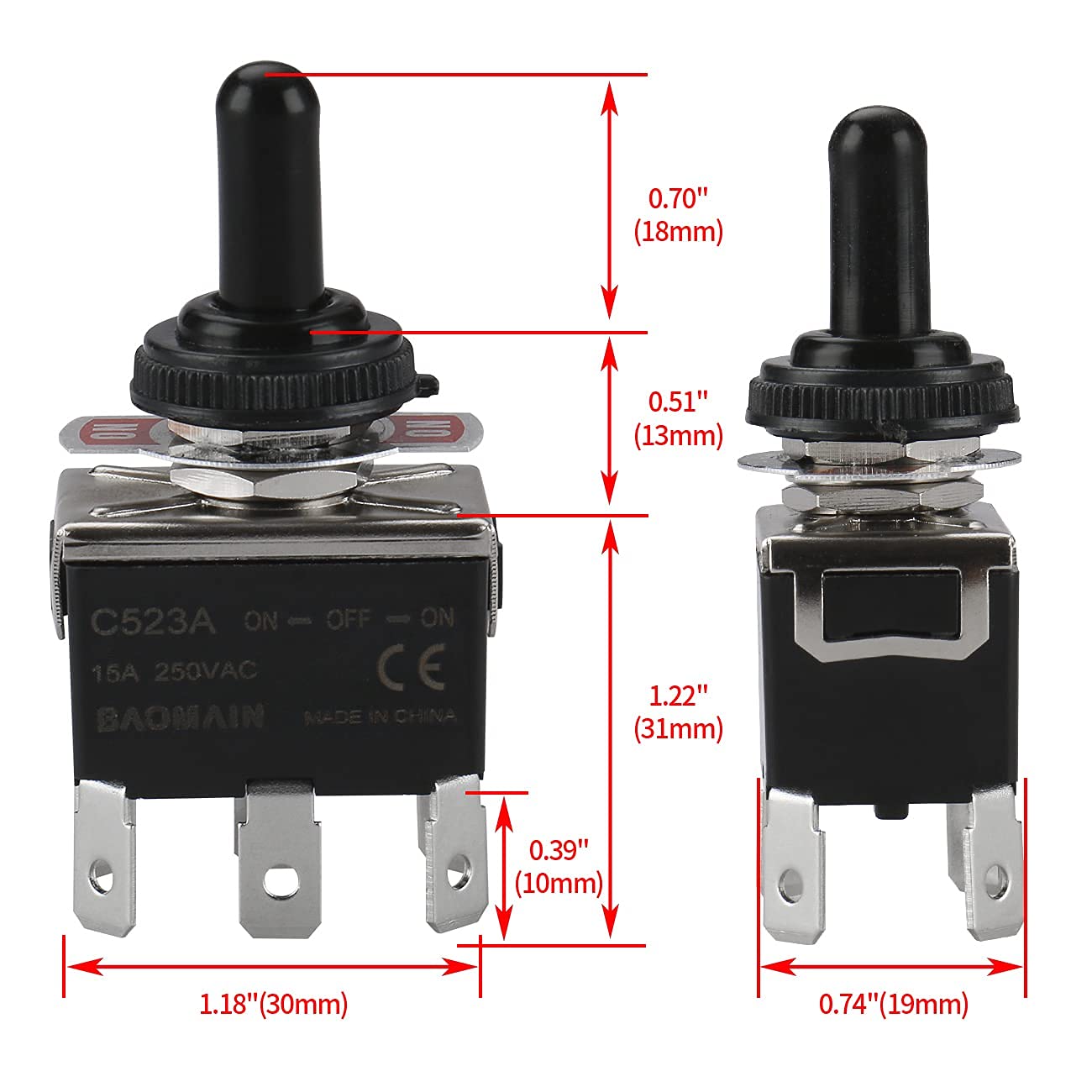
| Mounting Hole Diameter | 12mm (approximately 0.47 inches) |
| Terminal Type | 1/4" (6.35mm) Tab Terminals (Spade) |
| Electrical Life | 50,000 cycles |
| Operating Temperature | -25°C to 85°C (-13°F to 185°F) |
| Contact Resistance | ≤15mΩ |
| Insulation Resistance | ≥100MΩ at 500V DC |
| Dielectric Strength | 1000V AC for 1 minute |
| Material | Copper, Plastic |
| Product Dimensions | 2.47 x 1.14 x 0.59 inches; 0.81 ounces |
Note: Specifications are subject to change without notice.
5. Setup and Installation
5.1 Mounting the Switch
- Prepare Mounting Hole: Drill a 12mm (approximately 0.47 inches) diameter hole in your panel or enclosure. Ensure the surface is clean and free of burrs.
- Insert Switch: Insert the toggle switch body through the prepared hole from the front of the panel.
- Secure with Hardware: Place the flat washer and then the hex nut onto the threaded portion of the switch from the back of the panel. Tighten securely, but do not overtighten.
- Install Waterproof Cap: If using, thread the waterproof rubber cap onto the toggle lever from the front of the panel until it sits snugly against the mounting nut.

5.2 Wiring the Switch (DPDT 6-Pin ON-OFF-ON)
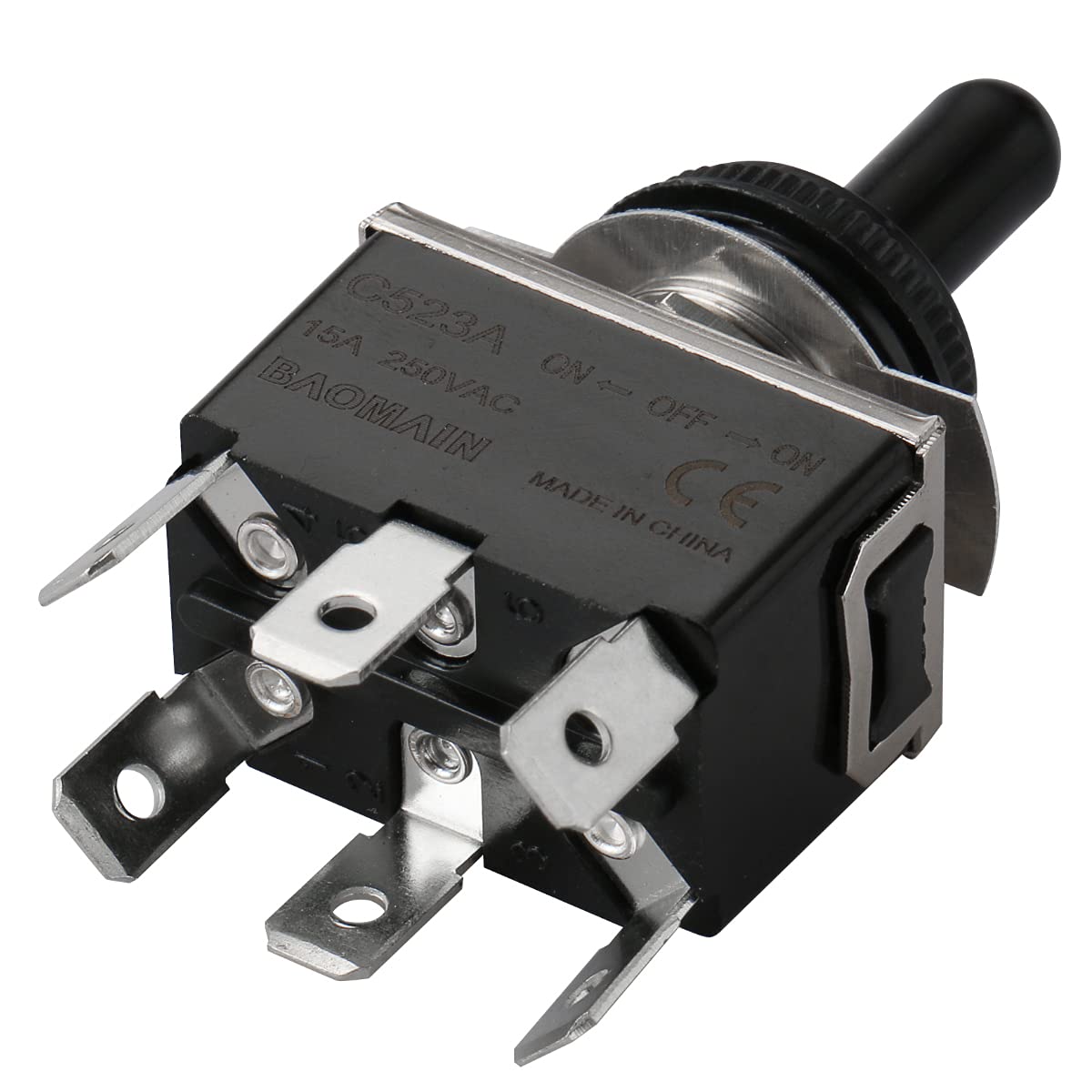
The DPDT (Double Pole Double Throw) switch has 6 terminals. It controls two separate circuits (poles) and can connect each pole to one of two throws. The ON-OFF-ON configuration means the switch has three stable positions: ON (position 1), OFF (center), and ON (position 2).

Standard DPDT Wiring (General Guide):
- The 6 pins are typically arranged in two rows of three.
- The center pins (2 and 5) are usually the common terminals for each pole.
- The outer pins (1, 3, 4, 6) are the "throw" terminals.
- When the toggle is in one "ON" position, the common pins connect to one set of outer pins (e.g., 2 to 1, 5 to 4).
- When the toggle is in the other "ON" position, the common pins connect to the other set of outer pins (e.g., 2 to 3, 5 to 6).
- In the "OFF" (center) position, no connections are made between the common and outer pins.
Wiring Steps:
- Identify Terminals: Refer to the markings on your specific switch or use a multimeter to identify the common and throw terminals. Typically, the center pins are common.
- Connect Power Input: Connect the power input for the first circuit to one of the common pins (e.g., pin 2). Connect the power input for the second circuit to the other common pin (e.g., pin 5).
- Connect Loads: Connect the loads or outputs to the throw terminals. For example, connect Load A to pin 1 and Load B to pin 3 for the first pole. Similarly, connect Load C to pin 4 and Load D to pin 6 for the second pole.
- Secure Connections: Use 1/4" (6.35mm) spade connectors for secure and reliable connections to the terminals. Ensure all connections are tight and insulated.
Always consult a wiring diagram specific to your application or seek professional assistance if you are unsure about wiring.
6. Operating Instructions
The Baomain DPDT ON-OFF-ON toggle switch features three distinct positions for controlling two independent circuits:
- Position 1 (ON): Pushing the toggle lever to one extreme position (e.g., fully up) activates the first set of connections.
- Center Position (OFF): Moving the toggle lever to the middle position disconnects both sets of circuits.
- Position 2 (ON): Pushing the toggle lever to the opposite extreme position (e.g., fully down) activates the second set of connections.
To operate, simply move the toggle lever to the desired position. The switch will audibly click into each stable position.

7. Maintenance
The Baomain toggle switch is designed for long-term, maintenance-free operation. However, periodic inspection can help ensure continued reliability:
- Visual Inspection: Periodically check the switch for any signs of physical damage, corrosion on terminals, or wear on the toggle lever or waterproof cap.
- Terminal Connections: Ensure all electrical connections remain tight and free from corrosion. Loose connections can lead to overheating or intermittent operation.
- Cleaning: If necessary, clean the exterior of the switch with a soft, dry cloth. For stubborn dirt, a slightly damp cloth can be used, ensuring no moisture enters the switch mechanism. Do not use harsh chemicals or abrasive cleaners.
- Waterproof Cap: Ensure the waterproof rubber cap is properly seated and free from cracks or tears, especially in environments where moisture or dust is present. Replace if damaged.
8. Troubleshooting
If you encounter issues with your Baomain toggle switch, consider the following troubleshooting steps:
| Problem | Possible Cause | Solution |
|---|---|---|
| Switch does not activate circuit | No power to the circuit; Loose wiring connection; Faulty load; Incorrect wiring. | Check power supply and fuses. Verify all wiring connections are secure. Test the load independently. Review wiring diagram and ensure correct connections. |
| Intermittent operation | Loose wiring connection; Internal switch wear; Corrosion on terminals. | Tighten all connections. Inspect terminals for corrosion and clean if necessary. If the issue persists, the switch may need replacement. |
| Switch feels stiff or sticky | Accumulation of dirt or debris; Damage to the internal mechanism. | Clean the exterior of the switch. Ensure the waterproof cap is not impeding movement. If the issue persists, the switch may be damaged and require replacement. |
| Overheating of switch or wires | Overcurrent; Loose connections; Incorrect wire gauge. | Immediately disconnect power. Verify the load current does not exceed the switch's 15A rating. Ensure all connections are tight. Use appropriate wire gauge for the current. |
If these steps do not resolve the issue, contact Baomain customer support or a qualified electrician.
9. Warranty and Support
Specific warranty information for this product is not provided in the available documentation. For any warranty claims or technical support, please refer to your purchase documentation or contact the seller directly.
You can also visit the official Baomain store for more products and information: Baomain Store on Amazon.