
1. Introduction
This manual provides essential information for the safe and efficient operation of your Candy X-Range CMXG 25DCS Microwave with Grill. Please read these instructions carefully before using the appliance and keep them for future reference.
The Candy CMXG 25DCS is a 25-liter microwave oven with a grill function, offering 900W microwave power and 1450W grill power. It features a digital interface, 40 automatic programs, and a large 31.5 cm turntable, designed for versatile cooking and heating needs.
2. Safety Instructions
Always follow basic safety precautions when using electrical appliances to reduce the risk of fire, electric shock, injury to persons, or exposure to excessive microwave energy.
- Do not attempt to operate this oven with the door open as this can result in harmful exposure to microwave energy.
- Do not place any object between the oven front face and the door or allow soil or cleaner residue to accumulate on sealing surfaces.
- Do not operate the oven if it is damaged. It is particularly important that the oven door closes properly and that there is no damage to the: (1) door (bent), (2) hinges and latches (broken or loosened), (3) door seals and sealing surfaces.
- The oven should not be adjusted or repaired by anyone except properly qualified service personnel.
- Ensure proper ventilation around the appliance.
- Do not heat liquids or other foods in sealed containers since they are liable to explode.
- Only use utensils suitable for microwave ovens.
3. Setup and Installation
3.1 Unpacking
Carefully remove all packaging materials from the microwave oven. Check the oven for any damage, such as dents or a misaligned door. If any damage is observed, do not operate the oven and contact your retailer.
3.2 Components Included
The following components are included with your microwave oven:
- Microwave Oven Unit
- Glass Turntable (31.5 cm diameter)
- Grill Rack
- Crunchy Plate (Teflon)
- Instruction Manual
3.3 Placement
Place the microwave oven on a stable, level surface that can support its weight and the heaviest food item likely to be cooked in it. Ensure there is adequate ventilation space around the oven:
- Minimum 20 cm (8 inches) of free space above the oven.
- Minimum 10 cm (4 inches) of free space at the rear and sides.
Do not block any ventilation openings. Do not place the oven near heat sources or in a damp environment.
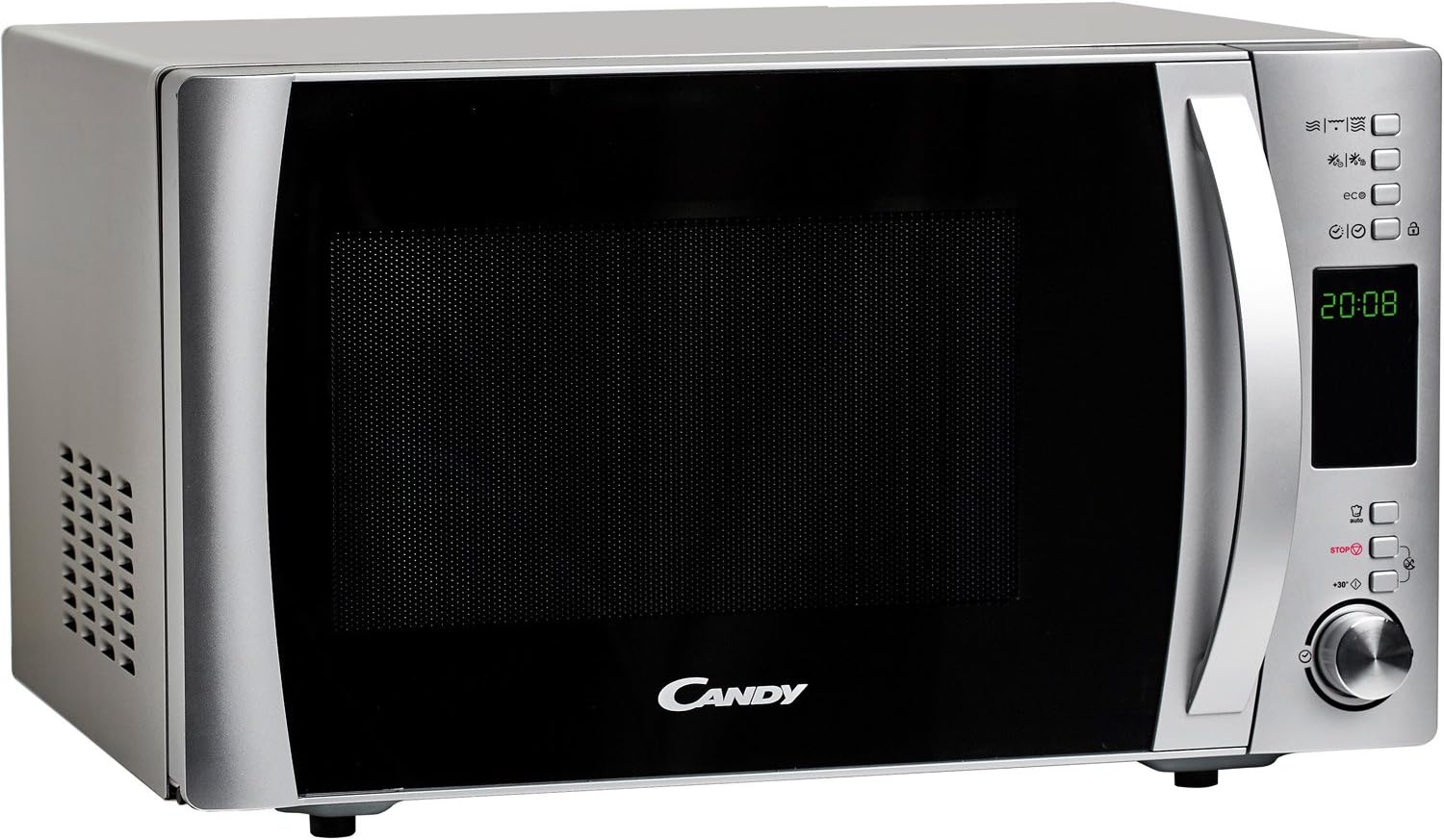
Image: Side view of the Candy CMXG 25DCS microwave, illustrating the ventilation grilles on the side panel. This highlights the need for adequate space around the appliance for proper airflow.
3.4 Electrical Connection
Plug the power cord into a properly grounded electrical outlet. Ensure the voltage and frequency match the specifications on the rating label of the appliance.
4. Operating Instructions
4.1 Control Panel Overview
The control panel features a digital display, function buttons, and a rotary knob for setting time and selecting programs.

Image: Front view of the Candy CMXG 25DCS microwave, showing the digital display and control buttons on the right side.
4.2 Setting the Clock
- Press the "Clock" button (if available, or refer to specific icon in manual).
- Rotate the knob to set the hour.
- Press the "Clock" button again.
- Rotate the knob to set the minutes.
- Press the "Clock" button to confirm.
4.3 Microwave Cooking
- Place food in a microwave-safe container on the glass turntable.
- Close the door securely.
- Press the "Microwave" button to select the desired power level (e.g., 900W).
- Rotate the knob to set the cooking time.
- Press the "Start" button to begin cooking.
4.4 Grill Function
The grill function is ideal for browning and crisping food.
- Place food on the grill rack provided, inside the microwave.
- Press the "Grill" button.
- Rotate the knob to set the grilling time.
- Press the "Start" button.
Caution: Always use the metal grill rack only when using the grill function. Do not use the grill rack during microwave-only cooking.

Image: Interior view of the microwave, showing the glass turntable and a bowl of dough. This illustrates the internal capacity and the turntable in use.
4.5 Automatic Programs
The microwave features 40 automatic programs, including specific settings for baby food and healthy cooking options. Consult the full instruction manual for a detailed list and usage of these programs.

Image: The Candy CMXG 25DCS microwave positioned beside a baby bottle and a bowl of baby food, highlighting its "baby & healthy" automatic programs.
4.6 Special Features
- Cook in App: This appliance supports the simply-Fi app, which provides cooking tips, recipes, and food information. Refer to the full manual for app connection instructions.
- Sound Elimination: The sound of button presses and the end-of-cooking alert can be deactivated. Consult the full manual for instructions.
- Eco Function: This function allows the display to turn off when not in use, contributing to energy saving.
- Crunchy Plate: Use the Teflon crunchy plate for achieving crispy results with certain foods.
- Child Lock: Activate the child lock to prevent accidental operation.
5. Maintenance and Cleaning
5.1 Cleaning the Exterior
Wipe the exterior surfaces with a damp cloth and mild detergent. Avoid abrasive cleaners or scouring pads.
5.2 Cleaning the Interior
Clean the oven cavity regularly. For stubborn food splatters, place a bowl of water with lemon juice inside and microwave for a few minutes to loosen residue, then wipe clean with a damp cloth.
5.3 Cleaning the Turntable and Accessories
The glass turntable, grill rack, and crunchy plate can be washed in warm soapy water or in a dishwasher. Ensure they are completely dry before placing them back in the oven.
6. Troubleshooting
If you encounter any issues with your microwave oven, please refer to the following common problems and solutions before contacting service.
| Problem | Possible Cause | Solution |
|---|---|---|
| Oven does not start | Door not closed properly; Power cord not plugged in; Fuse blown or circuit breaker tripped. | Ensure door is firmly closed; Check power cord connection; Check household fuse or reset circuit breaker. |
| Food not heating | Incorrect cooking time or power level set; Food not suitable for microwave. | Adjust cooking time/power; Ensure food is microwave-safe. |
| Turntable not rotating | Turntable not correctly placed; Obstruction under turntable. | Reposition turntable; Remove any obstructions. |
| Unusual noise during operation | Loose components; Food container touching oven walls. | Check for loose parts; Ensure containers are centered and not touching walls. |
7. Specifications
Detailed technical specifications for the Candy X-Range CMXG 25DCS Microwave with Grill.

Image: Diagram showing the dimensions of the Candy CMXG 25DCS microwave: 32.99cm height, 45.01cm depth, and 54.99cm width.
| Feature | Specification |
|---|---|
| Brand | Candy |
| Model Number | CMXG25DCS |
| Color | Inox (Stainless Steel) |
| Product Dimensions (D x W x H) | 42.9 x 51.3 x 30.7 cm |
| Capacity | 25 Liters |
| Microwave Power | 900 Watts |
| Grill Power | 1450 Watts |
| Voltage | 230 Volts |
| Material | Stainless Steel |
| Automatic Shutoff | Yes |
| Noise Level | 44 Decibels |
| Special Features | Trays, Eco Mode, Programmable, Quick Access Keys, Timer |
| Product Weight | 16.1 kg |
| Turntable Diameter | 31.5 cm |
8. Warranty and Support
8.1 Warranty Information
Your Candy X-Range CMXG 25DCS Microwave with Grill is covered by a manufacturer's warranty. The specific terms and duration of the warranty may vary by region and retailer. Please retain your proof of purchase for warranty claims.
For detailed warranty information, refer to the warranty card included with your product or visit the official Candy website.
8.2 Customer Support
If you require technical assistance, have questions about your product, or need to report a fault, please contact Candy customer support or your authorized retailer.
Before contacting support, please have your model number (CMXG25DCS) and serial number ready, which can usually be found on a label on the back or side of the appliance.


